Chatbot vs. contact form: a direct comparison
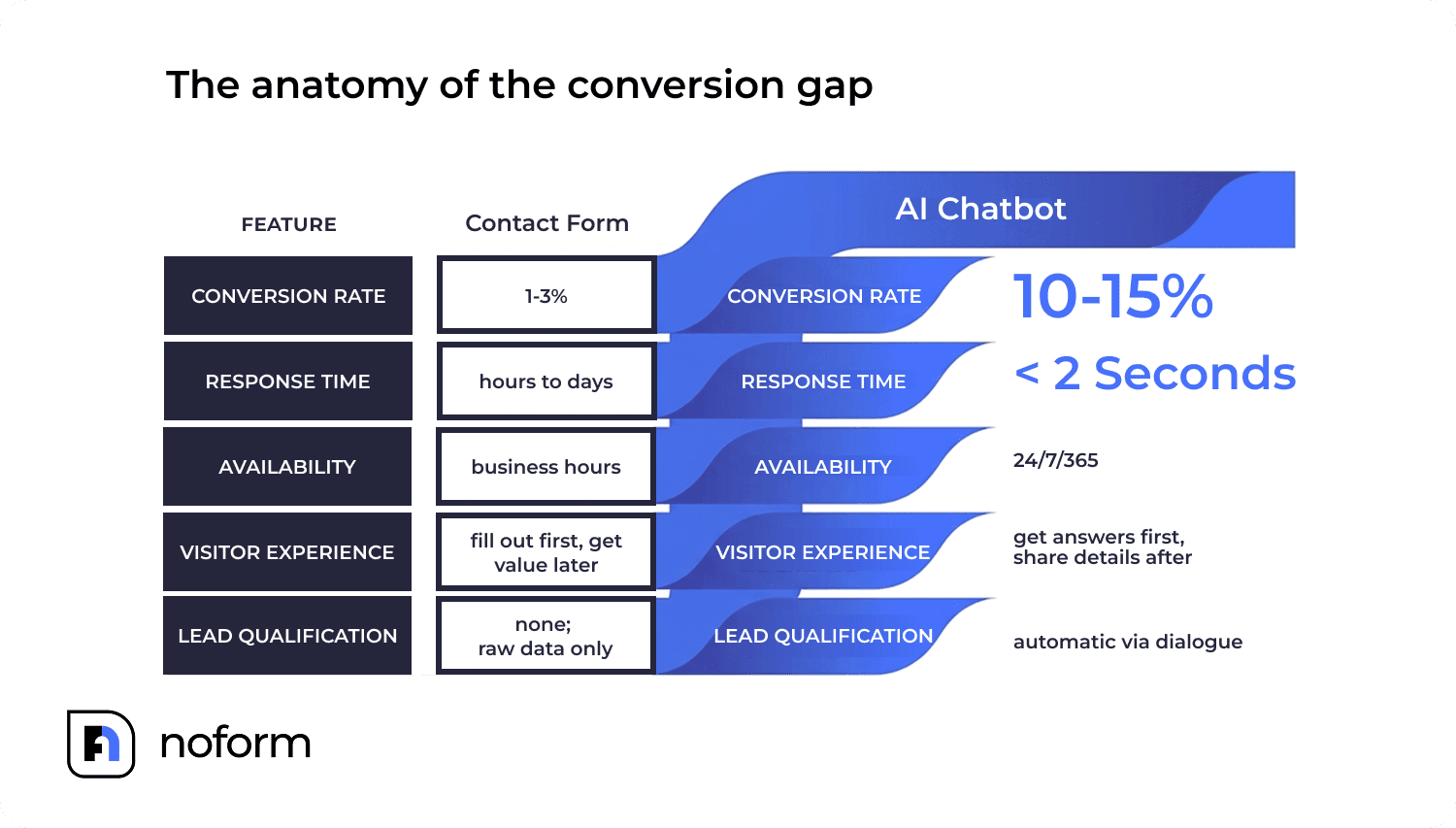
| Factor | Contact Form | AI Chatbot |
|---|---|---|
| Average conversion rate | 1–3% | 10–15% |
| Response time | Hours to days | Under 2–3 seconds |
| Available hours | Business hours (or ignored) | 24/7/365 |
| Lead qualification | None. Raw data only | Automatic via dialogue |
| Visitor experience | Fill out first, get value later | Get answers first, share details after |
| Data handed to the sales team | Name, email, maybe a message | Contact details + intent + qualification context |
| Best for | Complex structured data submission | Inbound lead capture and qualification |
Why do contact forms have a high abandonment problem?
Let’s be honest about what a contact form asks someone to do.
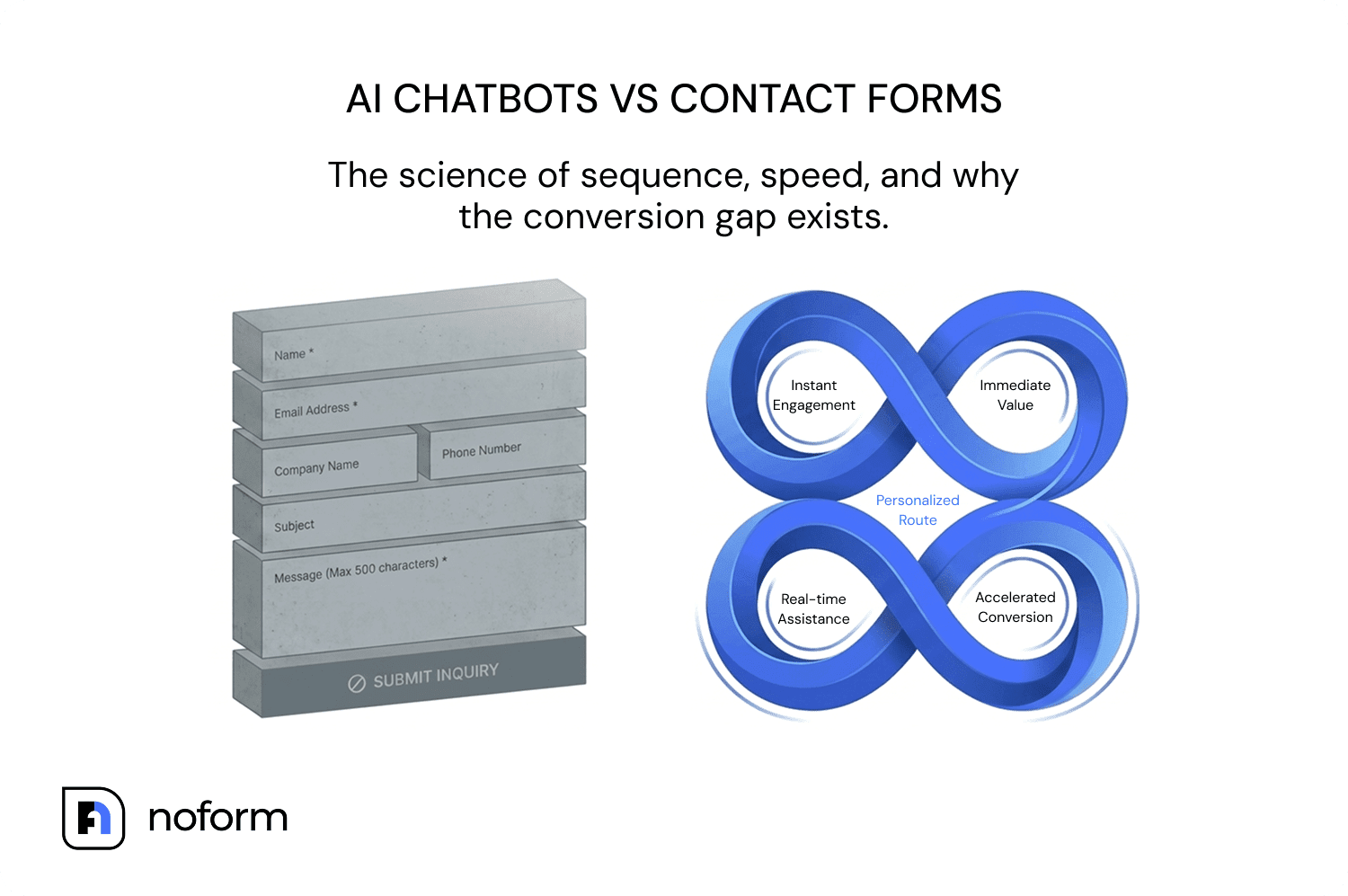
Contact forms fail at lead capture because they demand effort before delivering any value. A visitor lands on your site, curious, maybe a bit interested. Before they get a single answer, you hand them a form. Name, email, phone number, company, message, budget, timeline. Fill all of this out first, then maybe we’ll respond within 24–48 hours.
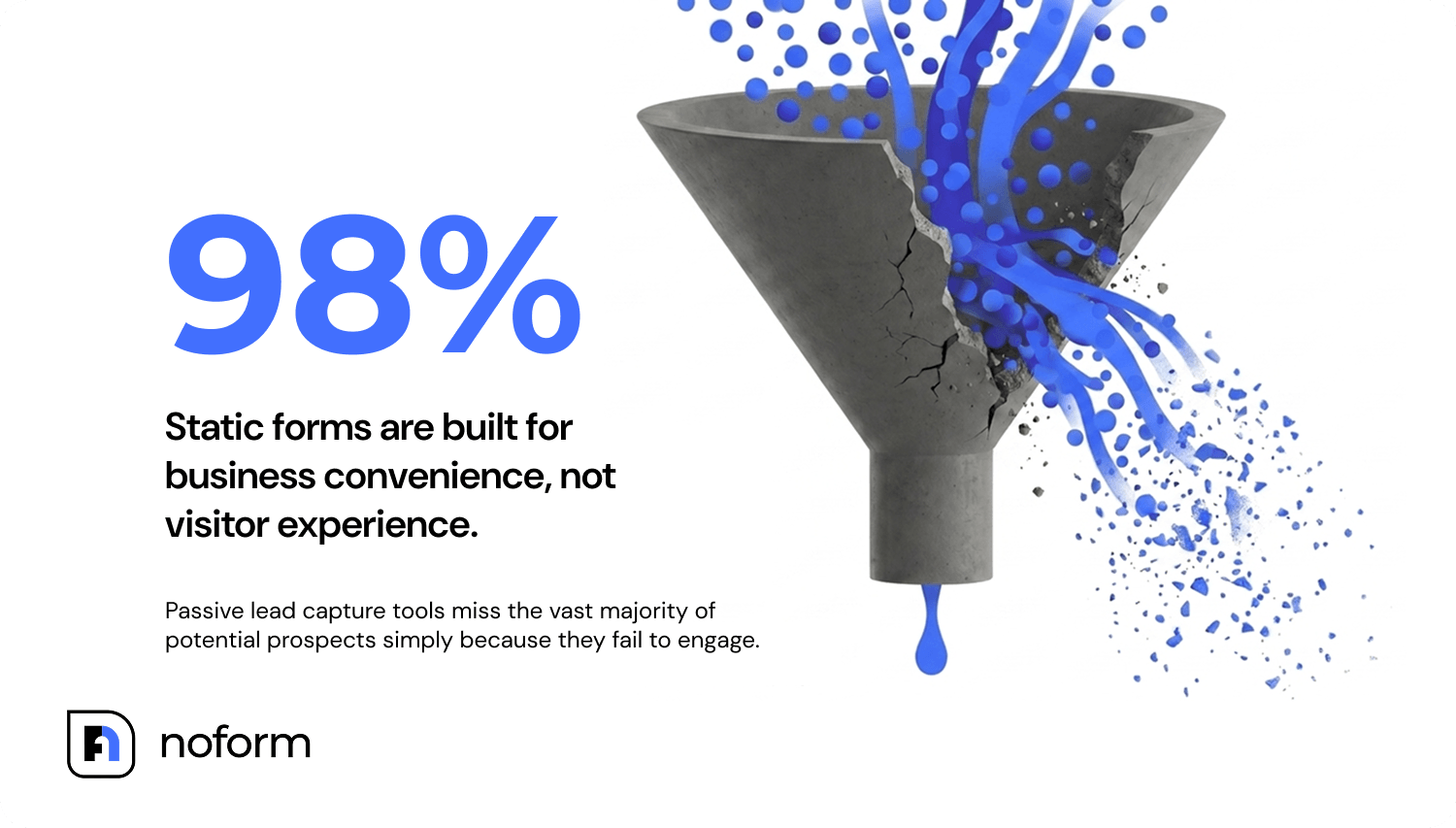
That’s a lot of effort before any value is delivered. And most people won’t do it. Research consistently shows that around 98% of website visitors leave without taking any action at all, and static forms are a big part of why. They’re built for the business’s convenience, not the visitor’s.
Contact forms work well in some situations. If you’re collecting complex or highly structured data, financial applications, legal intake, or multi-step onboarding, forms make sense because users can review their answers, save progress, and submit everything at once. Autocomplete helps on mobile. There’s nothing unpredictable about the process.
But for lead capture on a standard website? The abandonment rate tells the real story.
How do AI chatbots convert more visitors into leads?
The core difference is the sequence. A chatbot answers first. It earns trust before asking for anything.
When a visitor opens a chat window, they can ask their actual question right away.
- What does your pricing look like?
- Do you work with businesses my size?
- Can you integrate with the tool I’m already using?
The AI answers instantly, 24/7, without a human on the other side. By the time contact details come up in the conversation, the visitor has already gotten something valuable from the interaction. They’re not filling out a cold form. They’re continuing a conversation that’s been going somewhere.
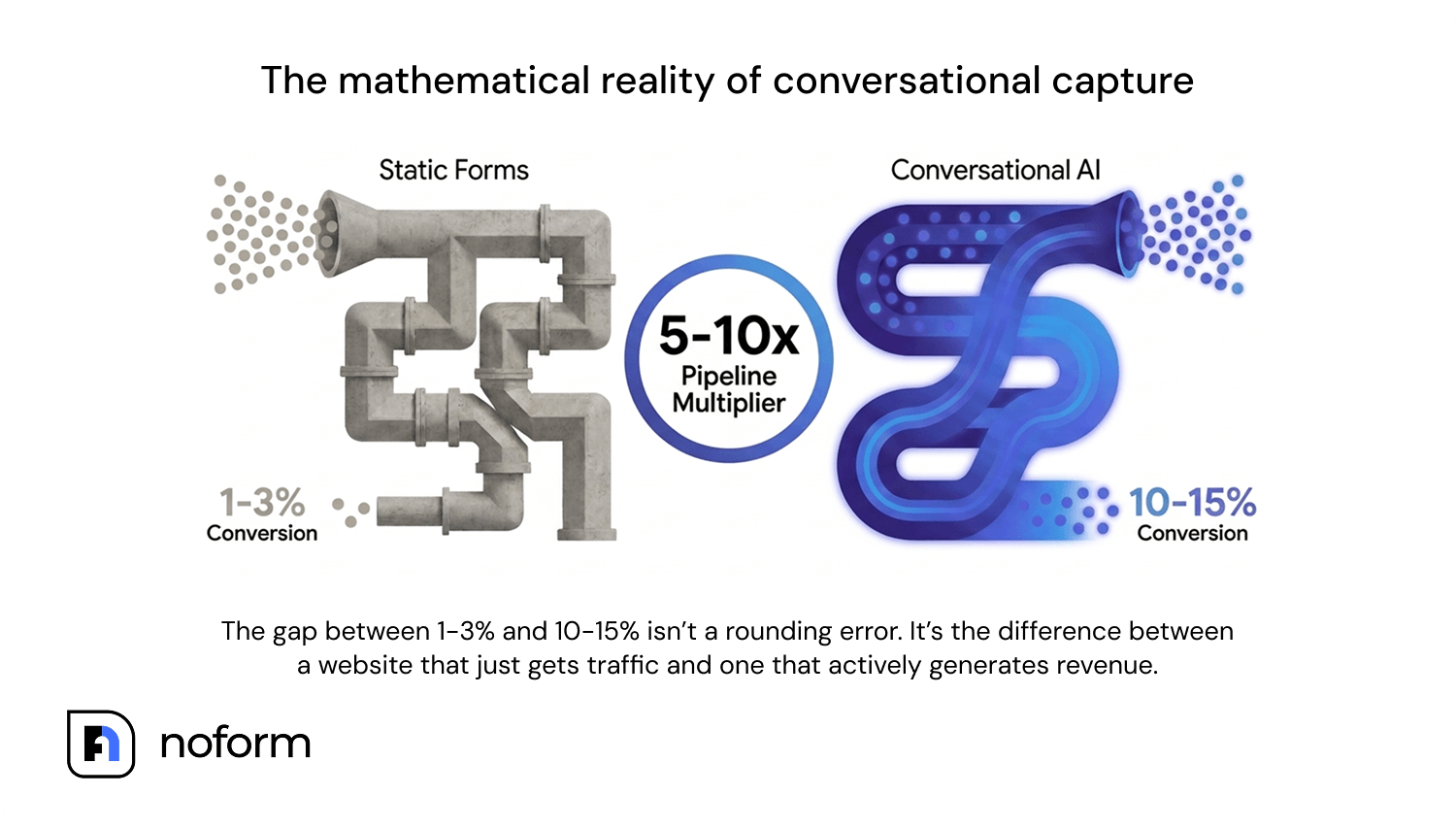
That shift in sequence changes the conversion math significantly. AI chatbots convert at 10–15% on the same pages where forms convert at 1–3%. One chatbot deployment — same traffic, same website, same audience — can triple qualified leads in 30 days.
And responding within 5 minutes makes a business 21 times more likely to qualify a lead than one that waits 30 minutes (Harvard Business Review). Forms can’t compete with a reply that comes in under two seconds.
But there’s a catch, and it’s one worth taking seriously.
When do chatbots underperform contact forms?
A poorly set-up chatbot can perform worse than a basic contact form. This gets said a lot in developer communities, and it’s true. The technology isn’t the variable. The setup is.
A chatbot that’s trained on nothing useful will hallucinate answers or tell visitors it doesn’t know, which is worse than a form that just collects their info. A chatbot that asks for name, email, and phone all at once, in sequence, is just a form with extra steps. And a chatbot that doesn’t understand the difference between a serious buyer and someone who clicked by accident isn’t qualifying leads, it’s just creating noise.
The chatbots that work well have a few things in common: they’re trained on actual business content (products, pricing, FAQs, service scope), they ask one question at a time and build on the answers, and they’re configured with clear rules for what makes someone worth following up with. Get those three things right, and the conversion gap tends to be significant.
How the conversion gap actually works in practice
Here’s a useful way to think about it. A contact form is passive. It waits for someone motivated enough to complete it. A well-configured chatbot is active. It meets visitors where they are and brings them further along through conversation.
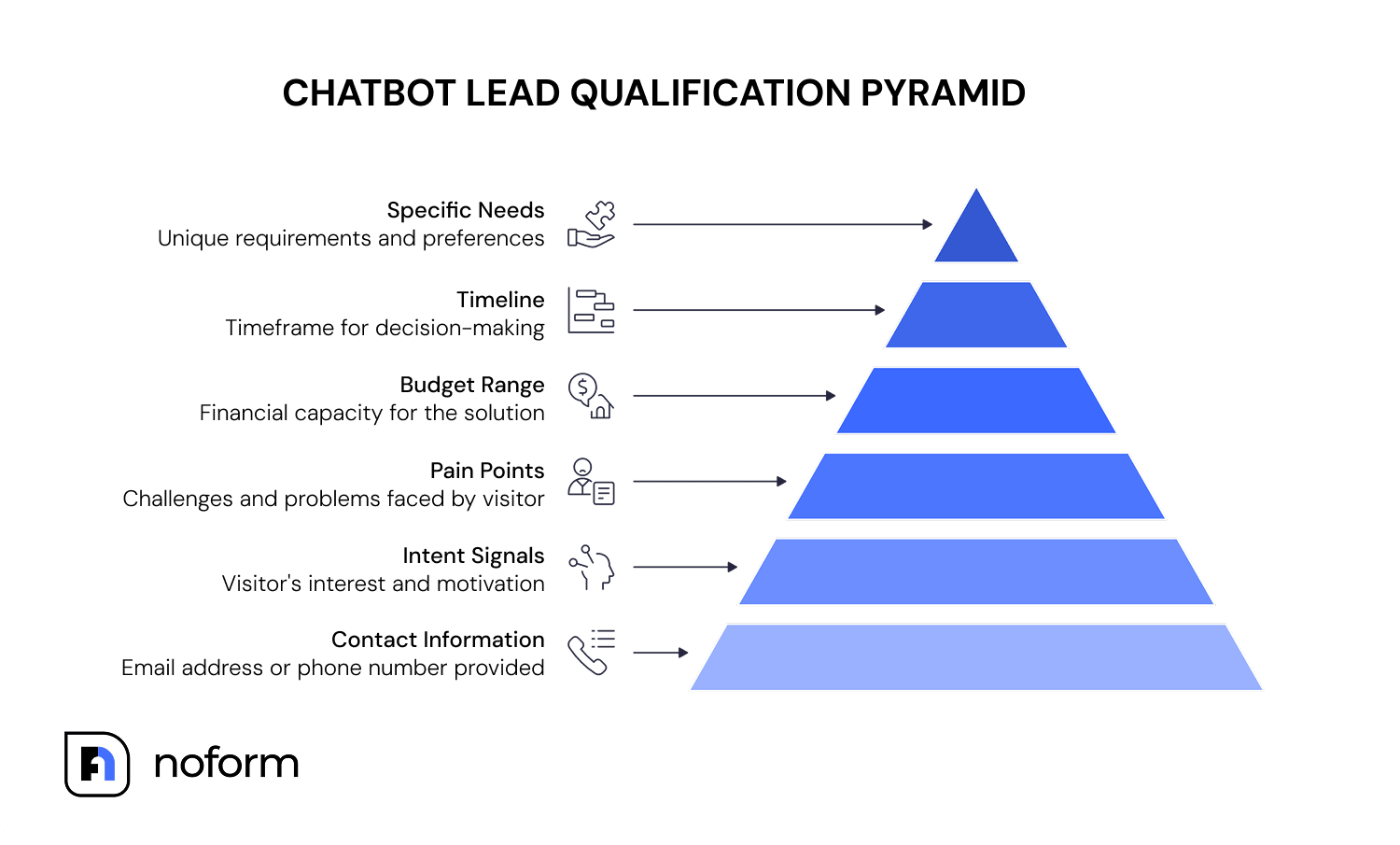
Someone landing on a pricing page has a different intent than someone who clicked a blog post. A chatbot can open with different welcome messages for each. It can ask different follow-up questions based on what the visitor says. It gathers qualification data (budget, timeline, company size, specific needs) through natural dialogue instead of a wall of fields.
By the time a visitor hands over their email address, the sales team already knows why they were on the site, what they’re trying to solve, and where they are in the decision process. That’s not a raw contact. That’s a pre-qualified conversation handed over with context.
The 78% of customers who buy from the first company to respond aren’t waiting around for a form submission to be reviewed the next business day.
What does “qualified lead” mean in this context?
In a chatbot lead capture flow, a qualified lead is a conversation where the visitor has provided at least one piece of contact information — typically an email address or phone number. That’s the technical threshold. But a well-configured chatbot captures more than that: it gathers intent signals, pain points, budget range, timeline, and specific needs through natural dialogue before the contact details even come up.
This means the sales team doesn’t just get a name and email. They get a pre-qualified conversation — what the visitor was looking for, what objections came up, and where they are in the decision process. The first outreach call becomes a second conversation rather than a cold introduction.
Where do contact forms still make sense?
None of this means contact forms are dead. They’re just the wrong tool for top-of-funnel lead capture on most websites. Yet, there are real use cases where they’re the better call.
If your visitors need to submit specific structured information that would be awkward to collect through conversation (tax documents, legal records, multi-page applications), a form is cleaner. If you’re dealing with users who specifically distrust chatbots and want to fill in a box and submit, forcing a conversation on them creates friction, too.
The strongest approach for many businesses is neither a pure form nor a pure chatbot. It’s using a chatbot for initial engagement and qualification, and routing users who have complex needs to a more structured follow-up. The chatbot gets the contact details and the context. The form, if needed, comes later in the process when the visitor is already committed.
How hard is it to set up a lead capture chatbot?
One common objection to chatbots is that they’re hard to configure. This was true for a while. Early chatbot builders required scripting entire conversation flows, mapping every possible branch, and maintaining the whole thing manually. It was a development project, not a marketing tool.
That’s changed. Tools like NoForm AI train directly from your website URL — paste it in, and the AI reads your existing content (product pages, FAQs, service pages) and builds its knowledge base automatically. No scripting, no flow-building, no coding. The whole setup from account creation to a live chatbot on your site takes minutes.

The bigger question isn’t how hard it is to set up. It’s whether the chatbot is trained well enough to be useful. A chatbot that knows your products, can answer real visitor questions, and understands what it shouldn’t try to answer on its own. That’s the difference between one that converts and one that frustrates.
What should most businesses do in 2026?
If your current contact form is converting below 3% and you have reasonable website traffic, you’re leaving leads on the table every day. The math on conversational lead capture — 10–15% conversion vs. 1–3% — isn’t theoretical.
The answer isn’t to pick one and commit forever. Start by putting a chatbot on your highest-intent pages, like pricing, contact, and demo request. Keep a form where you genuinely need structured data submission. Watch what happens to your visitor-to-lead rate over 30 days.
Same traffic. Completely different outcome.
Summing up
The gap between 1–3% and 10–15% isn’t a rounding error. It’s the difference between a website that captures leads and one that just gets traffic.
But the technology is only part of it. A chatbot trained on nothing useful is worse than a form, at least a form sets expectations. What makes the conversion gap real is the setup: an AI that actually knows your business, asks one thing at a time, and earns the contact details before asking for them. Get that right, and the leads dashboard looks different within a month. Same traffic. Different tool. Completely different number.
Ready to see what your current traffic can actually do?
Set up your NoForm AI assistant today, or book a demo call to see it in action.
Frequently Asked Questions
Is a chatbot better than a contact form for generating leads?
For most websites, yes — significantly. AI chatbots convert website visitors at 10–15%, compared to 1–3% for contact forms on the same pages. The difference comes down to sequence: chatbots answer visitor questions first and request contact details after delivering value, while forms demand effort upfront before giving anything back.
Why do contact forms have high abandonment rates?
Contact forms fail because they front-load effort. Visitors are asked to fill out their name, email, phone, company, and a message before receiving any response or value from the business. Research shows that around 98% of website visitors leave without taking any action, and static forms contribute to that by creating friction at the exact moment visitors need answers.
Can a chatbot replace a contact form entirely?
For lead capture, often yes. For structured data collection (complex applications, legal intake, multi-step onboarding), forms still make sense because users can review and submit information cleanly. The strongest setup for most businesses is a chatbot for initial engagement and qualification, with a form only appearing later in the process when needed.
How fast does an AI chatbot respond compared to a form submission?
AI chatbots reply in under 2–3 seconds, 24/7. Contact form submissions depend entirely on when a human picks them up — typically hours to days. According to Lead Connect research, 78% of customers buy from the first company to respond. That timing gap is where most inbound leads are lost.
What makes a chatbot better at qualifying leads than a form?
A chatbot gathers qualification data — budget, timeline, company size, specific needs, intent signals — through natural dialogue, one question at a time. By the time a visitor shares their contact details, the sales team receives a full picture of who they are and what they want. A form collects the same fields in a static list with no context, no qualification, and no conversation.
Does setting up a lead capture chatbot require coding?
No. Tools like NoForm AI are entirely no-code. They train automatically from a website URL and uploaded files, reading existing content to build their knowledge base. Setting up from account creation to a live chatbot takes minutes. The only thing that requires attention is training quality: the better the source content, the more useful the chatbot.