
Here’s a thing that surprises most teams when they first set up an AI chatbot: the model itself is only half the equation. You can connect the most capable language model available, and it’ll still give your customers wrong answers if what it’s reading from is outdated, contradictory, or just poorly organized.
The bot is only as good as the content it’s allowed to read from. This guide breaks down exactly how chatbots use an internal knowledge base to answer customer questions, the real ROI they unlock, and a step-by-step blueprint to build one that works in practice – not just one that looks polished in a product demo.
What is a knowledge base chatbot?
These three terms get mixed up constantly, so let’s separate them clearly – but briefly. A knowledge base is the content repository: your FAQs, product documentation, help articles, policy pages, and anything else written down about how your business actually operates. A chatbot is the conversational interface your customers talk to.
A knowledge base chatbot is what you get when you connect the two – the bot retrieves its answers from that repository instead of relying on pre-written scripts or whatever a general-purpose AI model “knows” from training data. The distinction matters more than it sounds.
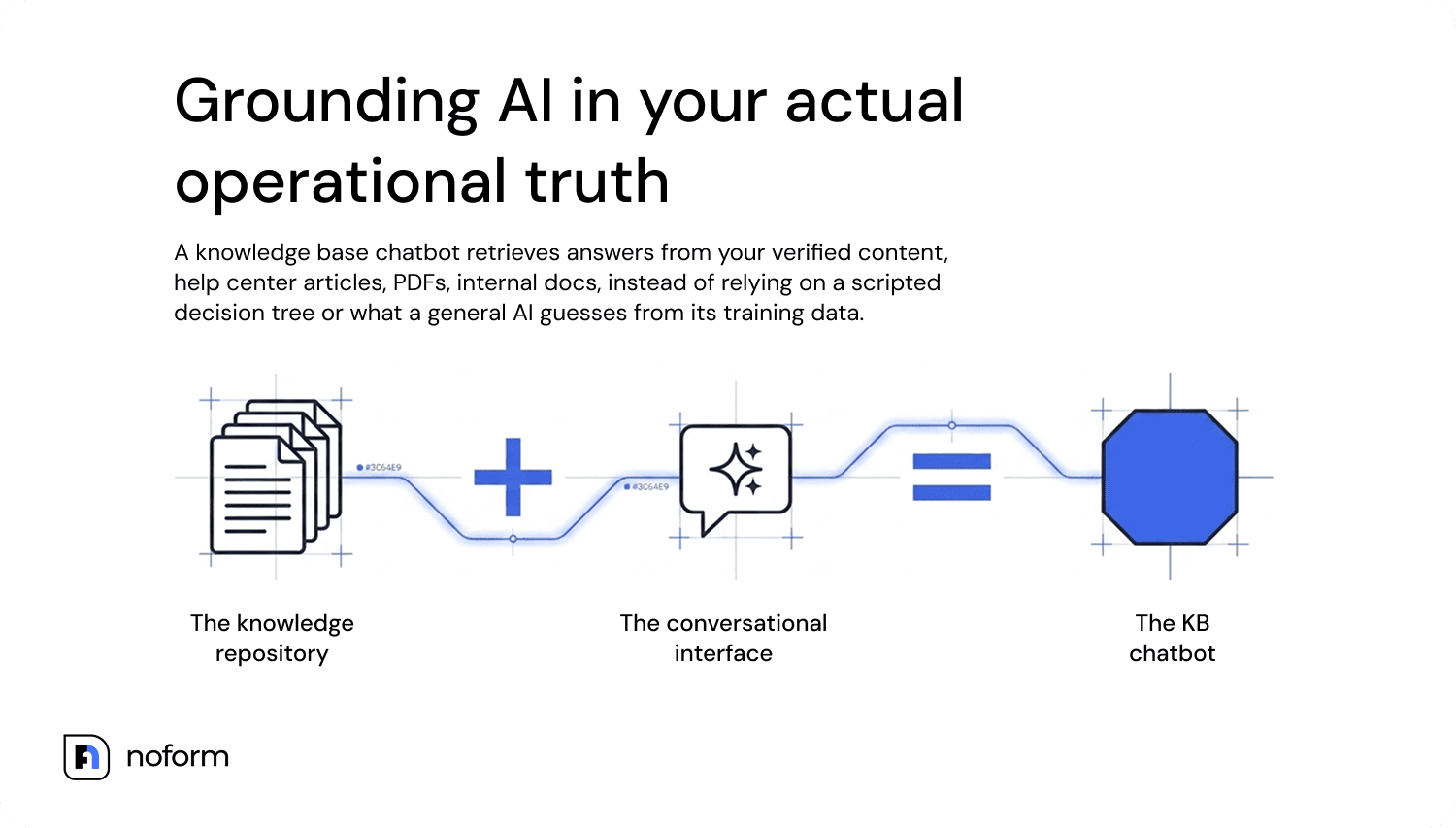
A scripted bot only responds to what it was explicitly programmed for. A knowledge-based chatbot that’s integrated with your real content can handle rephrased questions, connect dots across multiple documents, and stay grounded in what your company actually says, not what the AI guesses you might mean.
Knowledge base chatbot vs. regular chatbot
Feature | Regular chatbot | Knowledge base chatbot |
Data source | Hardcoded scripts or rigid decision trees | Connected internal knowledge base, help centers, and documents |
Response engine | Predefined keyword triggers | Large Language Models (LLMs) paired with RAG-style retrieval |
User experience | Linear, menu-driven routing | Context-aware, adapts to how the question is phrased |
Maintenance overhead | High (manual script updates for every new change) | Low (updates automatically when you update your documentation/source content) |
Best use case | Simple routing, narrow FAQs | Support, sales, product discovery, lead qualification |
Types of knowledge base chatbots
Not all knowledge base chatbots are built the same way. Some are basically glorified FAQ pages with a chat bubble stuck on top; others can hold a real conversation, understand awkwardly phrased questions, and pull answers from dozens of documents at once. So here’s a quick breakdown:
Type | How it works | The catch |
Rule-based FAQ bot | Fixed Q&A pairs, responds to exact keywords | Falls apart the moment someone phrases a question differently |
Retrieval-based bot | Searches the knowledge base, returns templated answers | Better coverage, still pretty rigid |
AI/RAG-based conversational bot | Full natural language understanding, adapts to phrasing, holds multi-turn context | Needs a well-maintained knowledge base – but this is the category that can actually move metrics |
The third type is what most people mean when they talk about a chatbot with knowledge base capabilities in 2026, and it’s the focus of everything below. It’s also the only type that actually gets better as your content improves – feed it cleaner, more structured knowledge and the answers get sharper.
How does a knowledge base chatbot work?
A useful way to understand the system is to view it as a three-layer model. Most chatbot problems can be traced to a failure in one of these layers. Fix the right layer, and you address the root cause; patch the wrong one, and you only shift the problem elsewhere.
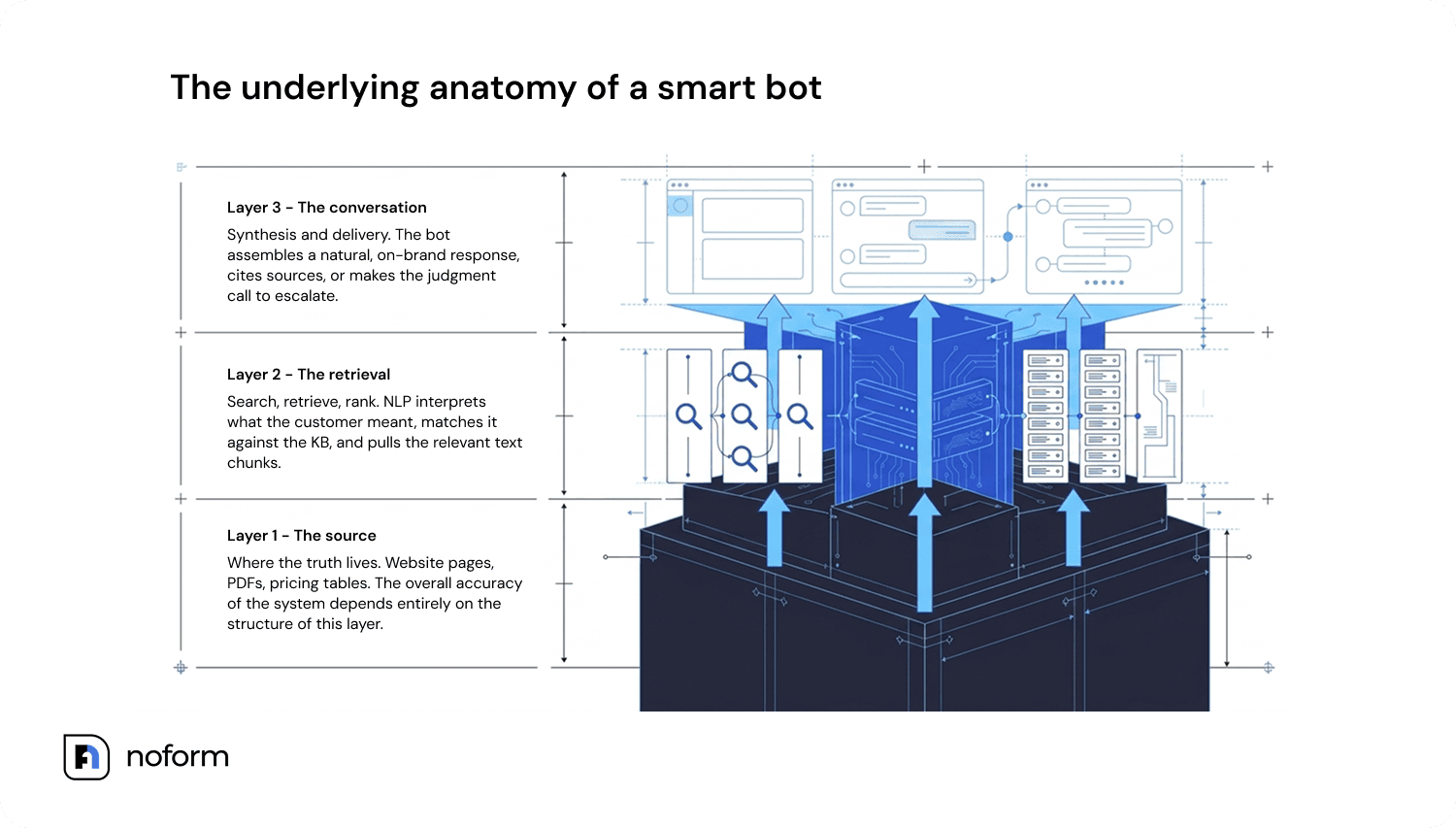
Layer 1: The source layer
This is where the truth lives. Website pages, uploaded PDFs, help center articles, product data, pricing tables, troubleshooting guides – everything the bot is allowed to read from. The system’s overall accuracy depends on this layer. A brilliant AI model reading bad content gives bad answers. A less sophisticated model reading clean, well-structured content will often outperform it.
Layer 2: The retrieval layer
When a customer sends a message, the bot doesn’t read every single document from start to finish. The query gets matched against the knowledge base using a combination of semantic and keyword matching – the system finds the most relevant text chunks and pulls them. This is the RAG (Retrieval-Augmented Generation) step. Search, retrieve, rank. Natural language processing is doing the heavy lifting here: interpreting what the customer actually meant, not just the literal words they typed.
Layer 3: The conversation layer
Here’s where the answer gets assembled and delivered. The retrieved content is synthesized into a natural, on-brand response. The bot has to make judgment calls: is it confident enough to answer directly? Should it cite a source? Is this the moment to collect contact details or ask a qualifying question?
How chatbots use an internal knowledge base to answer customer questions
Here’s what actually happens between the moment a customer types a question and the moment an answer appears on their screen. It’s more than one step, and each step is a potential point of failure. The whole sequence takes a fraction of a second, but understanding it is what separates a well-configured bot from one that keeps getting things wrong.
- Customer sends a question (often phrased informally or vaguely)
- The bot interprets intent – not just the words, but what’s actually being asked
- The knowledge base gets searched using semantic/vector search
- Relevant documents are ranked by relevance to the query
- The LLM generates an answer grounded in the retrieved content
- Response includes sources or citations where configured
If confidence is low, or the question falls outside the knowledge base entirely, the bot acknowledges the gap and collects contact details for human follow-up rather than guessing
That last point is underrated. A bot that confidently makes up an answer (hallucination) is worse than one that says “I’m not certain about this, let me have someone follow up with you.” Retrieval-Augmented Generation reduces hallucination rates by up to 71% in enterprise knowledge base tasks, but that improvement only holds when the source content is clean and current.
Benefits of using a chatbot with a knowledge base
The business case for a knowledge base chatbot isn’t complicated; it just shows up in more places than most people expect. Yes, it cuts support volume. But done right, it also improves response consistency, keeps leads from slipping through the cracks, and gives your team back the time they’ve been spending on questions that shouldn’t require a human in the first place.
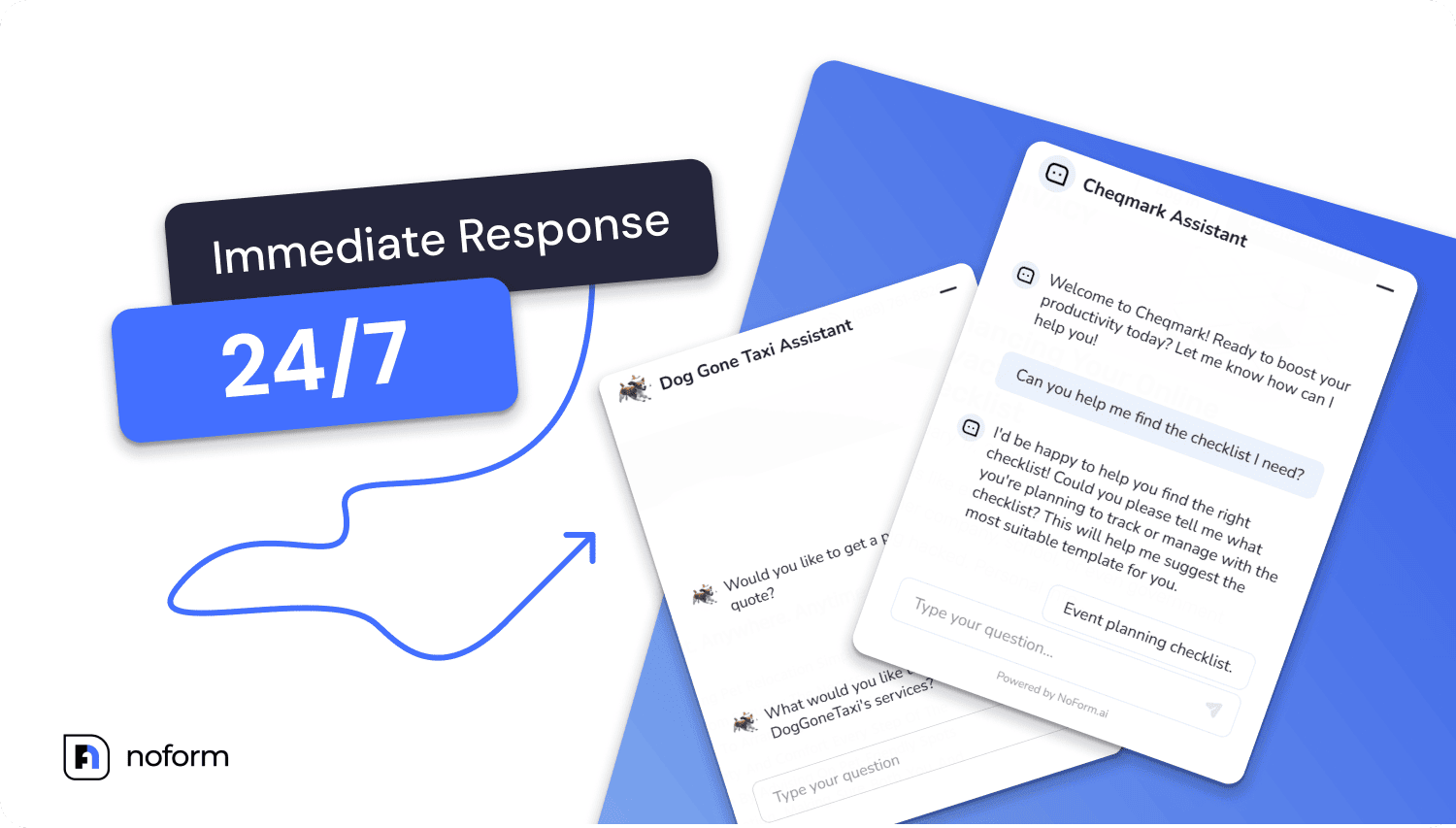
24/7 availability – no hold times, no time zones
Most people are not fond of hold music or phrases like “our team will respond during business hours.” An AI-powered chatbot with a knowledge base runs around the clock, handles multiple languages, and responds in seconds. For businesses with customers in different time zones, completely removing the “waiting for an agent” bottleneck is a real operational advantage.
Lower support workload – measurably
This is typically the first metric leadership asks about. AI chatbots can handle up to 80% of routine tasks and customer inquiries, freeing human agents to focus on complex issues, according to IBM. Salesforce found that 64% of customer service agents who use AI chatbots spend most of their time on complex cases rather than answering the same five questions repeatedly.
More consistent, accurate answers
When the bot is forced to pull from verified internal content, you eliminate conflicting information across channels. No more customers getting one answer from a support rep, a different one from the website, and a third from the FAQ page. The knowledge base becomes the single source of truth, and the bot enforces that consistently.
Intelligent lead qualification – not just customer support
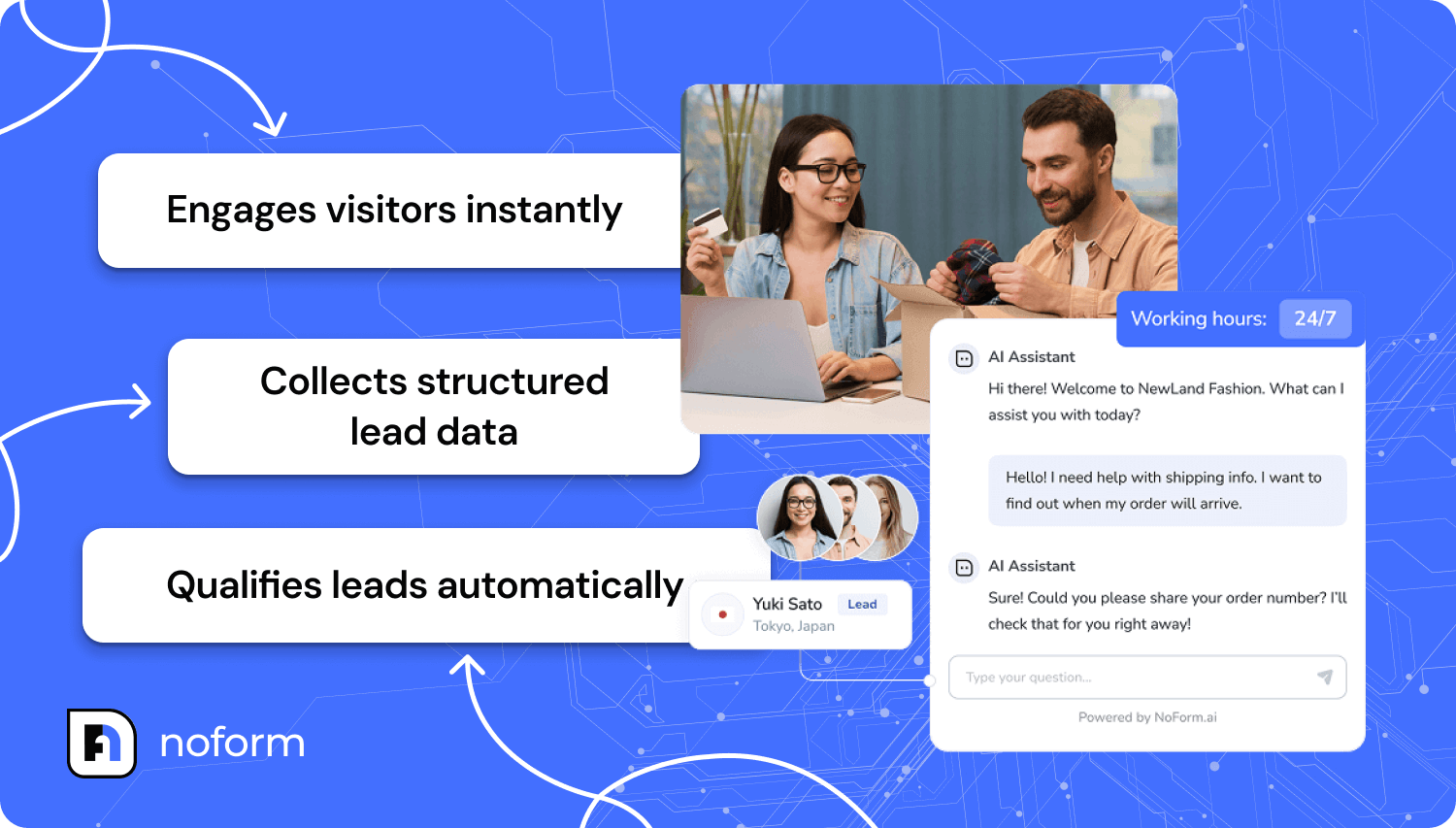
This one often gets treated as a nice-to-have, but it shouldn’t be. An AI-powered chatbot with a custom knowledge base doesn’t just answer inquiries – it can collect qualifying details (email, company size, use case, timeline) through natural conversational AI interaction, without the customer feeling like they’re filling out a form.
That’s a core part of what NoForm AI is built to do: qualify leads through conversation rather than static contact forms most visitors abandon. A chatbot persona that asks the right questions at the right moment, right after answering something useful, captures information that a form never would.
How to build a knowledge base chatbot
Competitor content on this topic tends to stay vague – lots of “define your goals” and “choose the right platform” without anything you could actually act on. What follows is a step-by-step breakdown based on what actually works in practice: what to do first, what most teams get wrong, and where the real work happens (hint: it’s not the technical setup). The eight steps below are deliberately sequenced; skipping ahead or reordering them usually causes a chatbot launch to underperform.
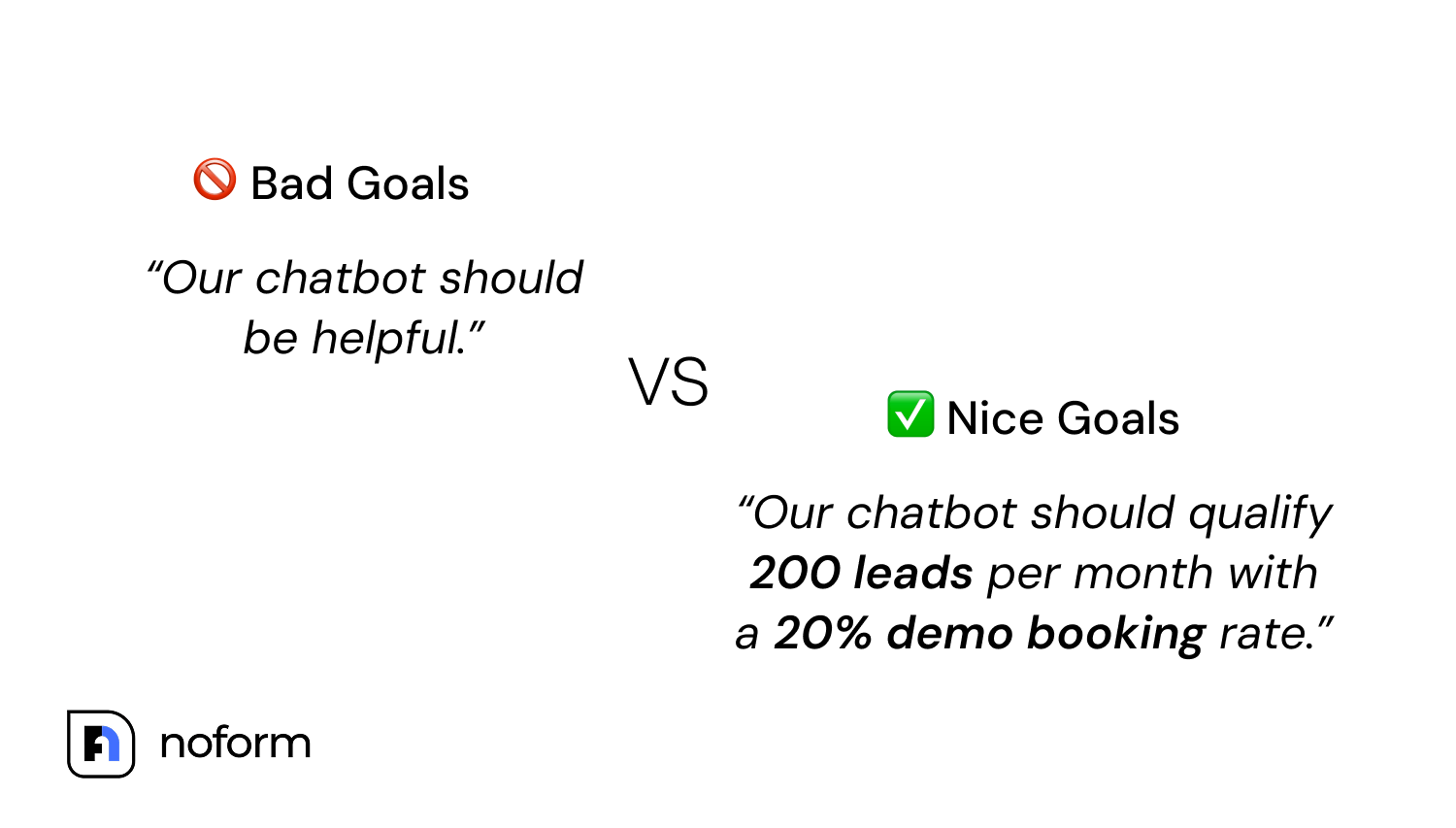
Step 1: Define the core purpose
Support? Lead qualification? Onboarding new users? Product guidance? Don’t try to do everything at once since the use case determines what content matters most and how the escalation logic should work. Pick one primary job for the bot before anything else.
Step 2: Collect and centralize existing content
Site pages, FAQs, PDFs, manuals, past chat transcripts, sales decks, product sheets, pricing tables, delivery and return policies, internal scripts – most businesses already have the majority of what they need. This step is inventory, not creation. You’re pulling together what exists across different folders, drives, and systems, not writing from scratch.
Step 3: Audit, clean, and structure the data
Remove outdated entries, kill duplicates, and flag anything contradictory. If you have a pricing page from 2024 and another from 2026, the bot will get confused, and so will your customers. There’s a term worth knowing here: knowledge drift. It’s the gradual accumulation of stale, duplicate, or contradictory content that silently degrades a chatbot’s accuracy over time, even when the underlying AI model hasn’t changed.
Knowledge drift is real and underappreciated – it’s often why bots that worked fine at launch start giving odd answers six months later. Identifying this problem before launch and building a cadence to address it afterwards is the most important operational step you can take for long-term bot performance.
That’s also how you identify knowledge gaps before they embarrass you in front of customers. Also, format matters here. Short, actionable, clearly structured entries retrieve cleanly. Long, meandering paragraphs with multiple ideas crammed together chunk poorly and return poor results.
Step 4: Connect the knowledge base to the chatbot
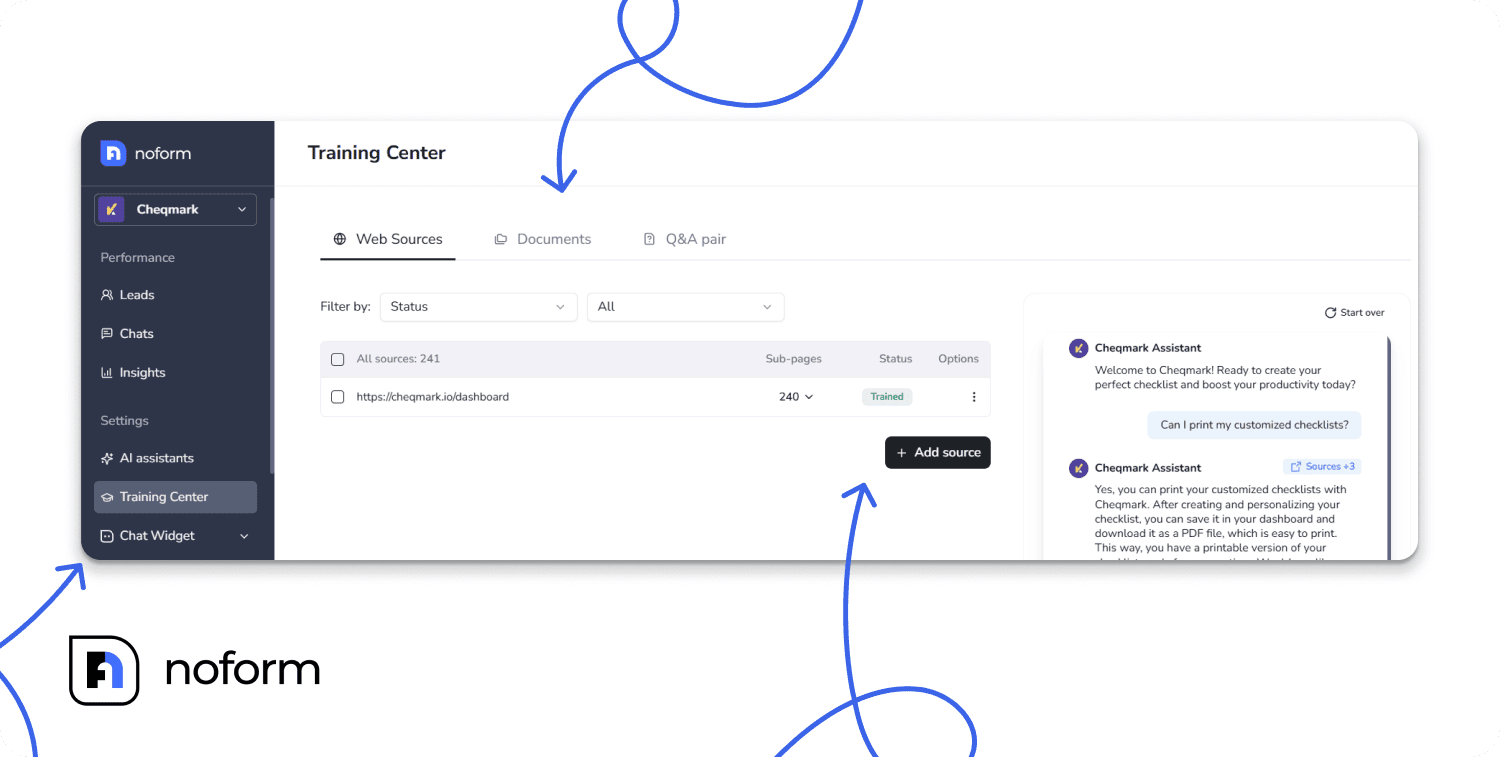
Depending on your platform, connecting your chatbot to your knowledge base typically works via website URL crawling (auto-training by crawling your site), document upload (PDF, DOC, TXT), or manual Q&A entry. With NoForm AI, you can set up an AI assistant using your website content without manually building conversation flows from scratch.
Step 5: Set escalation rules
Define clear thresholds: at what point should the bot stop trying to answer and instead collect contact details? The goal isn’t to make the bot appear all-knowing. It’s to ensure the customer gets a useful outcome even when the bot hits a wall. Configure it to recognize when a question falls outside the knowledge base or is genuinely too sensitive, and have it collect what your team needs so a human can follow up properly.
Step 6: Test before launch
Run 30–50 of the most common real questions through the bot in a sandbox environment before deploying. Pull these from your existing support tickets, chat transcripts, or sales calls – use what customers actually ask, not what you think they’ll ask. You’ll find gaps in knowledge base content, misconfigured escalation rules, and tone issues before they reach real customers.
Step 7: Deploy on the right pages first
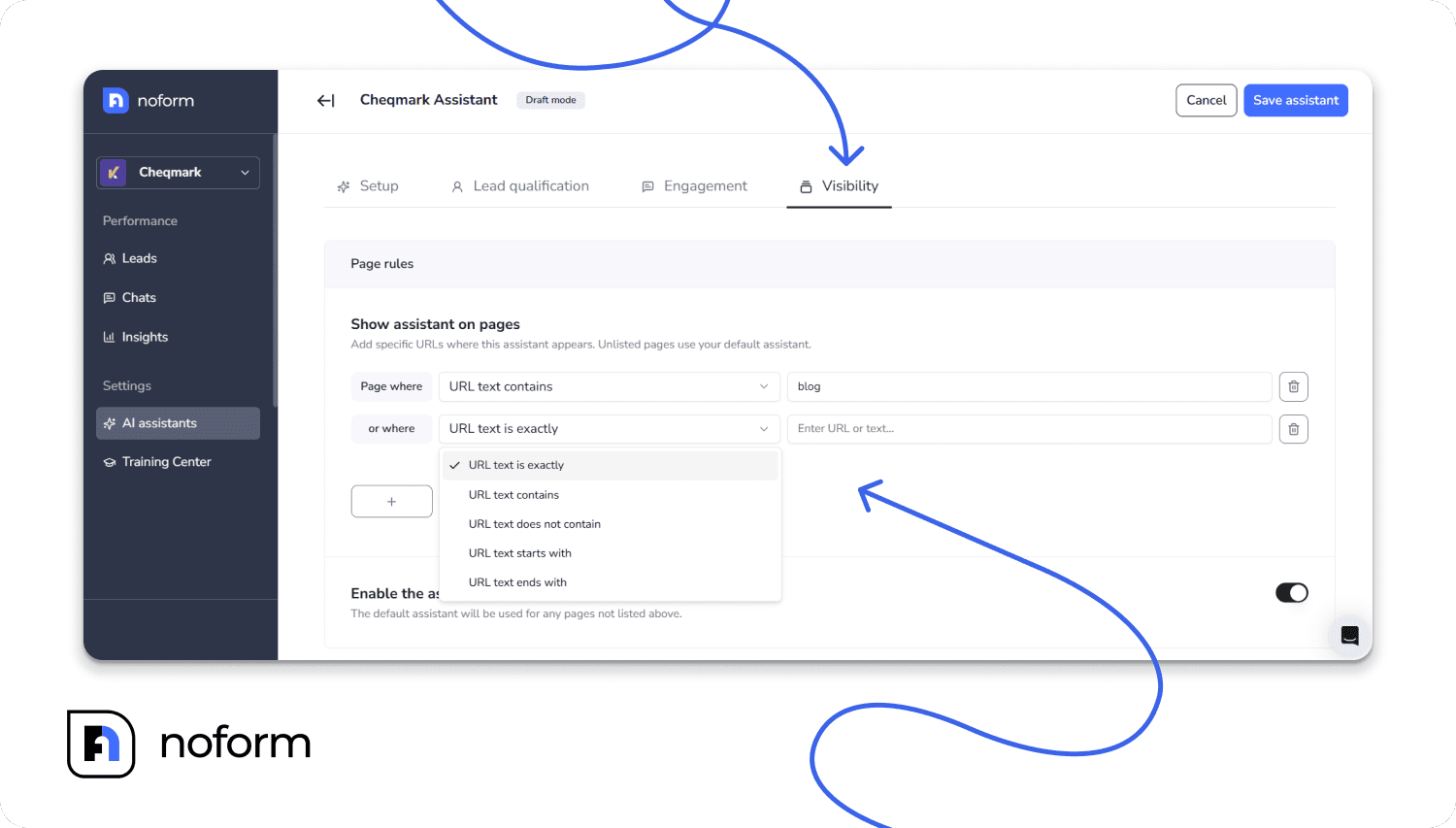
You don’t need to deploy across the entire site at once. Start with high-intent pages. If these pages serve different goals, you can also set up separate AI assistants for different pages instead of using one generic bot across the entire site. These are where prospects have the most specific questions and the most motivation to engage. Set the chatbot persona: how it will be configured and how you’ll measure its effectiveness.
Step 8: Track performance after launch
Once the bot is live, treat it like any other channel. Review conversation logs on a regular schedule. Watch for questions the bot is answering poorly or not at all – these are your active knowledge gaps. Feeding those back into the knowledge base on a set cadence is the direct fix for knowledge drift.
KPI | What it shows | Why it matters |
|---|---|---|
Conversations/chats started | Total engagement volume | Baseline demand signal for the bot |
Chat-to-lead rate | % of conversations where email or phone was captured | Direct read on qualification performance, not just traffic |
Visitor-to-chat engagement rate | % of visitors who actually start a conversation | Shows whether placement/prompts are working |
Common questions & friction points | Recurring topics and drop-off points surfaced from conversation patterns | Direct input list for closing knowledge base gaps — this is the practical stand-in for “unanswered questions” |
Visitor/chat location | Where traffic is coming from geographically | Useful for prioritizing which region’s content to strengthen first |
Best practices for a reliable knowledge base chatbot
Building an effective chatbot knowledge base is about ongoing quality. Some teams put real effort into the setup, then treat the knowledge base as a “set it and forget it” system, and that’s exactly when it starts to drift. The bot doesn’t get worse because the AI changed; it gets worse because the content behind it got stale and nobody noticed. A few things that actually make a difference:
- Keep source content short, clear, and structured – long unstructured paragraphs are hard to chunk cleanly and retrieve poorly.
- Use real customer queries as training material – mine support tickets, chat transcripts, and sales calls for actual phrasing, not the idealized version of what you wish customers asked.
- Update knowledge base content after every pricing, product, or policy change – immediately, not on the next quarterly review.
- Schedule a regular review of bot conversations and feed unresolved or low-confidence answers back into the knowledge base.
- Monitor for knowledge drift as an ongoing practice; it’s the quiet degrader of AI-powered chatbot accuracy.
Build and maintain the knowledge base with the same discipline you’d bring to any product. The teams that do this consistently are the ones whose bots still perform well a year after launch, not just in the first week. That’s the standard that separates customer support chatbots that stay useful from ones that slowly become a liability.
When should you use a knowledge base chatbot?
There’s no universal answer, but there are some pretty reliable signals. If any of the situations below sound familiar, you’re likely already absorbing the cost of not having one – in support hours, missed leads, or customers who couldn’t get an answer fast enough and moved on.
- Your team answers the same customer inquiries every single day
- Customer needs aren’t being met outside business hours
- Multiple product or service pages are generating repetitive questions
- You want to reduce ticket and inbox volume without increasing headcount
- You want to qualify leads automatically rather than routing all contacts through a static form
- Sales or support teams spend meaningful time on basic, repeatable questions that don’t require human judgment
The self-service capabilities provided by a well-designed bot not only reduce workload but also increase customer satisfaction, as customers would otherwise have to wait hours for a simple answer. And in most cases, those are the same customers who were one bad experience away from not coming back.
Summing up
A knowledge base chatbot is only as good as the knowledge base behind it. That’s the through-line for everything in this guide. Get the content right, keep it current, configure the escalation logic carefully, and you end up with an AI assistant that earns its keep rather than one you have to constantly apologize for.
If you want to build an AI chatbot trained on your own content, one that qualifies leads through natural conversation and doesn’t rely on forms most people abandon – NoForm AI is worth a look. Ready to bridge the gap between your data and your customers? Try NoForm AI, or book a demo call to see it in practice.
Frequently Asked Questions
What is a knowledge base chatbot?
It’s a bot that answers questions by retrieving information from a company’s knowledge base and content library: documents, FAQs, site pages, rather than using pre-scripted responses or relying solely on a general AI model’s training data. An AI chatbot with a custom setup acts as an intelligent AI agent, scanning knowledge base articles to provide accurate answers.
Can a chatbot learn from my documentation?
Yes. Most modern AI tools and AI-powered platforms let you upload PDFs or Word documents, or connect to URLs directly. When implementing a chatbot, the bot ingests that content and uses it as the basis for its answers. The quality of those answers depends heavily on how clean and up-to-date your documentation is. Creating a proper chatbot knowledge base involves syncing your files, allowing the chatbot to continuously reference them during customer interactions.
Can it answer questions from PDFs?
Yes. Document upload (PDF, DOC, TXT) is a standard method that connects to your knowledge base content so the chatbot can access it. One practical note: the PDFs need to be text-readable, not image-scanned. If they’re scanned, you’ll need to run OCR first to ensure the chatbot can read them. Proper knowledge management ensures that the data housed within the knowledge files is easily accessible for both customers and employees.
How often should I update my knowledge base?
After any pricing, product, or policy change—immediately, not on a delay. You must ensure your chatbot always has the latest details. Outside of major updates, a monthly review of bot conversation logs will show you where gaps are emerging. Knowledge drift builds slowly and quietly; regular review is how you catch it. Maintaining an up-to-date knowledge base for a chatbot is essential if you want to effectively streamline workflows.
Can it access multiple knowledge sources at once?
On most platforms utilizing advanced AI, yes. Many allow you to combine crawled site pages, uploaded documents, and manual Q&A entries into a single, unified AI knowledge base the bot pulls from in one pass. It dynamically fetches information from the knowledge base to instantly address complex queries.
Can a knowledge base chatbot qualify leads, not just answer questions?
It absolutely can, and should, if that’s a goal. The best implementations use the natural flow of conversation to collect qualifying information (company size, timeline, use case) without the customer feeling like they’re being interrogated. That’s a meaningfully better customer experience than routing everyone to a static form.
Does a knowledge base chatbot replace human support?
It handles the repeatable volume, which is often most of the total ticket count, so your customer service teams can focus on cases that genuinely require human judgment. It doesn’t eliminate the team; it changes what the team spends their time on. Most human agents find that a net positive.