
Why most physiotherapy websites lose potential patients
Most physiotherapy clinic websites ask visitors to commit before they’ve received anything in return. A contact form, a booking widget, and an intake questionnaire all require effort up front. Fill this in. Pick a time. Enter your details. For someone who landed on your site at 9 pm with a sore shoulder and no idea whether you even treat their condition, that’s enough friction to close the tab.
Approximately 98% of website visitors leave a healthcare site without taking any action. Usually, that’s not a design problem or an SEO problem. It’s a conversation problem. The visitor had a question, your website had no one there to answer it, and they left, probably to book with the first clinic that followed up.
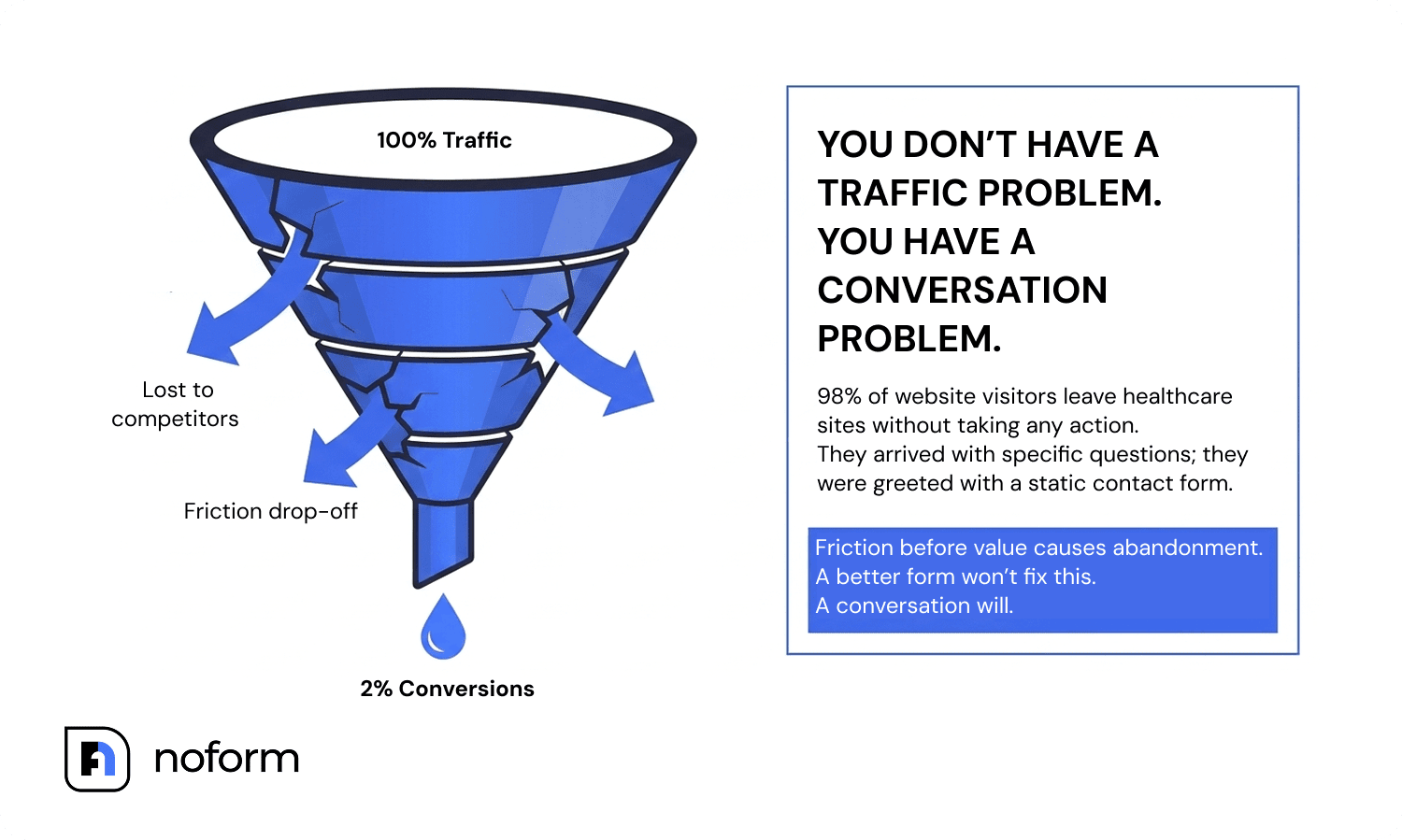
A better form won’t fix this. A conversation will.
Think about what happens when someone injures their back on a Saturday evening. They search for a clinic. They compare three local providers. They open multiple tabs. Then they land on your website, and they’re not ready to complete a form. They’re trying to answer basic questions:
- Can this clinic treat my condition?
- How soon can I get an appointment?
- Will my insurance be accepted?
- What happens at the first visit?
Most clinic websites offer no immediate answers. A contact form greets them instead, and the response arrives sometime next week.
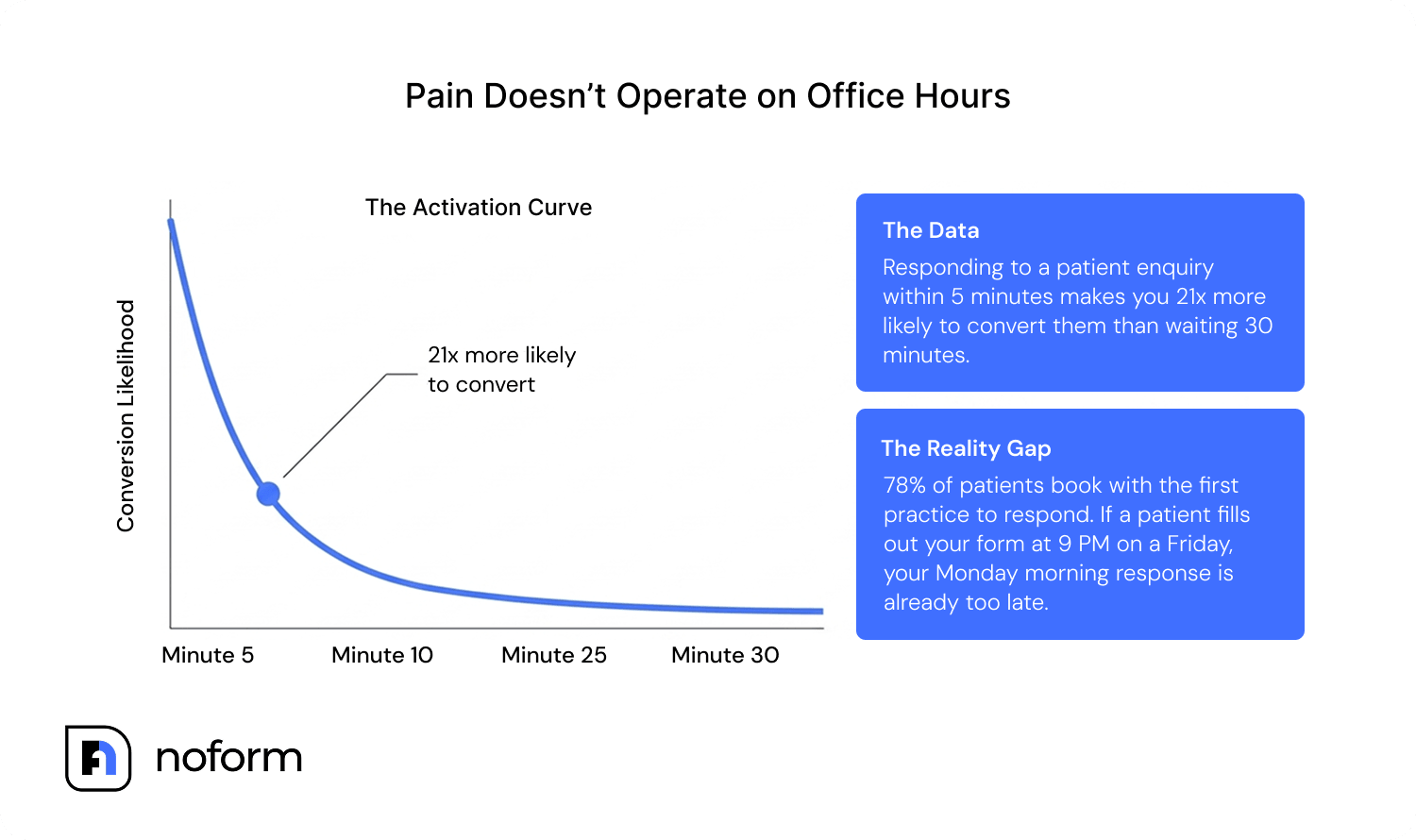
Pain doesn’t operate on office hours. A visitor researching treatment options at 9 pm isn’t comparing contact forms; they’re comparing responsiveness. Research published by HBR found that responding to an enquiry within five minutes makes a conversion 21x more likely than responding within 30 minutes. Most physiotherapy practices can’t provide that coverage. A healthcare website chatbot can.
A chatbot starts the conversation instead of asking the visitor to wait. It answers questions, builds trust, and captures the lead — before the patient opens a competitor’s tab. The first exchange feels like a conversation, not a commitment. By the time you ask for an email address, the patient is four messages in and mentally committed to the next step.
What is a physiotherapy chatbot?
A physiotherapy chatbot engages prospective patients immediately, answers specific service questions, and guides them toward booking through natural conversation. Unlike symptom checkers or clinical AI tools, it focuses on one job: turning website visitors into qualified patient enquiries.
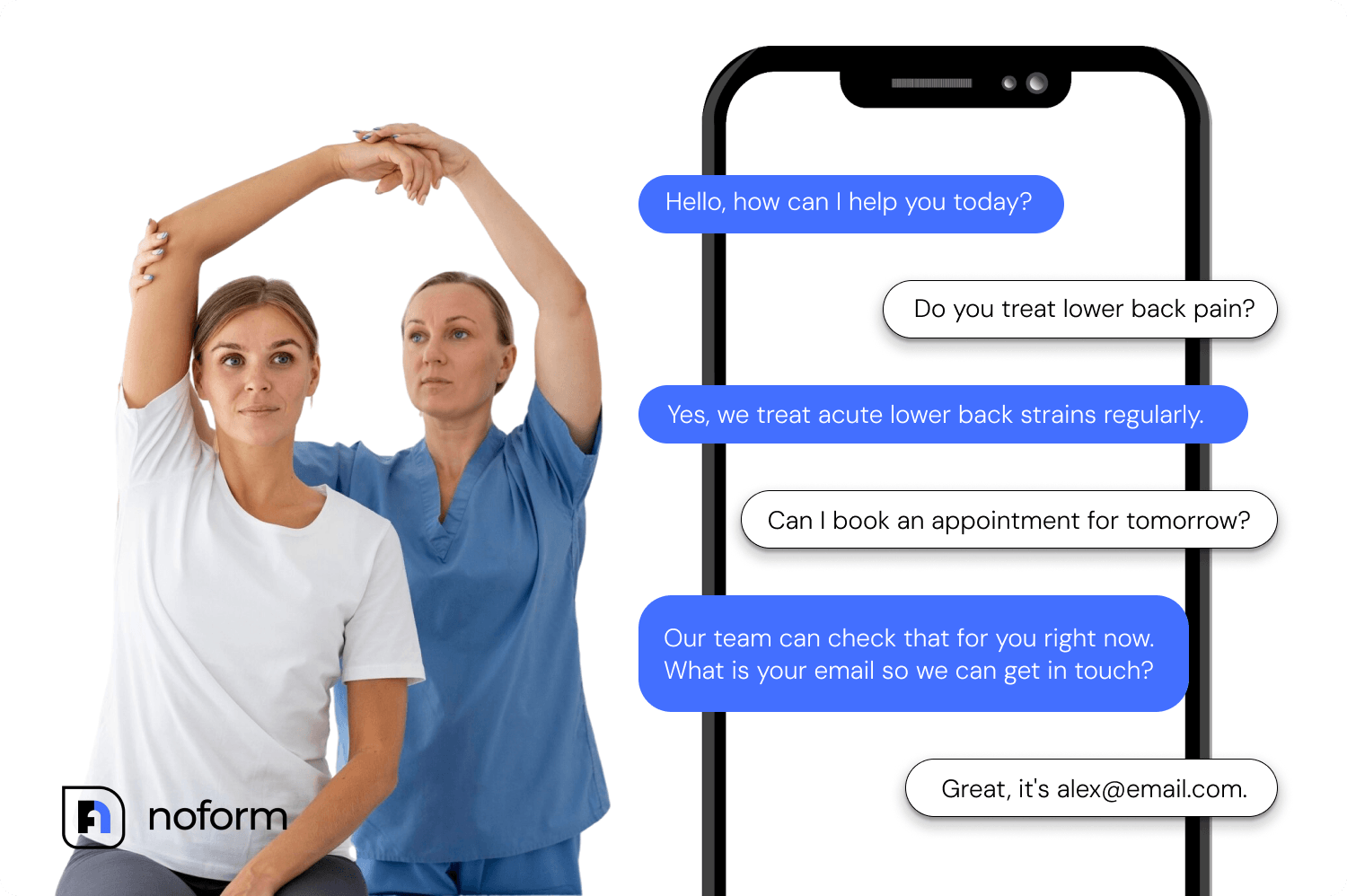
What a physiotherapy clinic chatbot actually does
A physiotherapy chatbot handles the part of patient acquisition that happens before any clinical interaction — the moment a potential patient lands on your website and tries to figure out whether your clinic is right for them.
A physiotherapy clinic chatbot is not a clinical tool. It doesn’t diagnose conditions, assess movement, or replace a practitioner’s judgment.
It answers questions using your own content: service pages, treatment descriptions, FAQs, pricing information, all of it in natural back-and-forth dialogue. Someone asks, “Do you treat piriformis syndrome?” and the chatbot answers based on what your site says. Someone asks, “How long is the wait for a new patient?” and it handles that too. No hold music. No callback required.
At the point where the visitor is clearly interested (they’ve asked about services, they understand what you offer), the chatbot asks for contact details. Not as a condition of starting the conversation, but as a natural next move. “What’s the best email to send your appointment details to?” works. A blank field labelled “Email *” doesn’t.
How AI handles after-hours patient enquiries at your practice
The timing of an injury doesn’t align with front-desk hours. Someone twists an ankle on a Saturday afternoon, searches for physiotherapy, lands on your site at 6 pm, and gets a contact form that promises “we’ll get back to you within 1–2 business days.” They will book elsewhere by Monday.
78% of patients book with the first practice to respond. A physiotherapy chatbot runs 24/7, nights, weekends, bank holidays, and during the hours you’re in back-to-back sessions. It responds in under three seconds.
The difference in what Monday morning looks like: instead of “John Smith. Email: [email protected]. Message: interested in physio.” your team sees — “John is a new patient enquiring about a recurring lower back injury. He’s had physio before and is looking for a practice within 5km. He provided his email and asked to be contacted on Tuesday morning.” That’s an AI-generated conversation summary, 2–4 sentences, distilled automatically from the full chat.
Feature | Contact Form | AI Chatbot |
Response speed | Hours to days | Under 3 seconds, 24/7 |
Completion rate | Low (all fields demanded upfront) | High (one question at a time) |
After-hours coverage | None | Full |
Data quality | Vague comment box | Structured: injury area, duration, insurance, preferred time |
Lead outcome | Follow-up task for staff | Named, summarised enquiry ready to call |
Patient experience | Friction before value | Value before the ask |
What makes a good chatbot for physical therapy clinics?
Not every chatbot is built for patient acquisition. Most of the AI tools marketed to physio clinics are intake automation tools or scheduling agents — they’re designed to handle processes after a patient has already decided to book. That’s a different job. A website chatbot handles the step before that.
A good chatbot for physical therapy clinics has a few specific requirements.
It needs to answer condition and service questions accurately, which means it must be trained on your actual clinic content, like your treatment pages, specialisations, FAQ, and any documents you want it to reference. The best tools in this category train directly from a website URL, scanning your content automatically without requiring you to script every conversation.
It needs to qualify the right information for your practice. For a physio clinic, that typically means: what condition or symptom brings them in, whether they’ve had treatment before, whether they’re using private insurance or self-funding, and what timeframe they’re working with. These become the chatbot’s custom qualification attributes, the criteria that define a qualified lead for your specific practice.
It should not require coding. Clinic owners and practice managers aren’t developers. The tools worth using are no-code: you enter your website URL, configure a few settings, and embed a small snippet of code or install a plugin. The entire setup process for tools like NoForm AI takes minutes.
And it must run without real-time human oversight. If the chatbot needs a staff member to approve responses or escalate conversations, the after-hours value disappears. Fully autonomous, within the scope you’ve configured, is the standard to hold it to.
Why NoForm AI is built for physiotherapy lead generation
Most chatbot platforms were built to answer questions. NoForm AI was built to capture leads. For a physiotherapy clinic, that’s the distinction that matters — you don’t need another FAQ widget, you need a system that converts website traffic into qualified patient enquiries.
Here’s how it works in practice.
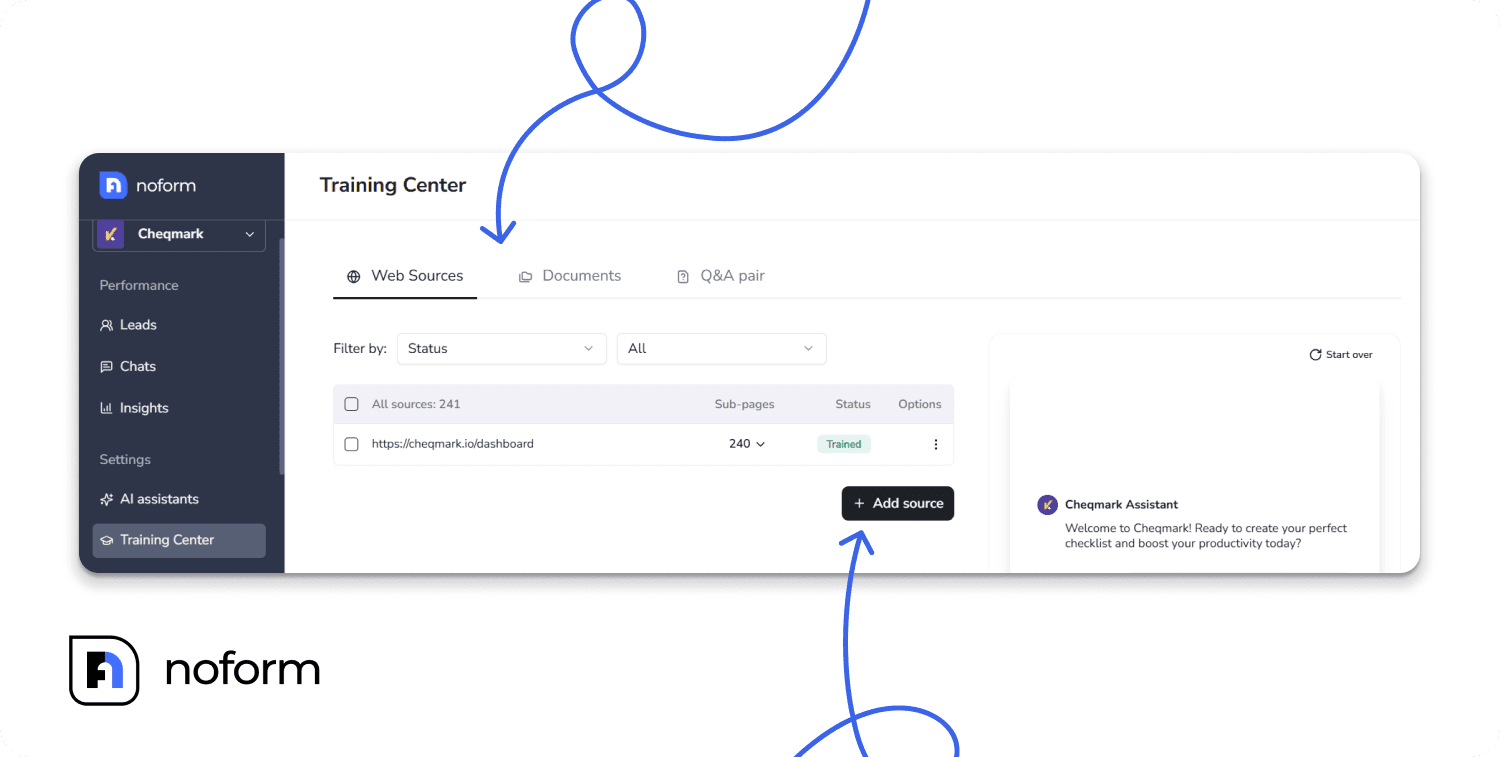
Training the assistant on your clinic’s content. You start by entering your website URL. NoForm AI scans your site (service pages, treatment descriptions, FAQs, pricing pages, blog content) and trains itself automatically. You can also upload documents directly (PDF, Word, or plain text files up to 10MB each) to add referral information, patient guides, insurance FAQs, treatment protocols, or anything your website doesn’t already cover.
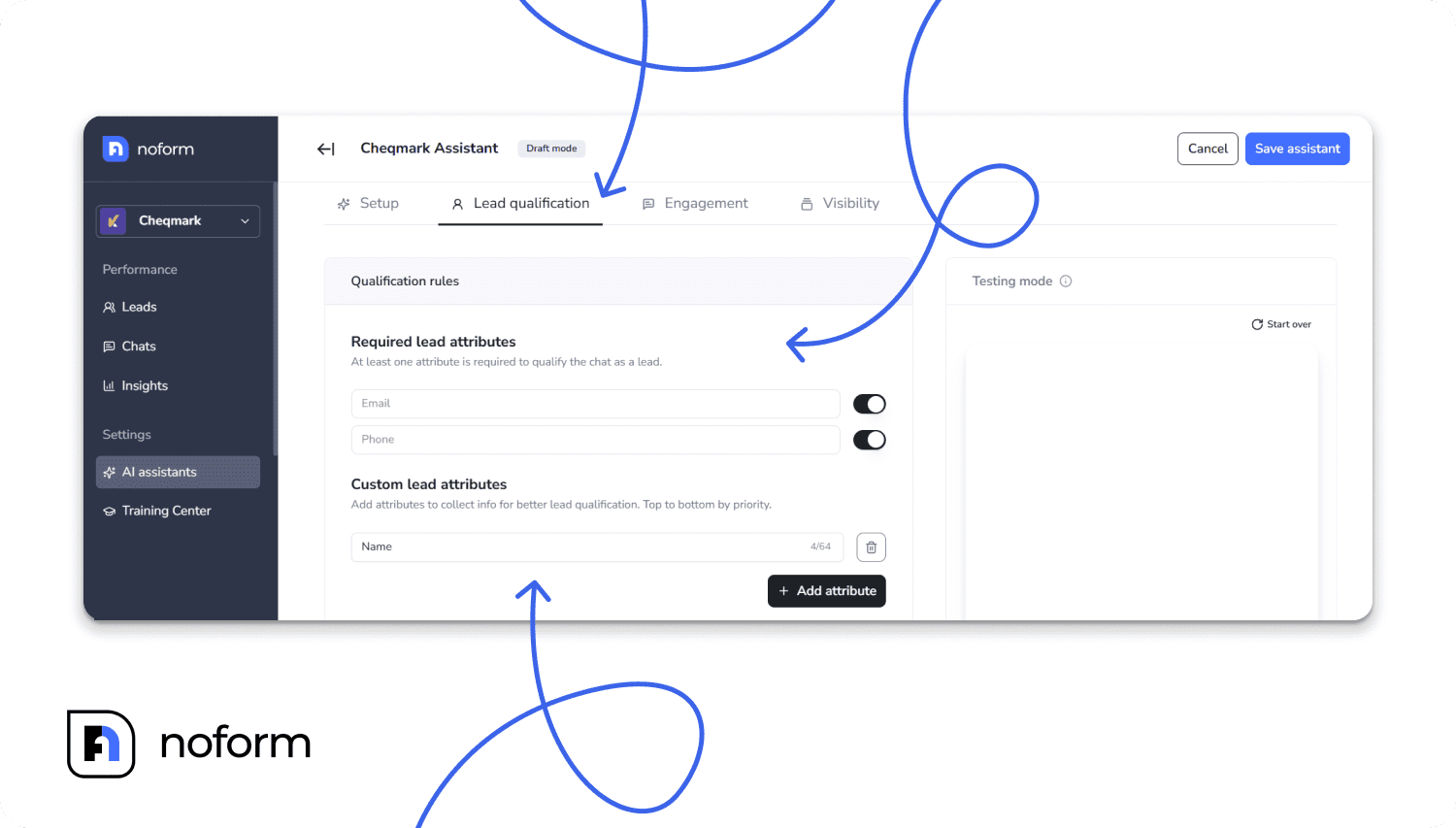
Configuring what a qualified lead looks like. In the Lead Qualification settings, set what counts as a qualified lead for your practice. By default, that’s email or phone number. Once either is captured, the conversation is marked as a lead. You can add custom attributes relevant to your clinic: injury type, whether they’re a new or returning patient, insurance status, and preferred appointment day. The chatbot gathers all of it through natural conversation, not form fields.
Setting the conversation up for your patients. You give the assistant a name (“Sarah from [Clinic Name]” works well for healthcare contexts), upload your logo, match your brand colours, and write a welcome message. The welcome message can vary per page. On your appointment page, that might be: “Looking to book a physio appointment? Tell me what you’re coming in for, and I’ll help you find the right session.” On your homepage, it could be gentler: “Hi there. Can I help you find the right treatment for what you’re dealing with?”
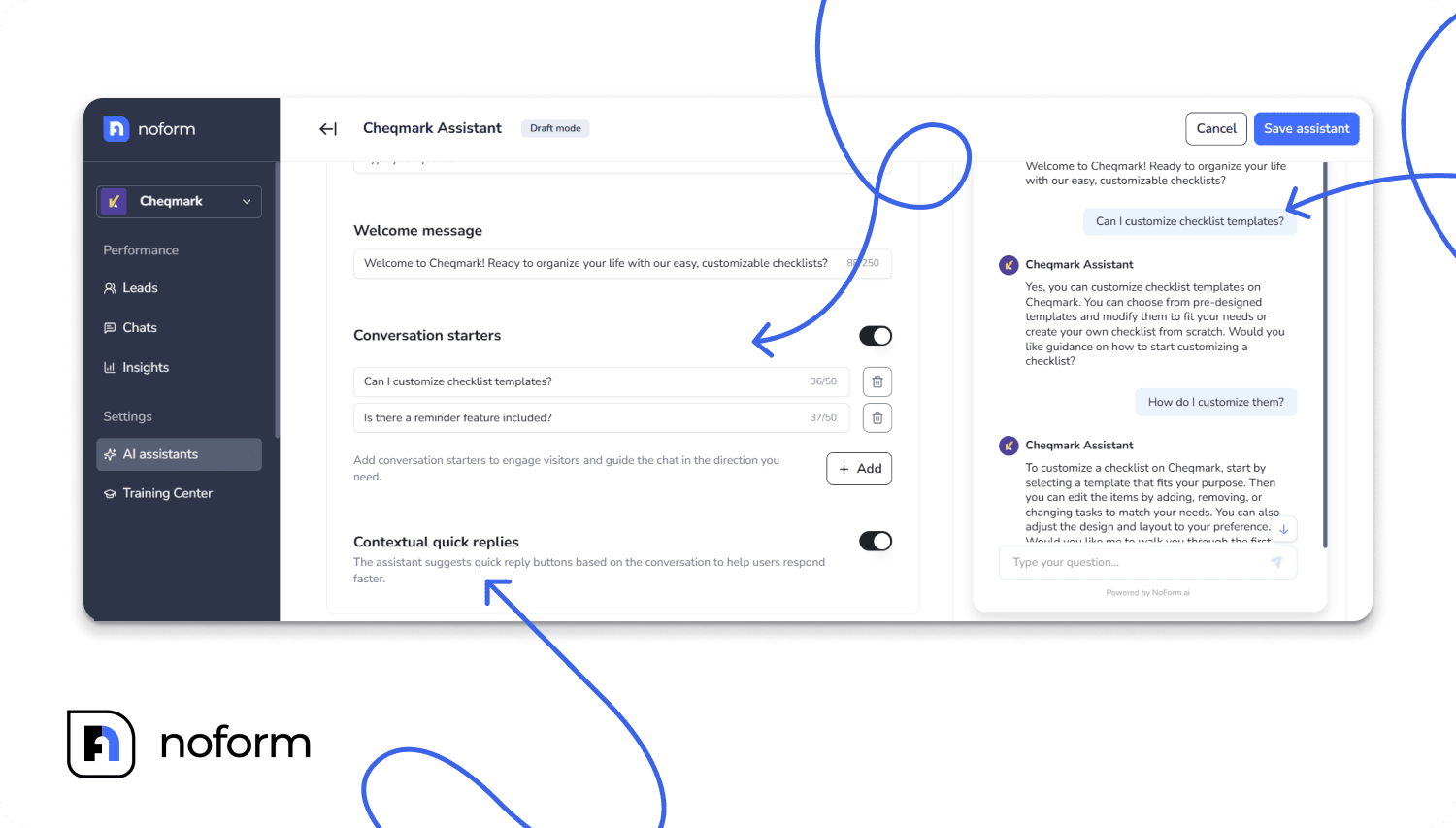
Configure 2–4 conversation starters based on the most common questions your front desk fields:
- “Do you treat sports injuries?”,
- “What does a first session involve?”,
- “Do you accept private health insurance?”,
- “How quickly can I get an appointment?”
These clickable prompts appear in the chat window and give hesitant visitors a frictionless first step.
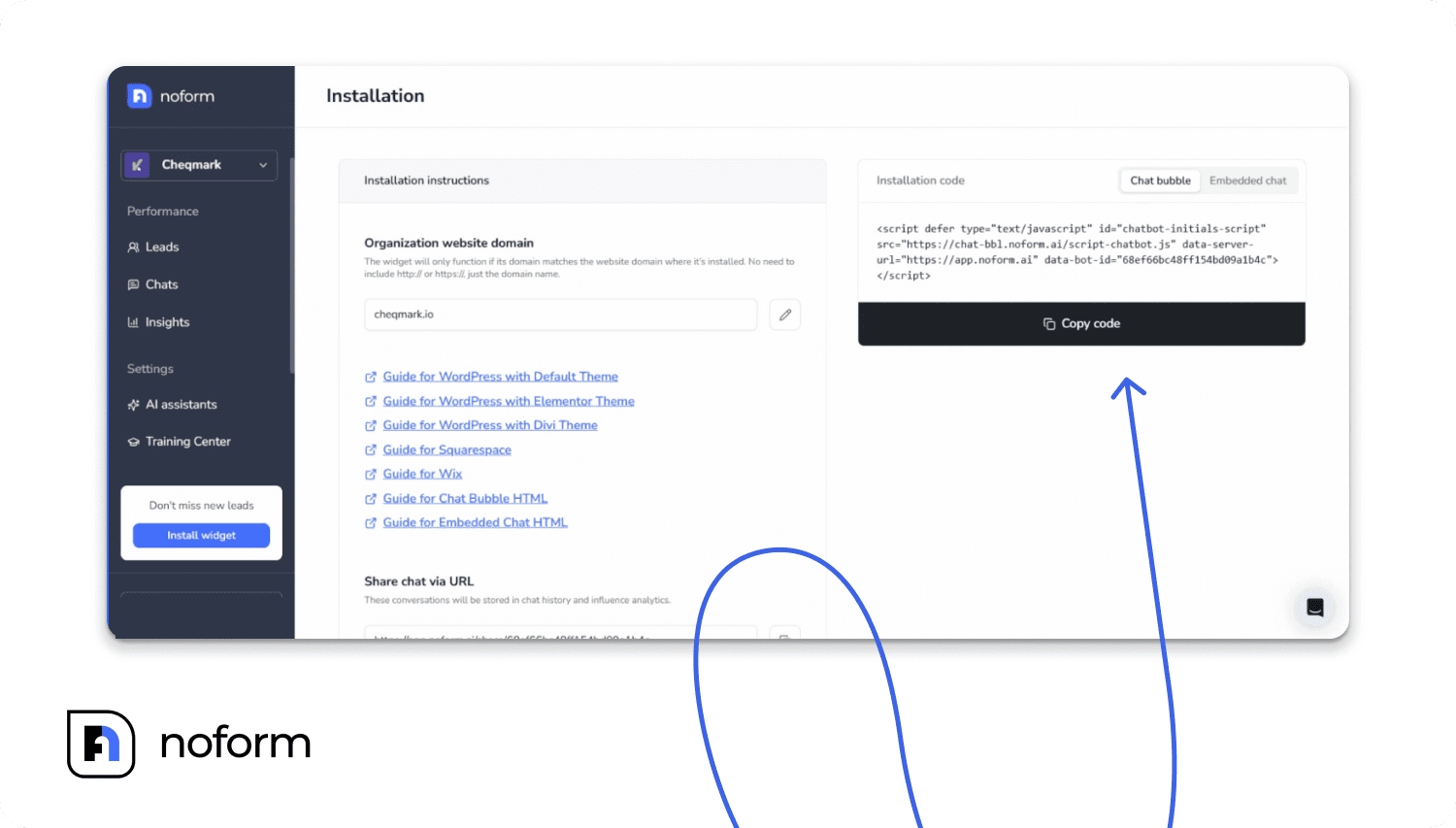
Installing it on your website. If you’re on WordPress, there’s an official NoForm plugin. Install and activate it, paste your Bot ID from the dashboard, and save. No code required. For Wix, Squarespace, Webflow, Framer, Shopify, or any custom HTML site, you embed a short code snippet before the </head> tag. That’s it.
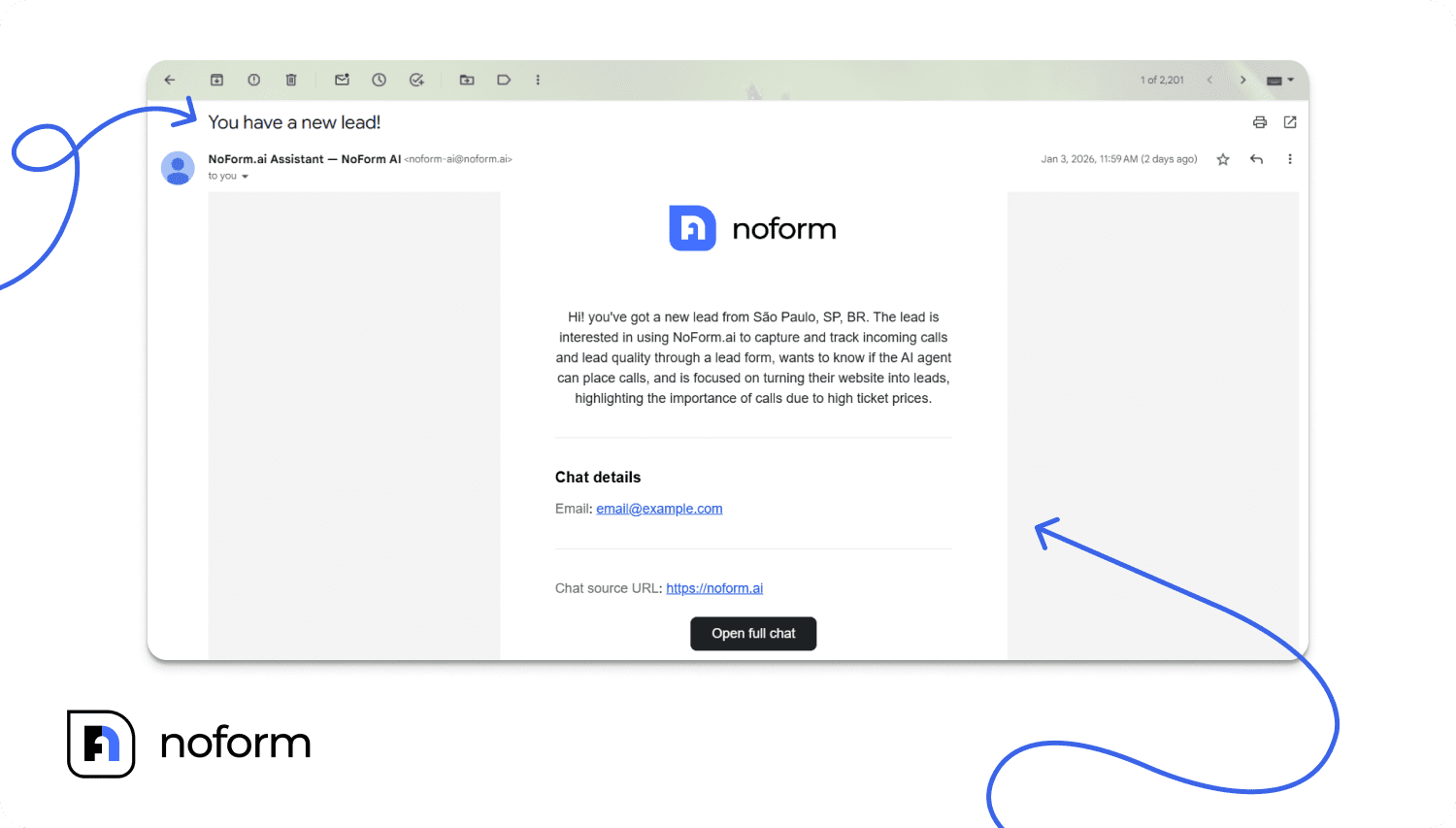
What happens when a patient chats? The assistant answers their questions, gathers qualification information progressively through dialogue, and at the right moment asks for their contact details. The instant an email or phone number is captured, the conversation is flagged as a qualified lead. Your team gets an instant email notification with the patient’s contact details, their location, and a 2–4 sentence AI-generated summary of the conversation. Thus, there is no need to log in and read through the full transcript first.
Leads also sync to your CRM automatically via Zapier, Make, or webhook if you’ve connected one.
There’s no human involvement required between a patient landing on your site and a warm, qualified enquiry appearing in your inbox.
Does a chiropractic chatbot work the same way?
A chiropractic chatbot runs on identical infrastructure to a physio chatbot. The AI trains on your website content, answers patient questions about your services, and qualifies visitors through conversation before capturing their contact details.
For a chiropractic clinic, relevant custom attributes typically include: GP referral status, the specific complaint (spinal adjustment, sports injury, posture-related pain), prior chiropractic treatment, and whether the patient wants a one-off session or ongoing care. These are configured directly in the Lead Qualification settings.
The same 24/7 availability, instant email notifications, and CRM sync apply. For practices that run both physiotherapy and chiropractic services, you can create separate assistants assigned to different sections of your website, each with its own welcome message, qualification criteria, and tone.
Multi-location practices and multi-disciplinary clinics use the same NoForm AI account to manage all assistants from a single dashboard, with separate notification settings per location or specialty.
Patient data, privacy, and compliance
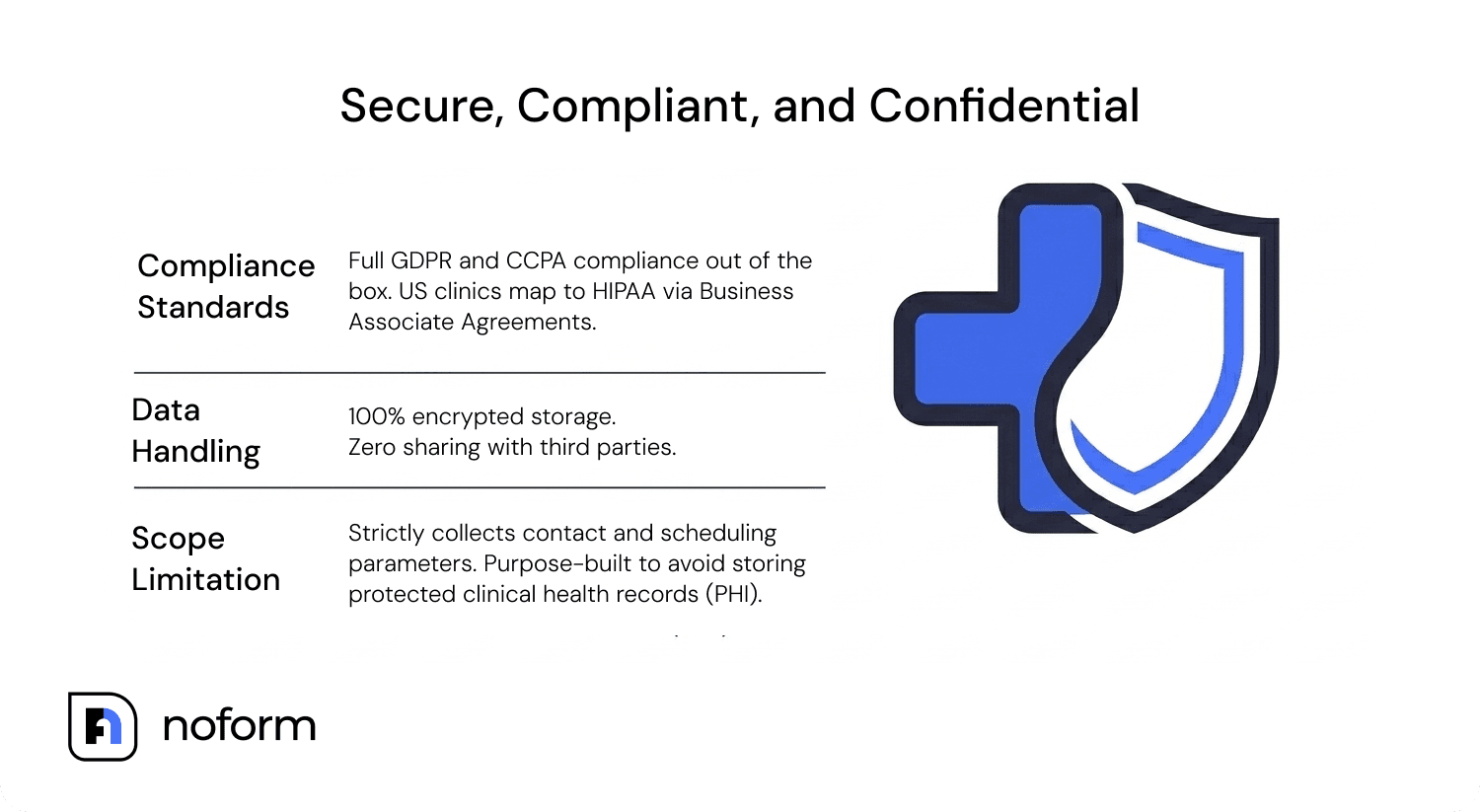
GDPR and CCPA compliance are non-negotiable for any healthcare website chatbot. NoForm AI meets both. Visitor data is encrypted and stored securely in your account dashboard, and it’s not shared with third parties.
NoForm AI collects patient contact and scheduling information: name, email, phone number, injury type, and preferred appointment day. It is not a clinical records system and does not store protected health information. Full conversation transcripts and AI-generated summaries are accessible in your Leads tab.
US clinics subject to HIPAA should confirm whether any third-party tool they use to handle patient contact data requires a Business Associate Agreement. Consult a healthcare compliance specialist for your clinic’s specific obligations.
The real opportunity is the traffic you already have
The core problem isn’t traffic. It’s timing.
Potential patients rarely need help when your front desk is available. They search after work, compare clinics at night, and make decisions on weekends. If your website can’t engage them in those moments, many will leave and book elsewhere.
A physiotherapy clinic chatbot ensures every visitor has someone to interact with, regardless of when they arrive. It turns more of your existing website traffic into qualified patient enquiries, without increasing administrative workload.
Ready to convert more visitors into patients? See how NoForm AI helps physiotherapy clinics capture and qualify enquiries automatically, 24 hours a day.
Frequently Asked Questions
Does a physiotherapy chatbot replace the receptionist?
No. The chatbot handles patient enquiries and captures contact details from visitors who would otherwise leave without getting in touch. Your receptionist handles bookings, clinical questions, insurance processing, and everything once a patient is in your system. The chatbot handles the enquiries that currently fall through the gaps entirely.
Does the physiotherapy chatbot support multiple languages?
Yes. NoForm AI detects the visitor’s language automatically and replies in it. For clinics serving multilingual communities, you can also create separate assistants for specific language paths on your website with fully translated welcome messages and conversation starters.
Do patients prefer chatbots or calling the clinic?
Per Accenture’s 2023 healthcare digital survey, 60% of patients prefer digital self-service for appointment booking over phone calls. The preference is higher among patients under 45 and strongest for after-hours enquiries.
What’s the difference between a chatbot for a physio clinic and a patient intake form?
An intake form collects information from patients who’ve already decided to book. A physiotherapy chatbot engages visitors who are still deciding by answering questions, building confidence in your clinic, and capturing contact details at the point of peak intent. It covers the patients you currently lose before they ever reach your booking page.