You’ve spent time training your NoForm AI assistant, crafting the perfect welcome message, and setting up your lead qualification rules. But there’s one simple, often-overlooked detail that can make or break your chatbot’s success: where you place it on the screen.
Where your widget lives is just as important as what it says. If your assistant covers a CTA button, clashes with mobile UI elements, or vanishes into a cluttered corner, it creates friction. Instead of a seamless experience, visitors get annoyed—and you lose out on valuable leads.
Get it right, however, and visitors notice the assistant without feeling intruded upon. They click, they talk, and they convert.
This guide shows you exactly how to configure NoForm AI’s widget position for maximum visibility, minimum friction, and consistently better lead capture.
Why does chatbot widget placement matter for conversions?
Chatbot widget placement directly affects whether visitors notice your chatbot, whether they feel comfortable engaging with it, and whether it captures leads or just takes up screen space.
A widget that covers your “Book a Demo” button or floats over your pricing table frustrates users before they’ve typed a single word. A widget placed thoughtfully — visible but unobtrusive, consistent with your page layout — signals competence and builds the kind of quiet confidence that makes visitors more likely to start a conversation.
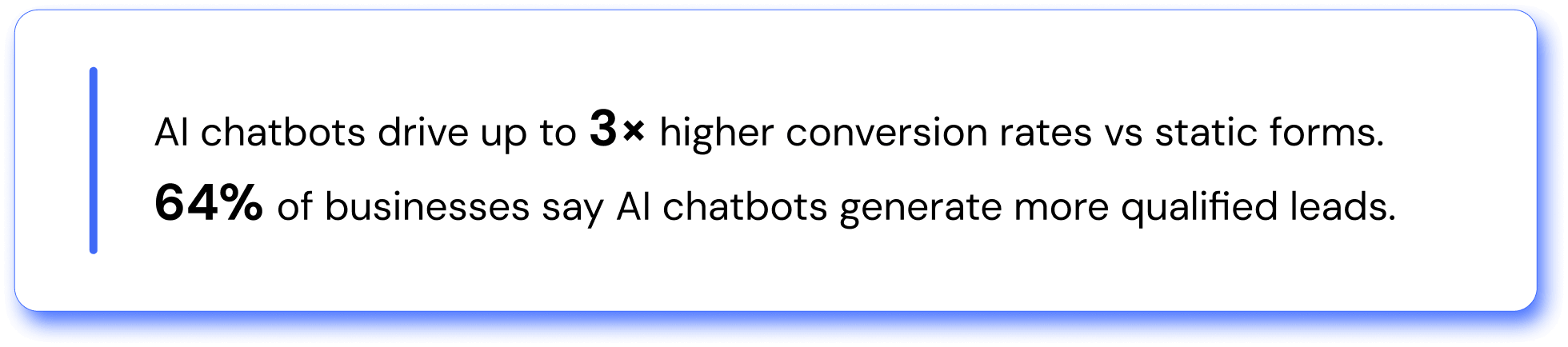
The numbers reflect this reality. According to research compiled across B2B and SaaS platforms, businesses using AI chatbots see, on average, 3x higher conversion rates than those relying on static web forms. Separately, 64% of businesses report that AI chatbots help them generate more qualified leads. But those results depend on users actually starting a conversation — and that starts with where the widget appears.
NoForm AI was built with this in mind. The platform gives you direct control over widget position, offset spacing, and bubble shape — so your assistant is always in the right place, on every device.
What is the best default position for a chatbot widget?
The bottom-right corner is the universally recommended default position for chatbot widgets on desktop. This placement keeps the widget in the user’s natural eye path without overlapping content, buttons, or navigation elements.
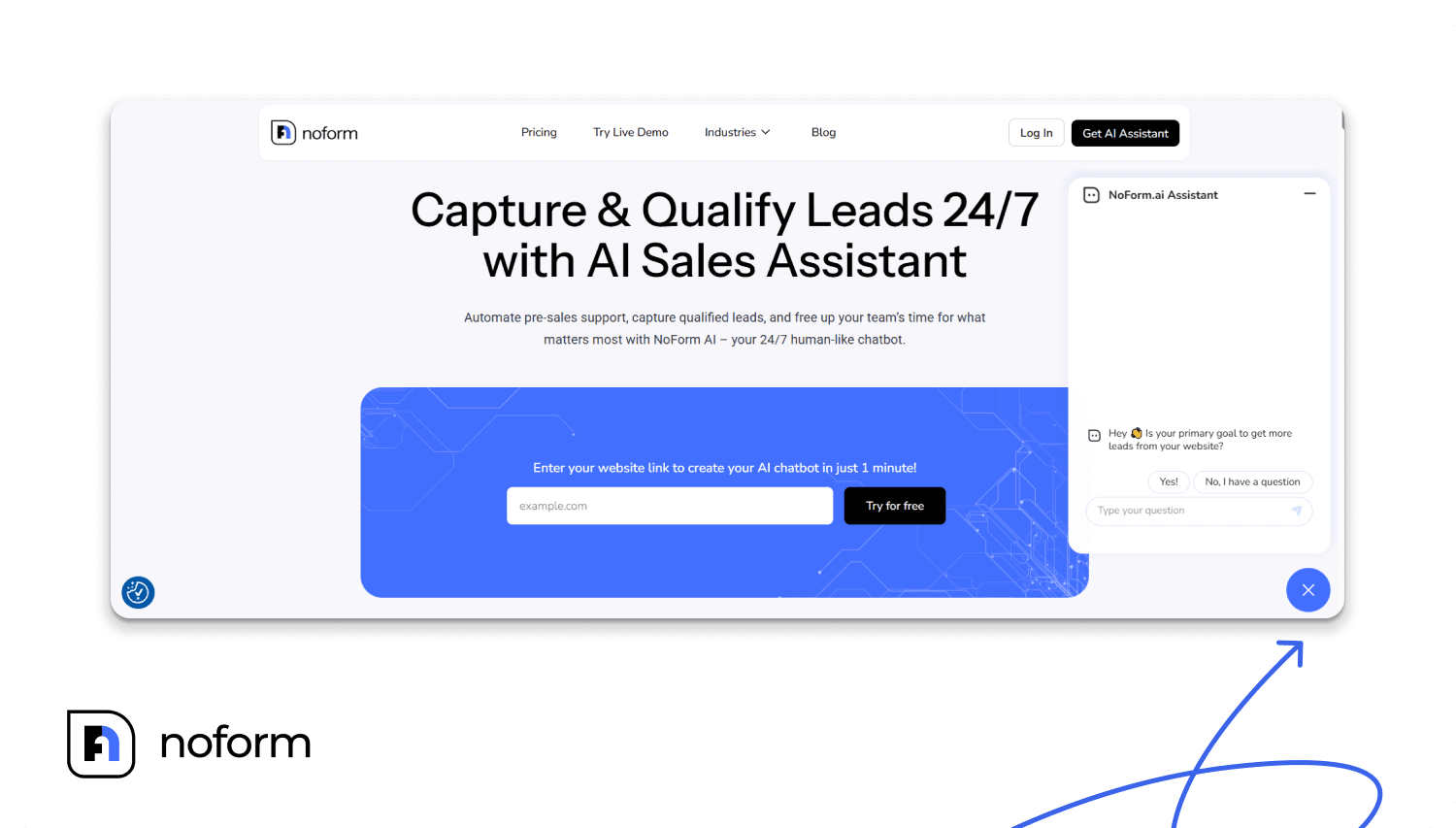
Industry experts consistently recommend this position because it aligns with decades of learned web behavior — users scan pages from left to right and top to bottom, finishing their natural reading flow at the lower-right area. Placing your chatbot there means it’s seen after the visitor has consumed some page content, which is the right moment to invite a conversation.
For NoForm AI users: your widget defaults to the bottom-right corner. Unless you have a specific design conflict (like a persistent live chat button or cookie consent bar already living there), keep this default — it reflects where visitors expect to find help.
Data from Statista reveals that 79% of consumers expect instant responses when engaging with businesses, making readily accessible chatbot widgets crucial for meeting customer service demands.
The key principle in either case: the widget should be persistently visible as users scroll, without covering essential page elements at any scroll position.
How do you configure the widget position in NoForm AI?
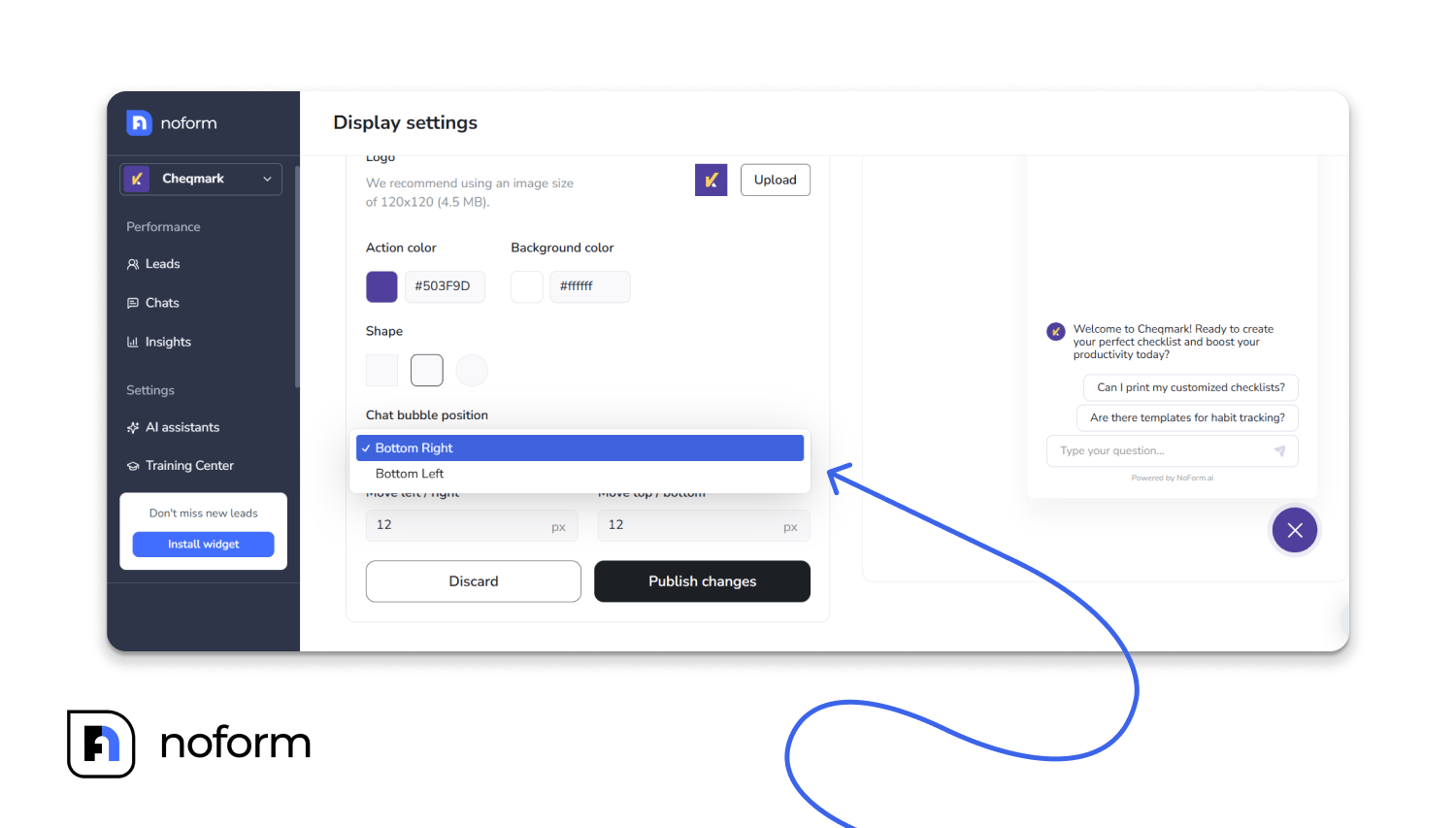
NoForm AI gives you two base placement options for the chat bubble: bottom-right and bottom-left.
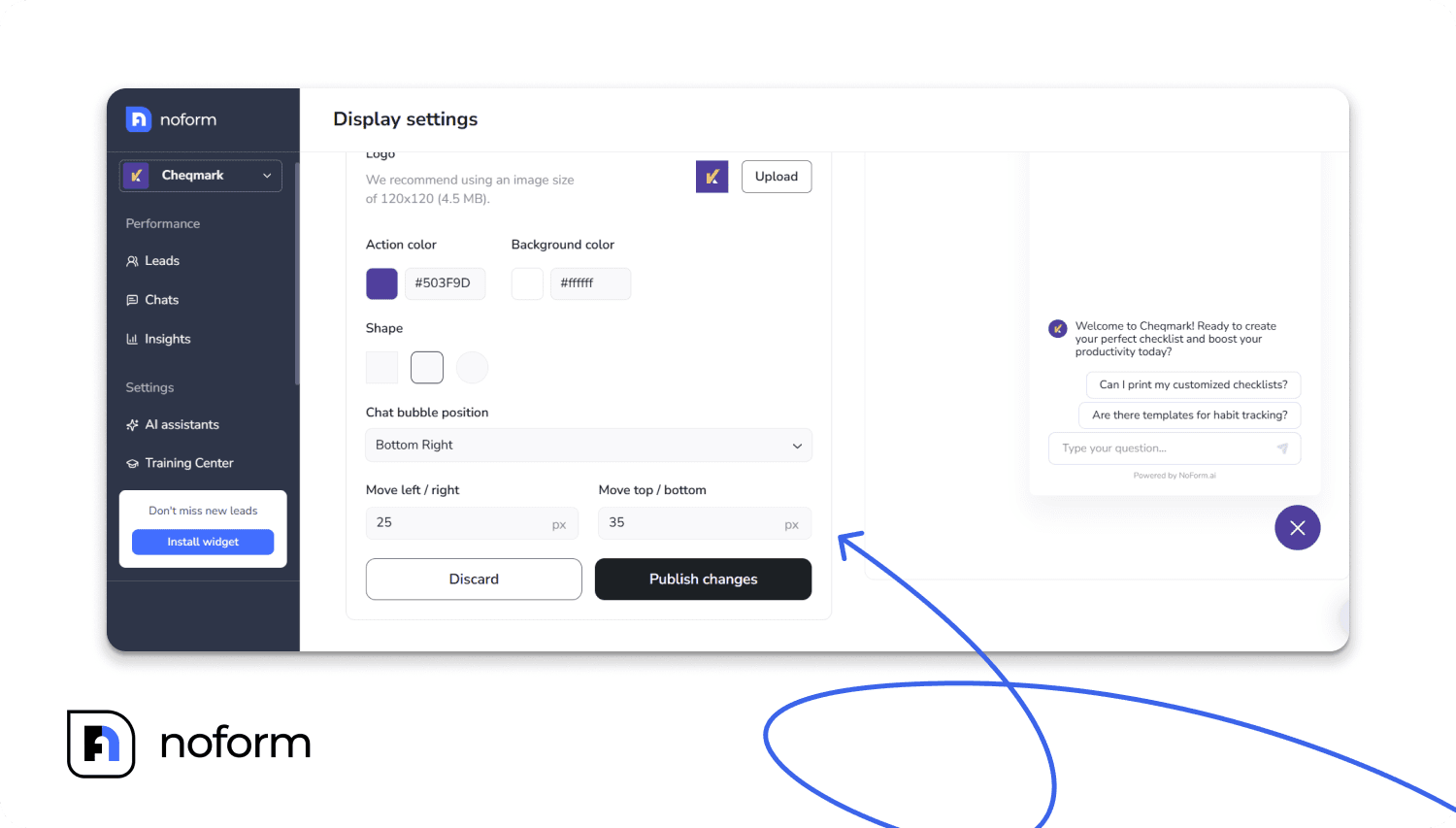
Beyond the left/right choice, NoForm AI also provides fine-tuned offset controls — you can adjust the exact top/bottom and left/right spacing from the edges.
This matters more than most users realize. If your site has a sticky cookie consent bar at the bottom, a floating “back to top” button, or a persistent navigation element, the default widget position may collide with it. The offset controls let you nudge the bubble clear of those conflicts without changing the overall corner placement.
How to configure it in NoForm AI:
- Log in to your NoForm AI dashboard → Chat Widget → Display settings

- Choose Bottom Right or Bottom Left under chat bubble position
- Use the top/bottom and left/right offset fields to add spacing from the edges
- Control the Greeting Popup timing
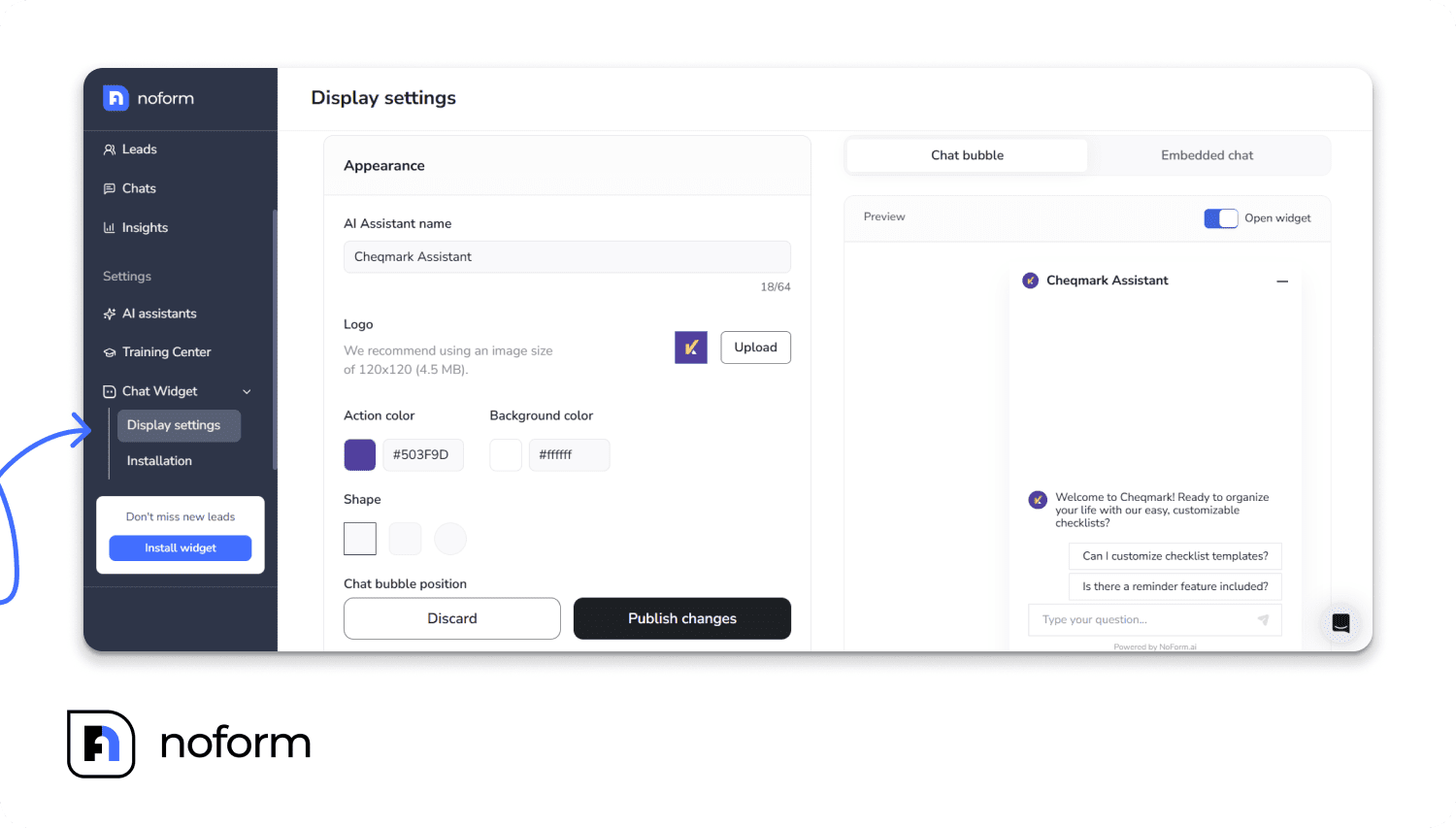
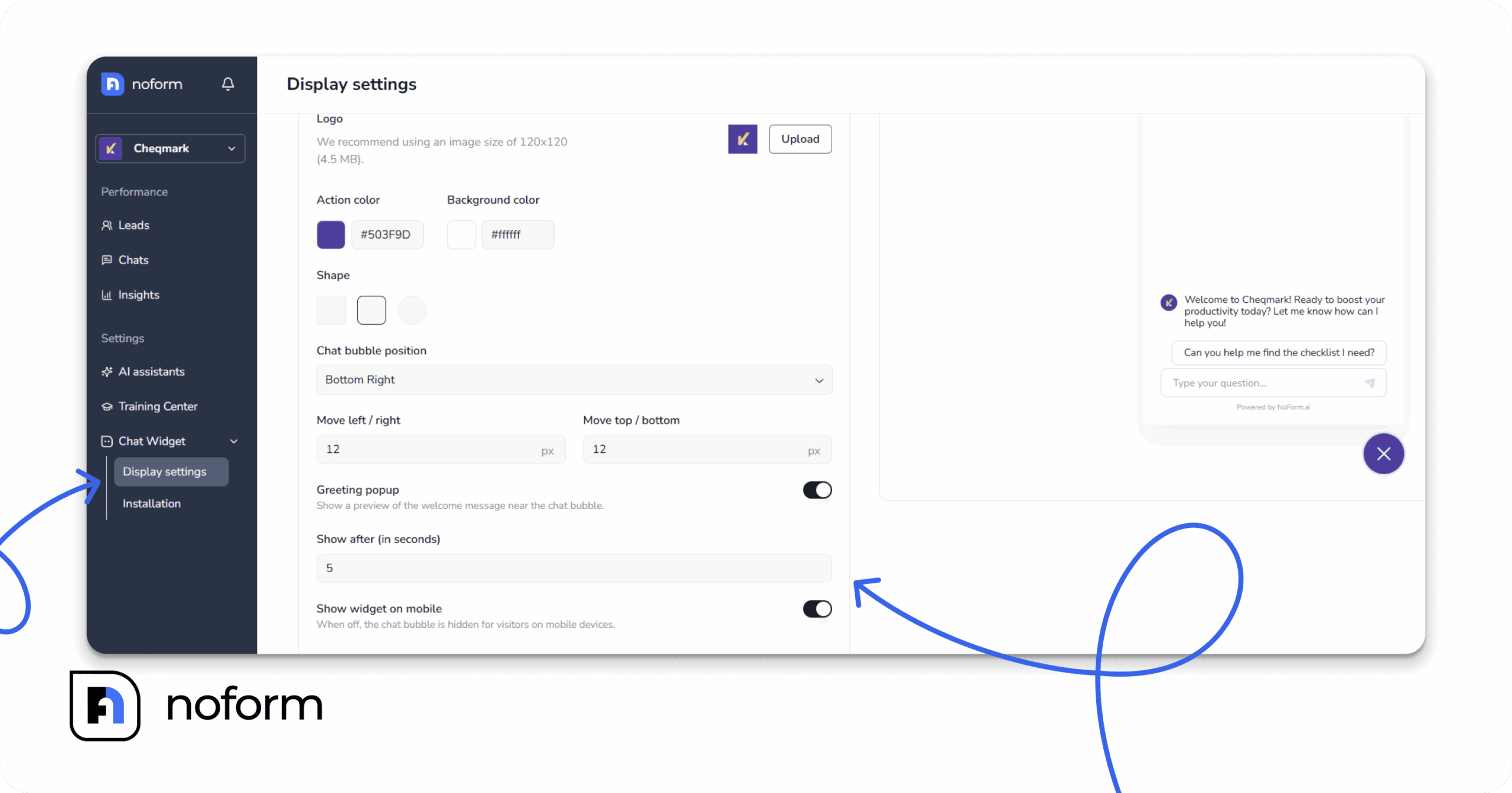
Just below the position settings on the Display Settings page, you’ll find the Greeting popup toggle. This controls the small preview bubble that appears next to your chat icon before anyone actually opens the chat.
When it’s turned on, the “Show after” field lets you set a delay using any whole number from 1 to 120 seconds (it defaults to 5). Push the delay later if you don’t want to interrupt someone reading your core offer, or pull it earlier if your visitors typically arrive looking for immediate help.
5. Show or hide the widget on mobile
The Show widget on mobile toggle is another essential setting if you’re fine-tuning where your widget appears. Switch it off, and phone visitors will see absolutely nothing—no bubble, no popup, and no chat window.
This is incredibly useful if your bubble’s position collides with something else fixed to the bottom of mobile screens, like a sticky call-to-action button or a bulky cookie banner. Because this setting is based strictly on device type (not browser window width), hiding it on phones will not affect tablet or desktop visitors—they keep the widget exactly where you’ve positioned it.
6. Click Publish changes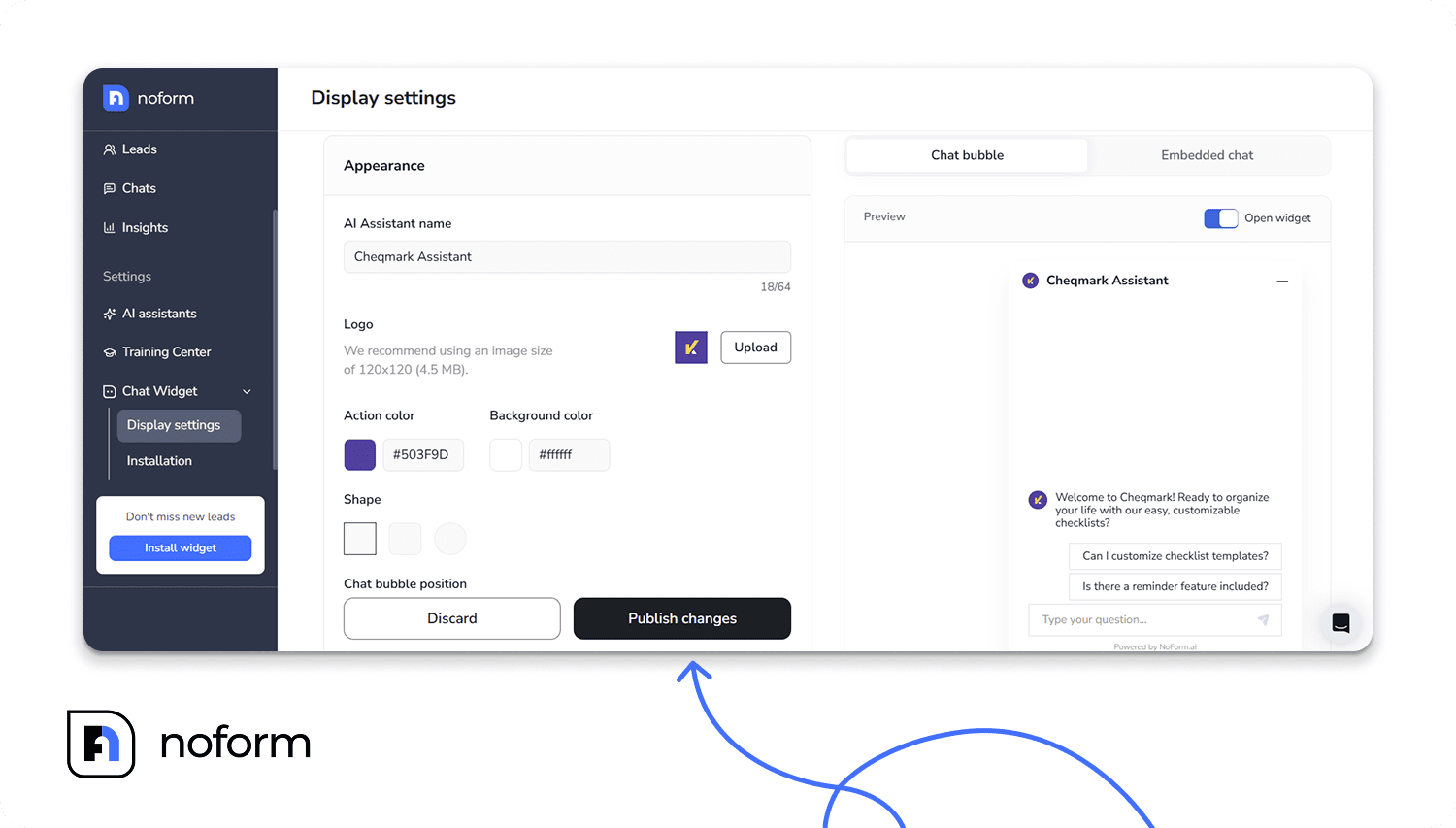
Visit your site and visually verify the widget on both desktop and mobile
Best practice: Leave adequate padding (e.g., 20px to 40px) between your widget and the edge of the browser window. A widget jammed flush against the corner feels claustrophobic and poorly designed. |
How do you avoid the chatbot covering important page elements?
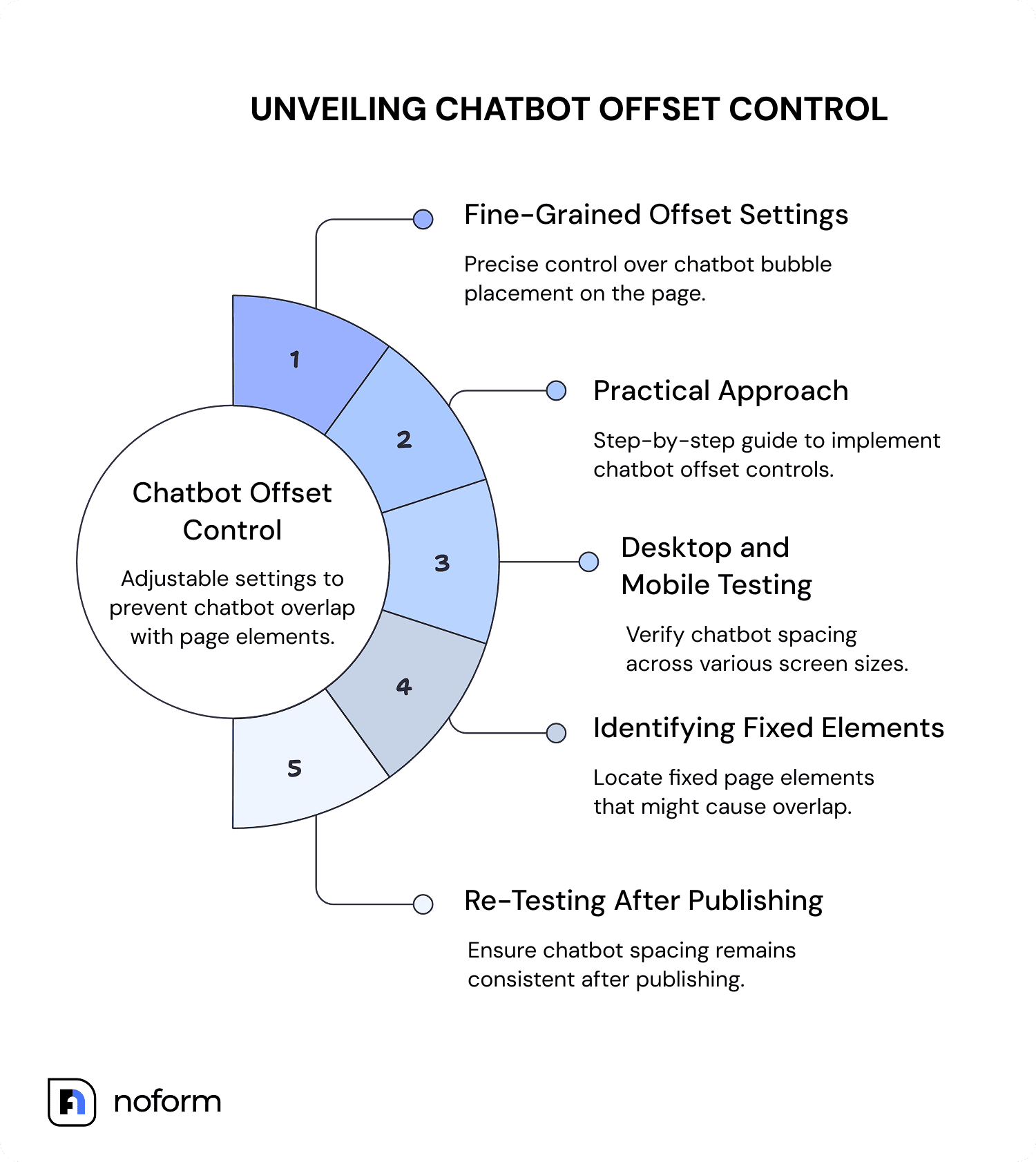
This is where fine-grained offset control makes a real difference. A chatbot bubble sitting at the exact corner of a page can overlap fixed navigation bars, cookie consent banners, live chat buttons, accessibility widgets, or sticky footer CTAs.
NoForm AI solves this with adjustable top/bottom and left/right offset settings. Instead of placing the bubble at the absolute corner, you can add exact pixel spacing to create breathing room between the widget and other fixed elements on the page.
A practical approach:
- Check your page on desktop and mobile at common screen sizes (1440px, 1280px, 768px, 390px)
- Identify any fixed elements in the bottom corners — consent banners, scroll buttons, nav bars
- Use NoForm AI’s offset controls to shift the widget just far enough to avoid overlap
- Re-test after publishing to confirm spacing holds across devices
Let the data guide your design
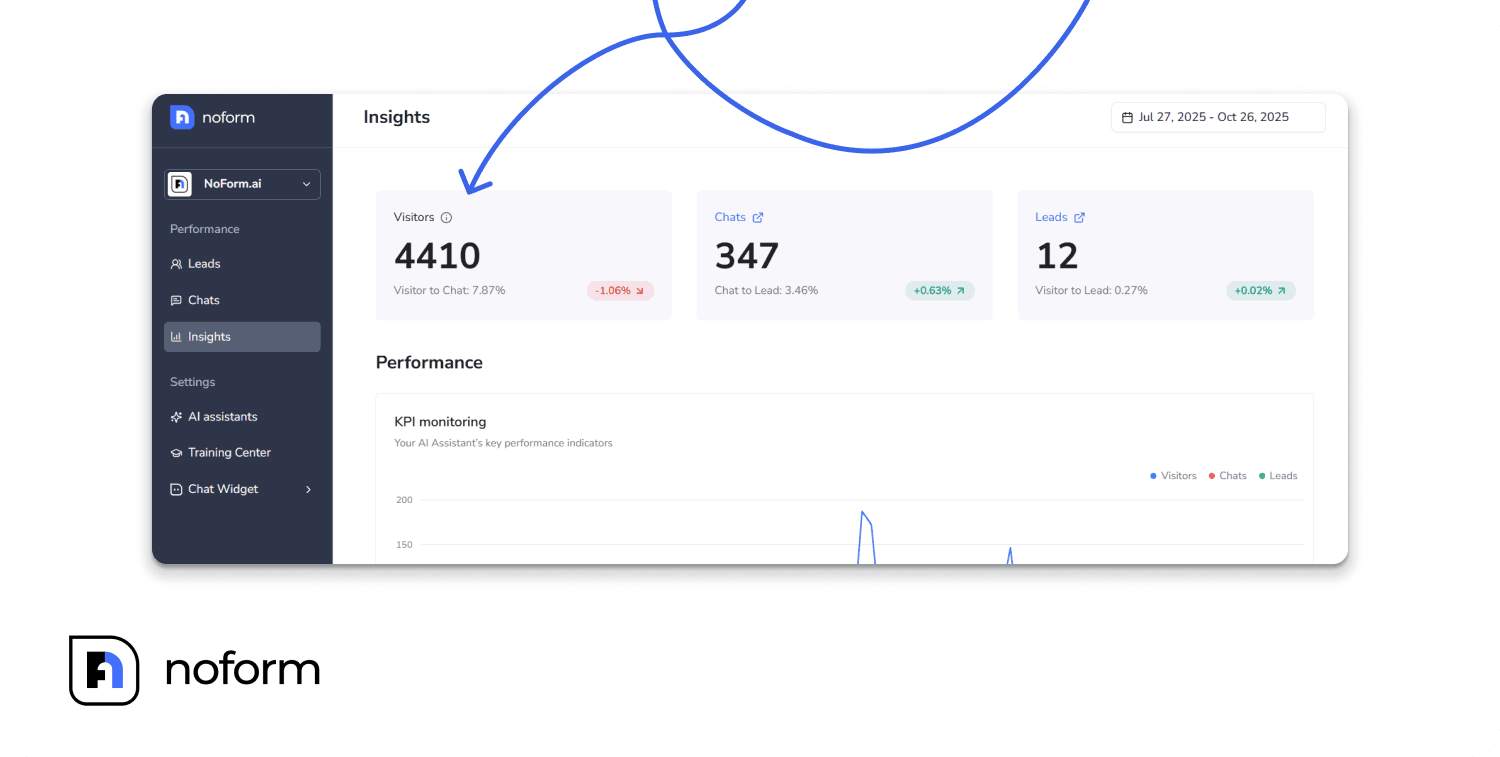
Chatbot placement is rarely a “set it and forget it” task. Use data to improve. After your assistant is live, monitor engagement metrics closely.
Pay attention to your “Visitor to Chat” conversion rate in your NoForm AI dashboard. If visitors interact less after a design change, try adjusting the chat bubble’s position. Sometimes, shifting the widget up by just 15 pixels to clear a scrolling footer element is all it takes to double your engagement overnight.
Summing up
Widget placement isn’t just a minor design detail; it’s the foundation of your lead capture strategy. Your assistant needs to be visible and accessible to your visitors, but never in a way that obstructs important page elements.
By strategically positioning your NoForm AI chatbot—whether that means choosing the bottom right or bottom left, or fine-tuning the exact padding from the edges—you remove friction from the user journey.
Remember, even small design choices can completely change how people perceive and engage with your assistant. Make your chatbot easy to find and unobtrusive to use, and the conversations (and conversions) will naturally follow.
Ready to optimize your widget?
Don’t let clunky placement cost you another lead. Log in to your NoForm AI dashboard and navigate to Chat Widget > Display settings. Take a few minutes to adjust your chat bubble position, test how it looks on both desktop and mobile screens, and click Publish changes. Make sure your assistant is perfectly placed to capture intent the exact moment it happens!
Frequently Asked Questions
What is the best position for a chatbot widget on a website?
The bottom-right corner is the best default position for a chatbot widget on most websites. It aligns with the natural left-to-right reading pattern, sits in an area users expect to find interactive support, and rarely conflicts with primary page content. Bottom-left is a strong alternative when right-side elements like other widgets or sticky menus already occupy that space.
Does chatbot widget positioning affect lead capture rates?
Yes, widget positioning directly affects whether visitors notice and engage with the chatbot. Businesses using AI chatbots see conversion rates roughly 3x higher than static forms, but that outcome depends on users actually starting a conversation. A poorly placed widget — overlapping key content, hidden below the fold, or auto-opening on mobile — suppresses engagement and reduces lead capture.
How do I prevent my chatbot widget from covering important page elements?
Use offset controls in your chatbot platform to add pixel spacing between the widget and the page corner. In NoForm AI, you can adjust both horizontal and vertical offsets to avoid overlap with cookie consent banners, scroll buttons, sticky navigation, or other fixed elements. Always test on desktop and mobile after publishing any positioning change.
What is the difference between bottom-right and bottom-left chatbot placement?
Bottom-right is the industry default and matches user expectations built over years of web design conventions. Bottom-left is the right choice when your website already has fixed elements occupying the bottom-right — such as a cookie banner, a scroll-to-top button, or another widget. The most important principle is that whichever side you choose, the widget should be persistently visible as users scroll.