
Chatbot conversation starters are clickable, pre-written prompts that appear when a chat widget opens, guiding visitors toward specific actions without requiring them to type. By pairing page-specific conversation starters with an engaging welcome message, businesses can reduce friction and convert up to 3x more visitors compared to static lead capture forms. |
Currently, 98% of your website visitors leave without taking any action. They arrive looking for solutions, but somewhere between browsing and committing, they disappear.
A major reason for this drop-off is friction.
When visitors are forced to navigate static contact forms or are greeted by a generic “How can I help you?” from a basic chatbot, they often hesitate.
That generic opener is the digital equivalent of a blank stare. It puts all the work on the visitor, who doesn’t know what to ask, doesn’t know what the bot can do, and definitely doesn’t feel compelled to type.
Instead of expecting visitors to do the heavy lifting, you can use NoForm AI to craft context-specific welcome messages and conversation starters that engage them instantly.
Conversational experiences convert 3x more visitors than traditional forms because they feel effortless. Here is how to write and set up conversation starters that turn passive browsers into qualified leads.
What are chatbot conversation starters, and why do they work?
Most website visitors don’t fill out forms. They skim, they hesitate, and they leave. A chatbot changes the dynamic by offering a conversational path to the information they need — but only if it gives them a reason to engage in the first place.
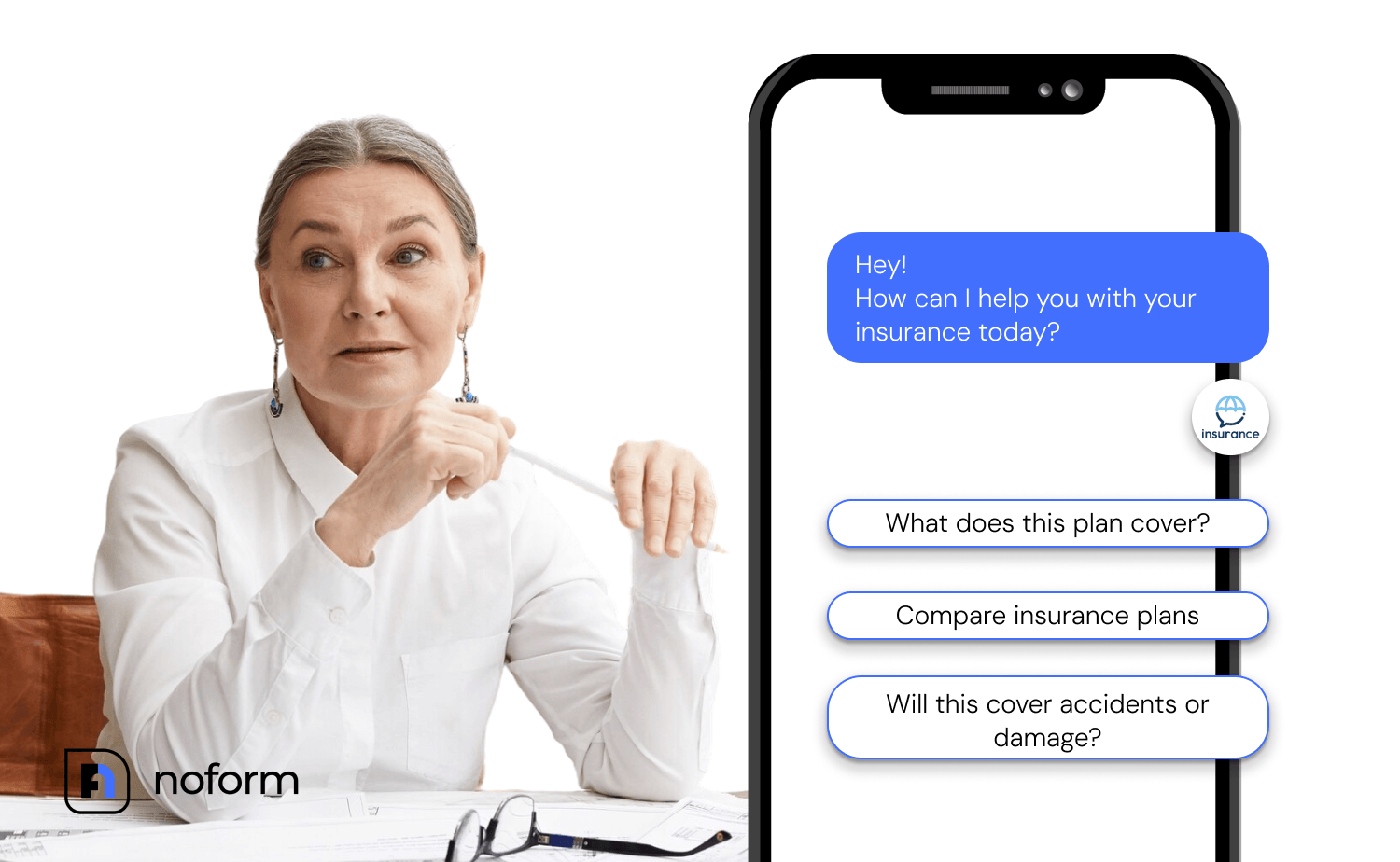
Conversation starters are the mechanism that makes that first click effortless. Rather than staring at a blank input box, visitors see two or three specific options that feel immediately relevant. That relevance is what triggers engagement.
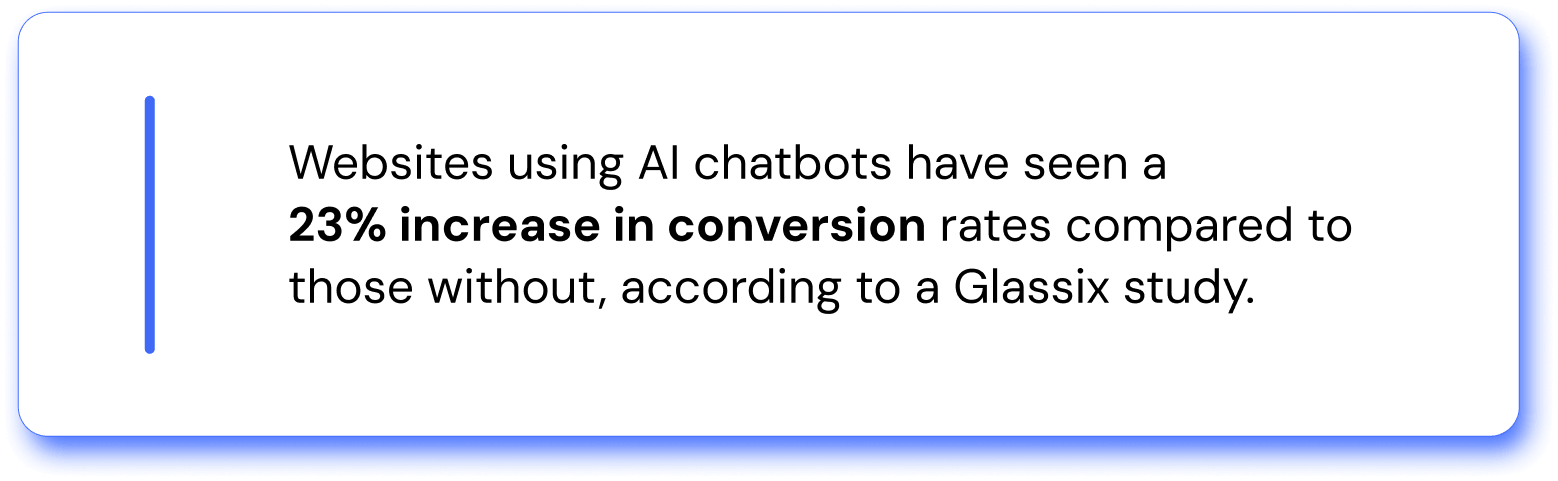
Websites using AI chatbots have seen a 23% increase in conversion rates compared to those without, according to a Glassix study. And personalized chatbot greetings — which conversation starters are a key part of — drive 25–30% higher engagement rates than generic messages, according to research across chatbot deployments in 2025.
The reason is psychological. A generic “How can I help?” forces visitors to do mental work. They have to figure out what they need, how to phrase it, and whether the bot will even understand.
A specific conversation starter removes all of that. It says: here’s something relevant to you, and here’s what to expect. That’s the moment engagement becomes easy.
What makes a conversation starter actually convert?
Not all conversation starters are created equal. A weak one is just a slightly fancier version of “How can I help you?” — it doesn’t reduce friction, it just moves the question around. A strong one is specific, low-commitment, and tied to what the visitor is likely thinking about on that page.
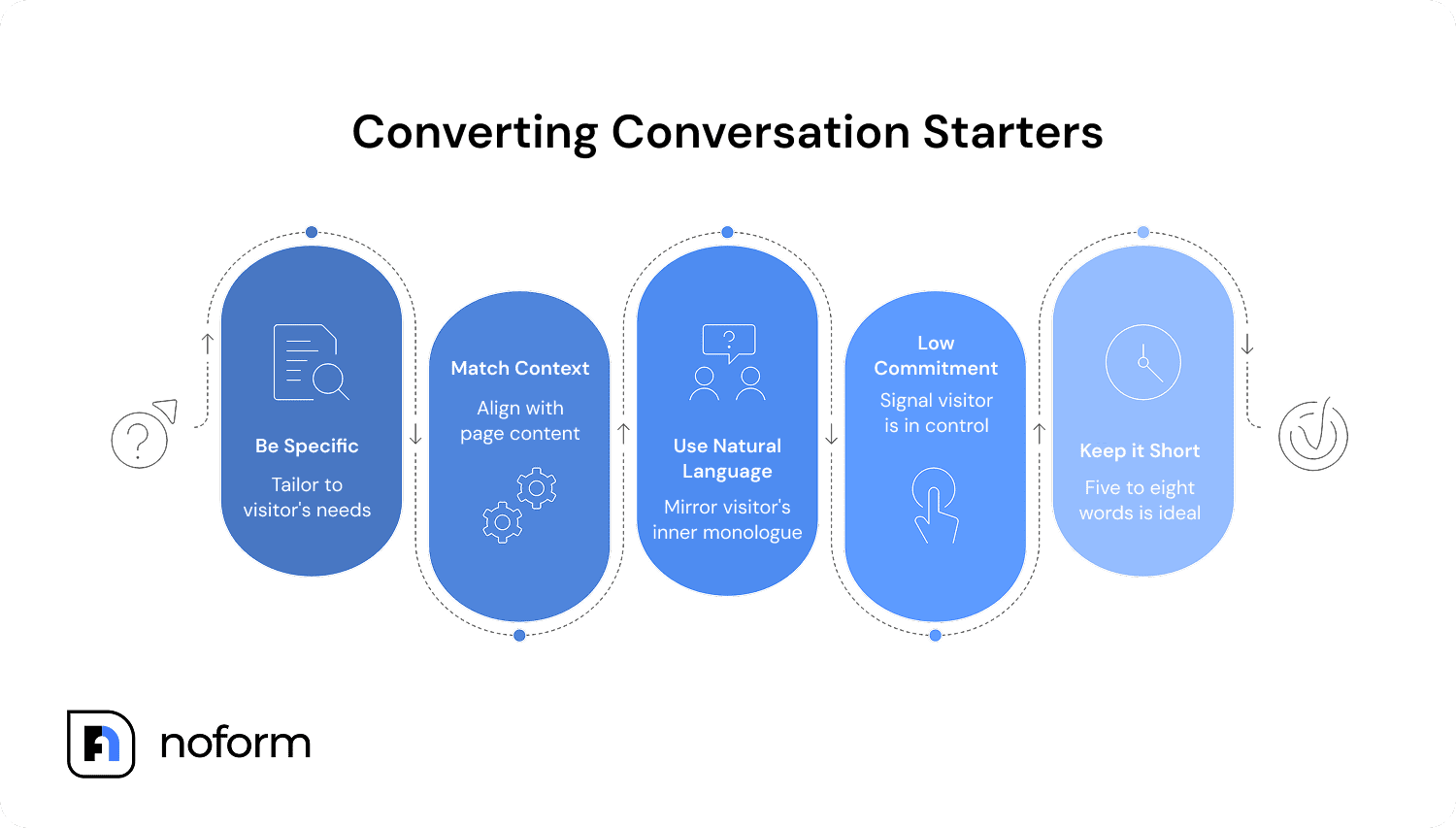
Here are the characteristics that separate high-converting conversation starters from decorative ones:
1. They’re specific, not general
“Learn more” is not a conversation starter. “How does NoForm AI capture leads from my website?” is. Specificity signals to the visitor that the bot actually knows something useful about their situation.
2. They match the page context
A visitor on your pricing page is thinking about cost and value. A visitor on your features page is evaluating capabilities. A visitor on your homepage is still figuring out what you do. Your conversation starters should be calibrated to where the person is in their journey — not a one-size-fits-all set of prompts plastered on every page.
3. They’re phrased the way visitors think
The best conversation starters sound like something a real person would actually wonder. “What’s your pricing?” beats “Inquire about our subscription tiers.” Plain language that mirrors the visitor’s own inner monologue converts better than corporate phrasing.
4. They’re low-commitment
Nobody wants to feel like clicking a button will lead to a pushy sales pitch. The best conversation starters signal that the visitor is in control. They’re getting information, not signing up for anything.
5. They’re short
Five to eight words is the sweet spot. Long conversation starters lose the visitor before they finish reading. Brief, punchy options get clicked.
How to write chatbot conversation starters for different pages
The biggest lever you have is page-level customization. One chatbot with generic prompts across your entire site will always underperform compared to page-specific starters tuned to visitor intent.
Here’s how to approach it page by page:
Homepage
Homepage visitors are early in the journey. They’re evaluating whether your product is relevant to them at all. Your conversation starters should be oriented toward discovery and understanding.
Homepage conversation starters — examples:
|
Pricing page
Pricing page visitors are further along. They’re comparing, calculating, and deciding. They need confidence-building answers and clarity on what they’re actually getting.
Pricing page conversation starters — examples:
|
Features or product page
These visitors want to understand capabilities. They might be evaluating whether your product can handle a specific use case, or comparing you to an alternative they’ve already looked at.
Features page conversation starters — examples:
|
Contact or support page
Someone who lands here either wants human contact or has a problem to solve. Conversation starters here should facilitate quick resolution and capture context before the handoff.
Contact/support page conversation starters — examples:
|
Writing your welcome message: The line before the starters
Conversation starters don’t live in a vacuum. They sit below your chatbot’s welcome message — the first text a visitor sees when the chat widget opens or pops up. The welcome message and the starters work together: the message sets context and tone, the starters give the visitor a path to follow.
A strong welcome message is short (one to two sentences), contextual (it acknowledges where the visitor is), and warm without being pushy. It doesn’t try to sell anything. It positions the bot as a helpful resource.
Weak welcome message: “Hi there! How can I help you today?” |
Stronger welcome message (homepage): “Hey! Wondering if NoForm AI is right for your business? I can help you figure that out — no pressure.” |
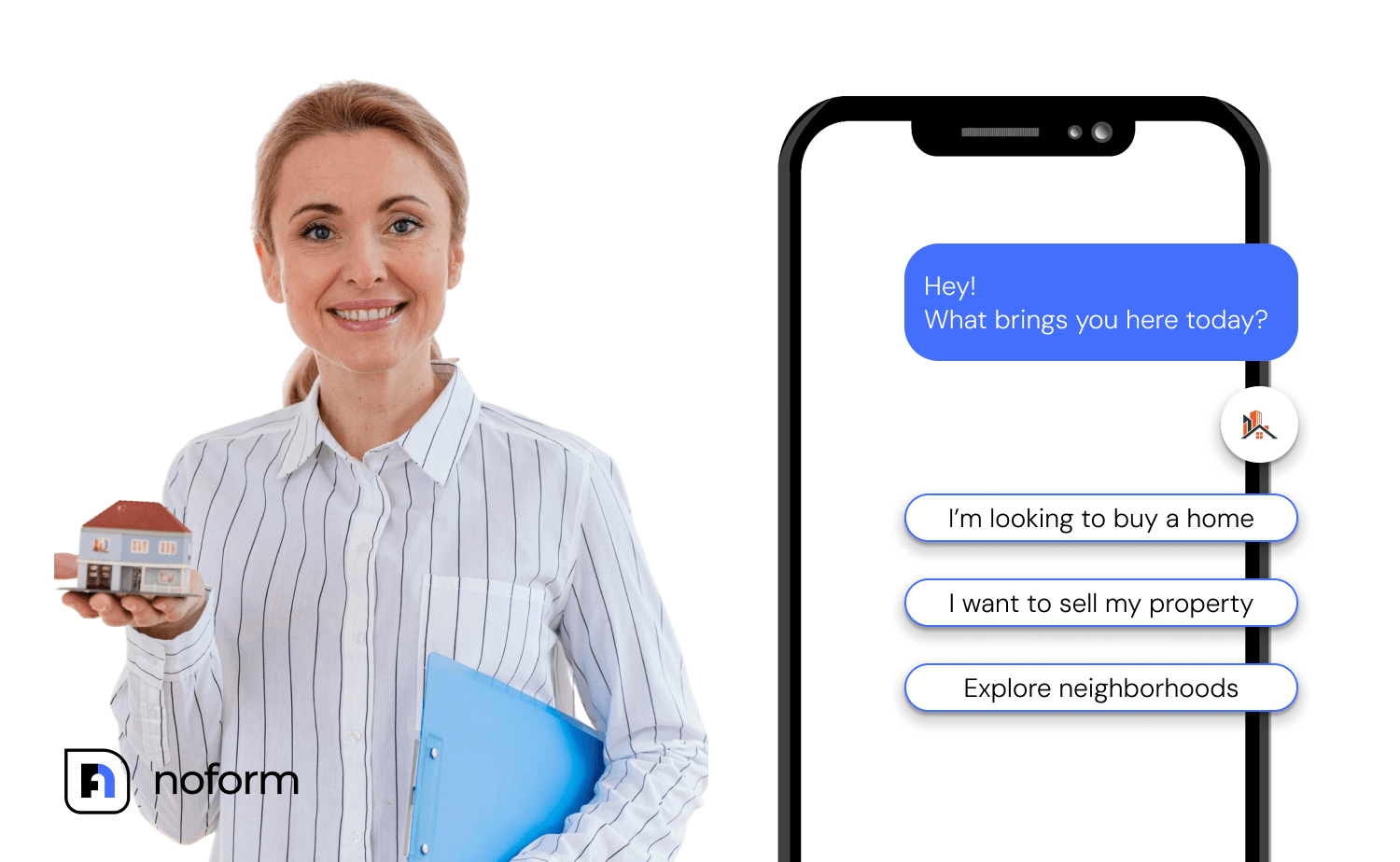
Stronger welcome message (pricing page): “Looking at our plans? Happy to answer any questions about what’s included or how pricing works.” Or “Ready to find the perfect plan? Ask me about our features or refund policy!” |
Stronger welcome message (support page): “Something not working? I’m here to help you troubleshoot.” |
Stronger welcome message (product page): “Curious about how this works? I’ve got all the details.” |
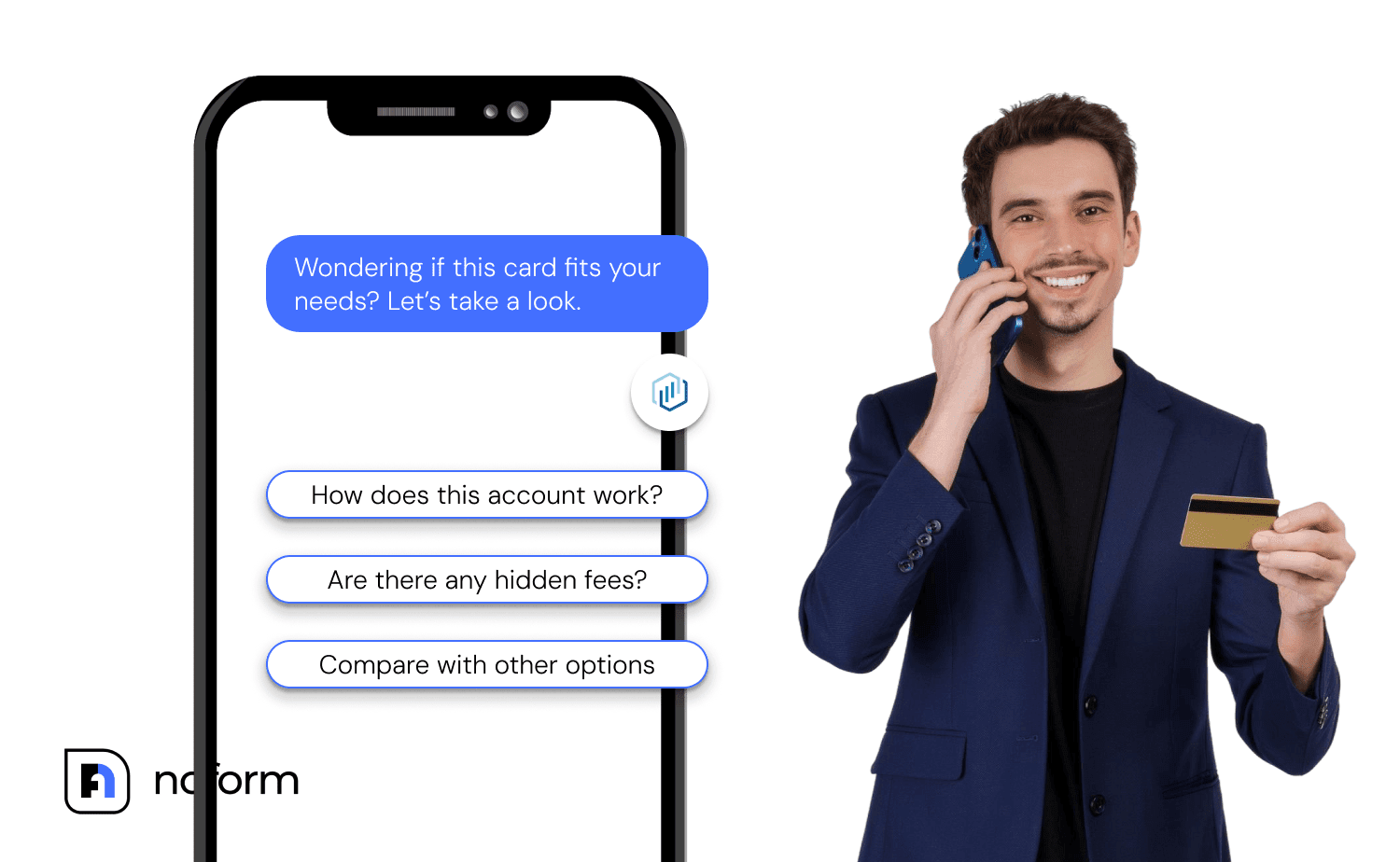
Notice how the stronger versions acknowledge what the visitor is probably thinking. They’re not generic — they’re written for the moment.
How can placeholder text improve chatbot engagement?
Placeholder text is easy to overlook, but it sets the expectation for what the user should type. Personalizing it to match the page’s context quietly reinforces the relevance of the entire experience.
- Pricing page placeholder: “Ask about our plans…”.
- Support page placeholder: “Describe your issue…”.
- Product page placeholder: “Tell me what you need…”.
Generic placeholder text (“Type a message…”) signals that the bot isn’t really tuned to help. Specific placeholder text signals the opposite.
Common mistakes that kill chatbot engagement
Before looking at how to set all this up in NoForm AI, it’s worth knowing what to avoid. These are the most common patterns that prevent conversation starters from doing their job:
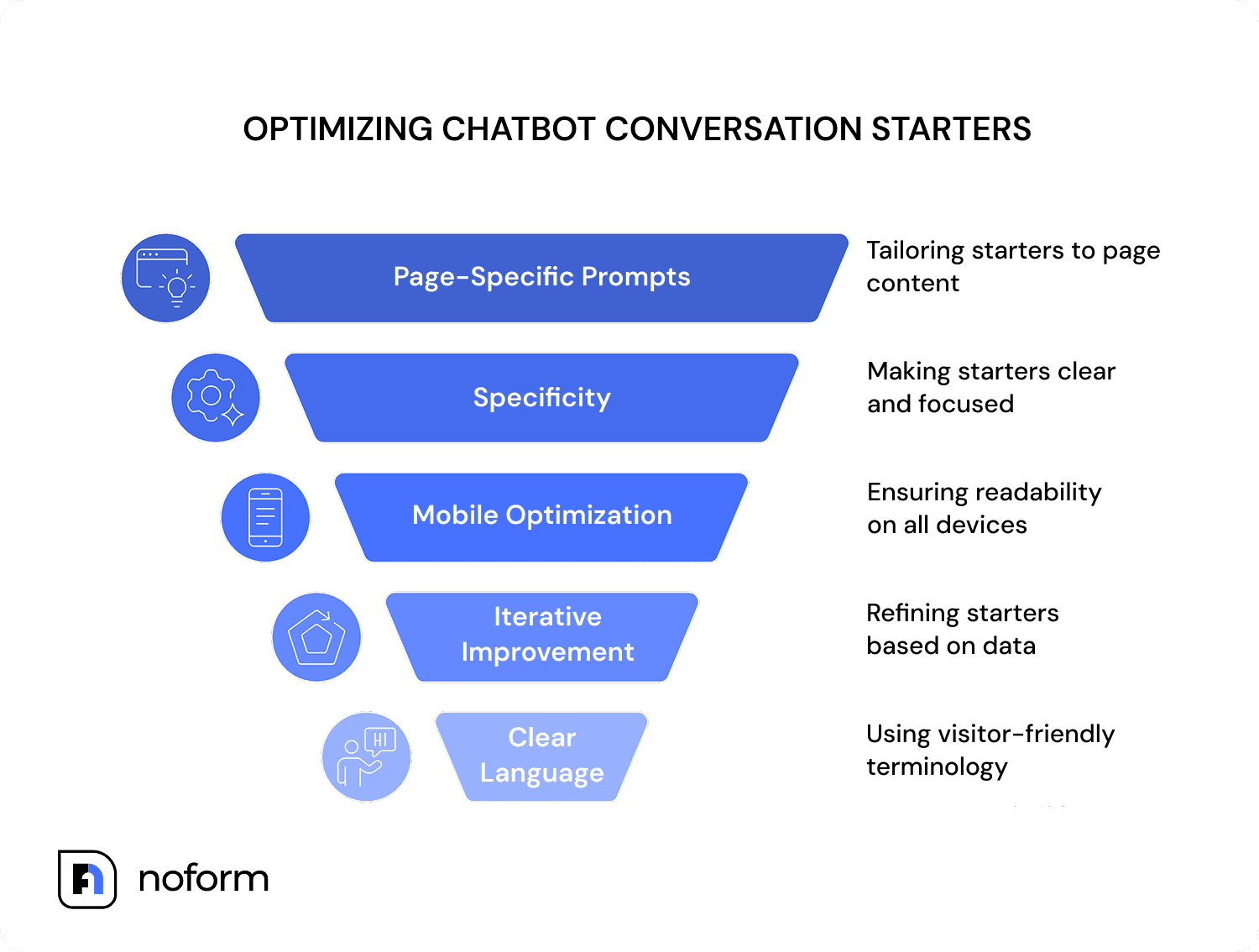
- Using identical starters on every page. What works on a pricing page confuses visitors on a features page. Page-specific prompts always outperform site-wide ones.
- Making starters too broad. “Tell me about your product” is not a conversation starter — it’s a homework assignment. Be specific.
- Forgetting the mobile. Conversation starters that look great on desktops can be truncated or awkward on phone screens. Keep them short enough to read at a glance.
- Setting them once and never revisiting. Your best starters are discovered through iteration. Look at your chat logs, identify the questions visitors actually ask, and use those as your starters.
- Using jargon or internal language. Visitors don’t know what your internal product names mean. Write the way they think, not the way your team talks.
How to set up conversation starters in NoForm AI
NoForm AI is built around the idea that your chatbot should do more than answer questions — it should actively qualify leads and guide visitors toward becoming contacts. Conversation starters are a core part of that, and setting them up takes a few minutes.
Here’s how it works:
- Log in to your NoForm AI dashboard and go to the AI Assistants tab.

- Select the assistant you want to configure (or create a new one for a specific page).
- Open the Engagement tab.
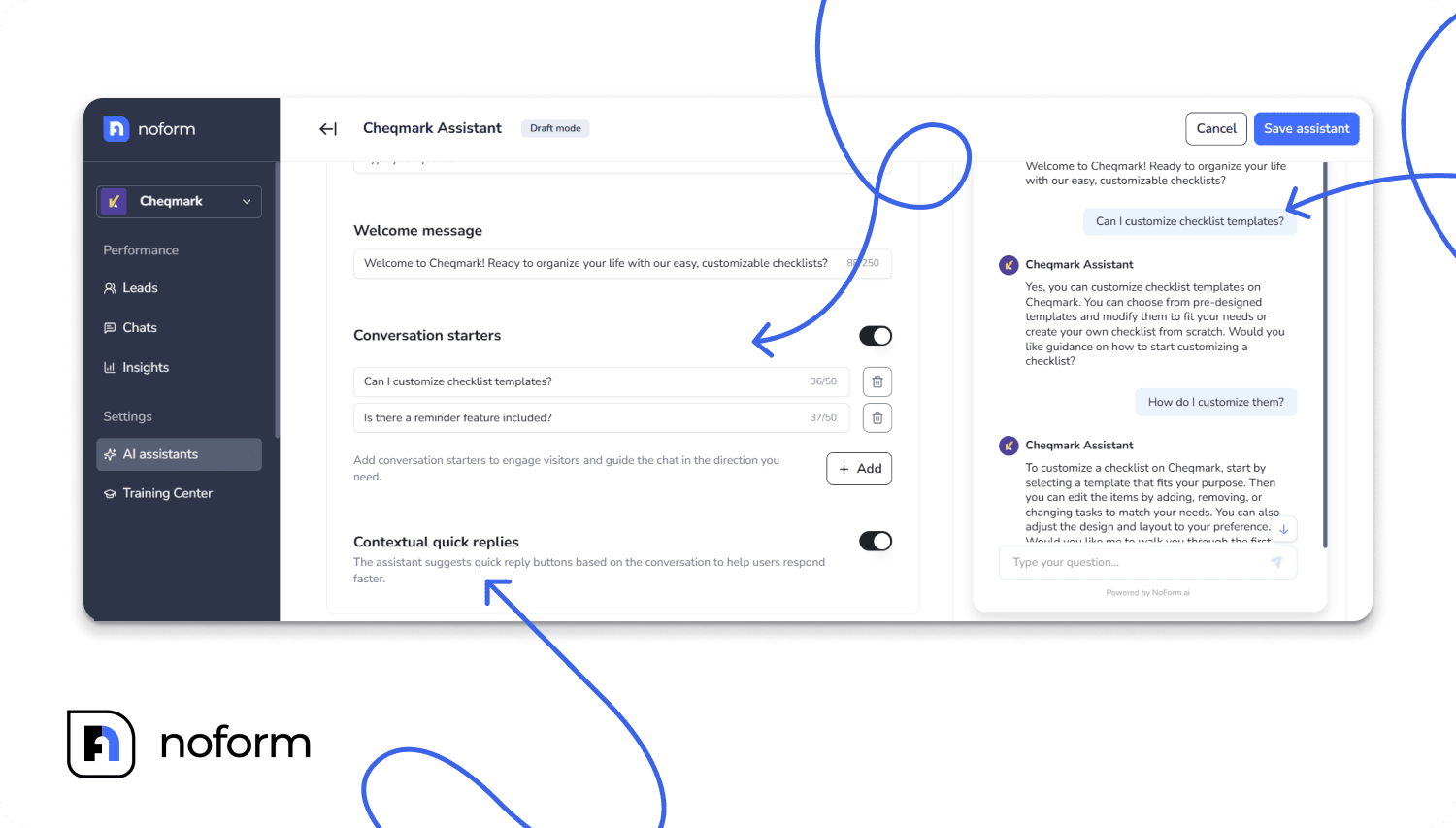
- You’ll find the Welcome message field at the top — write a short, page-specific greeting here.
- Below that, you’ll see the Conversation starters section. Add your two or three suggested questions.
- You can also enable Contextual quick replies — this lets the AI suggest follow-up options mid-conversation based on what the visitor is discussing. It’s a powerful way to keep dialogue moving.
- Click Publish to push your changes live.
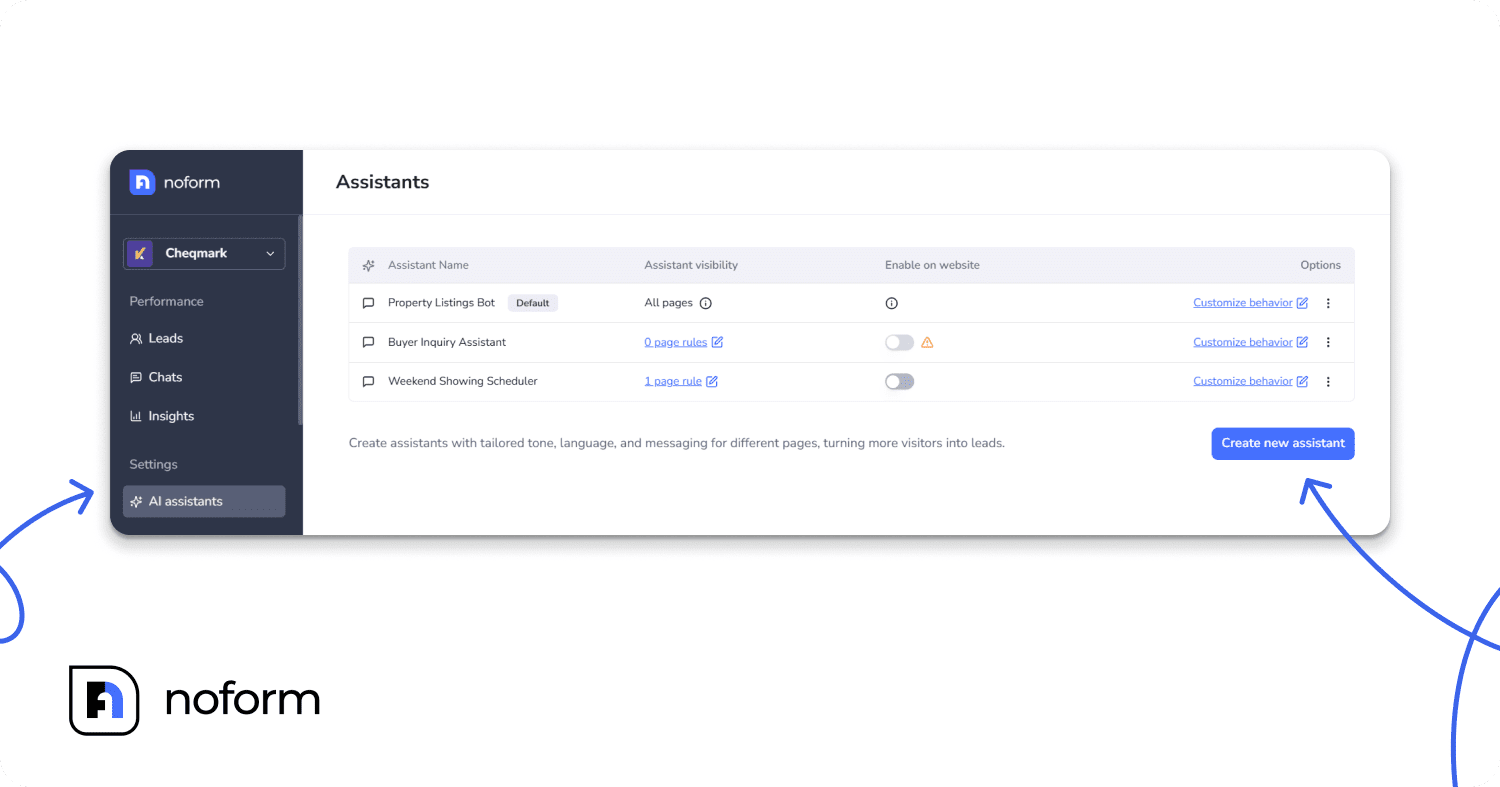
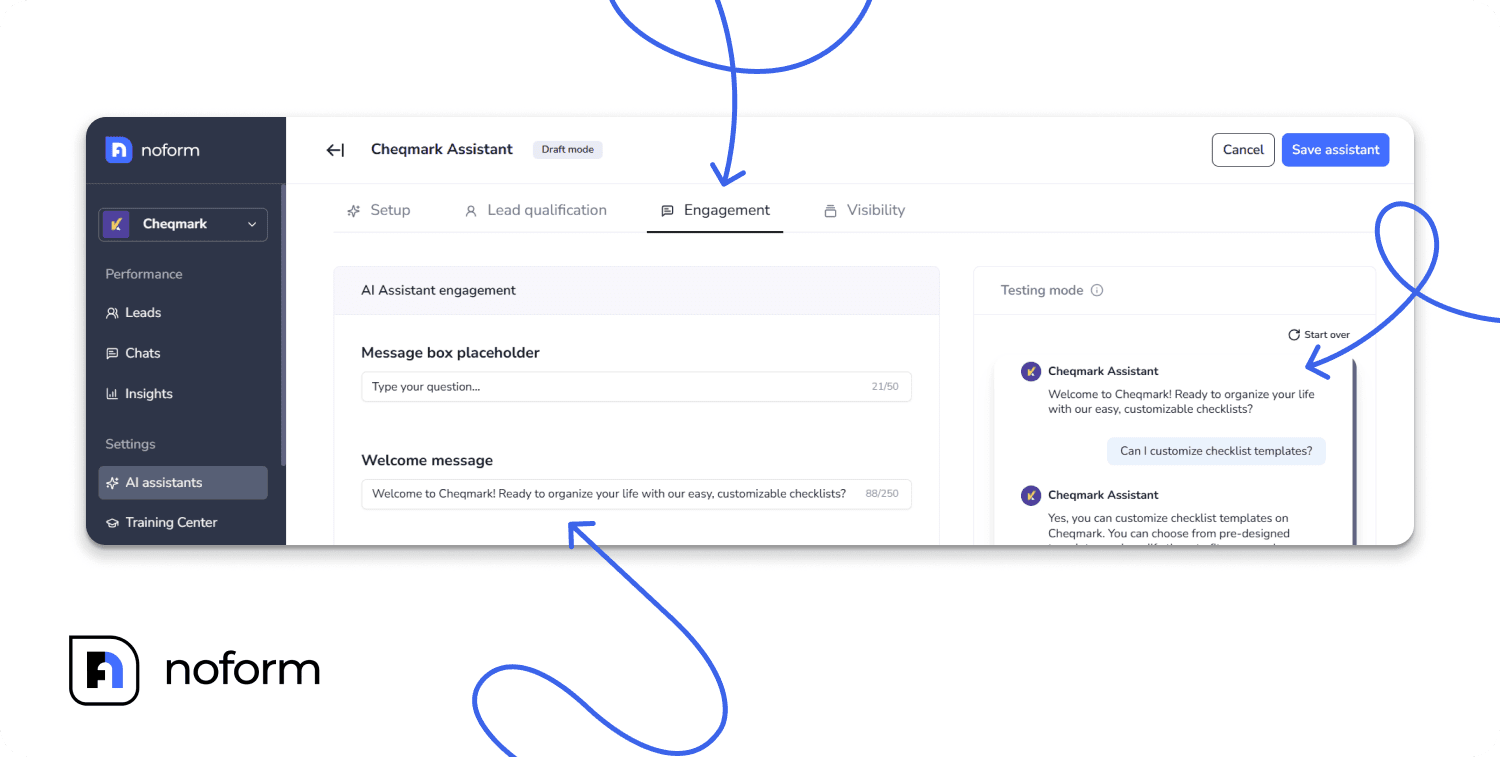
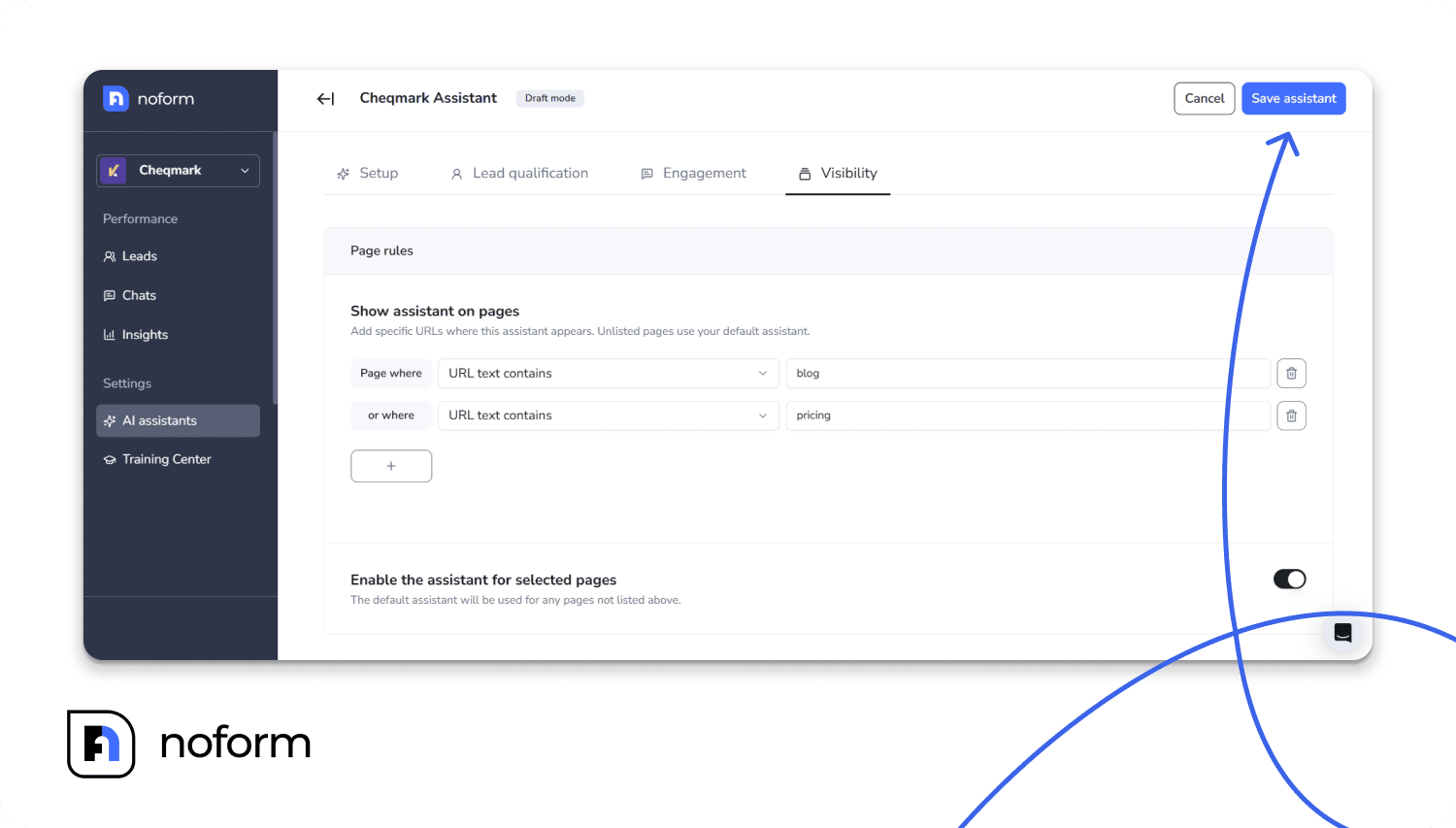
Pro tip: NoForm AI lets you create separate AI assistants for different pages on your website. That means you can have a pricing-focused assistant on your pricing page, a features-focused one on your product page, and a general one on your homepage — each with its own welcome message and conversation starters tailored to the visitor’s intent. |
Once your starters are live, use the Testing mode panel (inside the AI Assistants tab) to simulate conversations before your visitors do. This lets you catch anything that feels off or leads to a dead end.
How do you improve conversation starters after launch?
Your first set of conversation starters should be treated as a starting hypothesis, not a finished product. The visitors who engage with your chatbot will tell you — through their actual behavior — what’s working and what isn’t.
A few things to monitor:
- Which starters get clicked most often? Double down on the topics those reveal.
- What do visitors type when they ignore the starters? Those are questions you should probably add as starters.
- Where do conversations drop off? That’s often a signal that the starter led somewhere unhelpful.
- What leads are being captured? If certain conversation paths consistently produce qualified leads, design more starters that send visitors down those paths.
The goal over time is to close the gap between what visitors are actually wondering and what your chatbot proactively surfaces for them. The closer you get to that alignment, the higher your engagement and conversion rates will climb.
Chatbot conversation starters vs. generic greetings: A quick comparison
Generic greeting | Specific conversation starters | |
Visitor effort | High — must figure out what to ask | Low — one click to engage |
Engagement rate | Baseline | +25–30% higher |
Page relevance | Same on every page | Tailored to visitor intent |
Lead quality | Random | Pre-qualified by topic clicked |
Start turning visitors into leads with better chatbot greetings
The gap between a chatbot that sits on your site and a chatbot that actually drives leads usually comes down to the first five seconds of the visitor experience.
A well-written welcome message and two or three targeted conversation starters can change everything — reducing friction, signaling relevance, and making it easy for the right visitor to raise their hand.
NoForm AI gives you all the tools to build this: page-specific assistants, customizable welcome messages, conversation starters, contextual quick replies, and lead qualification built in from the start. Getting started takes minutes, not weeks.
Ready to try it? NoForm AI’s pilot month is just $29 — enough time to set up your assistants, test your conversation starters, and see real leads coming in. After that, it’s $99/month. No long-term contract, no complicated setup. |
Frequently Asked Question
What are chatbot conversation starters?
Chatbot conversation starters are pre-written suggested questions or prompts that appear in a chat widget, inviting visitors to click and begin a conversation. Instead of asking visitors to type from scratch, these engagement prompts offer a few relevant, low-friction options that reduce hesitation and increase engagement. They’re one of the most effective tools for conversational lead capture, turning passive website visitors into active leads.
How many conversation starters should I add to my chatbot?
Two to four conversation starters is the optimal range for most websites. Fewer than two leaves visitors without enough options; more than four creates choice overload and can actually reduce clicks. Focus on the questions that most commonly come up for your visitors, and leave room to iterate as you learn from real conversations.
What are the best chatbot starters for lead generation?
The best chatbot starters for lead gen are built around buying intent signals: pricing questions, integration questions, and use-case questions. Lead gen chatbots that open with “What’s included in the pilot month?” or “How does lead qualification work?” consistently outperform those that open with generic prompts.
This approach drives true conversational lead capture, ensuring the starter feels like a natural first question rather than a disguised form field.
Should conversation starters be different on each page of my website?
Yes, implementing page-specific conversation starters is one of the highest-leverage improvements you can make. A visitor to a pricing page is thinking about cost and commitment. A homepage visitor is still figuring out whether your product is right for them. Conversation starters matched to the visitor’s intent on each specific page dramatically outperform generic prompts used site-wide. NoForm AI makes this easy by letting you create separate assistants per page.
What’s the difference between a welcome message and a conversation starter?
A welcome message is the opening text your chatbot displays — the first sentence or two the visitor reads. A conversation starter is the clickable suggested prompt that appears below the welcome message. The welcome prompts set the tone and context; the conversation starters give the visitor a specific, easy first step. Both work together, and both should be customized for the page and the audience.
Can I use conversation starters to qualify leads before a human follows up?
Yes — and this is one of the core use cases for NoForm AI. By designing conversation starters around the questions that reveal buying intent (pricing, integrations, use cases), you create a natural self-qualification path. The visitor signals what they care about by what they click. The AI gathers contact information in context, so by the time a human picks up the lead, they already have useful context and know what that person is looking for.
How quickly can I set up conversation starters in NoForm AI?
You can set up your system in just a few minutes per page. Simply write your welcome message, add two to four conversation starters, and hit publish.
If you are wondering how to write chatbot conversation starters, focus on mirroring the visitor’s inner monologue to create chatbot greetings that convert.
Do conversation starters work on mobile?
Yes, but mobile requires extra attention to length. Starters that look clean on a desktop screen can get truncated or crowded on a phone. Keep each starter to five to eight words where possible, and test your chatbot on a mobile browser after publishing. NoForm AI’s chat widget is designed to be mobile-responsive, but your copy needs to be mobile-friendly too.
What makes NoForm AI different for setting up conversation starters?
NoForm AI is built specifically for lead capture and qualification, not just customer support. That means the conversation starters you set up are designed to start conversations that end with a captured lead — not just an answered question. Features like contextual quick reply buttons, page-specific assistants, and integrated lead qualification rules make it easier to turn a well-written starter into a complete, lead-generating conversation.
Should I use conversation starters or let the AI freestyle?
Both have a role, and NoForm AI supports both. Conversation starters handle the cold-start problem — when a visitor arrives and doesn’t know what to ask, starters give them a clear path in. Once the conversation is moving, NoForm’s AI handles open-ended questions naturally. Think of starters as the on-ramp: they get people into the conversation, and the AI takes it from there to drive custom chatbot engagement.