
No-Code AI Chatbot Builder
Skip the developer, the flow-building, and the hand-written scripts. Paste your URL, and NoForm AI can train itself on your website, answer visitors 24/7, and turn conversations into qualified leads for your team.
Enter your website link to create your AI chatbot in just 1 minute!
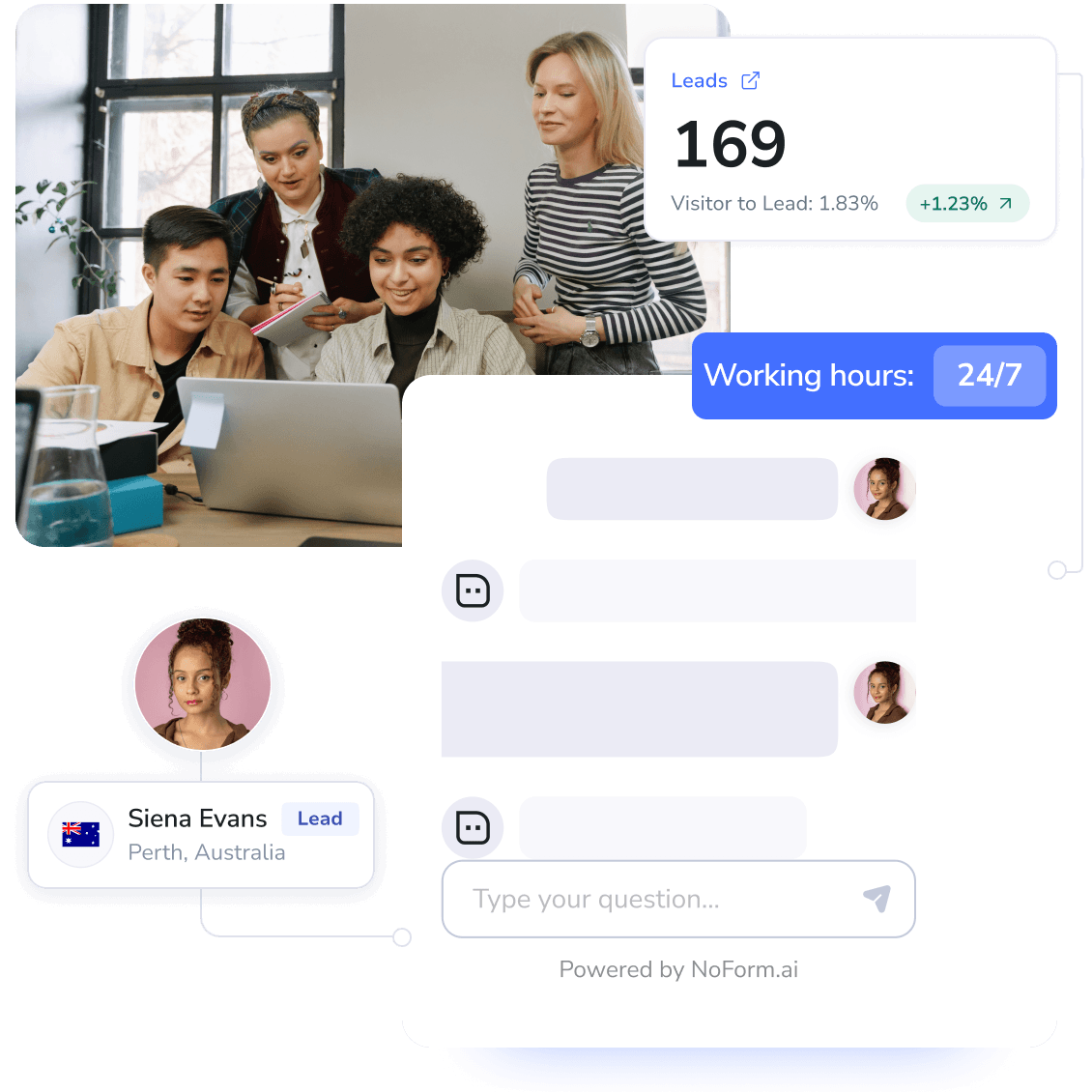
Get a sales-ready AI chatbot without a developer
Most no-code AI chatbot platforms still need someone technical to build flows, script replies, and maintain complex logic. NoForm AI can learn from your existing website instead, so answers reflect your real services instead of generic AI responses. Roughly 98% of website visitors leave without reaching out, and NoForm AI can turn more of them into demo bookings, quote requests, and sales-ready leads.
Instant, business-specific answers from your no-code AI chatbot
NoForm AI can draw every answer from your product pages, pricing tables, blog posts, and cancellation policies. Many conversations can run at once, each in the visitor's own language. A late-night question about plan limits or delivery times should get a real-time answer from your own content, not a generic AI guess.
Turn conversations into qualified leads without a form wall
Visitors can share an email or phone number during the chat, along with details like project type, team size, or launch date. Custom attributes hold your qualification criteria, so your team can tell buyers from browsers. Once contact details are captured, NoForm AI automatically marks the conversation as a lead, so no sales inquiry gets lost in chat history.
A better visitor experience that starts with answers
Visitors can get answers first in the website chat while they explore your pricing page or product tour, and conversational follow-ups adapt to their needs. NoForm AI can ask for contact details only when the timing makes sense, which is a better customer experience than a long form. You can change when and how it asks in its instructions, with no rebuild.
More time for qualified opportunities
An AI-generated summary of two to four sentences comes with every lead, covering what the visitor asked and wants, so follow-up starts warm. Routine customer support queries about opening hours, plan differences, onboarding steps, and refund rules can be answered autonomously, including evenings and weekends. With the repeat questions handled, your team can spend more time on qualified opportunities.
Visitor insights you can act on
The Insights tab shows visitors, chats, leads, and engagement, measured as the conversion rate between each step. A traffic source breakdown shows which channels, from paid search to email campaigns, bring in the conversations that turn into leads. Chat summaries also reveal customer behavior, such as recurring questions, which you can use to improve pricing pages, FAQs, and ad spend.
Turn website visitors into qualified leads, starting today
NoForm AI can engage visitors as soon as they ask a question and qualify them in conversation, even when your team is offline. You can start without a developer, chatbot flows, or a form wall.
How it works: build an AI chatbot without coding
This step-by-step guide shows how to build an AI chatbot with no-code settings while keeping full control through configuration.
Add your website
Enter your website URL, and NoForm AI will train on your product pages, service pages, and blog posts. This gives the assistant a starting point for understanding your business before you configure anything.
Define the assistant's role and behavior
Describe the assistant’s role, business context, how it collects lead details, and the rules it should follow, all in plain language in the structured prompt. There are no decision trees to build.
Add your business knowledge
In the Training Center, add more URLs, upload .doc, .docx, .txt, or .pdf files up to 10MB, and set Q&A pairs for exact answers.
Set your lead qualification criteria
Keep email, phone, or both switched on, then add custom attributes like budget, timeline, or company size. The moment a visitor shares an email or phone number, the chat is flagged as a lead.
Test before you publish
Use the built-in Testing mode to try real-world questions, including rephrased, vague, and out-of-scope ones. Iterate on the instructions and training content until every answer is right.
Customize the look and welcome
Give the assistant a name, then set your logo, brand colors, bubble shape, and position. Write a welcome message and conversation starters to match the page.
Deploy on your site
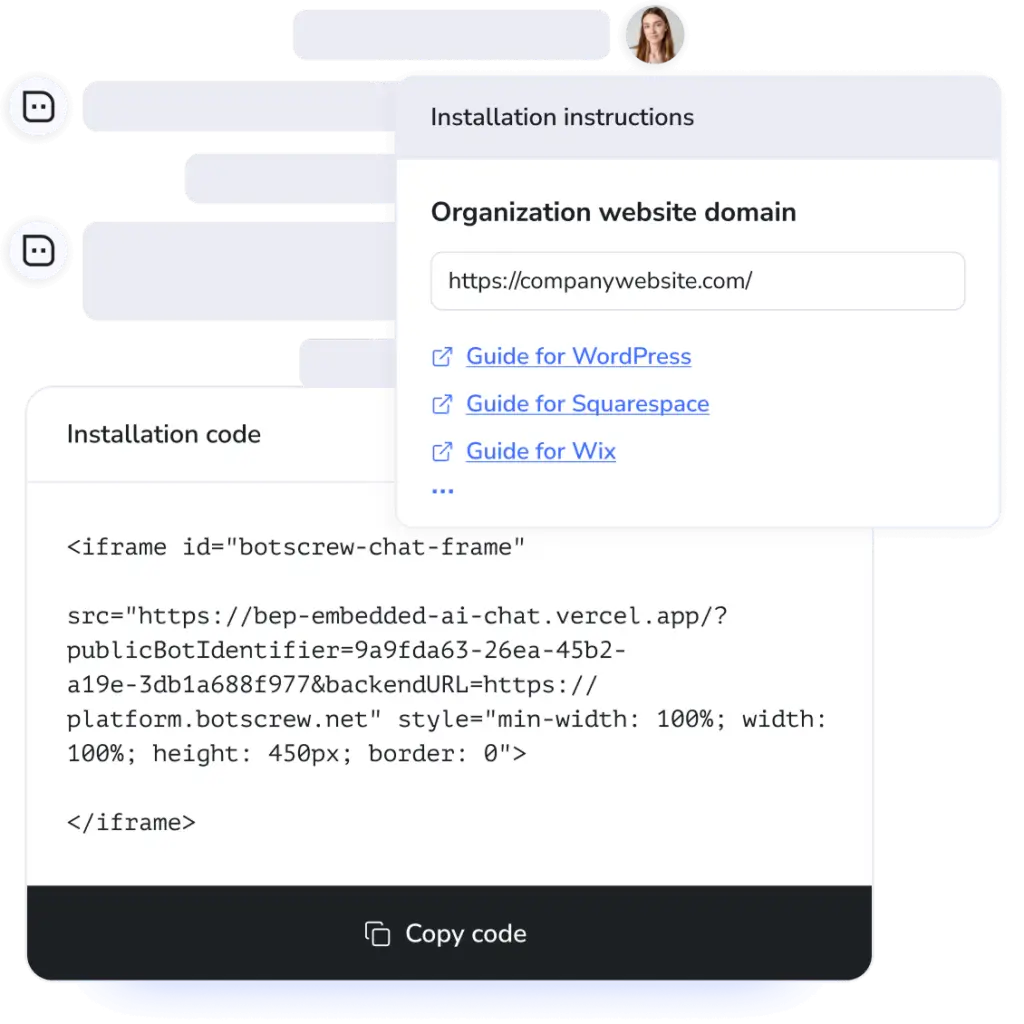
Copy one snippet into your site, or use the official WordPress plugin with your Bot ID. Choose a chat bubble or an embedded chat, and your first bot goes live right away.
What our customers say
We were truly stunned at the ease of engagement, setup up, and implementation – in just a few minutes (literally), I had an operational bot on our website, with specifically trained AI that supported qualifying conversations about our business and full integration with a 3rd party scheduling system so people could book a demo with someone on the team. I’m very excited to measure the impact of this on our business as we move forward.

Applied Intelligence Agency
CEO

The fact that a customer can come in and get their questions answered 24/7 is highly critical, especially compared to just reading website information or filling out a form. As an international business dealing with clients all over the world, this accessibility is essential.
Rebecca Henning

NoForm AI is a chatbot on our website that engages visitors in real time, answers common questions, and captures/qualifies leads automatically instead of relying on a static contact form.
Varshitha Vaddi

It’s a straightforward, easy-to-use, and easy-to-train AI chatbot, with the option of multilingual bots. I’d definitely recommend NoForm AI to others in our industry because it doesn’t require a lot of resources to set up and run, and it has good technical support.
Simone Biock

We were truly stunned at the ease of engagement, setup up, and implementation – in just a few minutes (literally), I had an operational bot on our website, with specifically trained AI that supported qualifying conversations about our business and full integration with a 3rd party scheduling system so people could book a demo with someone on the team. I’m very excited to measure the impact of this on our business as we move forward.
Applied Intelligence Agency
CEO
The fact that a customer can come in and get their questions answered 24/7 is highly critical, especially compared to just reading website information or filling out a form. As an international business dealing with clients all over the world, this accessibility is essential.
Rebecca Henning
NoForm AI is a chatbot on our website that engages visitors in real time, answers common questions, and captures/qualifies leads automatically instead of relying on a static contact form.
Varshitha Vaddi
It’s a straightforward, easy-to-use, and easy-to-train AI chatbot, with the option of multilingual bots. I’d definitely recommend NoForm AI to others in our industry because it doesn’t require a lot of resources to set up and run, and it has good technical support.
Simone Biock
Why choose NoForm AI's no-code AI chatbot for your business?
NoForm AI has the key features of no-code AI chatbot builders, with a focus on lead capture and qualification. You train it on your content and match it to your brand, and it can capture qualified leads 24/7.
Easy setup & use
Enter your website URL and NoForm AI will train on your pricing, FAQ page, service pages, and blog posts, while documents up to 10MB (.doc, .docx, .txt, .pdf) cover anything else. Non-technical teams can update the training content whenever your business changes, as easily as editing a web page.
Seamless integration
The NoForm AI chat widget runs as a floating bubble or an embedded chat on WordPress, Wix, Squarespace, Webflow, Framer, and any platform that accepts a script snippet. Connect qualified leads to your CRM and other sales tools through a webhook, Zapier, or Make.
Fully customizable
The branding settings cover the assistant’s name, logo, colors, and bubble shape. You write the welcome message and conversation starters, with no template or script to adapt. Use URL rules to show a separate assistant on the pages you choose.
Traffic source insights
See exactly where your website visitors, chats, and leads come from. NoForm AI tracks UTMs and referring sites to show you the marketing channel behind each conversation. The visitor-to-lead rate for each source helps you decide where to spend your marketing budget, and the webhook passes every lead’s source to your CRM.
Multilingual conversations
NoForm AI can automatically detect each visitor’s language and reply in it, with no translation files or code. If your site has localized sections, you can also route a dedicated assistant to each one, such as a French assistant on /fr/ pages, or a Spanish one on /es/ pages, with its own welcome message and instructions in that language.
AI-powered lead qualification
NoForm AI collects contact details and your custom attributes from the conversation, not from form fields. When a visitor shares an email or phone number, the chat is flagged as a lead, and your team can get the contact details, an AI-generated summary, and page URL for warmer follow-up.
Trustworthy & accurate
Every reply draws on your website and documents for consistent and accurate answers about your pricing, services, and policies. Visitors then trust what they read and feel more comfortable sharing an email or phone number.
Secure & compliant
NoForm AI follows GDPR and CCPA requirements, and visitor data is protected with advanced encryption. You decide which lead attributes to collect, so the chat only asks for what your sales follow-up needs.
Launch an AI assistant trained on your business today
Answer every visitor from your own content and catch the qualified leads and sales opportunities your site is missing right now, all without a developer.
Enter your website link to create your AI chatbot in just 1 minute!
Frequently asked questions
01What is a no-code AI chatbot?
No-code means you build the chat assistant with settings and plain-language instructions instead of programming. Older rule-based chatbots followed pre-built decision trees, while a no-code AI chatbot uses generative AI to answer from your own content. NoForm AI uses the same approach for customer engagement and sales, not general customer support. On your site, it can answer visitor questions, collect an email or phone number in the chat, and summarize each lead for your team. To see how the qualification process works, read our guide on AI lead qualification.
02Do I need technical skills to build a no-code AI chatbot?
No. If you are building your first chatbot, NoForm AI works for a beginner or a non-technical team. You enter your website URL, describe the assistant’s behavior in everyday language, and switch on the lead details you want to collect. If you can update a web page, you can create a chatbot without writing code. Our guide on setting up NoForm AI in minutes walks through every step.
03Do I need a developer to set up or maintain NoForm AI?
No. Unlike low-code tools, NoForm AI lets you build, train, brand, and maintain your chatbot from one dashboard. You install it by pasting a single snippet into your site, on WordPress by using the official plugin and pasting your Bot ID, so you can deploy without a line of code of your own. You make later updates in the same dashboard, with no custom code to touch.
04How long does it take to set up NoForm AI?
A first version takes minutes, since the website scan itself needs only seconds. Refining instructions, adding documents, and testing take a little longer, depending on how much content you add. You can publish whenever your test conversations look right. Building and testing are free, and a plan is only needed to generate the install code for your live site.
05How do you keep chatbot answers up to date?
To keep your chatbot accurate, update its training content whenever your business changes. In the Training Center, you can retrain or remove web sources, upload revised documents, or edit Q&A pairs. With no script or workflow to rewrite, non-technical staff can make these updates. Any weak reply in your chat history can also be turned into a Q&A pair. You can also review your chat history to spot questions the assistant struggled with, then fill those gaps in your sources, turn them into Q&A pairs, for example.
06How does NoForm AI avoid giving generic answers?
Many AI chatbots sound generic because they lean on broad web knowledge. NoForm AI uses retrieval-augmented generation (RAG), so each reply is grounded in the content you trained it on. You can also set its role, tone, and boundaries in the prompt. For a query outside that content, you can add a fallback, such as offering to connect the visitor with your team.
07How do I train a no-code AI chatbot with my own data?
Training happens in the Training Center, step by step:
- Enter your website URL, and NoForm AI finds the linked pages automatically
- Upload price lists, onboarding guides, or help center articles (.doc, .docx, .txt, .pdf, up to 10MB)
- Add Q&A pairs so you control the wording of key answers
Then preview the answers in the built-in test chat before going live. For best practices and troubleshooting, see our guide on training your chatbot on docs and files.
08Is a no-code AI chatbot suitable for small businesses?
Yes. Small teams often gain the most, because they get automation and working chatbots without writing a single line of code or paying for chatbot development. It suits almost any lead-driven use case, from local services, clinics, and ecommerce to B2B SaaS, real estate, and professional services. Agencies building for clients can bring their own OpenAI API key on the Agency plan.
09Can I set up CRM integration with a no-code AI chatbot?
Yes. NoForm AI sends each new lead through its built-in webhook, and from there Zapier or Make can connect it to popular CRMs such as HubSpot, Salesforce, and Pipedrive without API work. Teams with their own systems can point the webhook at a custom endpoint. Every lead also appears in the Leads tab, where your team can filter leads and mark each as contacted. The AI chat summary travels with the lead, and you can map it to a CRM notes field. To see how summaries speed up follow-up, read our guide on using chat summaries to qualify leads faster.
10Can I run different chatbots on different pages of my site?
Yes. You can create multiple assistants and use URL rules to decide where each one appears. A rule such as ‘URL contains /enterprise’ can show a sales assistant there, while a support-focused assistant answers questions in your help center. Other pages show your default assistant, so your whole site stays covered.
11Does NoForm AI support multiple languages?
Yes. The assistant automatically detects the language a visitor writes in and replies in the same language. If you want a more tailored experience for localized sections of your site (like /es/ or /fr/), you can create dedicated assistants for those specific pages using URL rules. This lets you set up custom welcome messages, conversation starters, and instructions for that exact language. For help choosing the best approach, read our guide on multilingual AI assistants for global audiences.