Right now, someone is on your website browsing your pricing page, hovering over that “Contact Us” button. They’re genuinely interested in what you offer.
In 30 seconds, they’ll be gone. No email. No phone call. Just another number in your analytics.
This isn’t hypothetical—98% of website visitors leave without taking action. They came looking for solutions, but somewhere between curiosity and commitment, they vanished.
The problem isn’t your product, pricing, or messaging. It’s the friction-filled gauntlet you’re asking them to run through: traditional lead-capture forms.
This guide shows how NoForm AI replaces forms with intelligent conversations that capture, qualify, and deliver sales-ready leads automatically.
The problem with traditional lead capture
Form friction kills conversions
Five or six empty fields don’t feel like an opportunity—they feel like work. On mobile, it’s worse: typing long responses, switching keyboards, and scrolling through forms kill momentum.
Visitors think, “I’ll do this later.” Later rarely comes.
The fundamental problem: Forms demand commitment before delivering value. You’re asking for emails before answering questions. That’s backwards.
The quality vs. quantity challenge
Even when forms get filled, they capture contact info—not intent. You get names and emails, but you don’t know:
- Are they qualified buyers?
- What specific problem are they trying to solve?
- What’s their timeline, budget, authority?
- Are they comparing or ready to buy?
Sales teams spend hours chasing vague submissions with missing context. Inbox clutter grows with low-intent inquiries. Qualification criteria vary between team members. Follow-ups slip through cracks.
Meanwhile, actual qualified prospects who submitted forms days ago are still waiting for callbacks. By then, they’ve signed with faster competitors.
What “automatic lead capture” actually means in NoForm AI
NoForm AI does three things simultaneously:
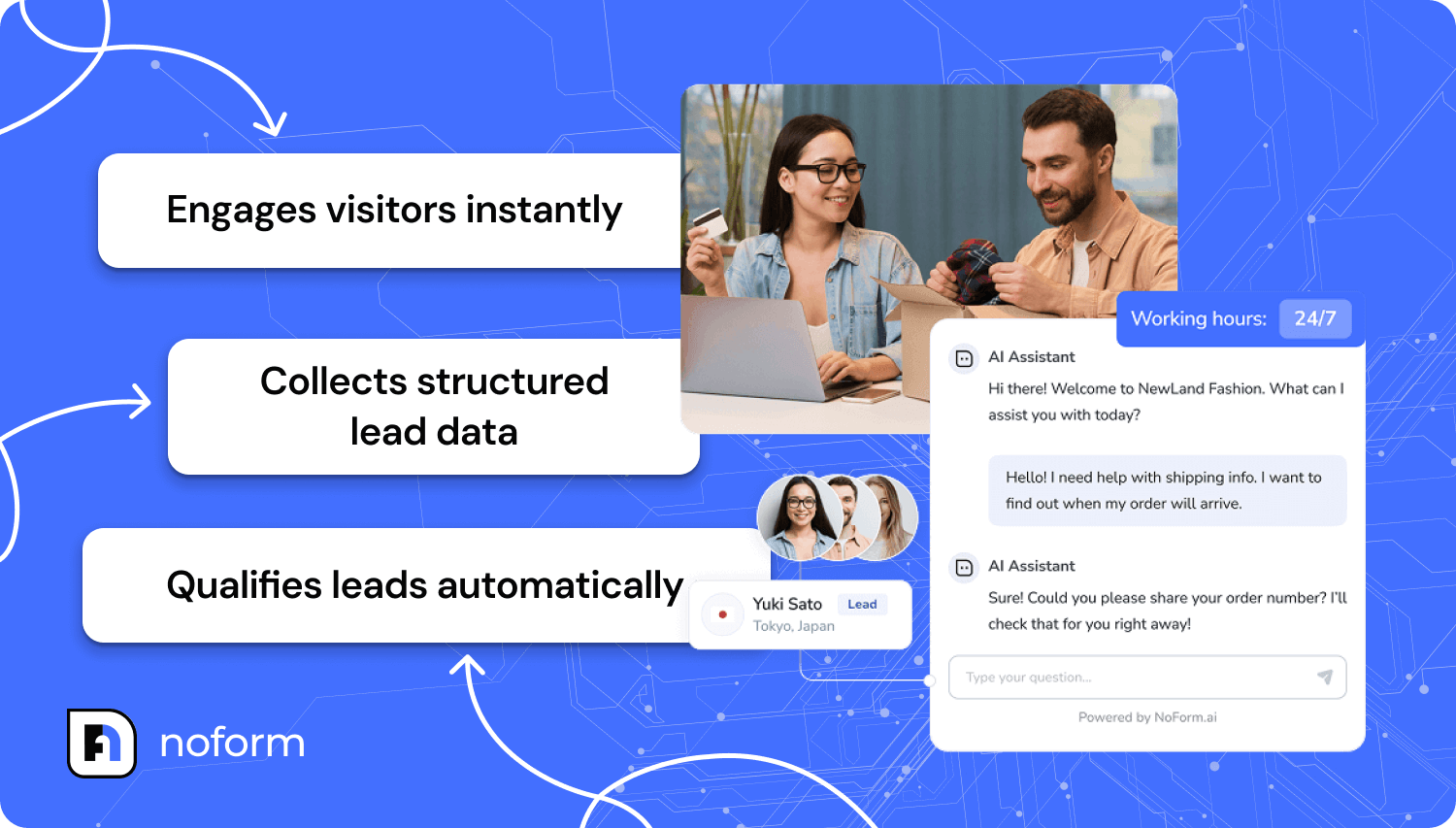
- Engages visitors instantly on the page they’re viewing
- Collects structured lead data through natural conversation
- Qualifies leads automatically using explicit, configurable rules
No scraping. No guessing. No AI improvisation.
Every piece of data comes directly from the conversation—voluntarily shared because the AI asked at the right moment in the right way.
This is automatic lead capture: turning anonymous website traffic into identified, qualified prospects without a single form field.
How NoForm AI works: The conversational advantage
Instant engagement instead of forms
NoForm AI doesn’t wait for visitors to find a form. It starts the conversation at the right moment.
When a visitor shows interest, the AI engages immediately. It answers questions about pricing, features, timelines, or processes — 24/7. There’s no waiting for a reply, no submission limbo.
Here’s what this looks like in practice:
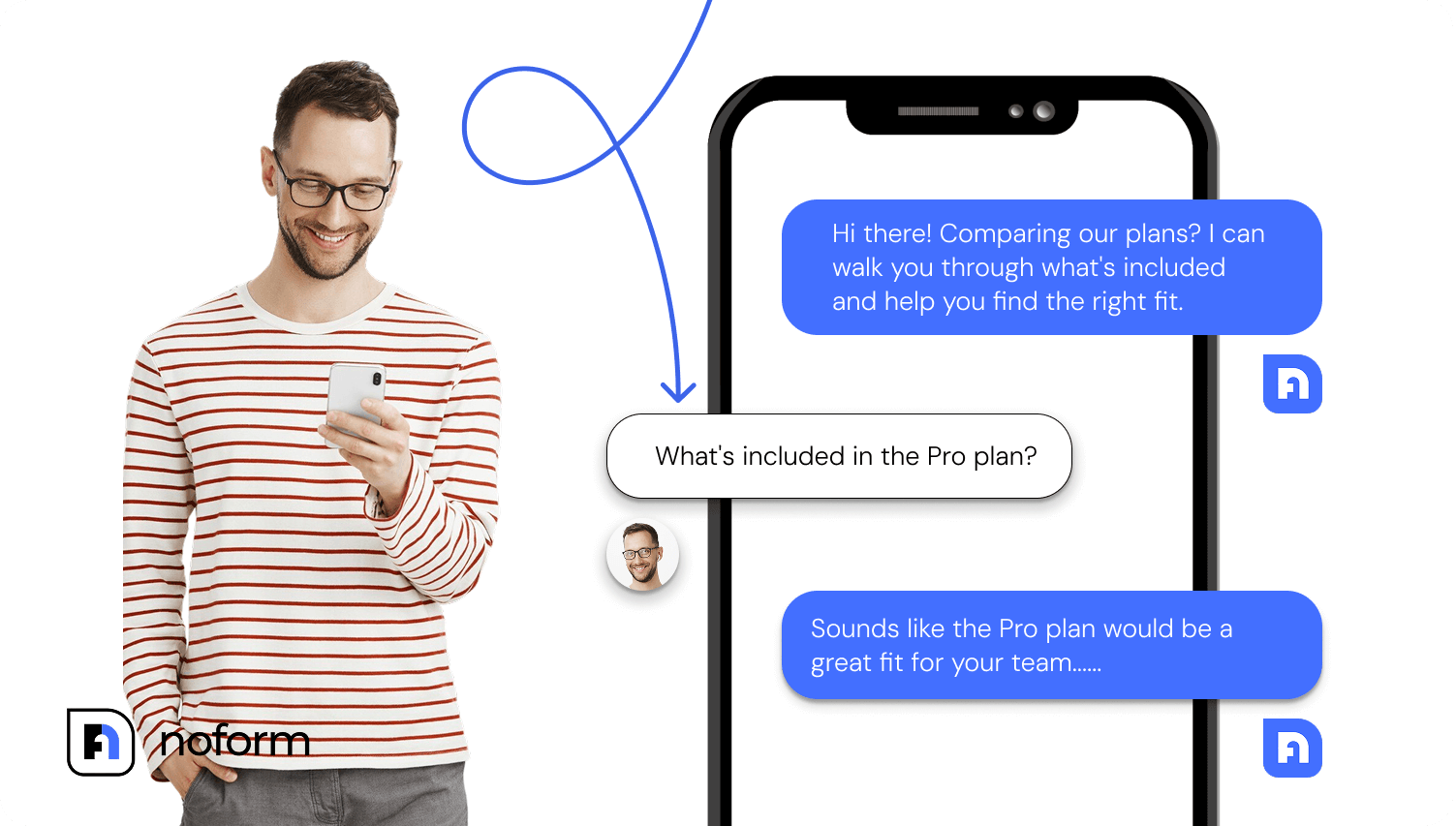
A visitor lands on your pricing page at 9 PM. Before they can even think about leaving, a friendly message appears:
“Hi there! Comparing our plans? I can walk you through what’s included and help you find the right fit.”
They click on a conversation starter: “What’s included in the Pro plan?”
The AI responds immediately with details about features, pricing, and implementation. The visitor asks follow-up questions about integrations, team size limits, and refund policies. The AI answers everything instantly—no waiting for business hours, no email chains, no phone tag.
Then, when the visitor is clearly interested and their questions are answered, the AI naturally transitions:
“Sounds like the Pro plan would be a great fit for your team. I’d love to have someone from our team contact you with a detailed quote and answer any technical questions. What’s the best email to reach you?”
The visitor provides their email and company name. They feel helped, not interrogated. They got value first—answers to their questions—before being asked for anything.
When ready for a quote/demo, the AI captures contact info, and the human team follows up. The visitor isn’t left hanging. They know someone will reach out. And critically, they’ve already had a positive experience with your brand.
Context-aware conversation triggers
Not all pages on your website serve the same purpose. Your pricing page has different goals than your support documentation. Your product pages target a different visitor intent than your blog.
NoForm AI recognizes this through page-specific assistants.
Welcome messages and conversation starters are tailored to each page’s intent. Pricing pages focus on comparisons and demos. Product pages highlight features and use cases. Support pages handle questions and issues.
Different assistants can be deployed for different sections of the site, each optimized for a specific goal. This prevents generic, one-size-fits-all conversations and guides visitors toward meaningful outcomes.
Dynamic information gathering
NoForm AI doesn’t follow a rigid script. Questions adapt based on the visitor’s responses.
Instead of dumping all qualification questions at once, the AI gathers information progressively. It extracts structured data directly from the conversation while keeping the interaction natural.
Rather than asking “Company size?” as a form field, the AI might ask:
“Is this for your personal use or your company?”
Visitor: “For my company.”
AI: “Great! Are you a team of 10-50, or larger?”
Visitor: “We’re about 200 employees.”
AI: “Perfect. Are you looking to roll this out company-wide, or start with a specific department?”
See the difference? The AI collects qualification data conversationally—it feels like a helpful chat, not an interrogation. Each question flows naturally from the previous answer.
Over time, this creates rich lead profiles built from real dialogue, not forced input.
If the same visitor returns to your site later, the AI can reference previous conversations, avoiding repetitive questions and building on what it already knows.
The experience feels intelligent because it is intelligent—adapting in real-time rather than forcing everyone through the same rigid questionnaire.
How NoForm AI captures lead data automatically
How NoForm defines a qualified lead
Let’s be crystal clear about what triggers lead qualification in NoForm AI, because this is where many businesses get confused about “AI lead capture.”
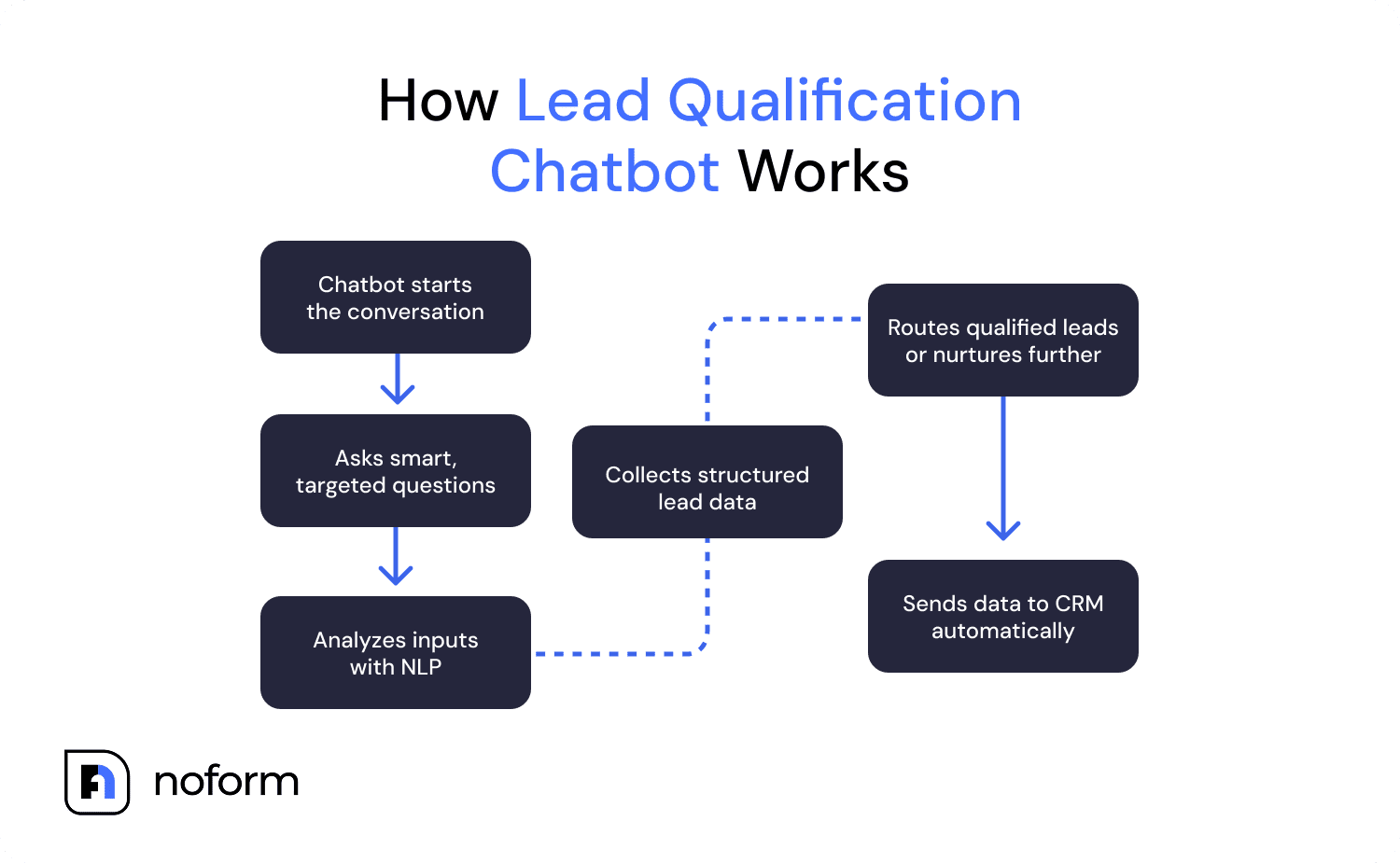
In NoForm AI, a lead becomes a lead when the visitor provides an email address or a phone number. At least one is required.
The moment someone shares their email address or phone number during a conversation, NoForm automatically:
- Marks the conversation with a “Lead” status (vs. just “Chat”)
- Triggers email notifications to your sales team
- Adds the lead to your NoForm dashboard Leads tab
- Sends the lead to your CRM if you’ve configured that integration
This all happens in real time, without any manual action.
Contact details are captured naturally — timing matters
The difference isn’t what NoForm AI collects, but when and how it collects it.
The AI doesn’t lead with “What’s your email?” It answers questions, provides value, builds trust, and then naturally requests contact information in context:
- “Let me have someone from our team reach out with a custom quote. What’s the best number to call?”
- “What’s the best email to send your quote to?”
- “Where should we follow up with more details?”
Conversational information collection
The NoForm approach eliminates form fields entirely. No forms, no friction—just natural dialogue.
Instead of presenting a wall of empty fields, NoForm AI gathers the same — and often richer — data step by step through dialogue. Each question flows naturally from the previous answer, making the interaction feel like a helpful conversation instead of an interrogation.
For example:
AI: “Is this for personal use or for your company?”
Visitor: “For my company.”
AI: “Great. What’s your company name?”
Visitor: “Acme Corp.”
AI: “Roughly how large is your team?”
Visitor: “About 50 people.”
AI: “Thanks. Let me have someone from our team reach out to discuss options for a team your size. What’s the best email to reach you?”
Visitor: “[email protected]”
At the moment the email is shared, the lead is automatically qualified.
Without any forms, NoForm AI has captured the use case, company name, company size, and contact information — all willingly provided because each step made sense in context.
That’s the core difference in how NoForm AI defines and captures leads.
Forms ask for data.
NoForm AI earns it through conversation — and qualifies the lead the instant contact details are shared.
Multi-page lead capture strategy
One of NoForm’s most powerful features is the ability to deploy different assistants that capture different types of leads based on where visitors are on your site.
- A pricing page assistant focuses on demos and sales conversations.
- A support assistant captures issues and routes them correctly.
- A product assistant gathers interest around specific features.
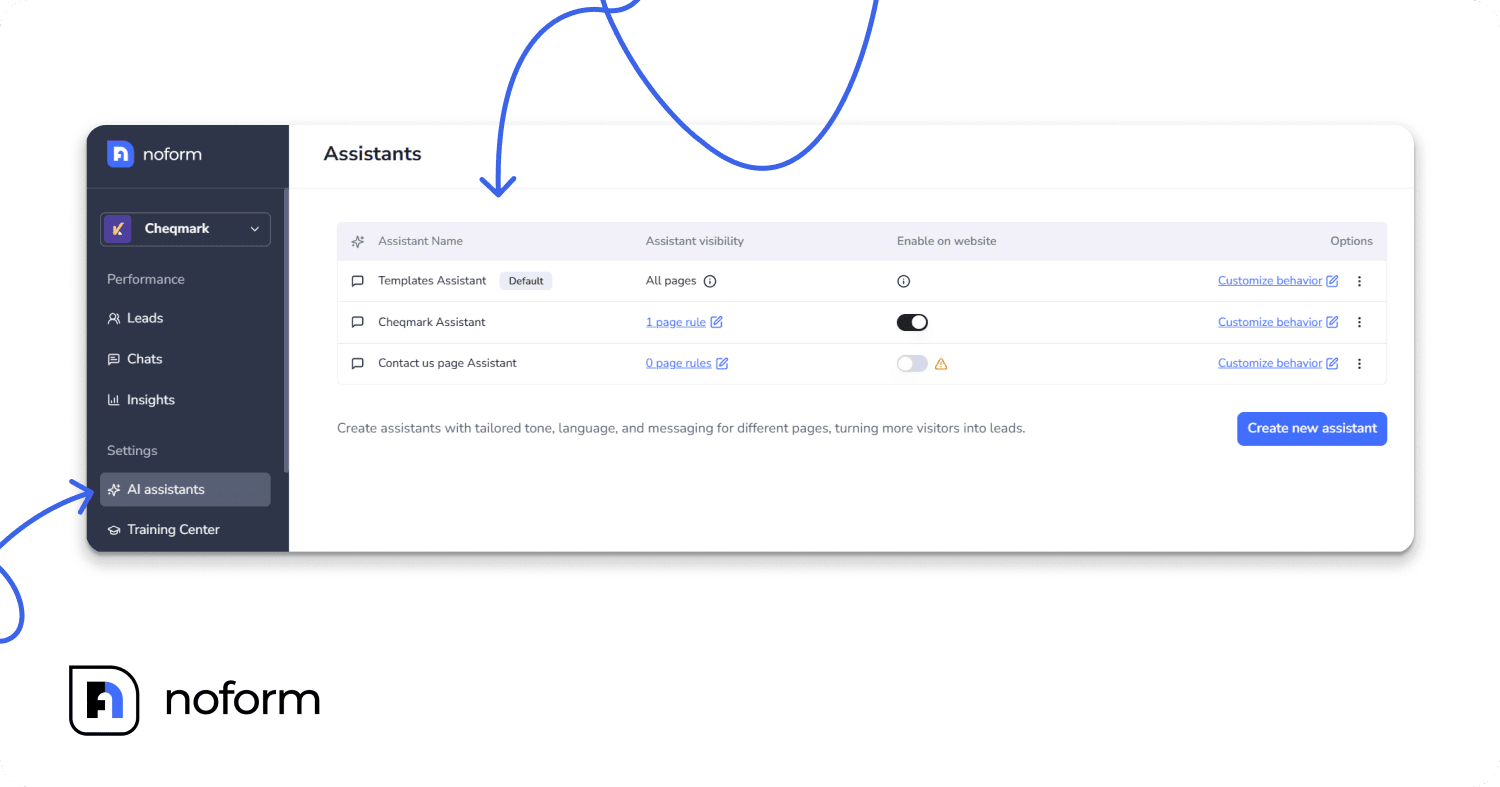
Each assistant is customized for its specific goal. They have different personalities, different qualification criteria, and different success metrics. A lead from your pricing page (high commercial intent) is treated differently from a lead from your blog (early awareness stage).
This multi-assistant strategy ensures you’re not using a one-size-fits-all approach. Visitors get contextually relevant experiences, and your sales team gets appropriately qualified leads with clear source attribution.
Custom data collection beyond contact info
Email and phone are just the baseline. NoForm lets you configure custom attributes to collect the specific qualification data your business needs.
- B2B teams collect company size, budget range, and decision timelines.
- Service businesses capture property type, project scope, urgency, or location.
- Industry-specific fields can be configured for healthcare, insurance, real estate, and more.
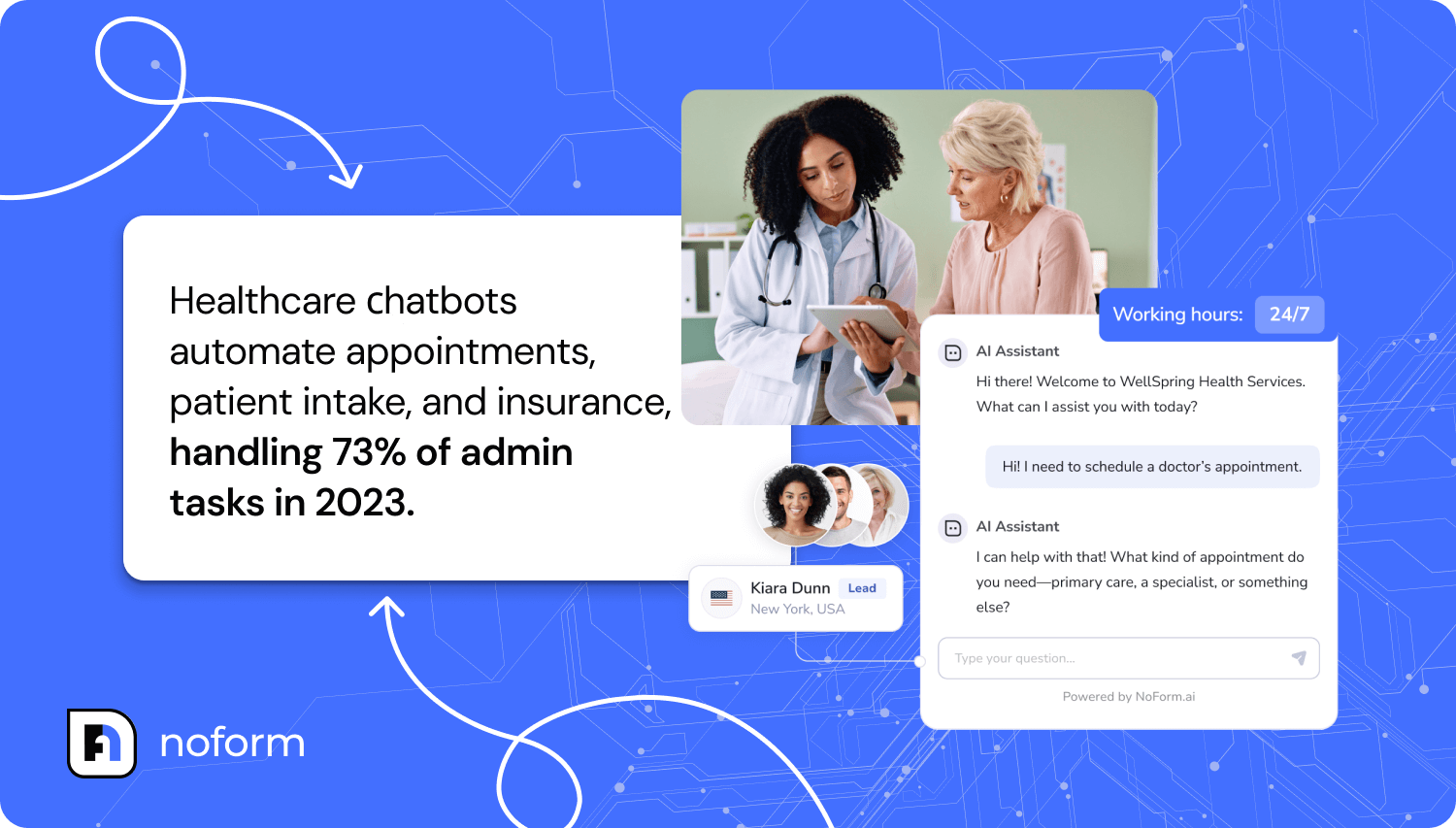
These custom fields aren’t just collected—they’re integrated into the natural flow of conversation. The AI weaves these questions into the dialogue so they don’t feel like a checklist.
The result: Your sales team receives leads with the exact information they need to prioritize and personalize their follow-up.
Building complete lead profiles

When a visitor becomes a qualified lead, NoForm doesn’t just store their email address. It creates a complete lead profile containing:
Contact information
Email address, phone number, custom attributes
AI summary
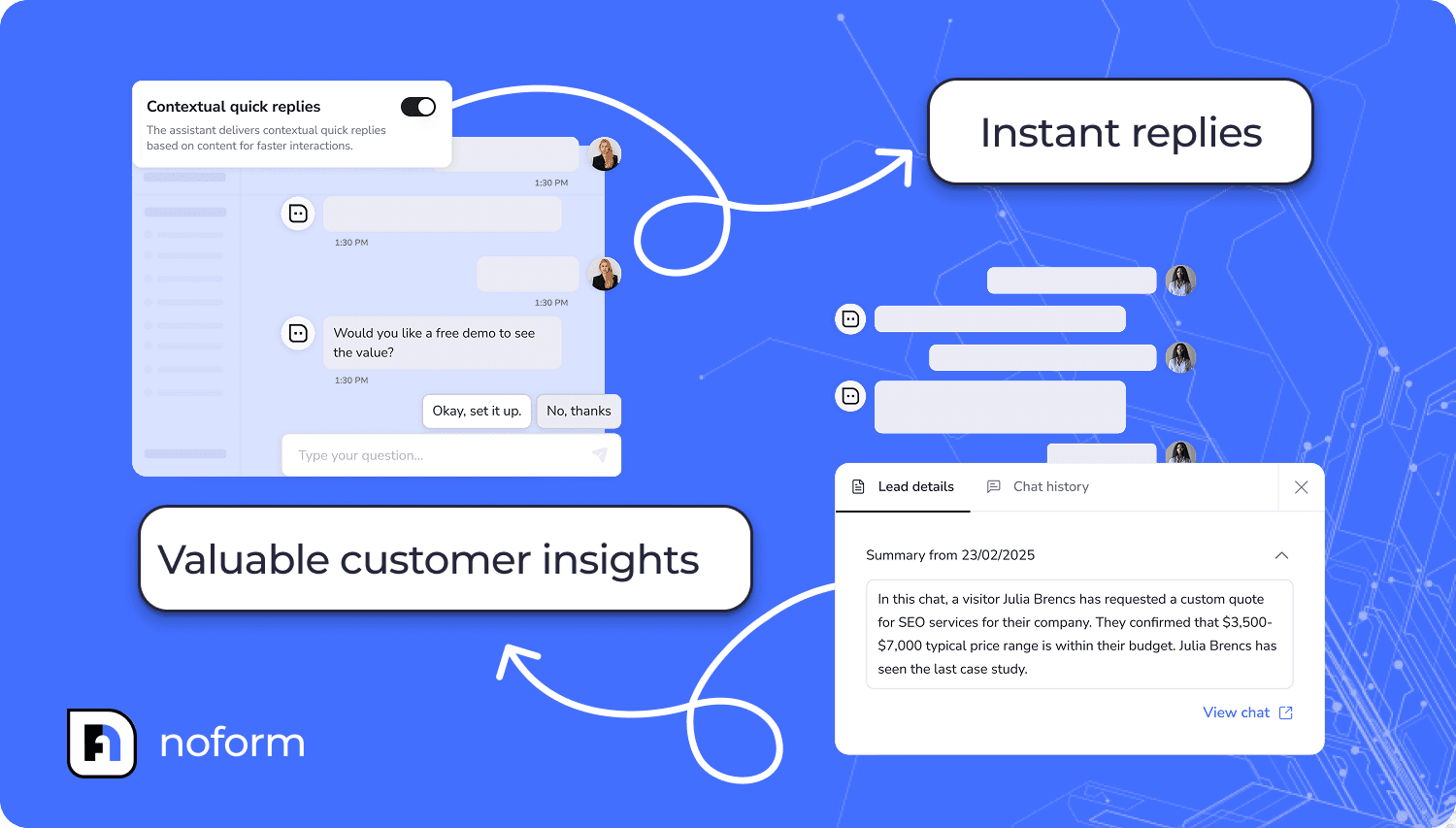
An automatically generated conversation summary that distills the entire chat into key insights. It gives your sales team instant context without requiring them to read through a 30-message transcript.
Full chat transcript
The complete conversation is preserved for reference. If your sales rep wants to see exactly what was discussed, it’s all there—every question, every answer, every nuance.
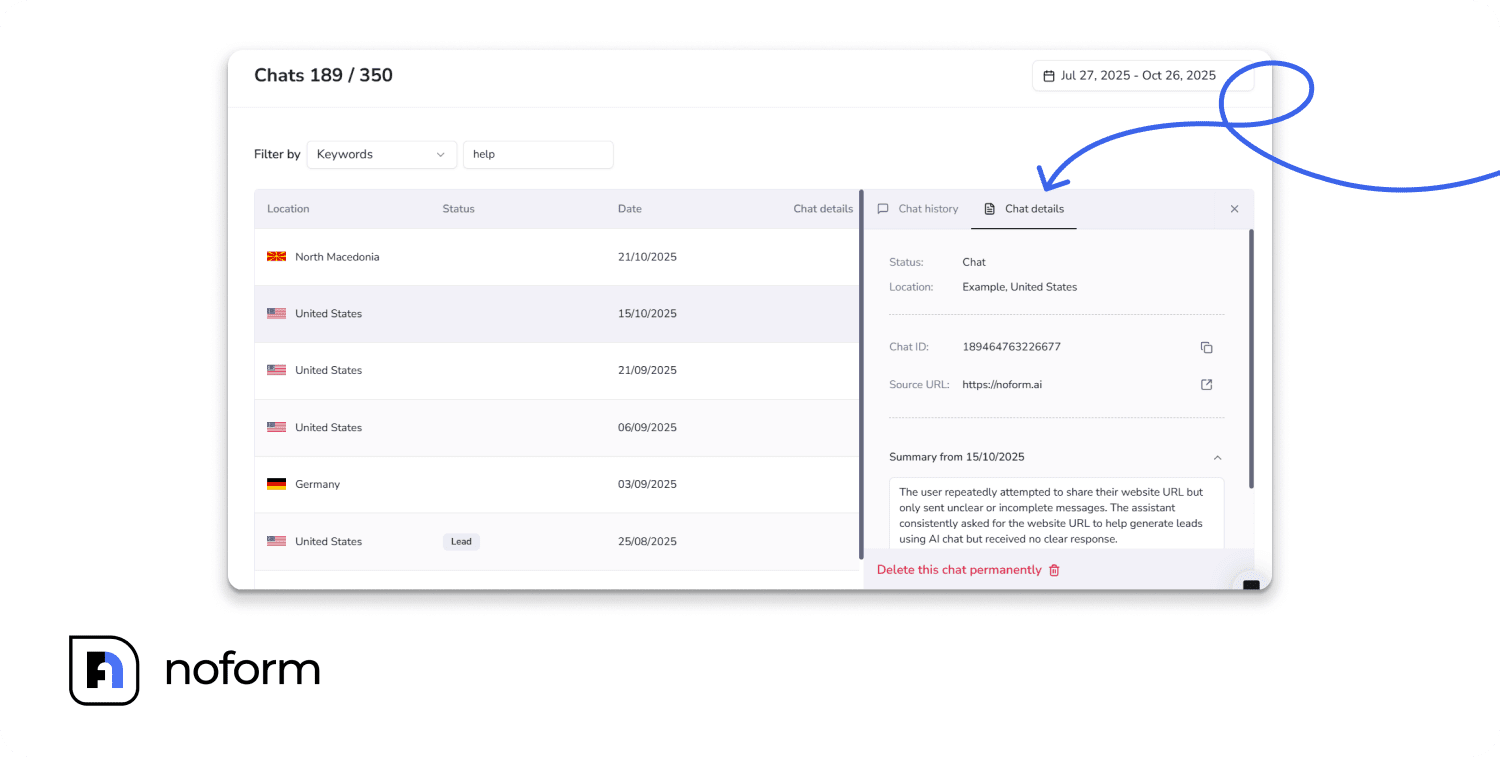
Behavioral metadata & lead status
- Source URL (which page the conversation started on)
- Timestamp (when they became a lead)
- Geographic location (country/region)
- “Contacted” checkbox (to track follow-up completion)
All qualification data is organized in one lead profile.
No more hunting through email threads or CRM notes trying to remember what someone asked about. No more generic “Website form submission” entries. Everything your team needs to close the deal is in one structured, actionable profile.
Automatic lead delivery & notifications
So a qualified lead has been captured through conversation. Now what?
NoForm AI ensures leads never fall through the cracks by delivering them through multiple channels simultaneously. Let’s break down exactly how sales-ready leads—not raw chat logs—reach your team.
Built-in lead management dashboard
All qualified leads appear instantly in the Leads tab. No CRM is required to start. From the moment you start capturing leads, they’re organized and accessible in one central location.
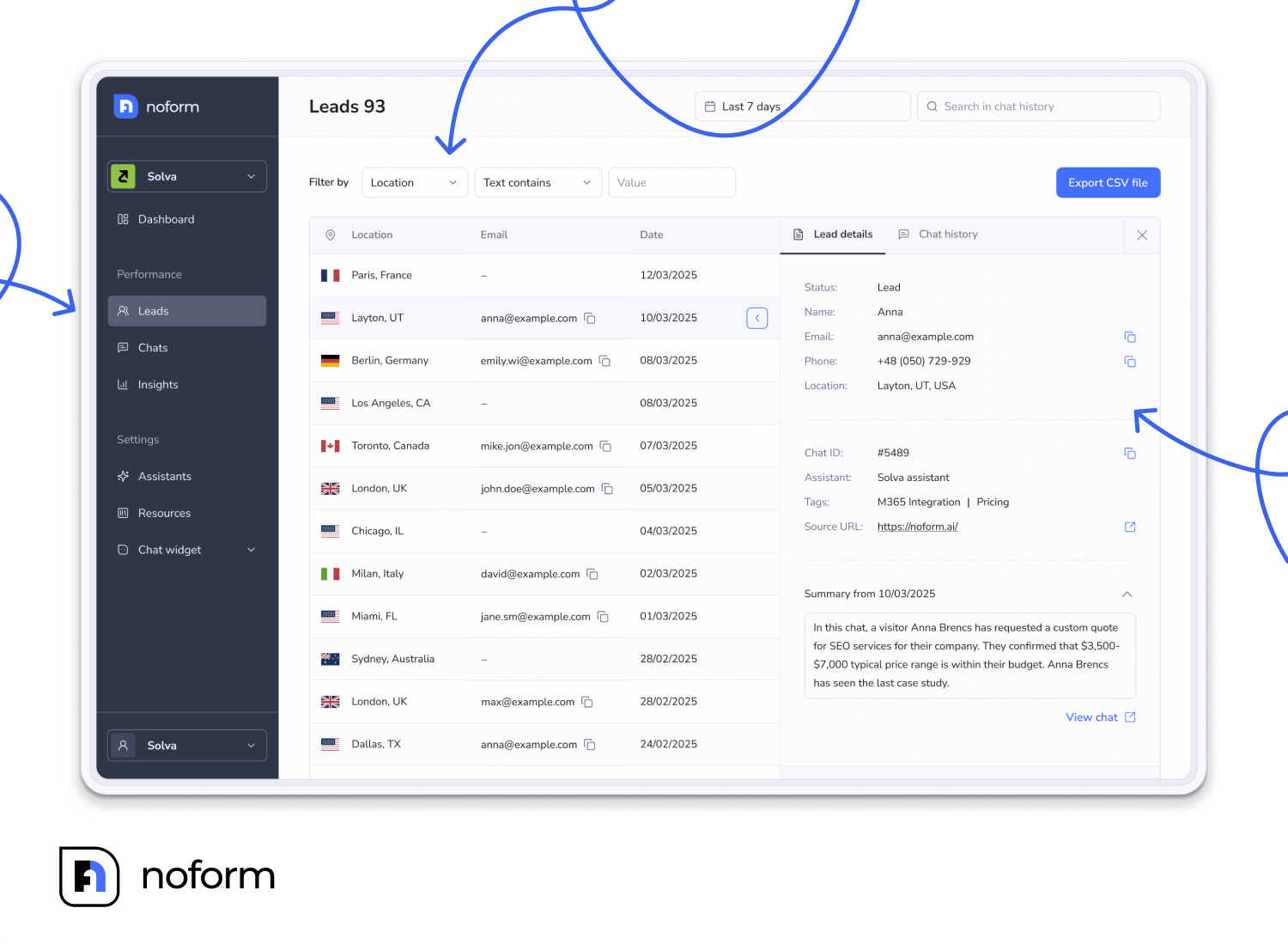
Here’s what you see:
Lead list view:
- Location: Country/region of the visitor
- Contact info: Email and/or phone number provided
- Status: “Contacted” or “Not Contacted”
- Date: When the conversation became a lead
- Action: Click to view full lead details
Individual lead profile:
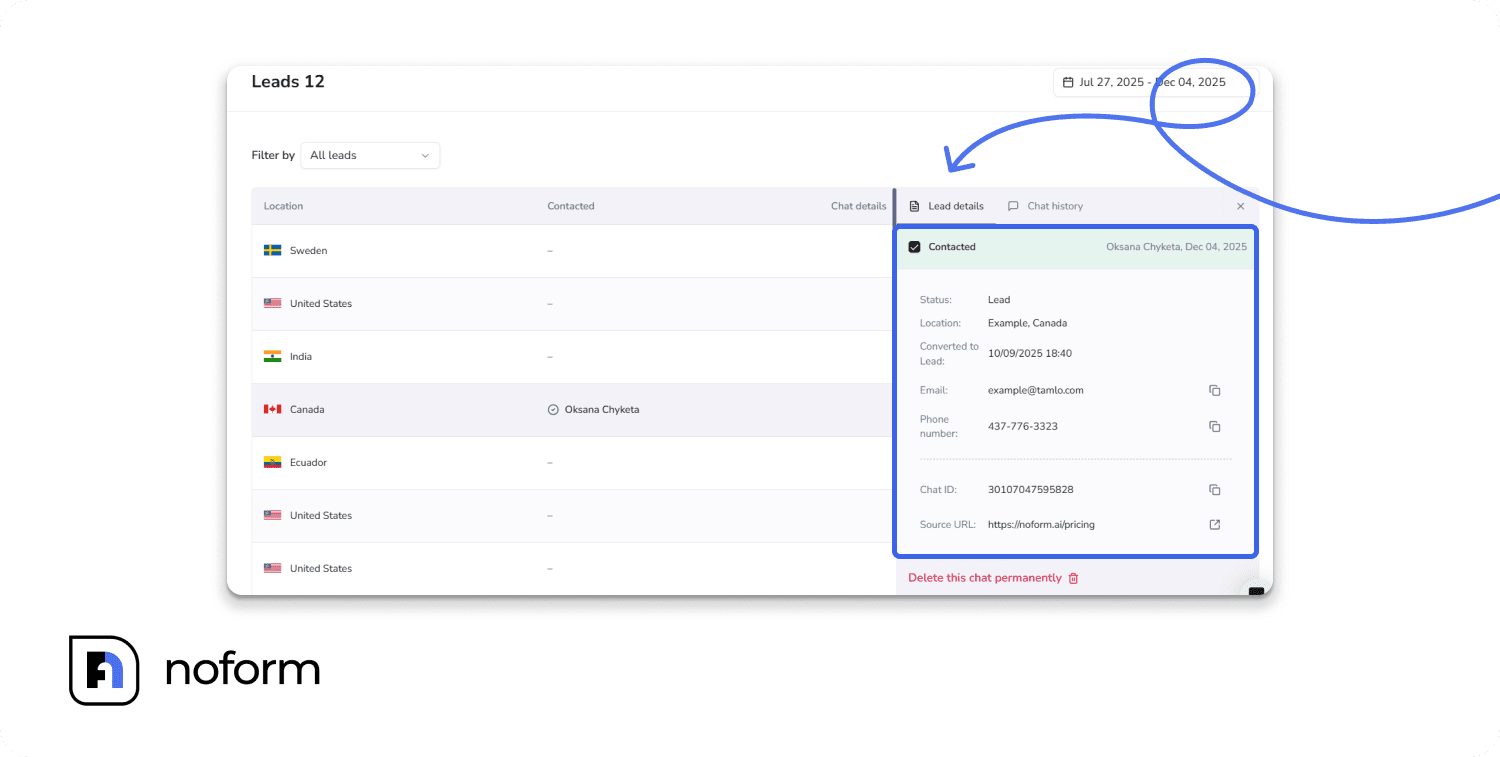
When you click into a specific lead, you see:
- Contact information (email, phone)
- AI-generated conversation summary
- Full chat transcript
- Source URL
- Custom qualification attributes
- Timestamp
- Geographic data (city, country)
- Contacted checkbox (mark as contacted to prevent duplicate follow-ups)
Filter and search capabilities:
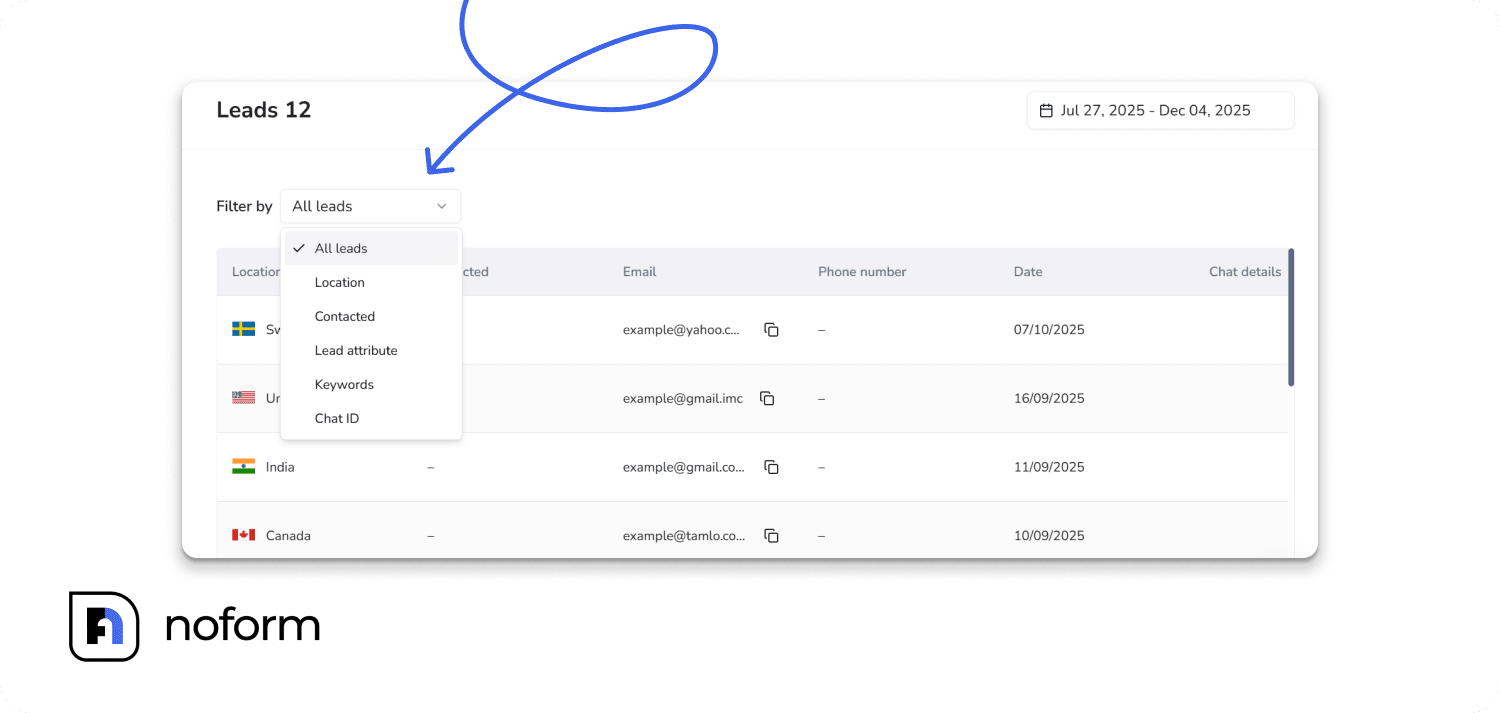
- Filter by Location (find leads from specific countries/regions)
- Filter by Contacted status (focus on “Not Contacted” to see who needs follow-up)
- Filter by Lead attributes (show only leads with phone numbers, or only leads from a specific industry)
- Search by Keywords (find all leads who mentioned “integration” or “pricing”)
- Search by Chat ID (reference specific conversations)
The dashboard gives your team complete visibility into the lead pipeline without requiring them to learn a new system or check multiple places.
Automatic email notifications
Sales teams receive an email the moment a lead is captured.
Each notification includes contact information, qualification data, an AI-generated summary, and a direct link to the full transcript.
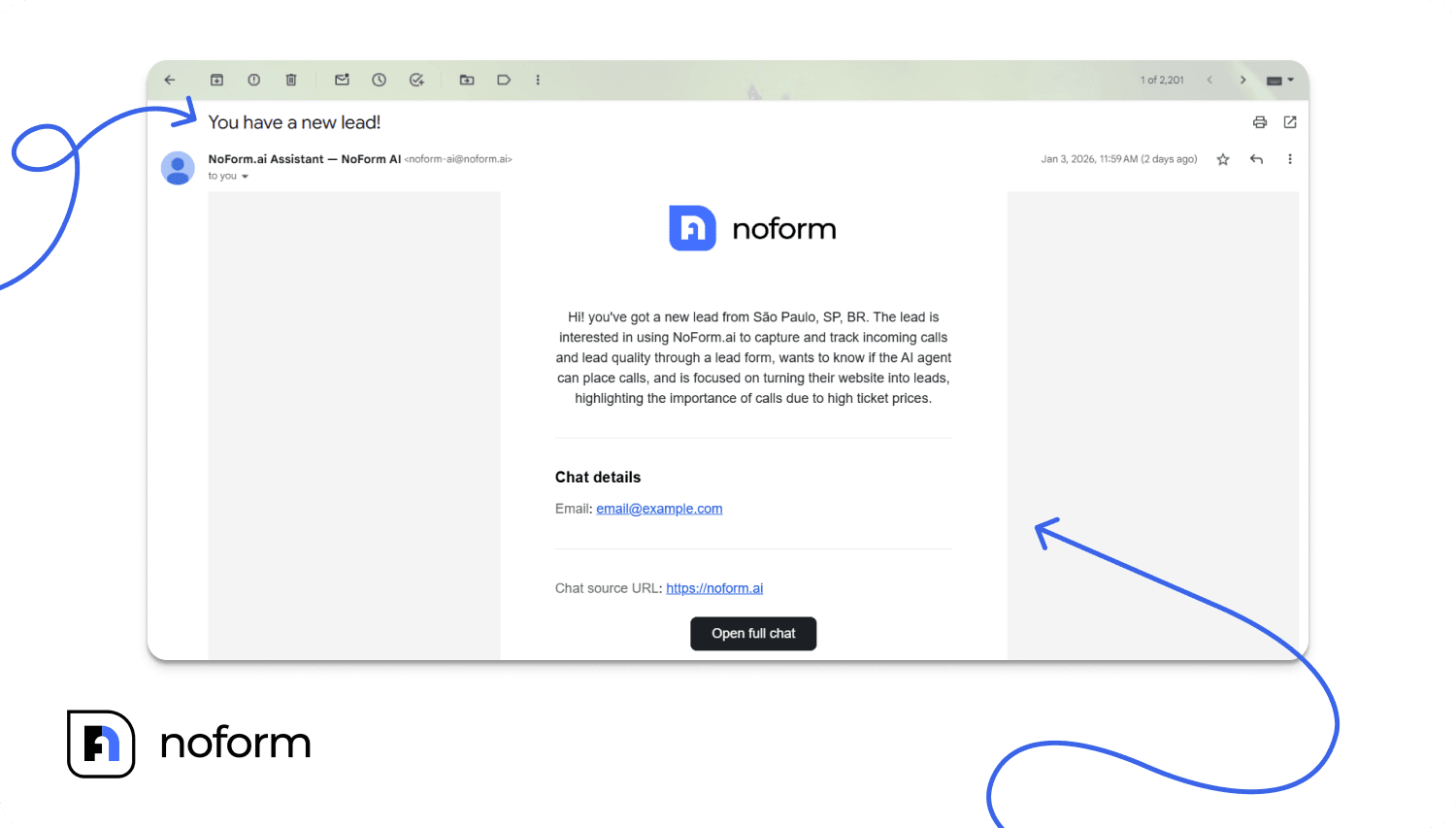
No need to constantly check the dashboard—leads come directly to your inbox. Your team stays in their everyday workflow (email) while still having access to the complete NoForm dashboard when they need deeper details.
Optional CRM integration
The dashboard and email notifications work out-of-the-box. No CRM is required to start capturing and managing leads with NoForm AI.
But for teams with existing CRM processes, NoForm offers CRM integration through webhooks, Zapier, or Make.
Fields map cleanly into tools like HubSpot, Salesforce, or Pipedrive. Leads sync in real time with full context intact.
Follow up best practices with NoForm AI leads
The quality of lead data NoForm provides transforms how your sales team approaches follow-up.
Instead of this (traditional form submission):
“Hi, this is Sarah from [Company]. I see you filled out a form on our website asking about our services. Can you tell me more about what you’re looking for?”
You can do this (NoForm lead):
“Hi John, this is Sarah from [Company]. I saw you were asking about our Pro plan and had questions about Salesforce integration and bulk user imports for your 50-person team. I’d love to walk you through exactly how that works and show you how we can import your entire Asana workspace. Do you have 15 minutes this afternoon?”
Your sales team isn’t guessing about interest level or qualification. They have the complete story—the visitor’s questions, concerns, timeline, budget, and decision criteria—all captured automatically through conversation.
This is what we mean by “sales-ready leads, not raw chat logs.” Your team receives structured, actionable intelligence, not data they need to interpret and qualify from scratch.
Key benefits & results
Higher conversion rates (without more traffic)
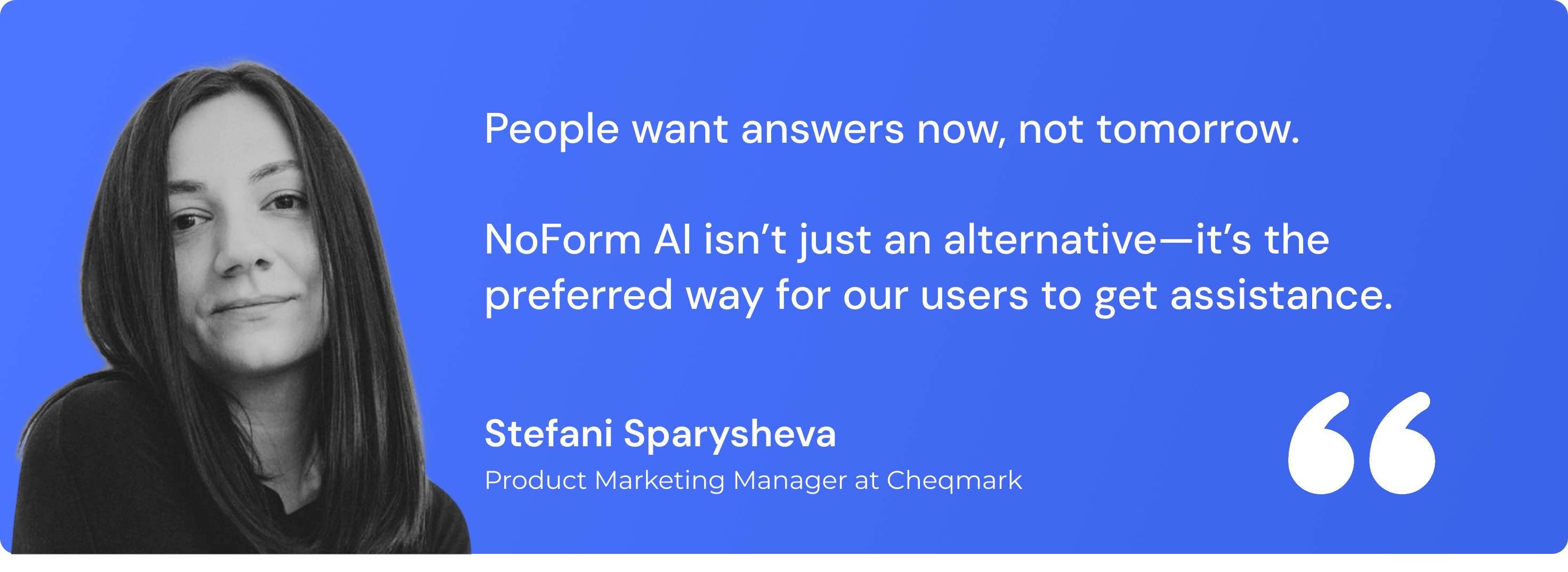
Teams switching from forms to conversations consistently see 2–3× higher conversion rates.
One example: Cheqmark trained NoForm AI on their template library and saw up to a 200% conversion increase on key pages.
Why it works:
Visitors get answers instantly, the conversation feels natural, and contact details are requested only when intent is clear — not upfront.
Better leads, not just more leads
NoForm AI doesn’t send “John filled a form” notifications.
Each lead arrives pre-qualified, with:
- Clear intent and use case
- Full conversation summary for sales context
Sales teams know why the lead reached out before the first call — resulting in faster closes, fewer wasted follow-ups, and higher deal quality.
24/7 lead capture without hiring
NoForm AI works around the clock:
- Captures leads at night, on weekends, and during traffic spikes
- Handles unlimited conversations simultaneously
- Delivers consistent qualification every time
For example, Dog Gone Taxi, a pet transportation service, enabled 24/7 customer support without adding staff. After-hours leads that previously went uncaptured now convert automatically.
A better experience for your visitors
Chat feels effortless. Forms feel like work.
Visitors feel heard, not interrogated. They get:
- Instant answers
- Personalized conversations
- A natural, low-pressure experience
When the interaction feels helpful instead of transactional, people are far more willing to engage and convert.
Setting up NoForm AI for lead capture
NoForm is designed for speed. You can have your first assistant capturing leads within a few minutes. Here’s the exact process.
Step 1: Create your AI assistant
Log in to NoForm → AI assistants → Create assistant
Choose a template suited to your industry or role. Each template comes with pre-filled instructions, so you don’t start from scratch.
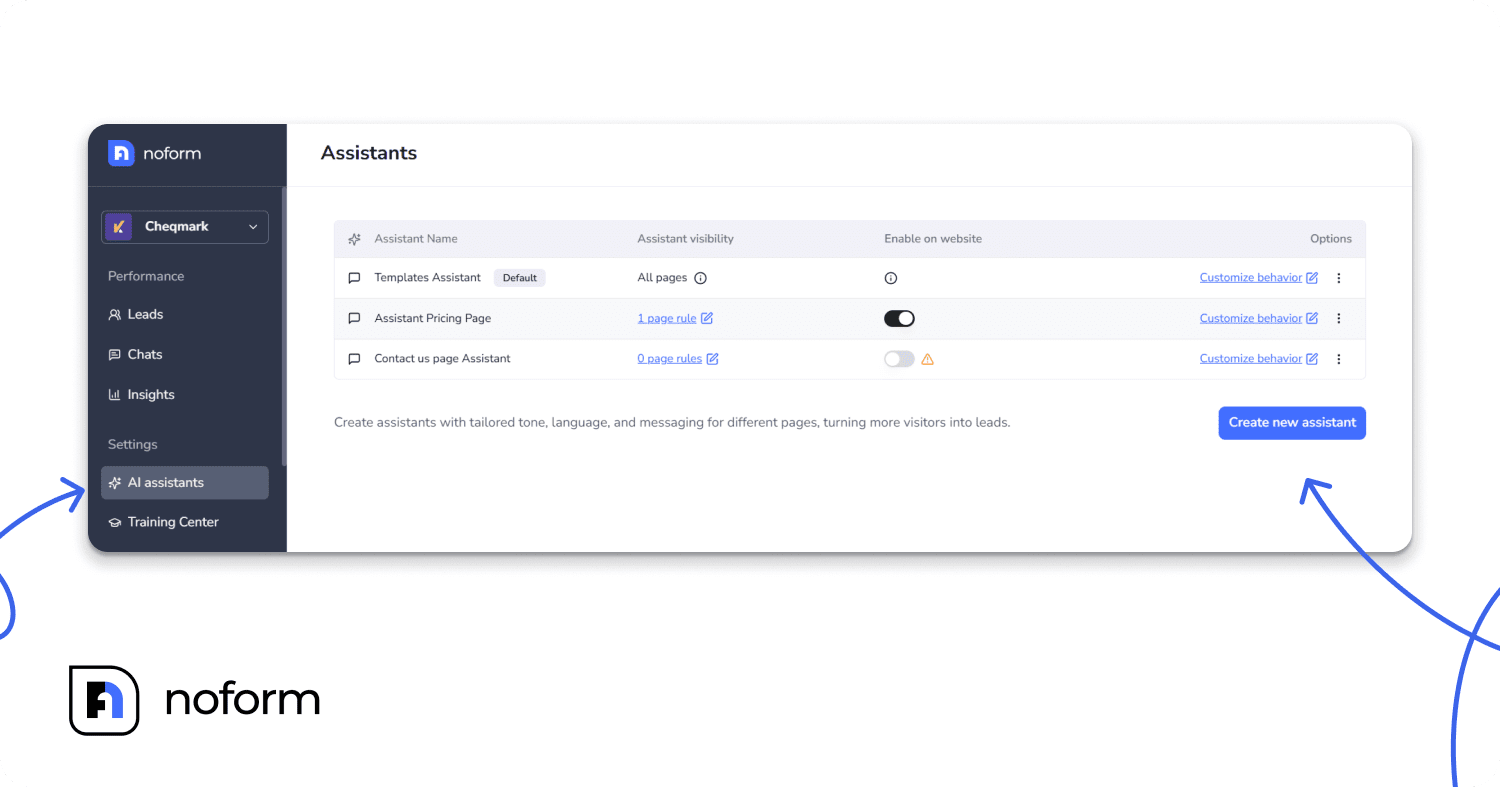
Give your assistant a descriptive name, like “Pricing Page Sales Bot” instead of generic names like “Chatbot 1,” to make managing multiple assistants easier.
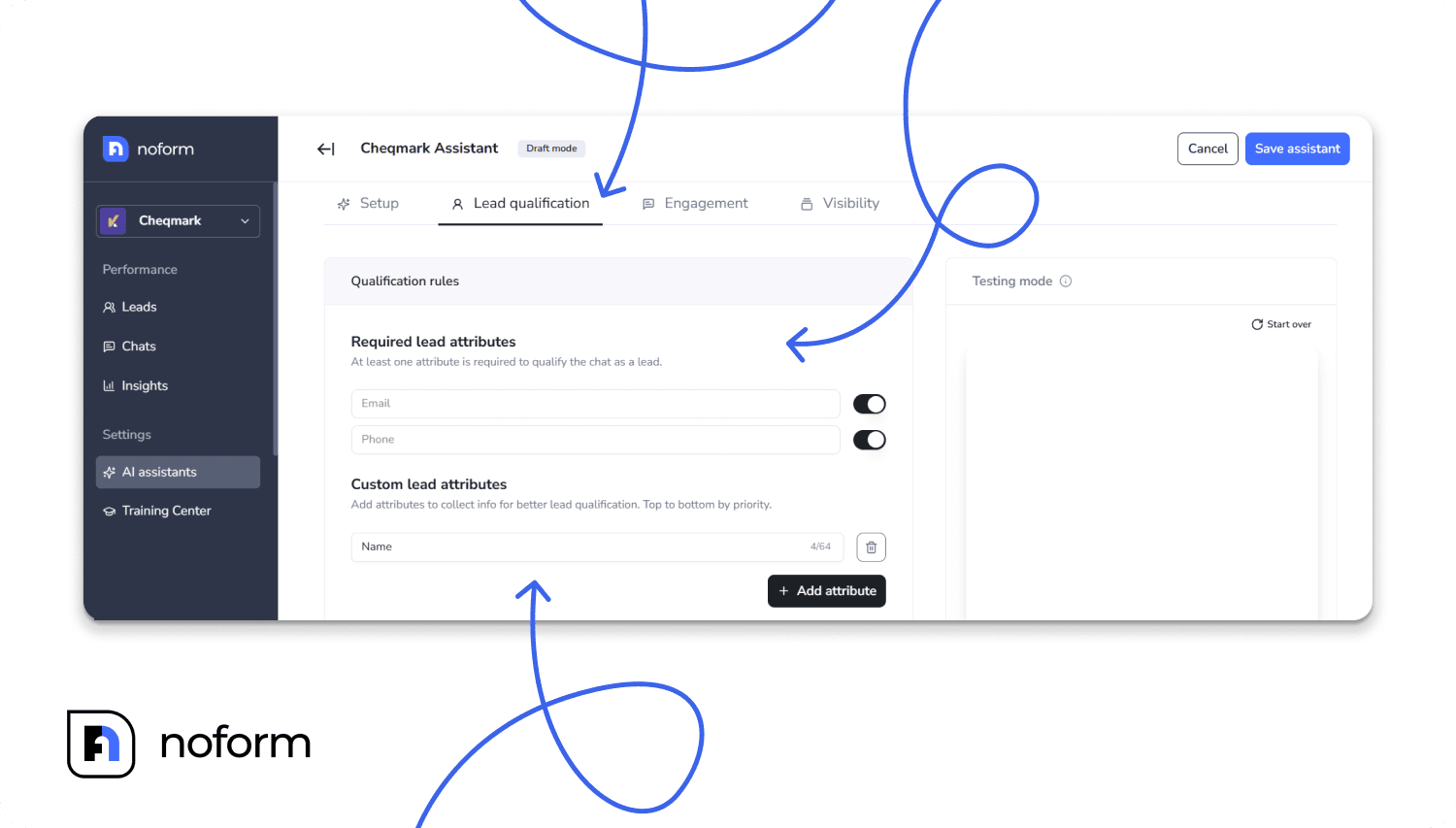
Step 2: Define lead qualification rules (Lead qualification tab)
In the Lead qualification tab, specify what makes a visitor a qualified lead. Toggle email or phone requirements and add up to 3–5 custom attributes that matter for your business. The AI will naturally include these in conversations.
Step 3: Customize conversation flow (Engagement tab)
This is where you control how your assistant greets and engages visitors.
Use the Engagement tab to set the welcome message, conversation starters, and contextual quick replies.
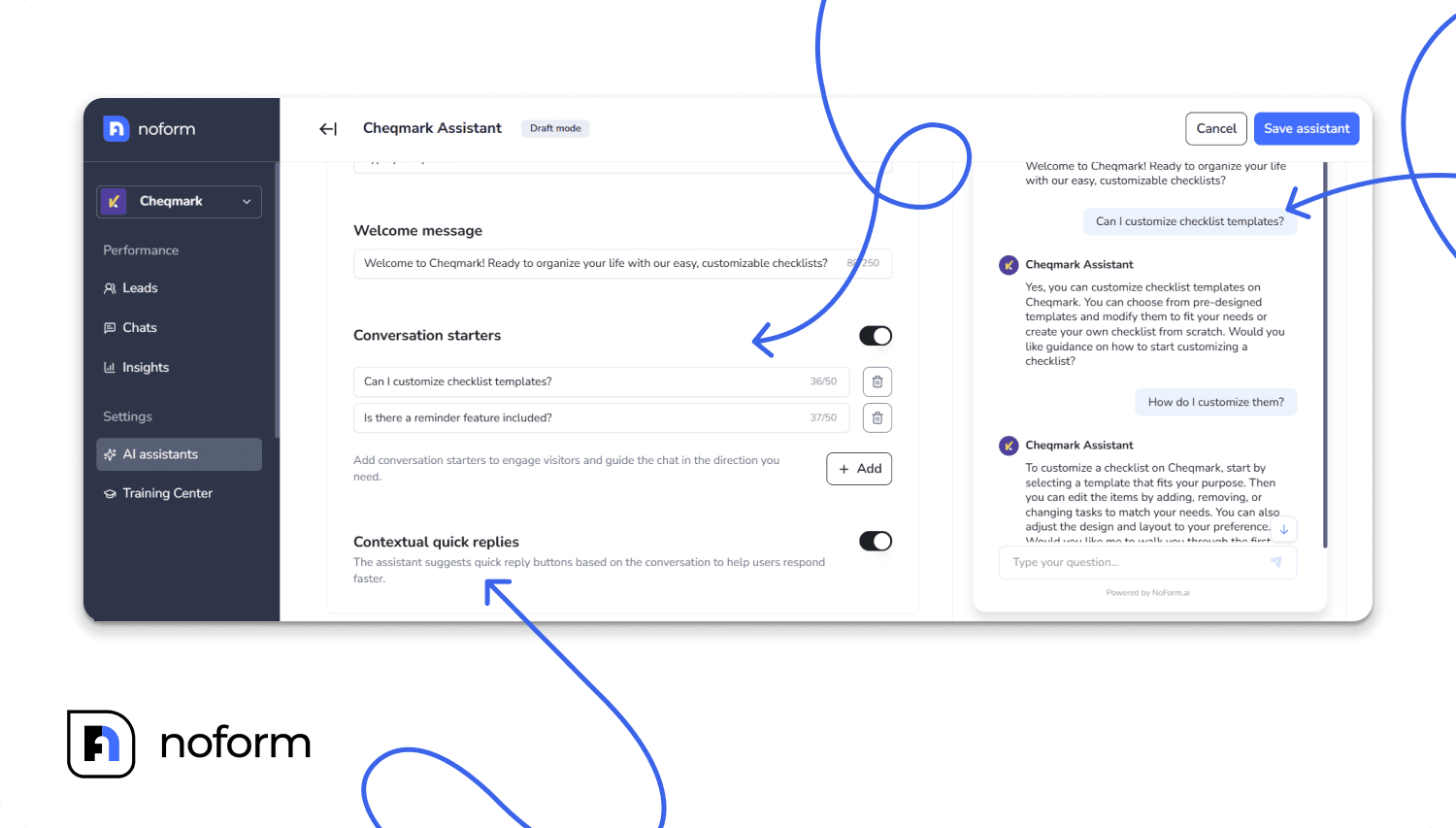
Tip: Add 2–3 prompts to guide visitors toward valuable actions. Enable AI-suggested reply buttons to make interactions faster and easier for visitors.
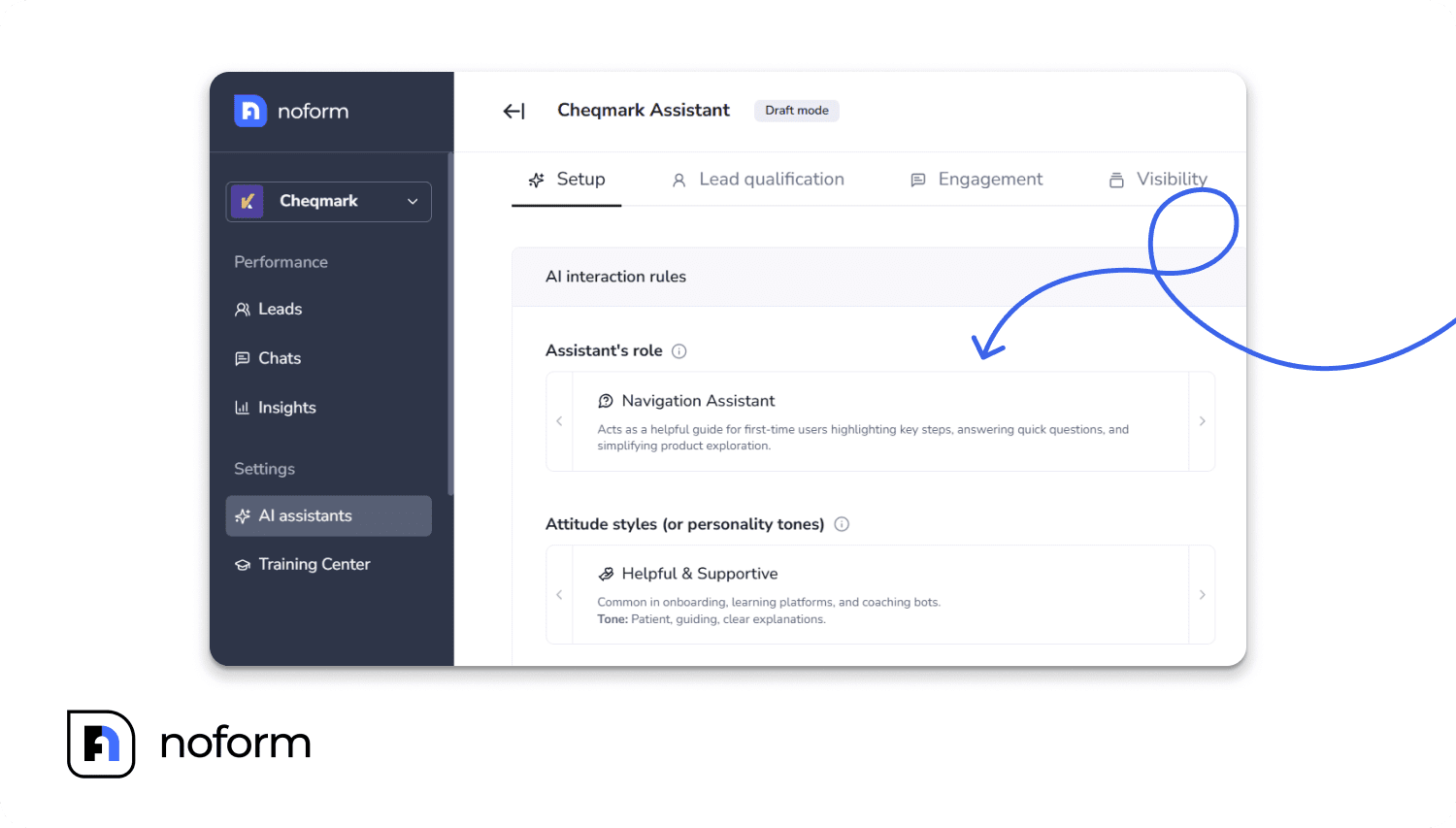
Step 4: Define assistant’s personality & knowledge (Setup tab)
Under the Setup tab, define the assistant’s role—Sales, Support, Educator, or Navigation—and choose a tone matching your brand. Fill in details about your products, pricing, purchase process, support info, and competitor comparisons. This ensures the AI provides intelligent, relevant responses.
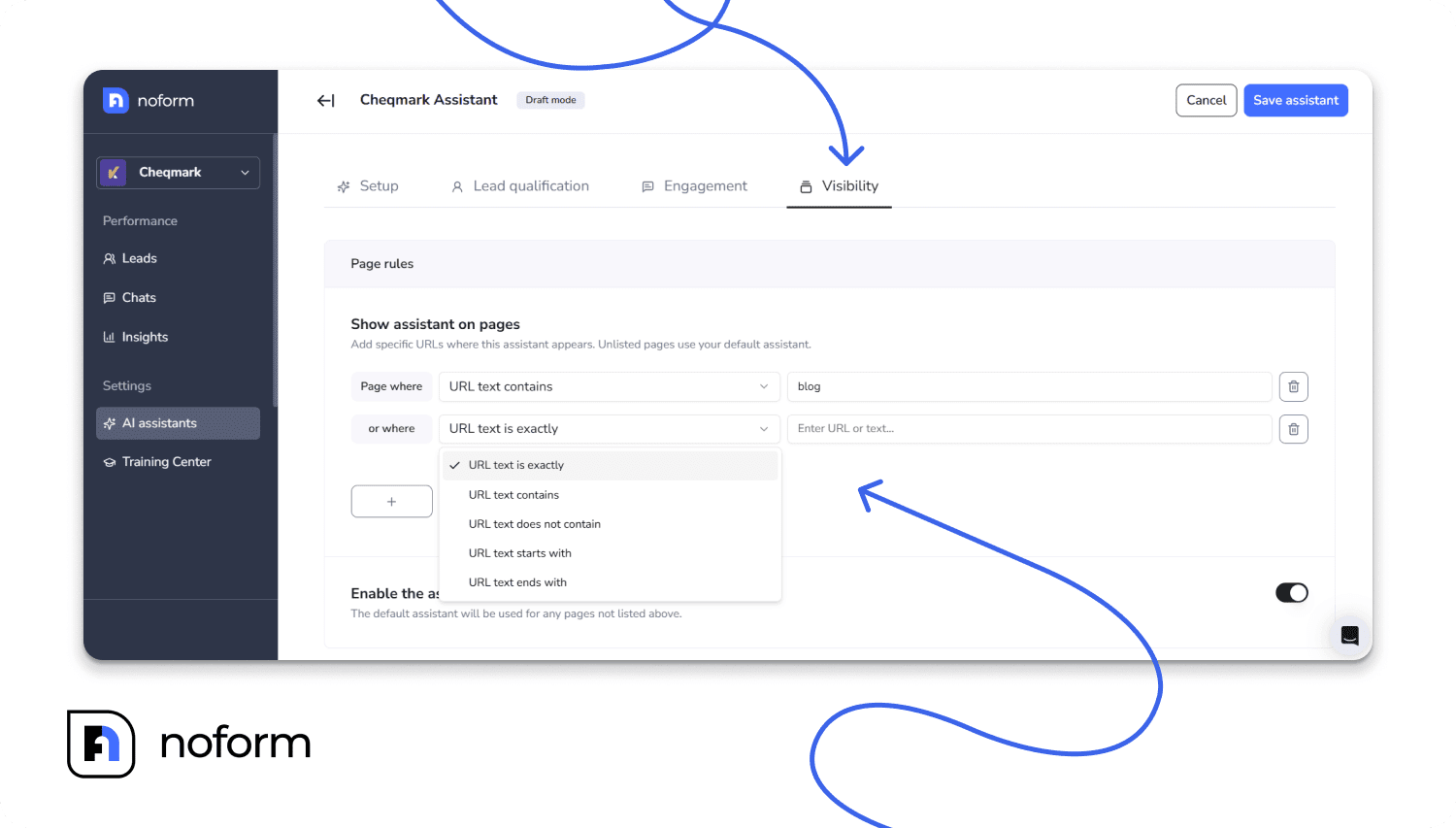
Step 5: Set page visibility rules (Visibility tab)
Define exactly where this assistant appears on your website.
Use the flexible URL rules: “Contains,” “Is exactly,” “Starts with,” or “Ends with” in the Visibility tab. You can add multiple rules to cover different pages. The Default Assistant handles all pages not assigned to specific assistants, ensuring full website coverage.
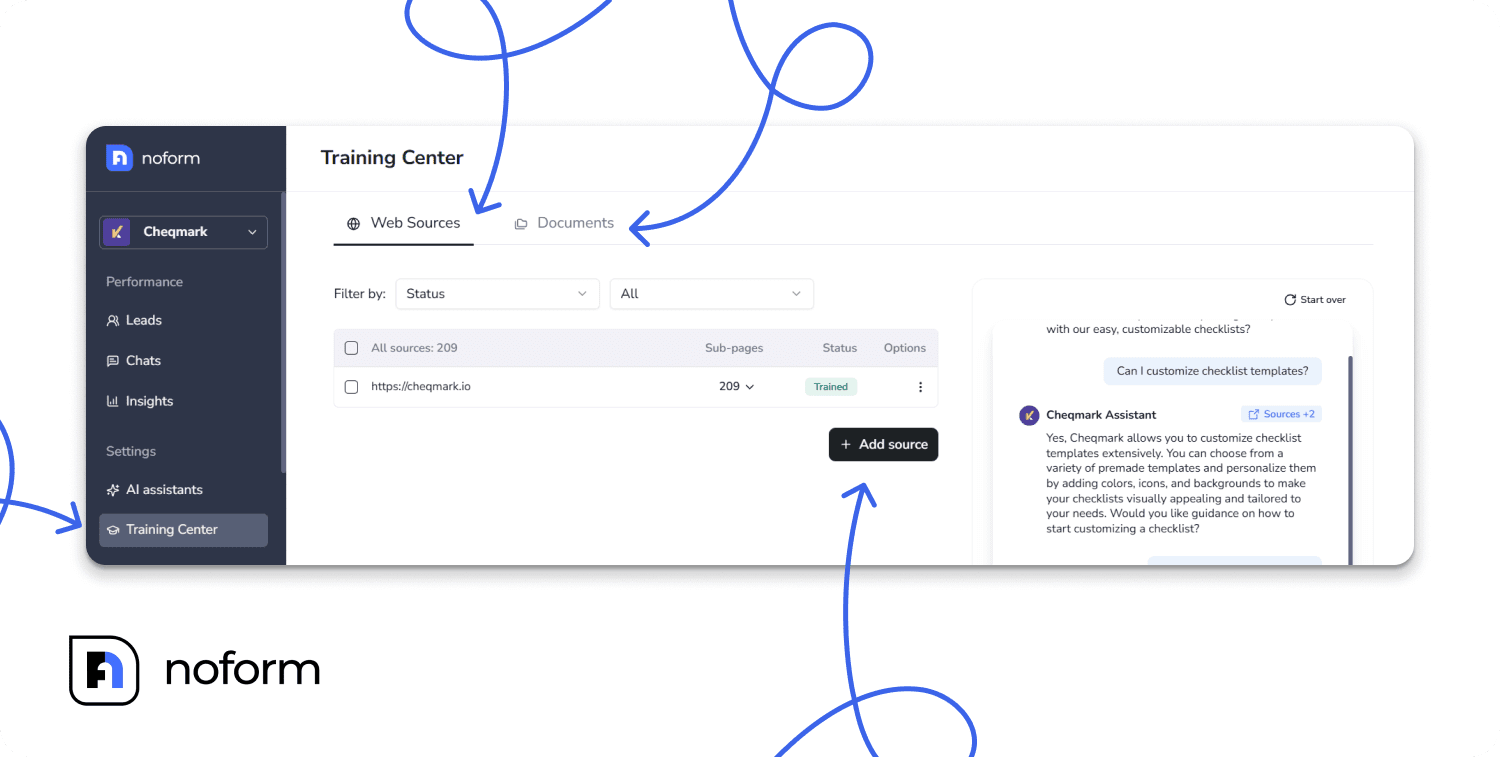
Step 6: Train your AI (Training Center)
This is critical for lead quality. The better trained your AI, the better it qualifies leads.
Go to the Training Center to upload documents like product manuals, pricing sheets, FAQs, and case studies. You can also add web sources from your website, including product pages, blogs, and documentation. Focus on high-value content, keep it current, and use descriptive file names.
Step 7: Access your leads (built-in or CRM)
Use the NoForm AI Dashboard (Leads tab) to see all qualified leads, filter them, and get conversation summaries. Automatic email notifications alert your team when leads are captured.
You can also connect your CRM to NoForm AI via webhooks (Make.com or Zapier). Map NoForm AI fields to your CRM fields to automate lead creation and assignment. This setup takes 15–20 minutes and is ideal for larger sales teams or existing workflows.
Conclusion
NoForm AI captures intent, qualifies it, and delivers it to your team in structured form—automatically.
Every conversation has a purpose: identify who the visitor is, understand what they need, determine if they’re a fit, and capture their information if they are.
This is the future of lead generation: conversations instead of forms, context instead of guesswork, automation instead of manual qualification.
Your website is already getting traffic. Those visitors already have problems your business solves. NoForm AI ensures you never lose another qualified prospect to form friction, after-hours timing, or delayed response again.
Ready to transform your lead capture? Build an AI chatbot or book a demo call.
Frequently Asked Questions (FAQ)
How does NoForm AI capture leads automatically?
NoForm AI captures leads automatically by engaging website visitors in real-time conversations rather than waiting for them to fill out static forms. The AI proactively greets visitors, answers their questions to build trust, and then naturally asks for contact details (like email or phone) at the moment of highest intent, instantly logging the data as a qualified lead.
What is the difference between NoForm AI and a traditional contact form?
The main difference is engagement and friction. Traditional forms demand data upfront without providing value, leading to high drop-off rates. In contrast, NoForm AI provides value first by answering visitor questions instantly, which results in 2–3x higher conversion rates because the interaction feels like a helpful service rather than a transactional requirement.
How does NoForm AI qualify a lead?
NoForm AI qualifies leads using ‘Dynamic Information Gathering.’ Instead of a rigid script, the AI asks relevant follow-up questions based on the user’s previous answers—such as company size, budget, or timeline. A visitor is officially marked as a ‘Lead’ in the system the moment they voluntarily provide their email address or phone number during the chat.
Can I use different AI assistants for different pages?
Yes, NoForm AI allows you to deploy specific assistants for different sections of your website using Multi-Page Strategy. For example, you can have a ‘Sales Assistant’ on your pricing page that focuses on booking demos, while a ‘Support Assistant’ on your help page focuses on troubleshooting, ensuring the conversation context always matches the visitor’s intent.
Does NoForm AI integrate with my CRM?
Yes, NoForm AI integrates with major CRMs (like HubSpot, Salesforce, and Pipedrive) via webhooks, Zapier, or Make. This ensures that once a lead is captured and qualified by the AI, the full conversation transcript and lead profile are automatically synced to your sales pipeline without manual data entry.
What happens to leads captured after business hours?
NoForm AI operates 24/7, meaning it captures and qualifies leads even when your human team is offline. Leads captured at night or on weekends are stored in the Lead Management Dashboard and trigger an immediate email notification to your sales team, ensuring you start the next business day with a list of actionable, pre-qualified prospects.