Most website visitors leave without saying a word. Nearly 98% disappear without taking action, and a large share of them show up when no one is around to respond. Meanwhile, your competitors are quietly capturing the leads you miss.
This is where chatbots come to save the day as 24/7 digital assistants for sales, marketing, and customer service.
In this guide, we break down the most effective use cases for chatbots, showing how businesses use them to engage visitors, qualify leads, and grow smarter without piling more work onto their teams.
What is a chatbot use case (and why it matters)?
A chatbot use case is a specific scenario where a chatbot automates or improves a human interaction to support a concrete business goal. It describes when and why a chatbot should step in, not just that it exists.
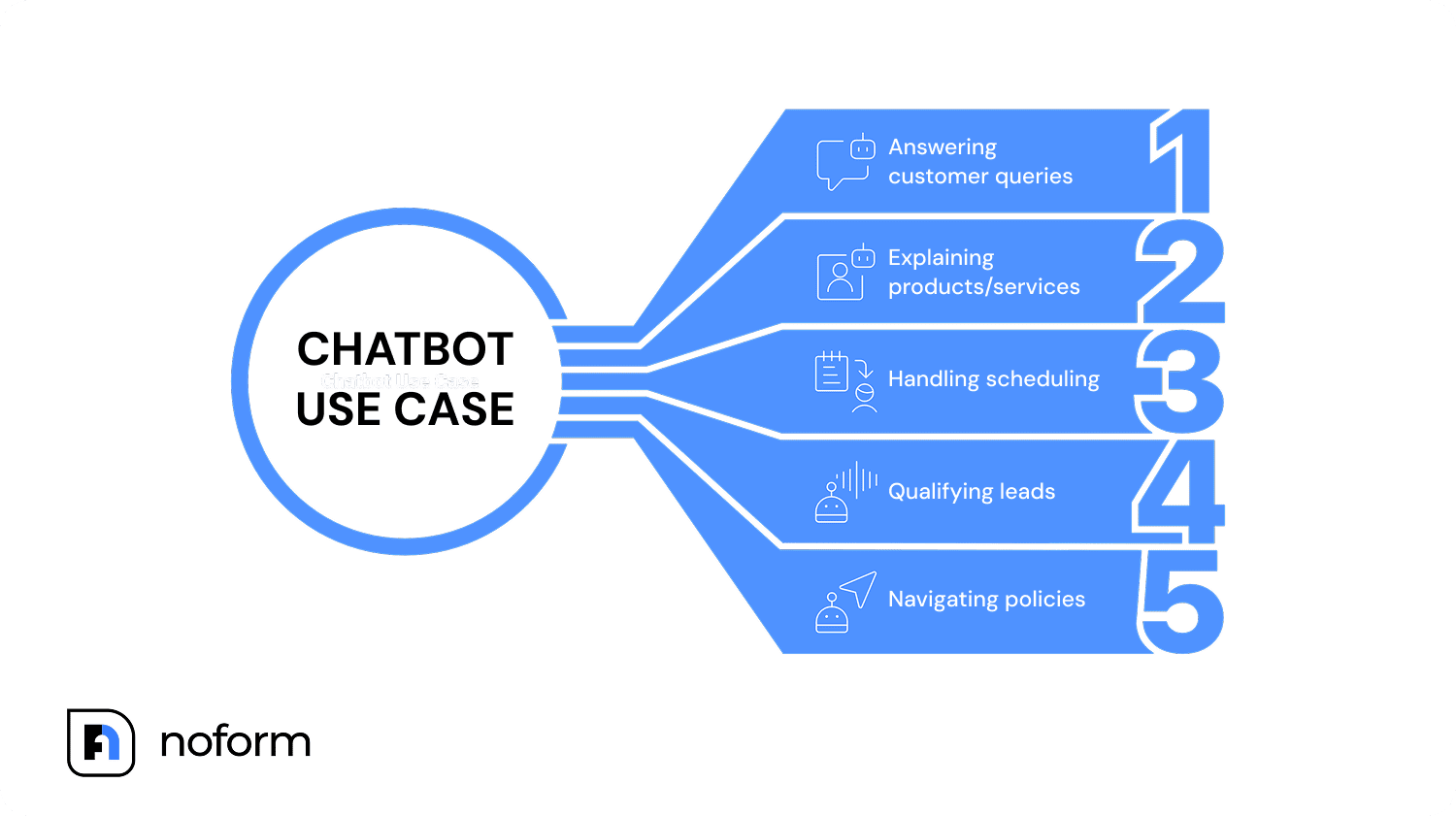
Typical use cases for chatbots include:
- Answering a customer query without sending it to call centers
- Explaining products or services to help visitors make decisions
- Handling automated scheduling and appointment requests
- Qualifying leads and collecting relevant details
- Navigating order update and return policies
Each chatbot use case fits into a broader workflow. When defined clearly, chatbots provide consistent access to information, reduce repetitive tasks, and improve the overall customer experience.
Not all chatbots are designed to handle the same work. Some rely on fixed rules and scripted paths. Others are AI-powered chatbots built with artificial intelligence, machine learning, and natural language processing, allowing them to interpret intent and respond dynamically during customer interaction.
The difference matters. A narrow, predictable task may only need a simple bot. More advanced AI chatbot use cases, such as lead qualification or personalized product recommendation, depend on language models and connected knowledge databases.
Aligning the chatbot type with the use case is essential for controlling cost and achieving meaningful ROI.
➡️ Learn more about how chatbots work in our article
Why chatbot use cases shape performance
Performance issues often stem from a single misstep: treating every interaction as the same chatbot use case, and a generic assistant is deployed everywhere. In practice, intent shifts across different pages and moments. A pricing page supports conversion. A support page focuses on resolution. A product page exists to educate.
Effective chatbot use cases share a few defining traits:
- they solve a specific business need,
- handle repeatable customer requests,
- guide users to a clear next step,
- reflect how customers actually interact with the product or service.
NoForm AI is designed to support this level of precision. Instead of relying on one bot across an entire site, teams can deploy multiple AI agents across pages or funnels, each aligned with a distinct use case and page goal.
Core chatbot use cases by business function
Chatbots have evolved fast, and so have their applications. What started as simple automation now supports a wide range of business needs, with new chatbot use cases emerging as AI technology advances.
Let’s break down the most effective AI chatbot use cases by business function and show where they deliver the greatest impact.
Pre-sales information & education use cases
Sales teams have been early adopters of chatbots for a reason. Pre-sales conversations are repetitive, time-sensitive, and often happen long before a human ever gets involved. Conversational AI chatbots fit naturally here, giving prospects fast access to information while keeping sales teams focused on deals that are actually ready to move.
24/7 availability & instant answers
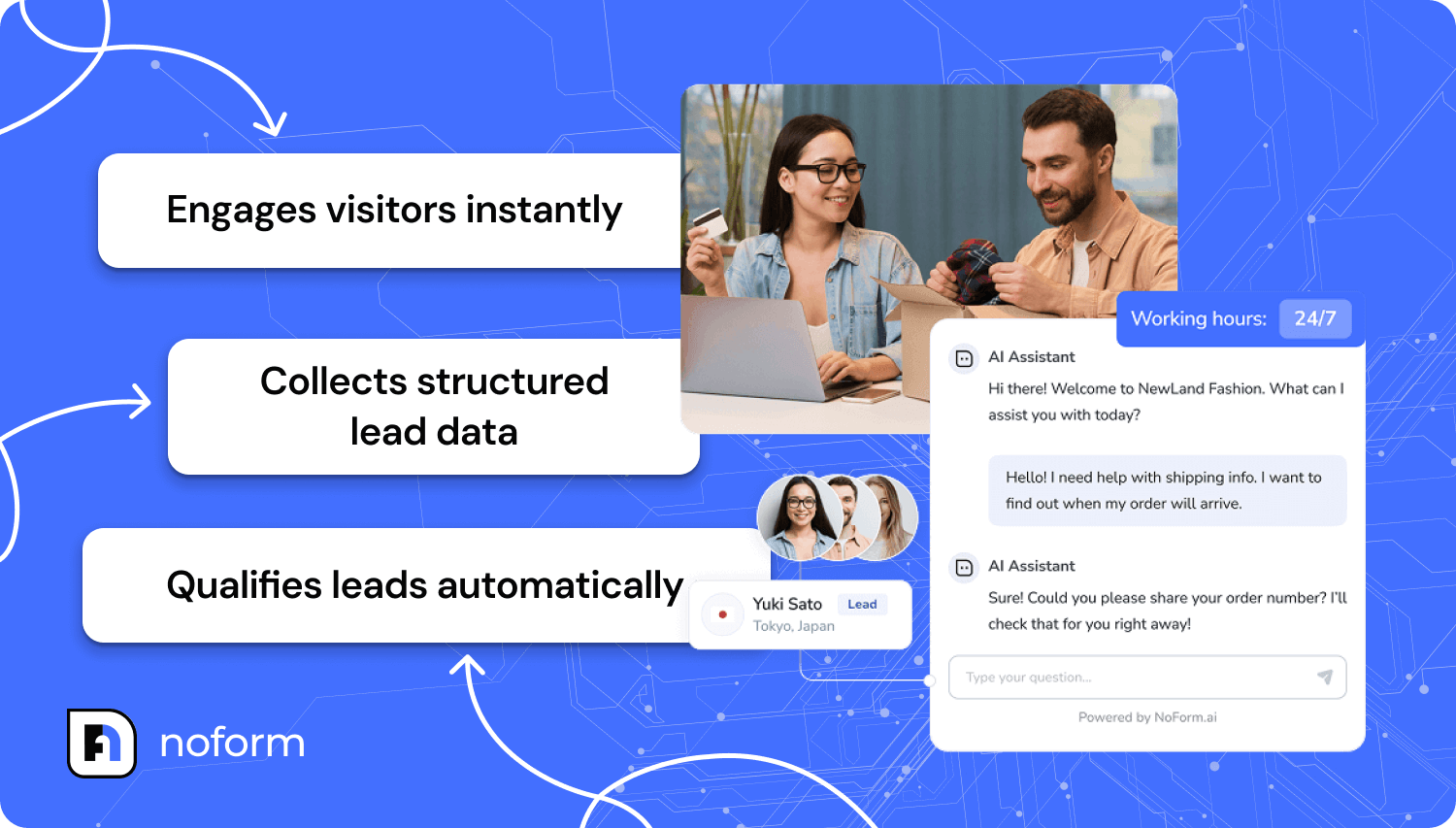
Pre-sales questions don’t respect office hours. Roughly 37% of B2B sales transactions happen outside standard working hours, which means a delayed response can easily become a lost opportunity. Chatbots fill that gap by providing instant answers the moment interest peaks.
Typical pre-sales questions chatbots handle well include:
- FAQs about products or services;
- pricing models and policies;
- office hours and location information.
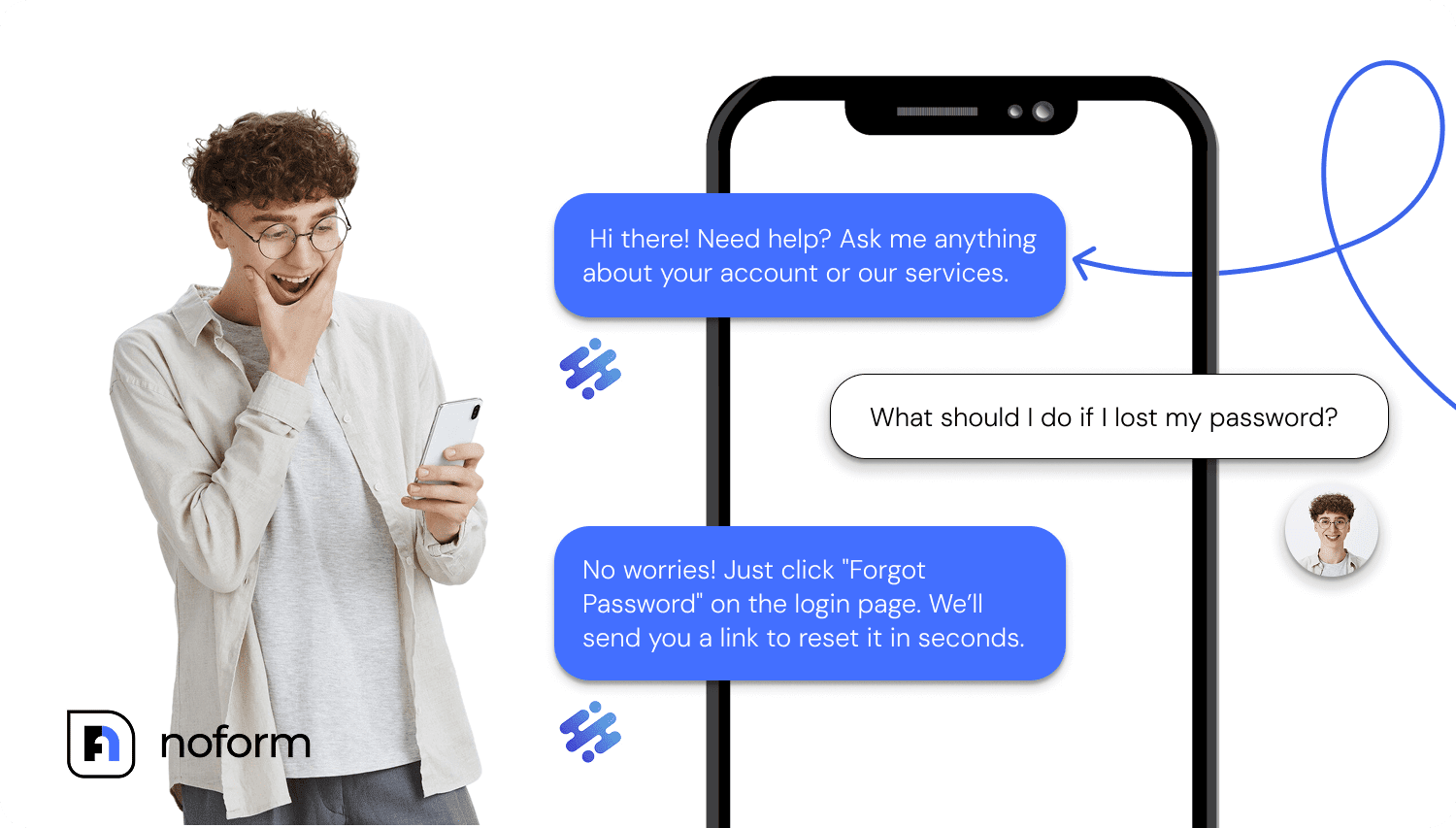
Because the FAQ chatbot is trained on a curated FAQ and knowledge base, answers stay accurate, consistent, and aligned with your brand voice. As a result, your business enjoys faster response times, fewer handoffs, and a measurable drop in repetitive support tickets—often 40–70% fewer routine queries, which directly lowers operational costs.
Company policy & procedure guidance
Once availability is covered, clarity becomes the next hurdle. Chatbots remove friction by explaining company policies before questions escalate to sales or support:
- shipping, returns, and warranty explanations;
- payment options and billing terms;
- compliance or eligibility requirements.
A banking chatbot, for example, can explain account types, required documentation, and minimum balances without involving staff. This kind of guidance reduces pre-sales support load while helping customers make informed decisions faster.
“How to” & instructional support
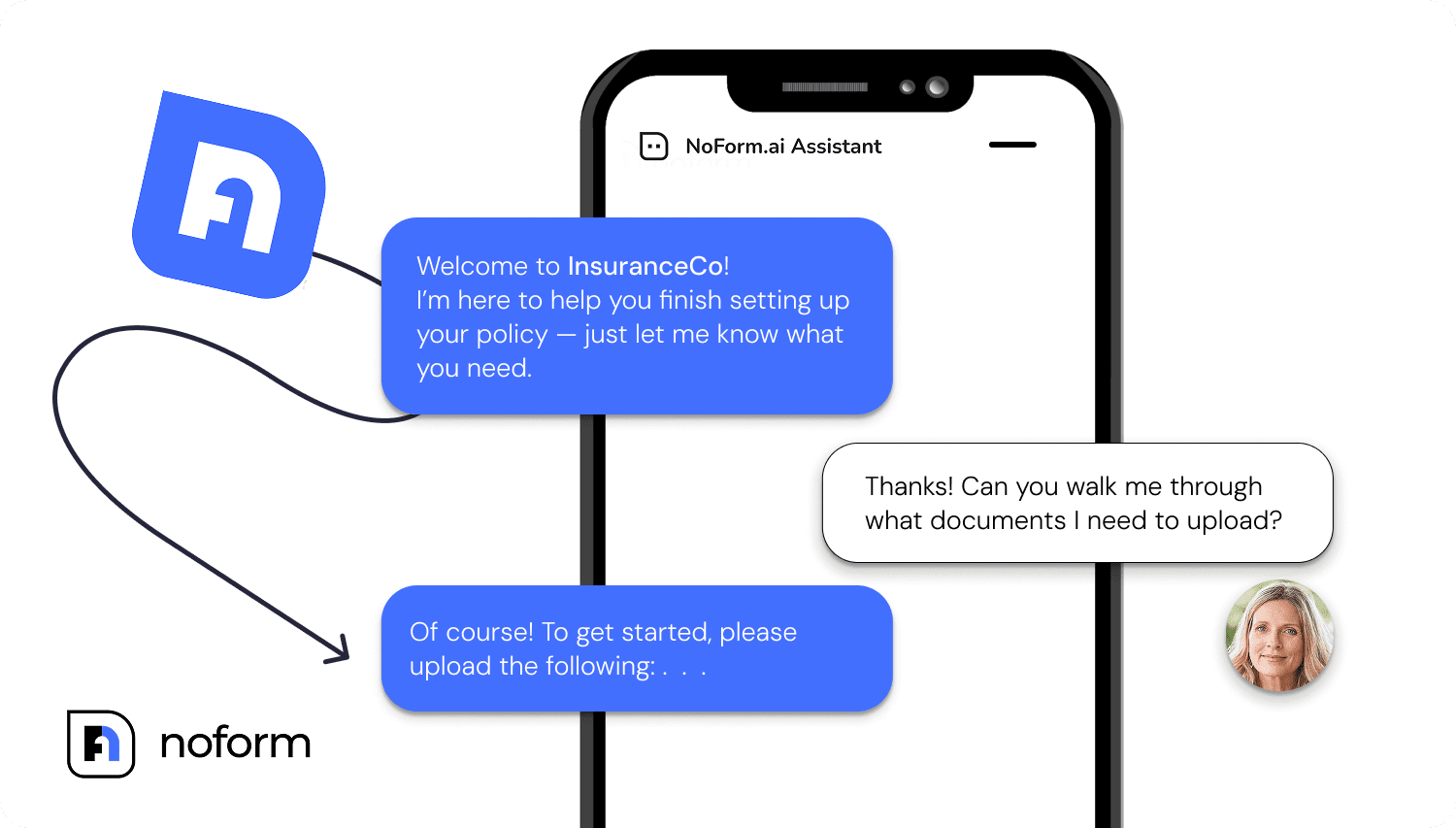
Many pre-sales conversations revolve around practical usage. People want to know how something works before they commit. Chatbots handle this well by translating documentation into step-by-step guidance:
- how to use specific features or services;
- basic troubleshooting based on known issues;
- appointment preparation or onboarding steps.
For instance, for a SaaS company, a chatbot could explain feature functionality directly from product documentation, helping customers understand value without waiting for a demo or human response. Fewer questions reach support, and prospects feel confident moving forward.
Educational & resource delivery
Education doesn’t have to be reactive. Chatbots can proactively share relevant resources based on what a visitor is exploring, turning casual interest into informed intent:
- blog posts, case studies, or whitepapers;
- video tutorials or product walkthroughs;
- guides tailored to a visitor’s situation.
A real estate chatbot, for instance, might share first-time buyer guides when someone browses starter homes.
This approach positions the brand as helpful and credible while giving customers easy access to information they actually need.
Product onboarding
Pre-sales don’t always end at purchase. Early onboarding plays a major role in whether customers adopt a product or disengage. Chatbots can guide new users through setup and first steps in a way that feels interactive, not overwhelming.
In SaaS environments, onboarding chatbots often reduce early churn by smoothing the first-login experience and lowering the number of support requests during critical first days.
Eligibility & pre-screening
Finally, not every lead should reach a human. Otherwise, salespeople would be swamped with work, wasting their time on someone who’ll never convert. Chatbots help filter early by checking eligibility before time is spent on unqualified conversations.
Typical pre-screening use cases for lead qualification chatbots include:
- program or service qualification;
- loan or financing requirements;
- admission or enrollment criteria.
An educational institution, for example, can use chatbots to explain admission requirements and screen applicants before routing them to advisors. This ensures staff spend time on qualified prospects while still helping customers get clear answers upfront.
Across all of these scenarios, the goal stays the same: use chatbots to educate, qualify, and support prospects early, so sales teams engage when it actually counts. The same extends to other departments—more on that later in the article!
Marketing & engagement use cases
If pre-sales chatbots answer questions, marketing chatbots start conversations. This is where chats stop being reactive and start shaping how visitors explore, engage, and commit.
Proactive visitor engagement
Marketing teams no longer have to wait for visitors to raise their hand. Conversational AI chatbots can adapt their approach based on which page a visitor lands on. Different pages signal different intent, and the chatbot adjusts its messaging accordingly.
A property management site, for example, can deploy a chatbot on listing pages that asks about property preferences and budget, while the homepage chatbot focuses on general navigation—turning passive browsing into dialogue.
Interactive lead generation
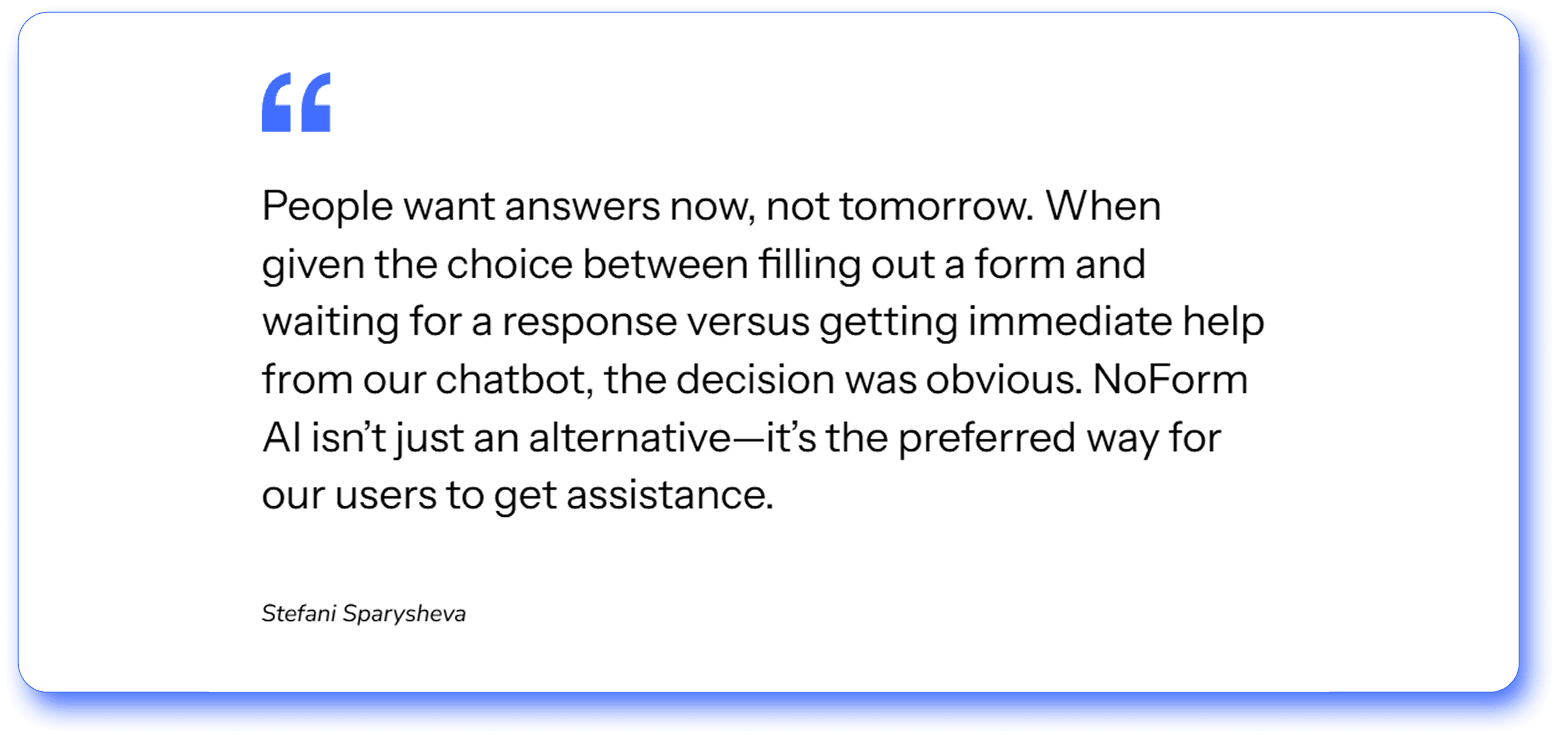
Static forms ask for personal details upfront, often before a visitor understands what they’ll get in return. That early friction causes many people to drop off.
Chatbots take a lighter approach. They replace long forms with simple, back-and-forth questions that ease people into the conversation and build context along the way.
Instead of “Fill out this form,” the exchange can begin with “What type of solution are you looking for?”
This approach typically delivers 3–5x higher engagement than traditional forms, with leads that are better informed and more comfortable sharing details.
Survey & feedback collection
Speaking of forms, feedback surveys are where chatbots really shine. Conversational surveys consistently outperform traditional formats because they feel less like a task and more like a dialogue. Asking one question at a time keeps people engaged and leads to higher completion rates—often 10–30%, compared to 5% or less for standard surveys.
AI chatbots are commonly used to collect:
- Customer satisfaction feedback
- Product insights
- Market research data
- User experience signals
The quality of the data improves too. Instead of ticking boxes, people respond in full sentences, explain what worked or didn’t, and add context that rigid survey templates rarely capture.
Because the chatbot can ask follow-up questions when something interesting comes up, teams end up with feedback that’s richer, clearer, and far more actionable.
Upsell, downsell, and cross-sell
Once a chatbot understands what someone is looking for, it can point them in the right direction without feeling pushy. Because personalized suggestions are shaped by the conversation itself, not generic rules or pop-ups, they tend to feel more relevant and genuine.
In retail, for instance, virtual agents can:
- suggest relevant accessories;
- offer sensible bundles;
- show lower-priced options when budget matters.
Handled well, AI use supports higher-order value while keeping the interaction smooth and customer-led.
Content marketing & lead capture
Sometimes a visitor isn’t ready to buy—and that’s fine. Interest doesn’t always turn into action on the first visit, especially when the decision carries more weight. What matters is keeping that interest moving in the right direction.
As visitors ask questions, they signal what they care about and where they are in their thinking. Conversational marketing chatbots use those cues to share relevant content directly in the conversation, whether that’s a blog post, a case study, or a practical guide.
A simple follow-up—Want me to send this to your email?—keeps things moving. The resource gets delivered, contact details are captured, and the interaction stays natural.
Marketing agencies use this approach to distribute gated content in a way that feels supportive, not transactional, keeping the door open for future conversion.
Competitor comparison handling
As visitors move closer to a decision, comparison questions start to surface. This is especially common with higher-priced products or longer buying cycles. People open multiple tabs, scan specs, and try to piece together which option fits them best.
Without a chatbot, they’re left to interpret static content on their own or hunt for third-party comparison tables that may be incomplete or outdated. That’s where friction creeps in. Important details get missed, and small uncertainties slow everything down.
A chatbot keeps that process on your site. It gives visitors a straightforward way to ask the questions that matter to them—your product versus a competitor, feature by feature—through a natural conversation. At the same time, it can ask follow-up questions that reveal why they’re considering switching in the first place.
For a SaaS company, this is especially valuable. Those conversations often surface migration-ready prospects who are already weighing alternatives and looking for a better fit.
Tip: The key is accuracy. To make these conversations work, the chatbot needs to be trained and updated regularly so comparisons stay fair, clear, and trustworthy.
Geographic/service area qualification
Marketing teams lose momentum when conversations move forward with leads they can’t serve. Chatbots prevent this by asking visitors where they’re located early in the conversation, then tailoring the dialogue based on that response.
For home services companies, this keeps attention on leads within their service area and prevents time being spent on conversations that were never going to convert.
Event information & interest collection
Chatbots can handle questions about schedules, speakers, venues, and logistics, then guide interested visitors forward by:
- sharing registration links;
- collecting interest and contact details;
- giving marketing teams a clearer picture of demand.
With AI chatbots, event information stays easy to access, and lead capture happens naturally, without sending visitors through yet another form.
Multi-language support
Chatbots make it easier to engage international visitors by responding in their preferred language. Built-in multilingual support allows teams to expand reach without maintaining separate regional staff.
Website navigation assistance
When visitors can’t quickly find what they need, interest drops off. Chatbots help by acting as on-site guides, directing people to the right pages, templates, or resources without forcing them to dig through menus.
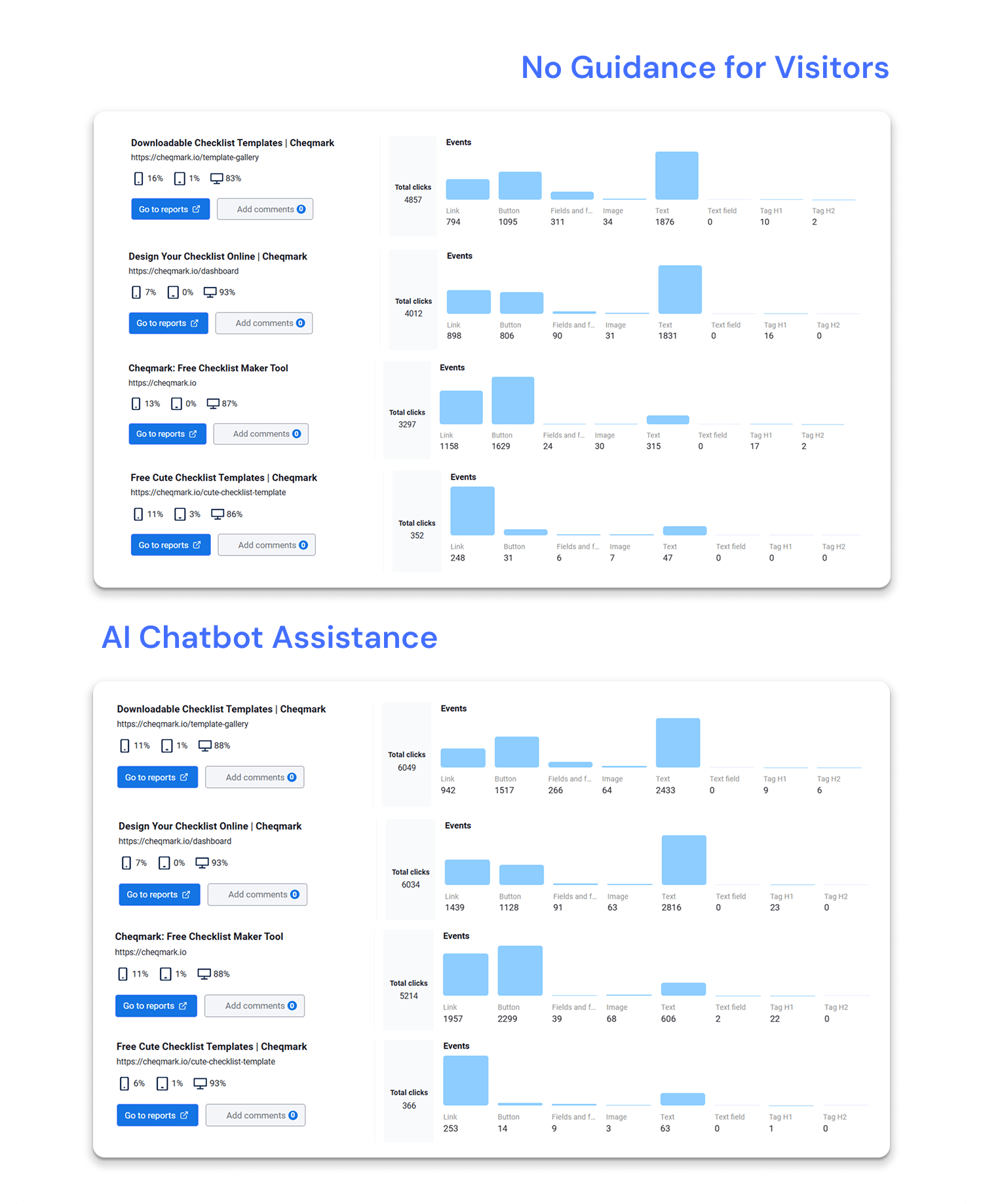
Cheqmark used NoForm AI to tackle this exact problem. The team deployed an AI-powered chatbot that helped users instantly find relevant checklist templates, navigate the platform, and get answers without relying on support. The site stayed the same; the experience became easier to move through.
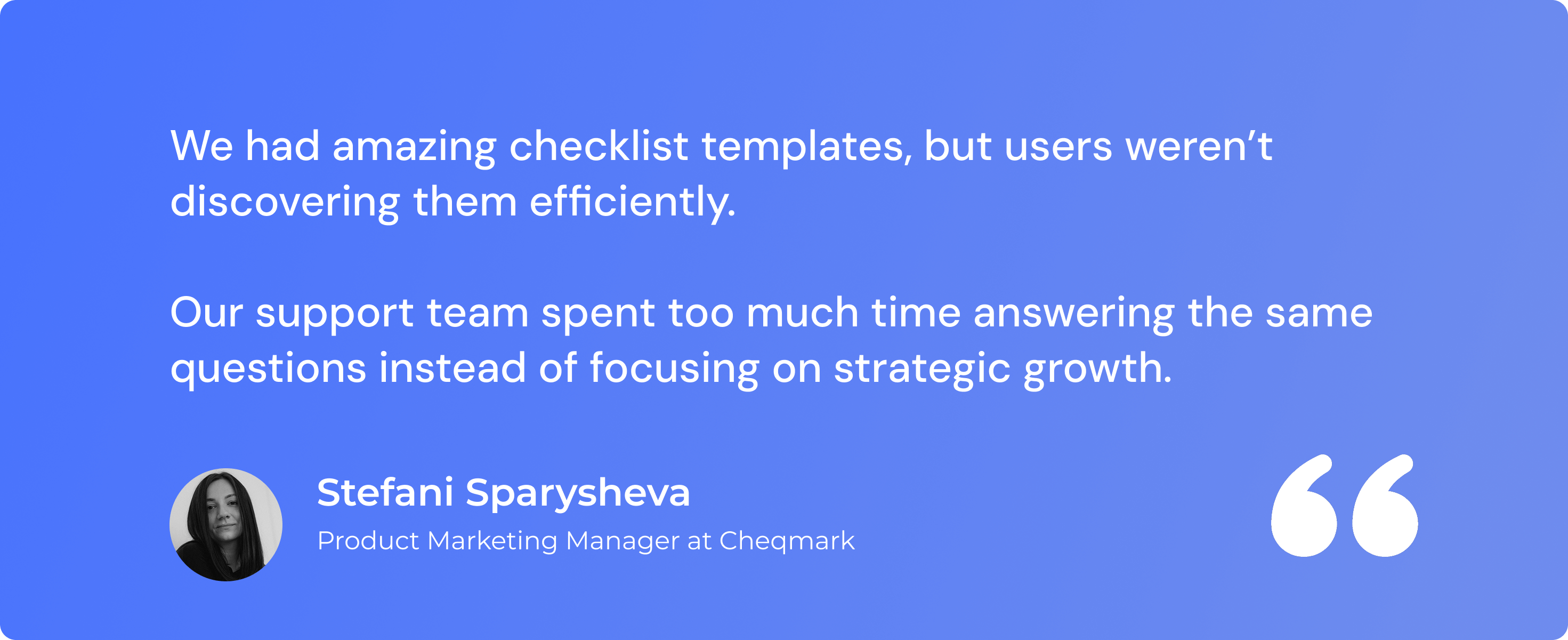
The impact was immediate. More than 5,400 visitors engaged with the chatbot, while conversion rates on key template pages increased by 200%. Template gallery interactions rose by 38.8%, and homepage template usage climbed 149%.
Promote products
Chatbots can also draw attention to products or features you want to highlight. Thanks to the fact everything happens in the same conversation, the transition stays seamless.
AI chatbots are particularly effective during product launches or featured campaigns. They surface products based on what the visitor is already exploring, instead of relying on banners or pop-ups that break focus.
Sales & lead nurturing use cases
Once interest turns into intent, timing and context matter. Chatbots help keep the conversation moving. They support lead capture, qualification, and follow-up, making sure interested prospects don’t fall through the cracks before a sales team gets involved.
Lead capture & nurturing 24/7
In sales, response time directly affects outcomes. Leads are far more likely to convert when they receive a response within the first five minutes. Once that window is missed, the chances of qualifying the lead drop fast. According to research by Harvard Business Review, after ten minutes, conversion odds can fall by as much as 400%.
Chatbots close that gap. They engage visitors the moment interest shows up, even when your team is offline. The next business day starts with a clear view of who reached out and what they’re looking for.
Local service businesses are especially familiar with this setup, using it to turn after-hours inquiries into timely follow-ups instead of missed calls and cluttered inboxes.
Lead qualification through conversations
In sales, volume isn’t the problem. Lack of context is. When inquiries arrive without enough detail, teams lose time chasing basics before any real progress can happen.
Chatbots fix this by turning qualification into part of the conversation. Rather than screening people out or pushing them through forms, the chatbot gathers the details sales teams need to move forward confidently.
Through a natural back-and-forth, the chatbot can uncover:
- budget range or expected spend;
- company size or customer profile;
- specific needs, constraints, or goals.
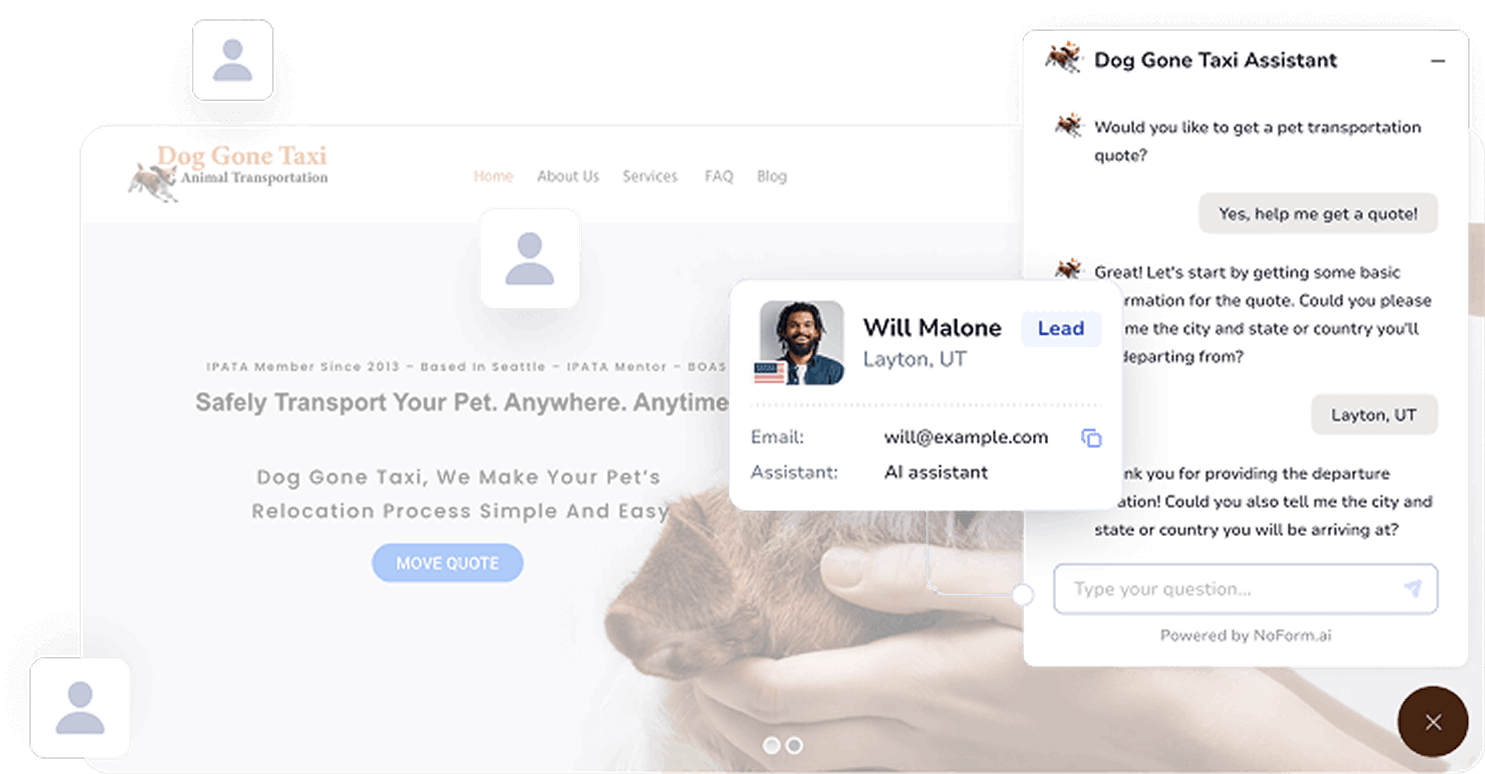
Dog Gone Taxi is a good example for this chatbot use case. Before using NoForm AI, the team spent time following up on inquiries that lacked critical details and often weren’t a good fit. With the AI chatbot in place, lead qualification and quote requests became part of the same flow.
Customers are now guided step-by-step through the booking process, capturing details like pet breed, weight, and age upfront. Quotes are more accurate, confirmations happen faster, and sales time is no longer spent chasing incomplete requests.
Product/service discovery & recommendation
Chatbots ask targeted questions and use the answers to guide visitors toward the most relevant options:
- narrowing choices based on stated needs, use cases, or constraints;
- directing visitors to the right product pages or feature details;
- explaining key differences when multiple options look similar on the surface.
For software companies with multiple products or plans, this kind of guidance is especially valuable. It reduces early confusion, prevents prospects from choosing the wrong solution on their own, and helps sales conversations start with the right context already in place.
Appointment request collection
Another popular use case for chatbots is simplifying appointment requests.
Instead of automated scheduling, chatbots collect the information needed to confirm details manually: preferred dates and times, contact details, and preparation notes.
Teams handle the follow-up on their own terms. Usually, requests are reviewed during business hours, and appointments are confirmed by email or phone. Medical clinics, consulting firms, and real estate agencies use this approach to collect consultation requests without giving up control of their schedules.
Demo request & consultation pre-qualification
Demos work best when both sides are prepared. Chatbots help by qualifying demo requests before they hit a salesperson’s inbox.
They can ask about:
- required features or outcomes;
- timeline and urgency;
- company size or current process.
This leads to more productive demos, fewer no-shows, and conversations that start at the right level. SaaS companies, legal firms, and financial advisors all benefit from this upfront context.
Price range guidance
Price uncertainty slows deals. Chatbots reduce that hesitation by offering clear, structured guidance early in the conversation.
They can explain all things pricing-related, from pricing tiers or typical ranges, to what’s included at each level, to factors that influence final cost.
A web design agency, for example, can outline how projects are priced without committing to a final quote. This transparency helps qualify leads and avoids misaligned expectations later.
Quote request automation
When someone is ready to ask for a quote, chatbots make the process less intimidating. Instead of long forms, details are gathered step by step.
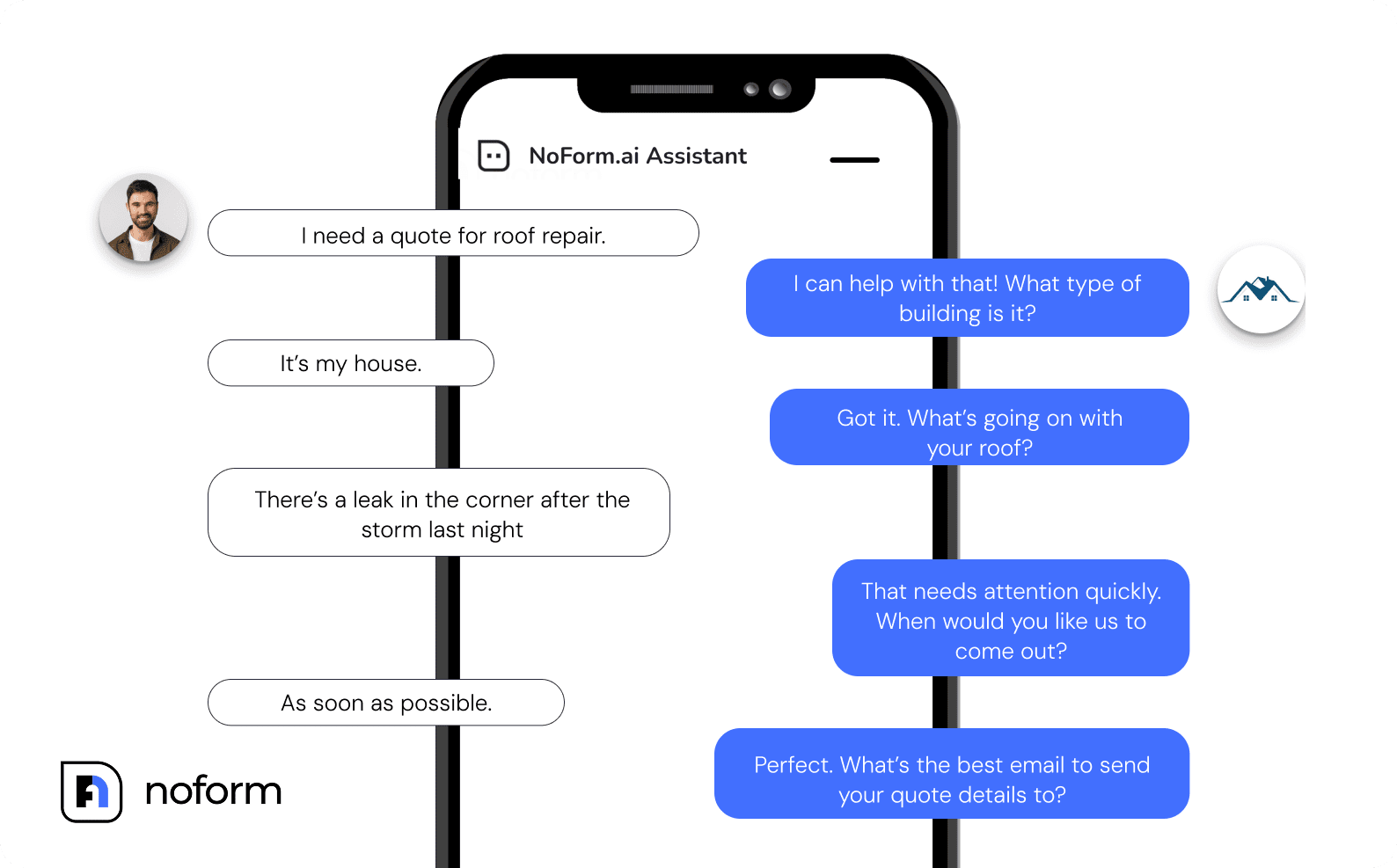
Typical information includes:
- scope of work;
- budget range;
- timeline;
- contact details.
Construction, roofing, insurance, and service-based businesses use this flow to collect accurate inputs while keeping the experience approachable. Teams review requests during business hours and follow up with tailored estimates.
Comparison & decision support
As prospects narrow options, chatbots help them think through trade-offs without pressure. Products or services are explained clearly, with transitions like: “Which option seems closest to what you need? Want to speak with an expert to confirm?”
Insurance agencies often leverage this insurance chatbot use case to explain coverage types and guide visitors toward informed choices, supporting trust rather than rushing decisions.
Objection handling & common concerns
Of course, in an ideal world, objections wouldn’t exist. Every lead would instantly see the value, nod along, and move straight to checkout. In reality, hesitation is part of almost every sales conversation—and the reasons vary widely.
Chatbots help handle those moments before they slow things down. They respond to common concerns in a calm, consistent way, giving leads the reassurance they need while the conversation is still warm:
- “Is this right for my situation?”
- “How long does implementation take?”
- “What happens if it doesn’t work?”
- “Do we need technical expertise?”
And when a chatbot’s charm isn’t enough to seal the deal, the AI tool can hand the almost-there-but-not-really lead off to a human agent to close it.
Industry-specific chatbot use cases
Different industries ask different questions, face different constraints, and define “helpful” in their own way. That’s why chatbot use cases look different from one sector to another—even though the underlying technology stays the same.
E-Commerce & retail
In retail, speed and clarity drive conversions. Chatbots help shoppers navigate product decisions quickly.
They answer size and fit questions, compare options, explain shipping and returns, and suggest complementary items based on what’s in the cart. For gift shopping, they act as a shopping assistant, recommending ideas based on recipient and budget. They also capture emails for restock alerts or new collection notifications.
A fashion retailer might deploy a chatbot that handles sizing questions, recommends styles based on stated preferences, and naturally captures email addresses when suggesting “I can notify you when the new fall collection launches”—all within one seamless conversation.
Professional services (consulting, legal, accounting)
For professional services, the goal is clarity and qualification before time-intensive consultations.
Chatbots explain services and expertise, share pricing structures, and collect case details.
For a law firm, this means the chatbot can outline practice areas, ask clarifying questions about a potential case, and determine which attorney is the best fit. So legal professionals see fewer but better-matched requests rather than spending time on obviously unfit leads.
Healthcare & wellness
Healthcare chatbots focus on access and preparation, not diagnosis. They collect appointment requests for manual scheduling, gather new patient intake information, answer FAQs on treatments, and share preparation instructions.
A dental practice might use an AI chatbot to explain available services, collect new patient details such as insurance information and medical history, and gather preferred appointment times—all before a receptionist confirms the booking. This keeps initial steps faster and less error-prone for everyone involved.
Real estate
Real estate conversations are information-heavy and time-sensitive. Chatbots help organize interest before agents step in.
Real estate chatbots handle property search guidance, buyer and seller qualification, showing request collection, and neighborhood information.
An agency might deploy a chatbot that asks about budget, timeline, and must-have features, then collects requests showing specific dates and times. Agents receive pre-qualified leads with clear context, making follow-ups far more productive.
Education (schools, universities, online courses)
Admissions are often the first place universities turn to chatbots—and for good reason. Application periods bring predictable spikes in repetitive questions (application requirements, deadlines, and next steps), and chatbots help institutions stay responsive without overwhelming staff.
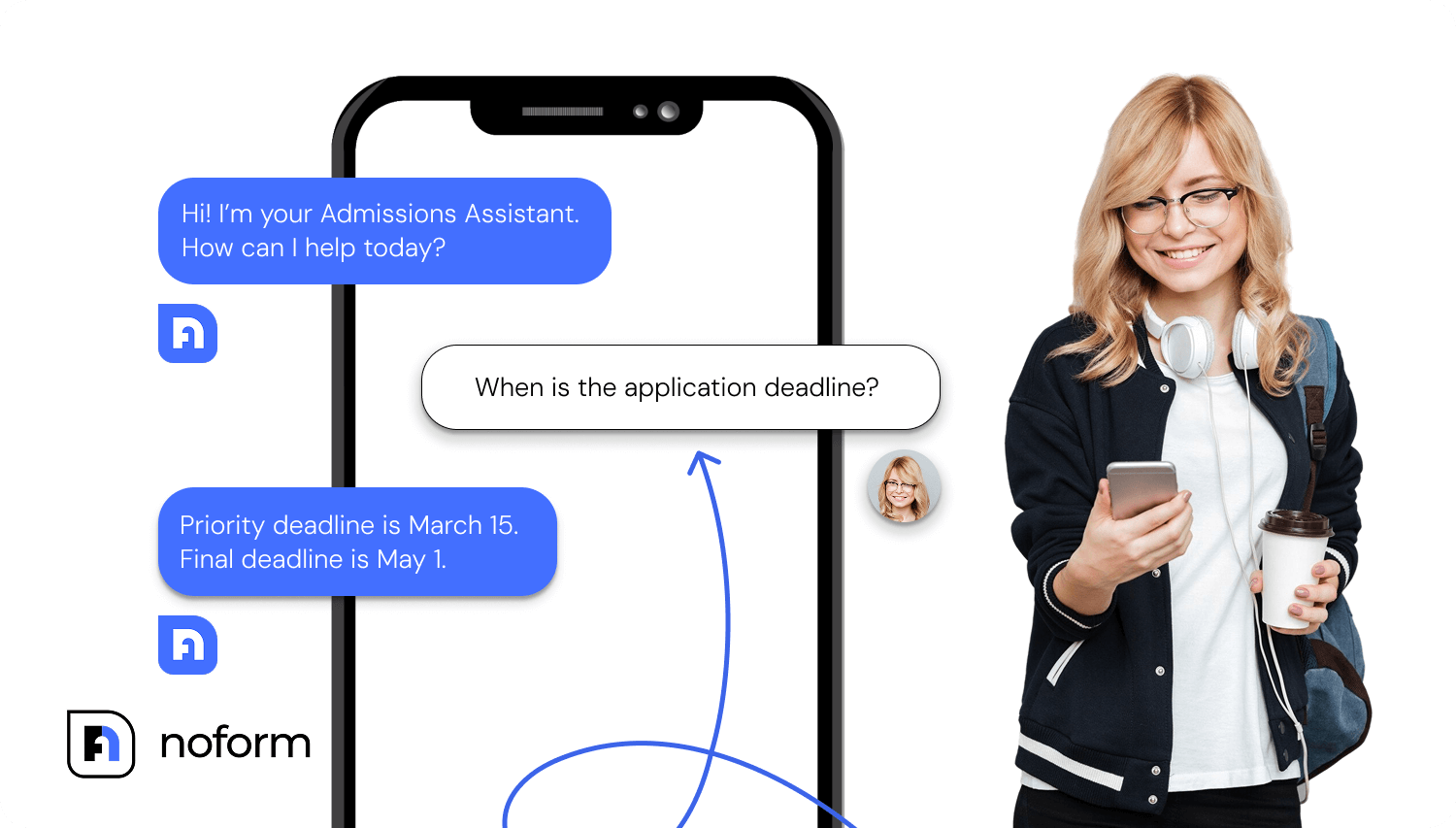
That said, admissions is only the starting point. Across higher education, chatbots support a broader set of needs; they provide program and course information, tuition and financial aid guidance, and support student onboarding.
During peak admission season, a university chatbot can field hundreds of questions about application requirements, deadlines, and program specifics simultaneously—answering prospective students instantly while flagging serious applicants for the admissions team to prioritize.
B2B services & SaaS
In B2B and SaaS, chatbots quickly proved their value by helping prospects understand products before sales ever step in. Common chatbot use cases in these environments include:
- feature and use case explanations;
- pricing and ROI guidance;
- demo or consultation request qualification.
A B2B SaaS company might use a chatbot to assess whether a prospect is an enterprise client or a small business, explain features relevant to their specific use case, and gather technical requirements—ensuring sales teams engage only with informed, qualified leads rather than spending time educating every website visitor.
Home services (contractors, plumbers, roofing, HVAC, etc.)
A clogged toilet is inconvenient. A leaking roof is a much bigger problem—and a very different conversation price-wise. That’s why home services depend on getting the right details upfront. Without them, estimates are guesses and follow-ups drag on.
This is where generative AI chatbots fit naturally. They gather the information needed to understand the job before anyone picks up the phone, making early conversations more useful for both sides.
Chatbots collect project scope and service details, distinguish urgent from scheduled work, explain pricing ranges, and confirm service area eligibility.
A roofing company can deploy a chatbot that gathers home details (square footage, roof age, number of stories), asks about visible damage, and determines urgency. When technicians call back, they already have context and can provide accurate estimates rather than starting from scratch.
Financial services (insurance, financial planning)
Money decisions come with questions—and a fair amount of caution. In financial services, chatbots help bring structure and clarity to those early conversations without stepping into the role of an advisor.
They explain products and coverage options, check eligibility and collect quote details, and share educational resources.
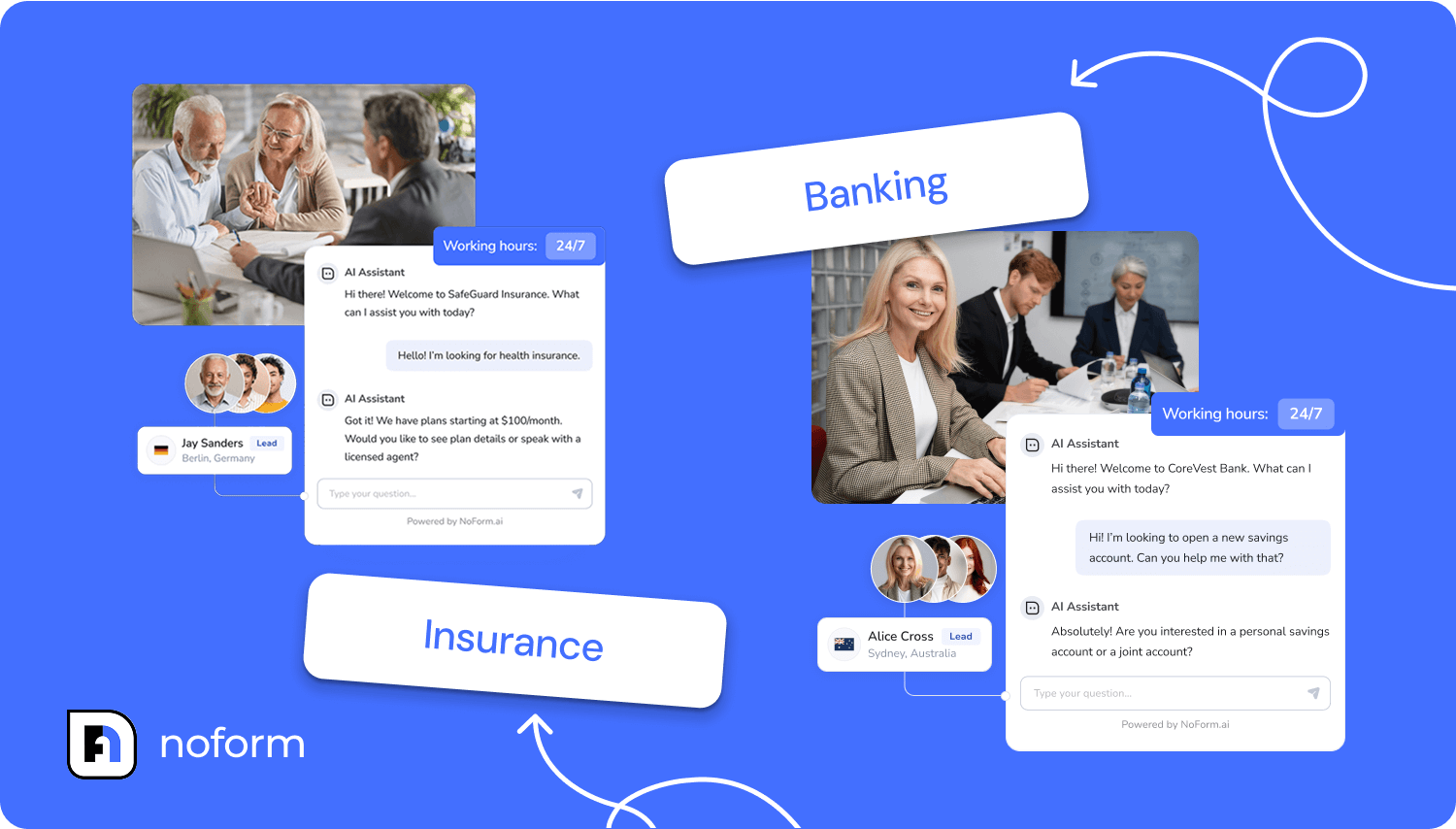
An insurance agency might deploy a chatbot that walks visitors through different policy types (term vs. whole life, liability vs. comprehensive), collects basic information like age and coverage needs, then matches them with the right agent based on specialization—turning confused browsers into informed prospects.
Automotive (dealerships, service centers)
Automotive chatbots mostly focus on discovery and intent capture: answering vehicle information questions, gathering buyer preferences and budget information, collecting test drive requests, and sharing financing information.
Car dealerships can use chatbots to field questions about specific models, features, and pricing while gathering key details like trade-in interest and financing needs. So when sales staff follow up on test drive requests, they’re already familiar with what the buyer is looking for.
Lifestyle & hospitality (restaurants, fitness/gyms, hotels/travel)
Hospitality and lifestyle businesses juggle constant inquiries, often all at once. Chatbots help keep things running smoothly without turning the experience cold or impersonal.
They’re commonly used to handle:
- menu questions and reservation requests;
- event details and catering inquiries;
- membership options and class schedules;
- facility tours or personal training requests.
A restaurant might use a chatbot that answers menu questions, asks about party size and dietary restrictions, collects preferred reservation times, and notes special occasions—giving the host all the information needed to confirm and prepare for the booking.
Non-profit organizations
For non-profits, chatbots extend reach when resources are limited. They support:
- Mission and program education
- Donation and volunteer inquiries
- Event participation information
A non-profit can deploy a chatbot that educates visitors, collects volunteer interest, and gathers donation inquiries—ensuring people can engage with the organization’s mission even when staff aren’t available.
Chatbot use cases by deployment channel
By now, one thing should be clear: chatbot use cases don’t exist in a vacuum.
Where a chatbot shows up matters just as much as what it does. Different pages signal different intent, and effective chatbots adjust their role accordingly.
Let’s look at how chatbot use cases change based on where the conversation happens.
High-intent conversion pages
High-intent pages are built around a single goal. Whether it’s capturing a lead, booking a call, or closing a sale, these pages attract visitors who are already considering action.
Chatbots on these pages focus on removing last-mile hesitation
|
Page type |
How the chatbot supports conversion |
|
Homepage |
Welcomes visitors, guides navigation, captures general inquiries |
|
Pricing page |
Explains tiers, clarifies inclusions, addresses pricing questions |
|
Product or service page |
Shares detailed info, compares options, qualifies interest |
|
Blog or resource page |
Recommends related content, captures leads, offers expert follow-up |
|
Contact page |
Responds instantly, qualifies inquiries, captures after-hours leads |
Targeted campaign & specialized conversions
Campaign pages are different by design. Visitors land there with a specific message in mind—often from an ad, email, or referral. Chatbots on these pages need to reflect that context precisely.
Here, alignment is everything. The chatbot reinforces the campaign message, answers highly specific questions, and supports a single, well-defined outcome:
|
Campaign type |
Chatbot use case |
|
Dedicated ad landing pages |
Answers campaign-specific questions, reinforces value, boosts conversion |
|
Webinar or event pages |
Handles registration details, FAQs, speaker info, reminders |
|
Lead magnet pages |
Explains the resource, qualifies interest, offers tailored follow-ups |
Because traffic to these pages is pre-qualified, chatbots can be more direct. They speak to a narrower audience, address known objections, and guide visitors toward one clear next step.
Conclusion
Chatbots work when they’re used with intention. The businesses seeing real results aren’t chasing a single “perfect bot”, but rather matching specific use cases to real customer intent, page by page and conversation by conversation.
Get that alignment right, and chatbots stop feeling like an add-on. They become a practical part of how your business attracts, qualifies, and supports customers.
If you’re ready to try it for yourself, build your AI chatbot or book a demo to see how it fits your workflows.
Frequently Asked Questions (FAQ)
What is a chatbot use case?
A chatbot use case is a specific business scenario where a chatbot automates a human interaction to achieve a concrete goal, such as qualifying a lead or booking an appointment. Unlike a generic ‘hello’ message, a defined use case solves a specific problem—like explaining a return policy or guiding a user through a SaaS product onboarding—ensuring the bot adds measurable value to the customer journey.
What are the most effective AI chatbot use cases for sales?
The most effective sales use cases for AI chatbots include interactive lead generation, automated appointment scheduling, and pre-qualification. By engaging visitors instantly, chatbots can replace static contact forms, resulting in 3–5x higher engagement rates. They act as 24/7 sales assistants that capture interest outside of business hours, ensuring no lead is lost due to a delayed response.
How do chatbots improve lead qualification?
Chatbots improve lead qualification by asking visitors targeted questions—such as budget, timeline, and company size—in real-time conversation. This ‘conversational qualification’ filters out unqualified prospects before they reach your sales team, allowing human agents to focus solely on high-value deals. For example, the company Dog Gone Taxi used this strategy with NoForm AI to simplify booking flows, resulting in more accurate quotes and faster confirmations.
What is the difference between a rule-based chatbot and an AI chatbot?
A rule-based chatbot operates on a fixed decision tree where users must select from predefined options, whereas an AI chatbot uses Natural Language Processing (NLP) to understand intent and context.
While rule-based bots are sufficient for simple FAQs, AI chatbots are required for complex use cases like personalized product recommendations or handling ambiguous customer queries without breaking the conversation flow.
Can chatbots help with customer retention and onboarding?
Yes, chatbots significantly aid retention by guiding new users through product setup and providing instant ‘how-to’ support. In SaaS environments, onboarding chatbots reduce early churn by helping users achieve their ‘aha moment’ faster without waiting for a human support agent. This proactive education reduces routine support tickets by 40–70%, lowering operational costs while keeping customer satisfaction high.
Which industries benefit most from AI chatbots?
While almost all industries benefit, Real Estate, E-commerce, and Healthcare see immediate impact due to high inquiry volumes and time-sensitive needs.
- Real Estate: Bots qualify buyers and schedule viewings instantly.
- Healthcare: Bots handle patient intake and appointment booking.
- E-commerce: Bots handle sizing questions and reduce cart abandonment through proactive assistance.