Chatbot best practices matter because AI chatbots now answer the door for your business. They handle first questions, pricing checks, and “does this solve my problem?” moments while your team is busy elsewhere. When that experience is unclear or off-brand, the impact shows up quietly—in missed leads, stalled conversations, and trust that never quite forms.
This article breaks down how to build a bot that actually pulls its weight. You’ll learn how to plan smart use cases, design an engaging user experience, train with business-specific data, test before things go sideways, and improve over time using real signals.
Why AI chatbot best practices matter
AI chatbots are no longer experimental side projects. For many businesses, website chatbots and virtual agents now sit at the center of customer interactions, sales conversations, and support workflows. They answer questions, qualify leads, and guide users long before a human agent gets involved. That visibility makes one thing clear: without chatbot best practices, even powerful Artificial Intelligence can fall flat.
The business case: What effective chatbots deliver
When best practices for chatbot design are applied, chatbots become a reliable extension of your team rather than a novelty widget. The most successful chatbot implementations consistently deliver tangible value:
- 24/7 availability and instant response times: An effective chatbot handles user queries the moment they appear, helping users without queues, delays, or office-hour limitations.
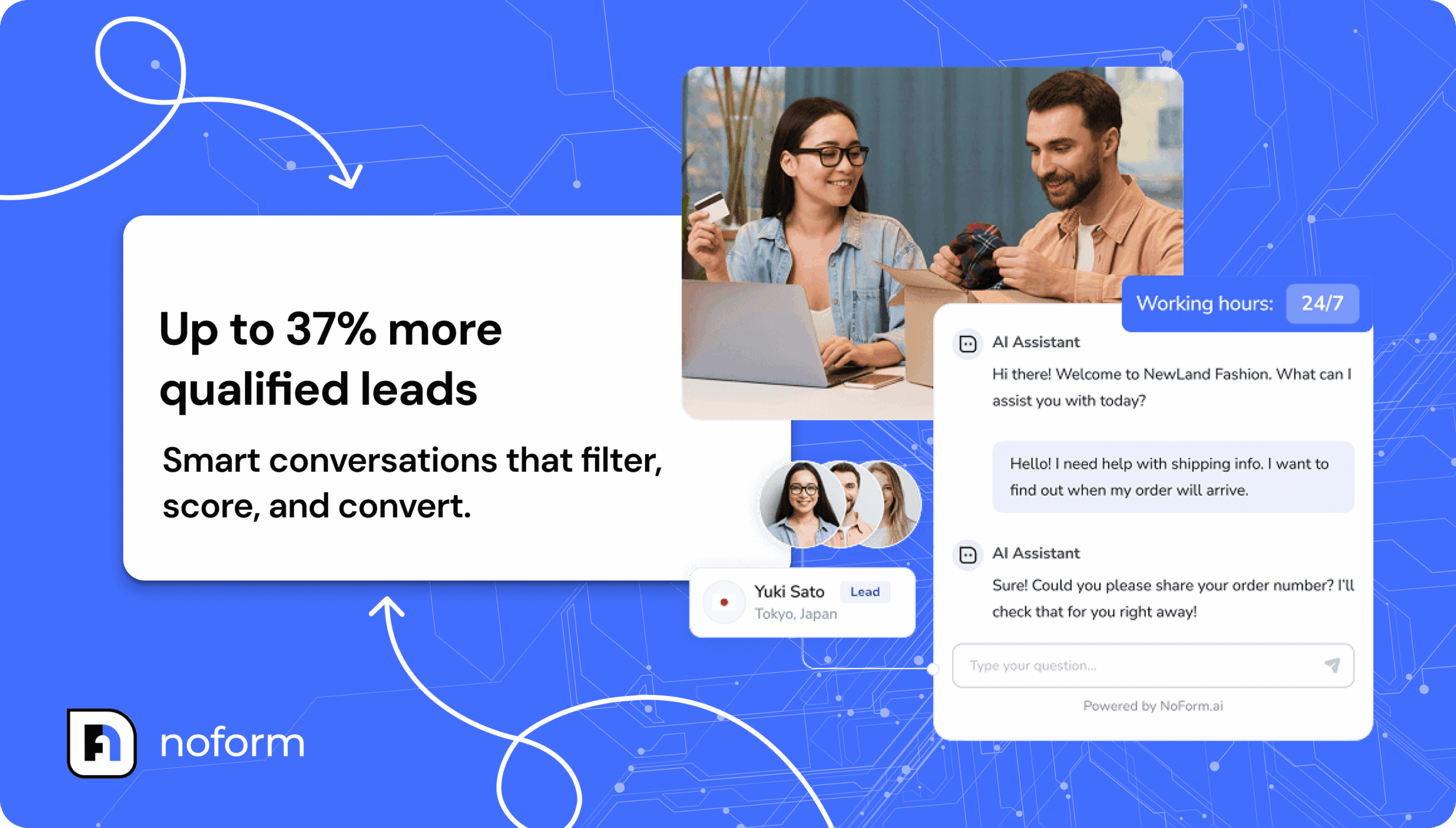
30–50% reduction in support tickets: By resolving common issues and handling repetitive requests, customer service chatbots reduce workload for support teams and improve issue resolution speed. - Stronger lead qualification and conversion (up to 37% more leads): Well-structured chat flows collect user input, route high-intent prospects, and support lead generation without slowing down the buying process.
- Lower costs compared to human-only support: Chatbots scale conversations at a predictable cost, especially when powered by machine learning and modern AI models.
- Higher customer satisfaction and retention: Consistent, relevant responses and light personalized interactions improve trust and long-term engagement.
Common AI chatbot failure points and why they happen
Despite the upside, chatbot success isn’t automatic. Many bots underperform because core best chatbot practices are ignored:
- Hallucinations and inaccurate responses: Generative AI without guardrails produces confident but incorrect answers, hurting credibility.
- Launched without clear goals: A chatbot built without a defined strategy lacks focus and delivers little value.
- Set-and-forget execution: Ignoring analytics, user feedback, and ongoing improvement leads to declining performance.
- Poor training data: Weak or outdated data results in irrelevant chatbot responses and broken workflows.
- Security and privacy gaps: Overlooking security and privacy, data encryption, and compliance risks user trust and legal exposure.
The benefits of chatbots are real, and so are the risks. The good news: these failure points are avoidable. Following proven best practices chatbot teams use every day is what turns a chatbot from a liability into a business asset.
Strategic planning: set clear goals and use cases
If the last section proved anything, it’s that an effective chatbot doesn’t happen by accident. Most “bad bots” aren’t failing because the tech is weak—they fail because nobody did the planning. This is the first of the chatbot best practices: define success before you build a single chat flow.
Define your chatbot’s core purpose
A clear chatbot strategy keeps your bot focused, your AI models constrained, and your team aligned. Skip this, and you’ll get a bot that answers everything… poorly.
Instead, you should:
- Choose the core use cases that matter: Lead generation, support automation, onboarding, product recommendations.
- Define target users and their top intents: The common queries, the must-fix pain points, the moments they’re most likely to bail.
- Tie goals to the customer journey (awareness → purchase → retention) and set measurable outcomes like qualified leads or faster issue resolution.
Identify specific business challenges your chatbot will solve
With the purpose set, get specific about the business headaches the bot will own. This is how you keep scope sane, set realistic expectations, and build a workflow that produces relevant responses instead of random chatter.
Here are business challenges that chatbots handle well when the workflow is clearly defined:
- High-volume repetitive questions: For example, pricing, plans, feature availability, setup steps, integrations, and “how do I…” support requests. AI chatbots handle these fast, reduce hesitation, and move serious buyers toward the next step with cleaner, more confident conversations that produce sales-ready leads.
- After-hours coverage gaps: When your team is offline, the bot can capture intent, collect context, and qualify the lead so your human team can follow up later.
- Product discovery and recommendations: A few targeted questions can narrow options and guide users to the right pages or next steps—useful when buyers don’t know what to pick.
- Quote collection for SMBs: The bot collects requirements through natural dialogue—interpreting user input and asking smart follow-ups—then passes a complete request into your lead pipeline with less back-and-forth.
- Feedback collection automation: Capture quick feedback at the end of chat interactions and turn it into action items instead of letting it disappear into inbox limbo.
Designing the AI chatbot experience
Once you’re clear on what the bot should do, the next job is making sure it feels like it belongs on your site. Visitors will use it to evaluate your product, get sales answers, and solve support questions in the same thread. If it feels like a bolt-on widget with canned lines, they’ll dismiss it quickly—and your customer experiences will take the hit.
Start with personality and voice. These choices shape every chatbot interaction:
- Match tone to your brand: A serious product needs a direct, no-nonsense voice. A more relaxed brand can allow warmth, but clarity always wins.
- Choose a formality level early: Decide how the bot greets users, handles mistakes, and closes conversations.
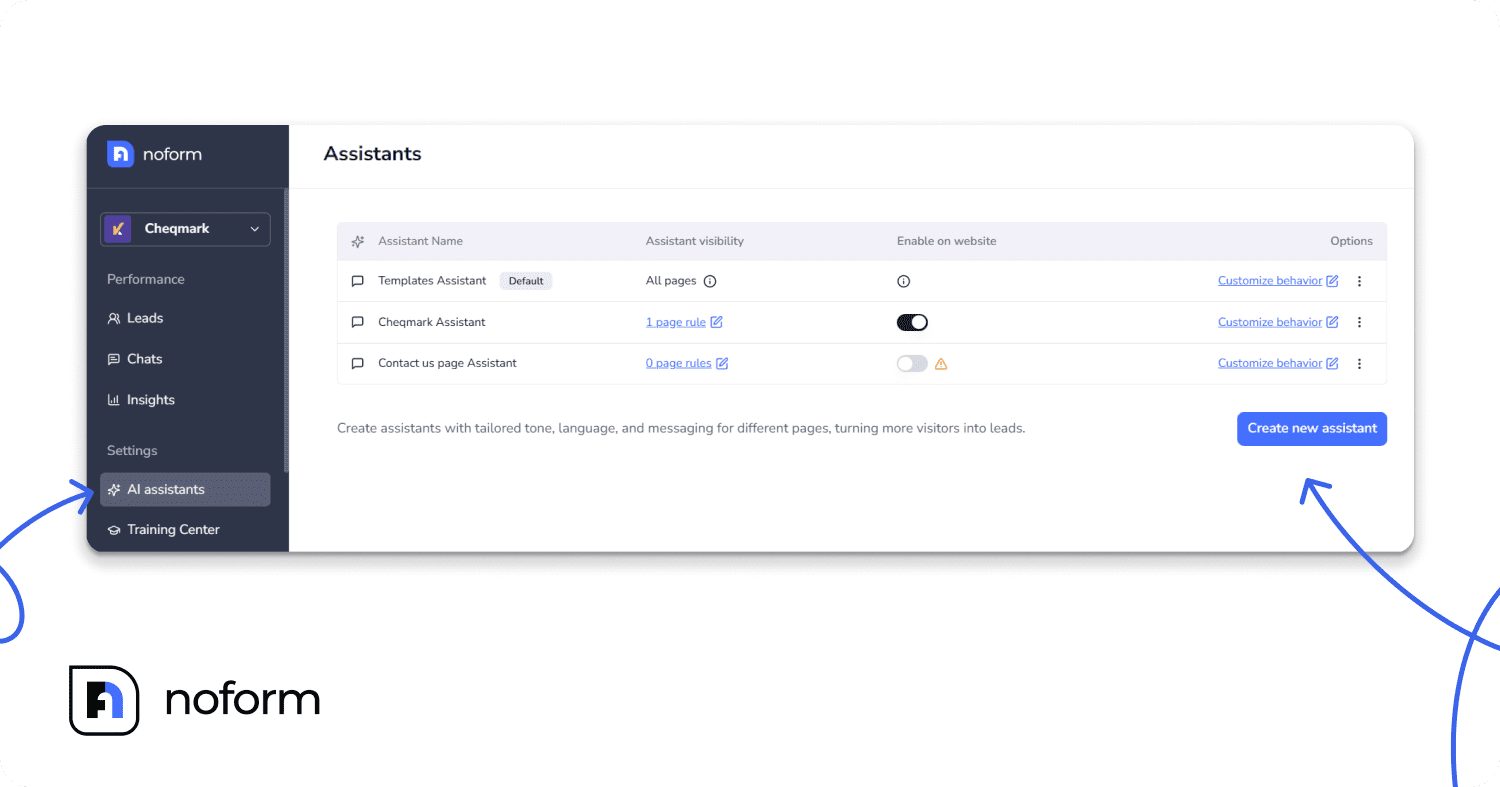
Tip: Set up multiple AI assistants on different pages for maximum impact. Give each bot a clear role—pricing assistant on pricing pages, onboarding helper in the app, support bot in the help center.
Next, design for natural conversation. AI should handle a human conversation flow where users speak freely instead of clicking through rigid menus. That means supporting open-ended user input, follow-up queries, and context so the bot can actually understand user interactions and deliver relevant responses.
Language is part of that experience:
- Configure the bot to serve specific languages on specific pages.
- Let it reply in the same language the visitor uses, automatically, without friction.
Finally, draw a clear line between automation and human support. Some conversations require judgment, empathy, or deeper context. Escalate to a human agent when complexity rises, frustration shows, or sensitive topics appear. Collect contact details for follow-up, and pass the full conversation—plus an AI-generated summary—into the dashboard.
Chatbot UI and UX design best practices
Once the conversation sounds like your brand, the user interface should look like it belongs there too. A mismatched widget signals “afterthought.” Users pause, trust drops, and even a solid bot gets ignored.
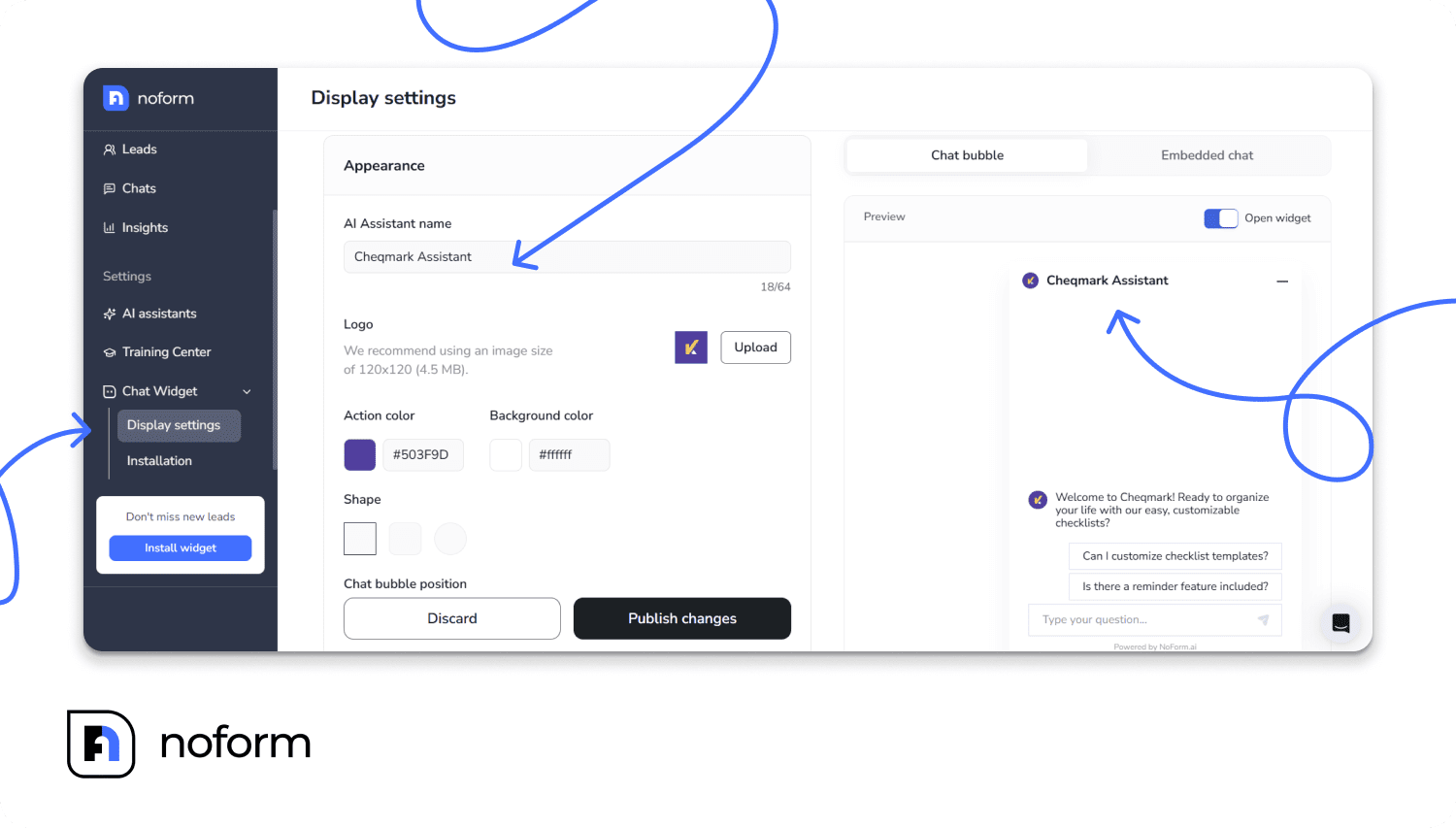
Keep the experience easy to navigate:
- Build for mobile first: A big share of website chatbots usage happens on phones. Use short messages, readable spacing, and buttons sized for thumbs. Keep visual elements lean so the chat doesn’t feel cramped.
- Place it where people expect it: A bot that’s hard to spot won’t help users. Keep it in a consistent corner, visible as users scroll, and make sure it doesn’t block key actions like checkout, forms, or cookie banners.
Then make the first move for the user. Conversation starters and quick replies cut down on vague user input, reduce abandoned chats, and steer user queries toward answers you can deliver well.
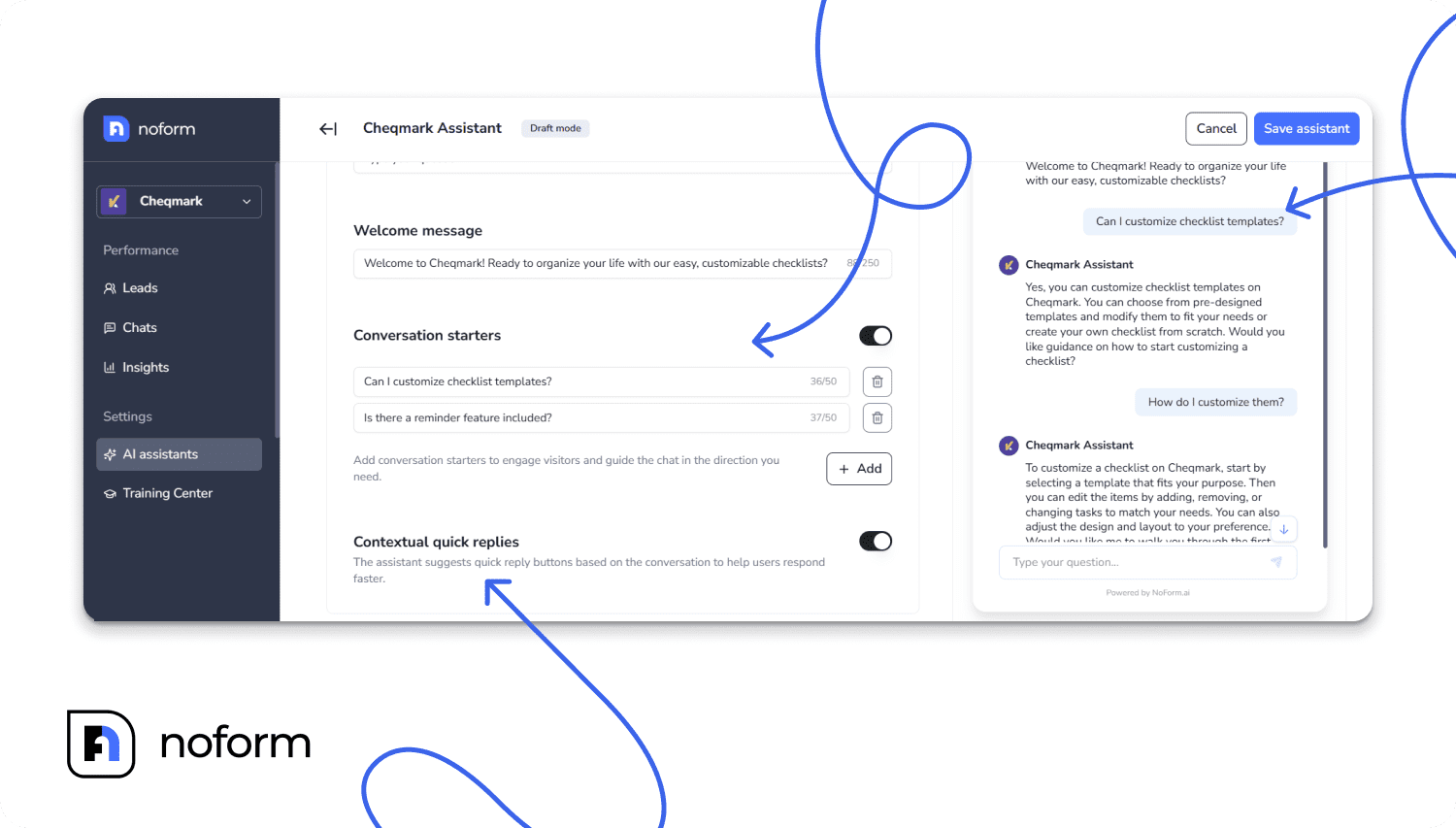
Use greetings and quick replies with intent:
- Value-led opening: “Ask about pricing, integrations, or which plan fits your team.”
- Page-based starters: Pricing page → “Need help choosing a plan?” docs → “Looking for setup steps?” product page → “Want recommendations?”
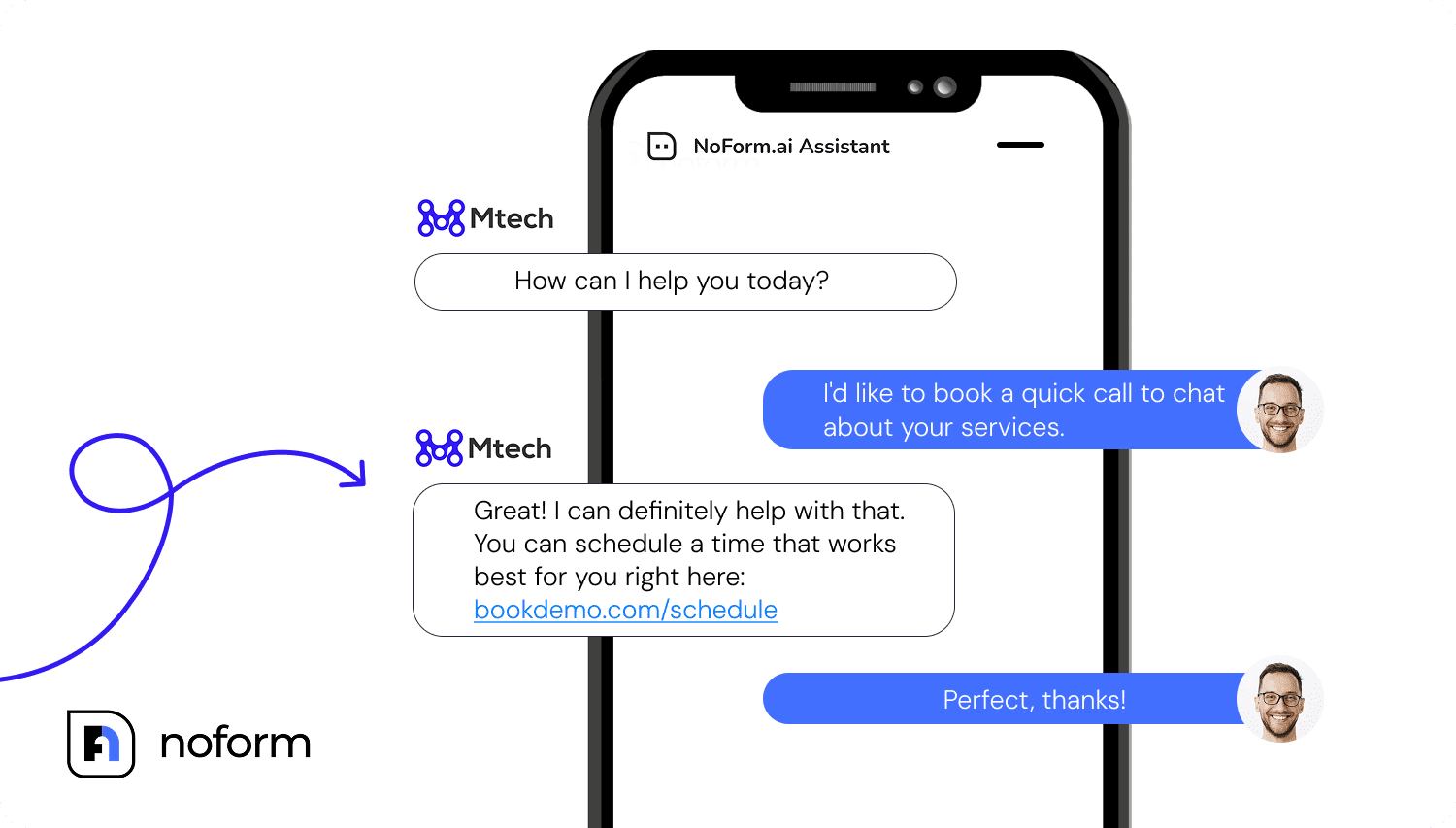
- Clear call-to-action: “Get a quote,” “Compare plans,” “Book a demo,” or “Leave your email for follow-up.”
Training your AI chatbot with quality data
Beyond tone of voice and visual elements, your AI chatbot lives or dies by the quality of its answers. If it can’t provide relevant, business-specific responses to real customer queries, the rest doesn’t matter.
Chatbot training is how you turn a generic bot into an effective one that understands your products, policies, and workflows.
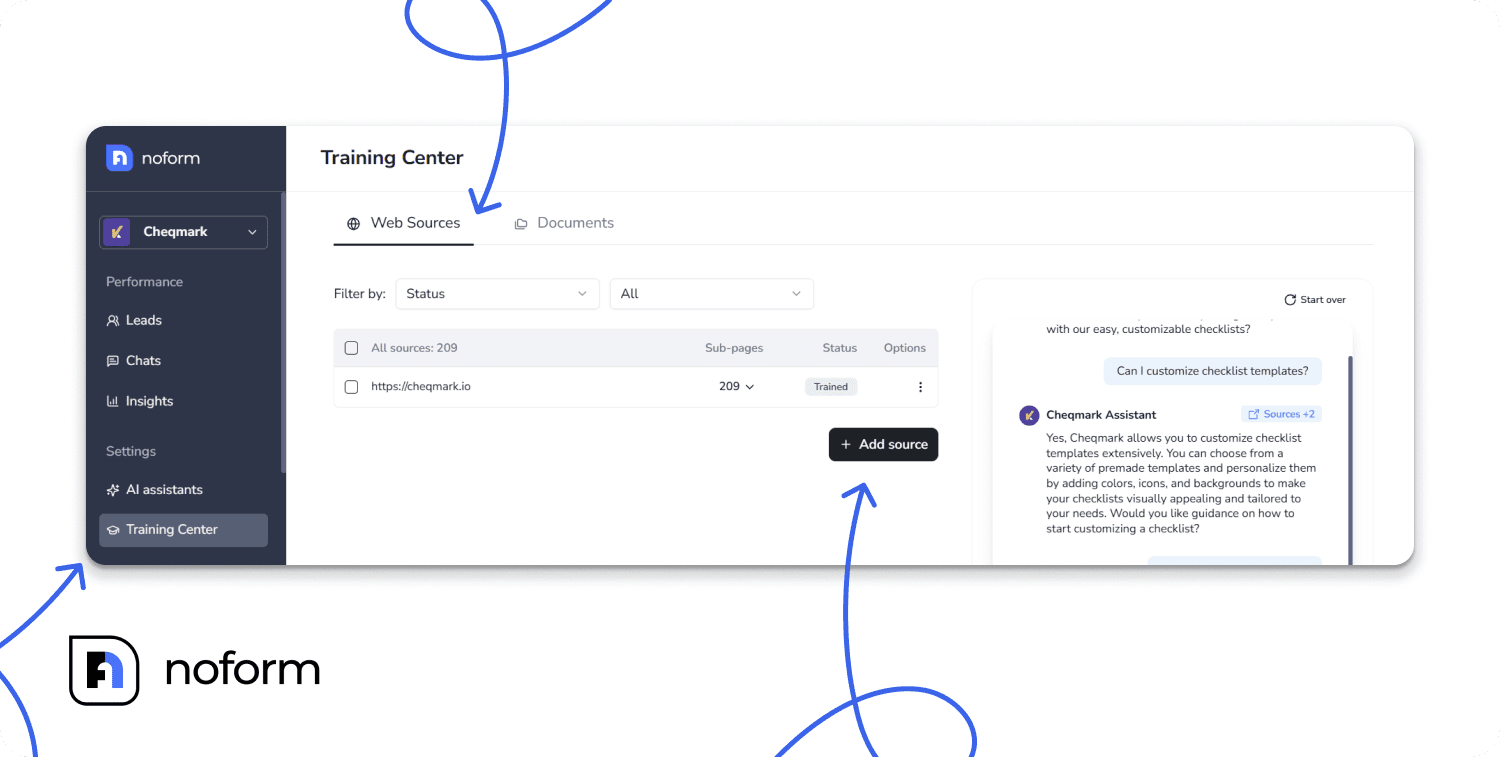
Start by building a strong foundation:
- Use your existing sources first: FAQs, help docs, manuals, and onboarding guides. Clean them up before you feed them in—contradictions and outdated pages create irrelevant responses.
- Upload company-specific materials: SOPs, product sheets, pricing rules, implementation checklists, policy docs, and escalation paths.
- Train on real customer queries: Pull common questions from support tickets, chat logs, sales calls, and contact forms. Use the phrasing customers actually type.
- Lock in industry terminology: Map synonyms and acronyms (“SSO,” “SAML,” “SOC 2,” “MRR”) so the bot handles domain language without stalling.
Then treat training as ongoing work, not a one-time setup. It’s important that you update your AI chatbot using user feedback—flag bad answers, missing topics, and confusing flows. Add or revise source content based on what customers ask for.
Tip: Retrain the chatbot monthly with fresh data. As features change, objections evolve, and policies update, the bot needs the same ongoing upkeep as any other customer-facing system.
Finally, lean on what modern natural language processing and machine learning do well:
- Intent recognition and entity extraction to interpret messy user input and pull details like plan names, dates, or locations.
- Context awareness across conversations so follow-up queries make sense without repeating everything.
- Multi-language support to serve users in their preferred language while keeping answers consistent.
Chatbot testing and launch
Training gives your bot knowledge. Testing proves it can use that knowledge in real conversations, with real user input, across the messy reality of customer interactions. This is one of those chatbot best practices that saves you from shipping a confident bot that’s confidently wrong.
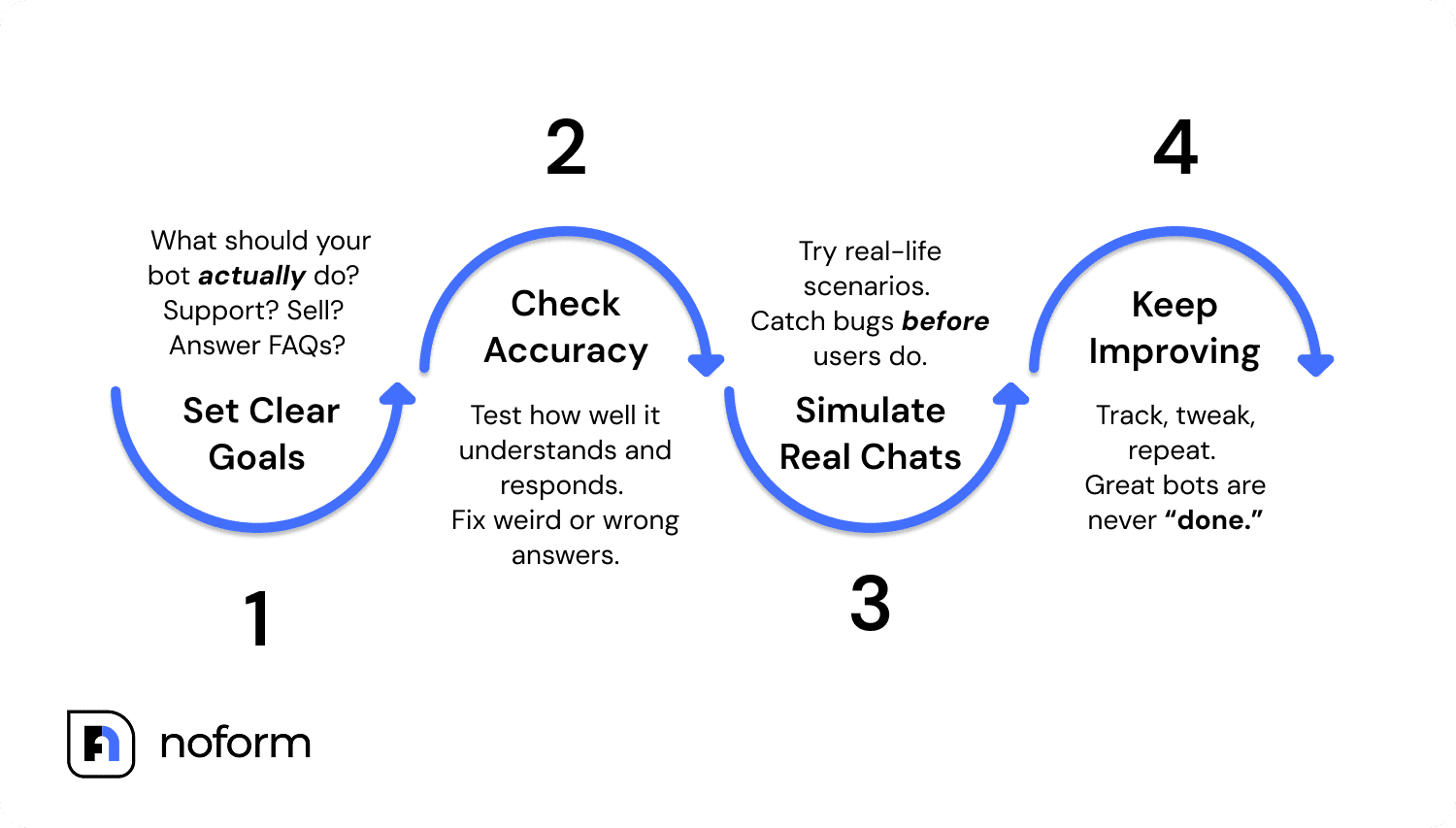
Before launch, run a tight chatbot testing checklist:
- Accuracy checks against the knowledge base: Test the top 50–100 user queries you expect. Verify answers match the approved source content, and flag anything that drifts into guesses or outdated info.
- Cross-cultural and language testing: If you offer multilingual support, test each language with native speakers. Watch for tone issues, incorrect translations of industry terms, and region-specific expectations.
- Internal team testing: Support, sales, and CS should stress-test the bot with the questions they get daily.
- Beta testing with real users: Roll it out to a small segment first. Track where users abandon the chat, what they rephrase, and which responses trigger negative responses.
- Edge cases and error scenarios: Test misspellings, vague prompts, angry messages, and off-topic questions. Make sure error messages are useful and escalation to a human agent is clear.
- Security and integration testing: Validate permissions, data handling, and any systems you integrate with (CRM, helpdesk, scheduling). Confirm logs don’t expose sensitive data.
For launch, start small. Put the bot on a few high-intent pages or begin with a narrow use case (like lead qualification or FAQs) in one department. A focused rollout keeps the chatbot interactions clean, makes improvements faster, and reduces risk while you dial in performance.
Security, compliance, and privacy
A chatbot might look harmless, but it handles user input, logs conversations, and often connects to business systems. That means your chatbot requires real security measures—or you’ll “significantly enhance” your risk instead of your results.
- Protect user data by default: Use secure storage, strict retention rules, and data encryption (in transit and at rest).
- Meet compliance expectations: GDPR (EU) and CCPA/CPRA (California) set rules around consent, access, deletion, and how personal data is processed. If you collect emails, names, or phone numbers, design for those requirements upfront.
Be transparent and keep sensitive info out of chat. Disclose when data is collected and why, and avoid asking for passwords, payment details, government IDs, or health data in open channels—route those cases to secure forms or a human agent.
- Train the AI for safe boundaries: Block it from revealing private company info (internal docs, confidential policies, roadmap notes) and from generating unsafe outputs.
- Audit regularly: Review logs, integrations, and failure cases as part of improving performance.
- Lock down access: Use role-based access so only the right people can view transcripts, change sources, or adjust bot behavior.
Monitoring and continuous improvement
A bot gets better when you manage it like a revenue channel: track what happens, review it consistently, and adjust based on evidence.
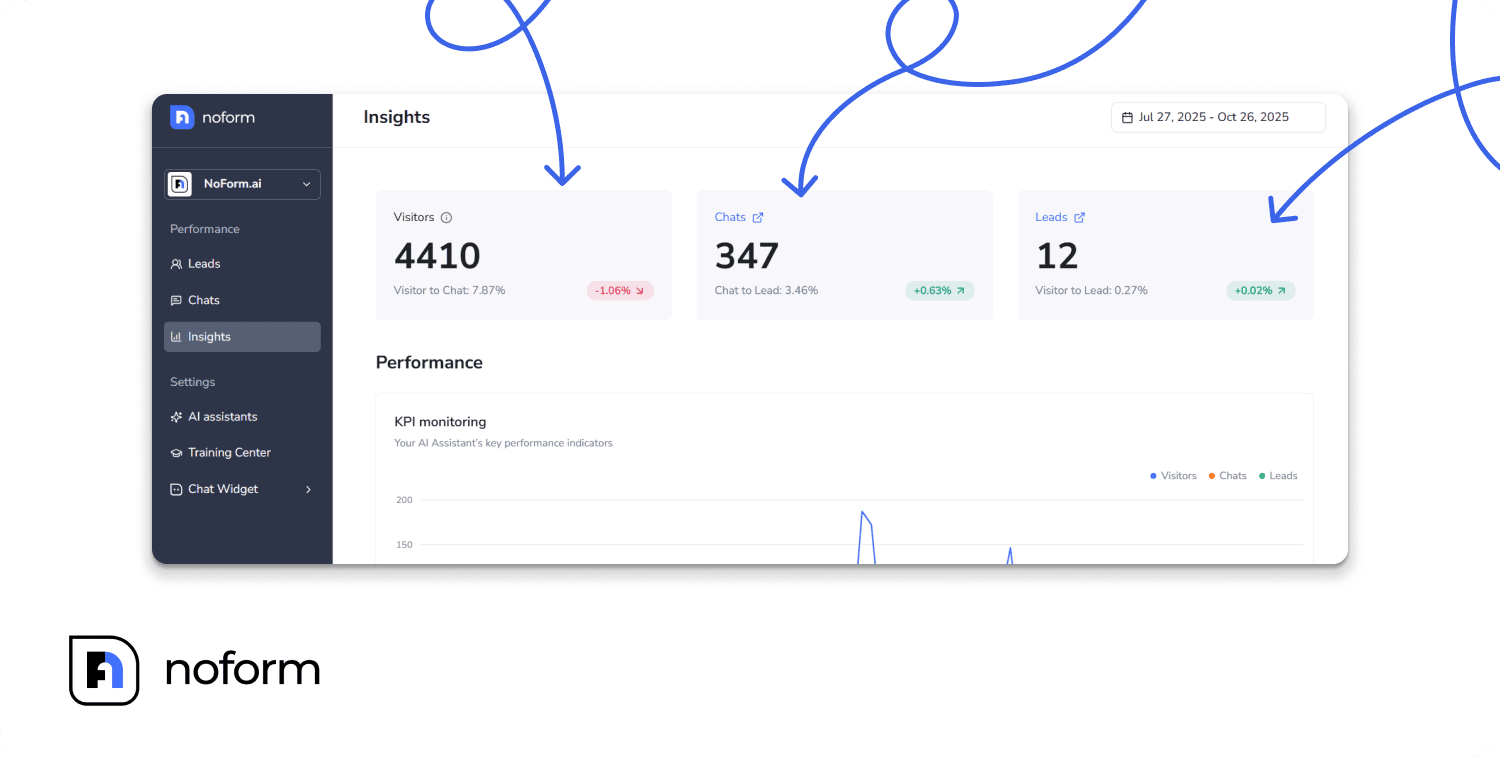
Focus on a concise set of key metrics:
- Qualification rate (how many chats become sales-ready leads)
- Common question patterns and objections
- Unanswered or weak responses that signal knowledge gaps
It’s important that you treat patterns as your signal. If the same questions keep coming back, that’s what matters to buyers. If answers fall short, your source content needs more context or your positioning needs tightening.
It’s also worth reviewing conversations regularly — even a weekly scan can surface knowledge gaps around pricing nuances, industry-specific terminology, or edge-case scenarios your chatbot isn’t handling well yet. The questions that come up most often should be your first priority.
From there, fixes stay simple and targeted:
- Add new information to the knowledge base (Training Center) when questions cluster around missing details or recurring objections. Keep it current: update after any major business change, and do a full audit quarterly to remove outdated content.
- Refine prompts and page-level instructions (the Setup tab in NoForm AI dashboard) when lead quality dips, conversations derail, or the bot over-explains. Small adjustments to tone or structure often have an outsized impact on conversion.
Run this loop consistently and results compound: improving customer satisfaction, stronger qualification, and better sales outcomes from the same traffic.
Ready to build a bot following the best chatbot practices?
A good bot doesn’t come from luck or a fancy model. Instead, it comes from doing the basics well: plan the job, design the experience, train on real questions, test edge cases, launch where it matters, then keep tuning based on what users actually do.
Follow these best chatbot practices and your bot becomes a continuous project that stays aligned with user needs as your product and messaging evolve—whether your goal is lead gen, support, onboarding, or all of the above.
NoForm AI supports that ongoing cycle: create page-specific AI assistants, train them on your FAQs and internal docs, control tone and response guidelines, then review conversations to spot gaps, update knowledge, and improve week after week.
Book a demo call or try NoForm AI to build an AI assistant.