Imagine this scenario: A potential enterprise client from Berlin lands on your website. They have the budget, the intent to buy, and a specific technical question about your product’s compliance with German regulations. They navigate to your chat widget, expecting a quick answer.
But instead of a helpful response in German, they are greeted with a generic “Hi! How can I help you?” in English. They type their question in German. The bot struggles, perhaps offering a clunky machine-translated reply, or worse, defaulting to “I don’t understand.”
The result? That visitor—and their budget—bounces to a competitor who speaks their language.
This scenario plays out thousands of times every day across the web. While the internet has made business global, customer experience remains stubbornly local.
The facts are clear and hard to ignore:
-
- 75% of consumers prefer to buy products in their native language.
- 59% of users rarely or never buy from English-only websites.
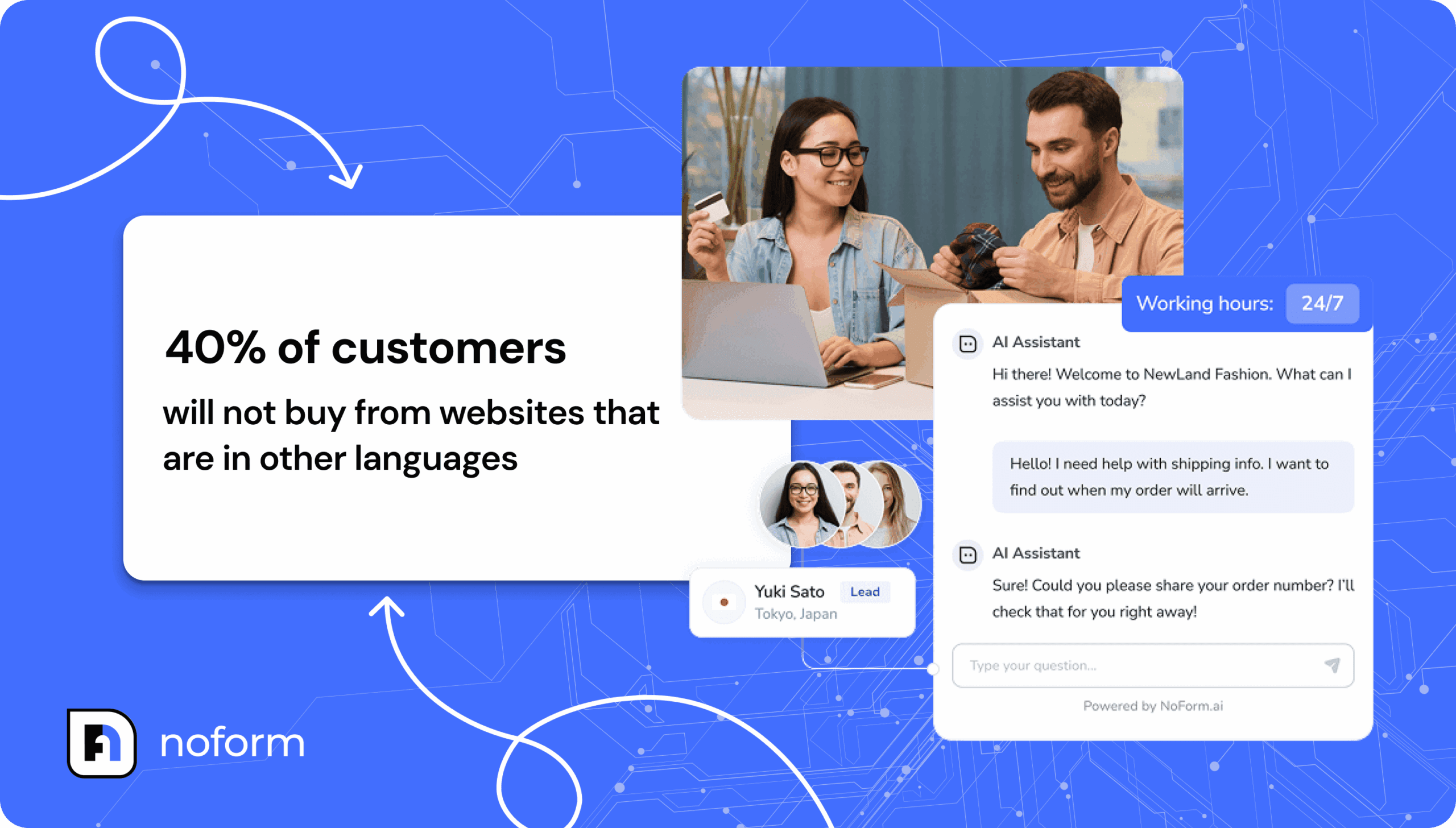
- 40% of customers simply will not buy from websites that are in other languages.
- Most people, even if they know English, prefer to read content in their native language.
If your AI assistant is mono-lingual, you aren’t just creating a user experience friction point; you are actively turning away revenue.
For years, the only solution to this problem was expensive: hiring 24/7 support teams in every time zone or relying on basic, error-prone translation widgets.
But things have changed. With NoForm AI, you can create support that feels native and accurate for every region you serve. And you can do this without hiring any new employees.
This guide is your blueprint. It goes beyond simple “translation” to explore localization—creating AI assistants that don’t just speak the language but understand the culture, context, and specific needs of your international visitors.
Let’s build your global workforce.
Why you need multi-language AI
Before we look at “how” to do this, we need to understand “why” it is important. Why should you spend time setting up special assistants for French, Spanish, or Japanese? The benefits are much more than just being polite.
Building trust with your customers
Language is the main way we build trust. When a visitor talks to a chatbot that speaks their language perfectly, it sends a message. It tells them your company is real, serious, and committed to their market.
On the other hand, if a user has to translate your English text in their head, it makes it hard for them to think. This is called “cognitive load.” Every extra second they spend trying to understand your words is a second they are not thinking about buying your product. By removing this barrier, you keep people on your site longer. You keep them in a “buying” mood instead of a “confused” mood.
Helping people find you on Google (SEO)
Search Engine Optimization (SEO) is not just about using the right keywords anymore. It is about giving users a good experience. Search engines like Google prefer content that matches the language the user speaks.
If you have made special pages for different countries (like yoursite.com/es/ for Spain), putting an English chatbot on that page feels wrong. It creates a disconnect. Google notices these high bounce rates. By matching your chatbot’s language to the page’s language, you create a smooth experience that search engines reward with better rankings.
Capturing the “after-hours” market
Global business means your store is always open somewhere. When your team in the US is sleeping, your potential customers in Europe and Asia are awake and researching.
- 58% of leads move to a competitor if they don’t get a response within 4 hours.
A multi-language AI assistant solves this. If a question comes in at 3 AM from Tokyo, your AI can give an instant, correct answer in Japanese. You capture leads while you sleep. This ensures you never lose a chance just because of time zones.
Standing out from competitors
In many industries, especially B2B SaaS and professional services, true multilingual support is still rare. Many competitors rely on browser-based translation that often breaks layout or context.
By offering a native AI experience, you gain a huge advantage. If you are the seller who can answer difficult technical questions in the prospect’s own language right away, you win their trust before you even speak to them.
Choosing your strategy
NoForm AI gives you two main ways to handle multiple languages. Choosing the right one depends on how your website is built and what your business goals are.
Strategy A: The “dynamic polyglot” (single assistant)
Best for: Businesses with a single homepage serving mixed traffic, or those just starting their global expansion.
How it works: You deploy one single AI assistant across your entire site. NoForm AI uses advanced Natural Language Processing (NLP) to detect the language of the user’s input automatically.
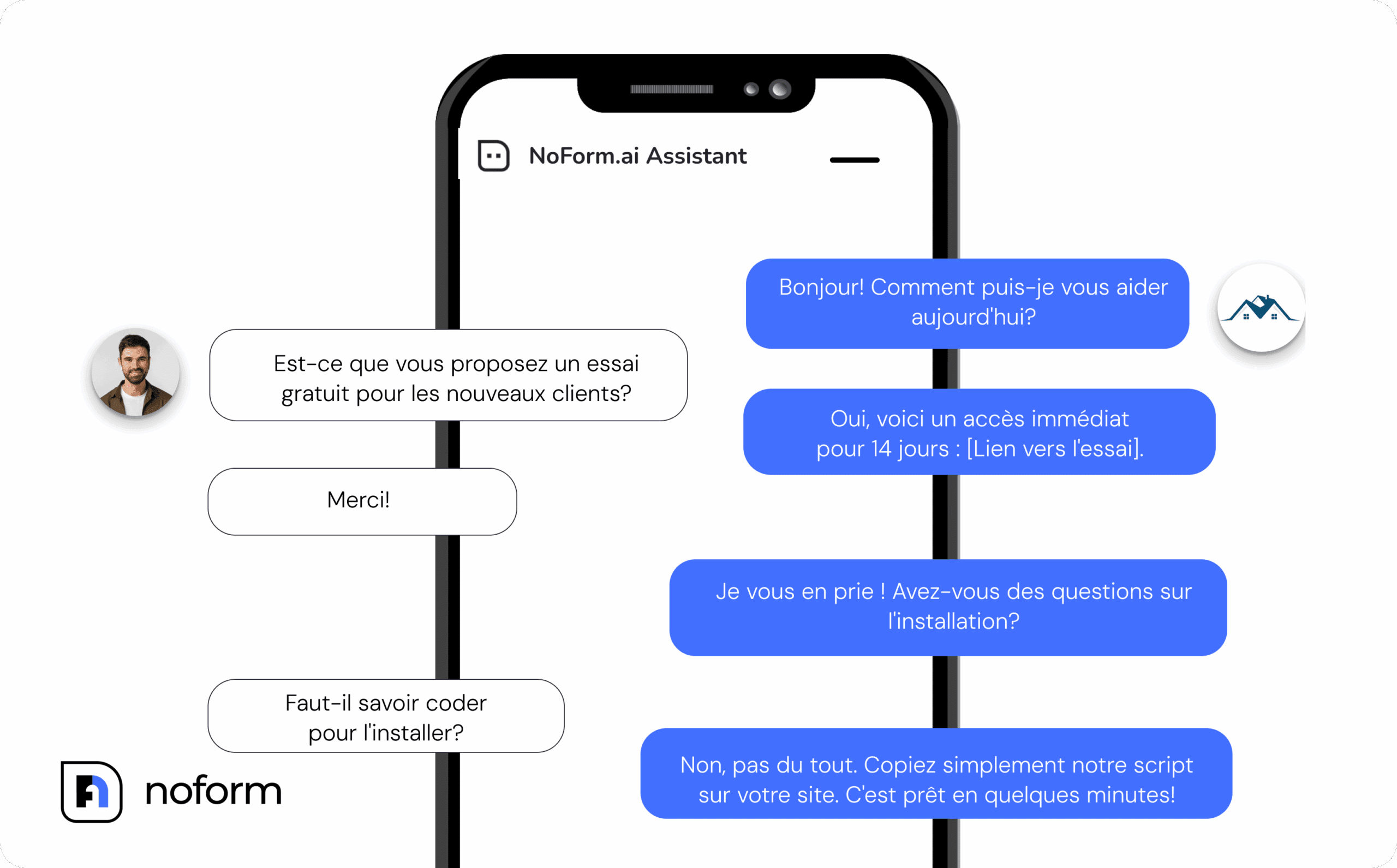
- The workflow: A user lands on your site and types “Hola, ¿cuánto cuesta?” The AI detects Spanish and instantly shifts its response generation to Spanish.
- Pros:
- It is the easiest way to start because you only manage one bot.
- It is great for pages where you don’t know where the user is from.
- It requires very little maintenance.
- Cons:
- The “Welcome Message” is usually static (e.g., always in English), which forces the user to make the first move in a foreign language.
- It is harder to control the specific “tone” or style for different cultures.
Optimization tip:
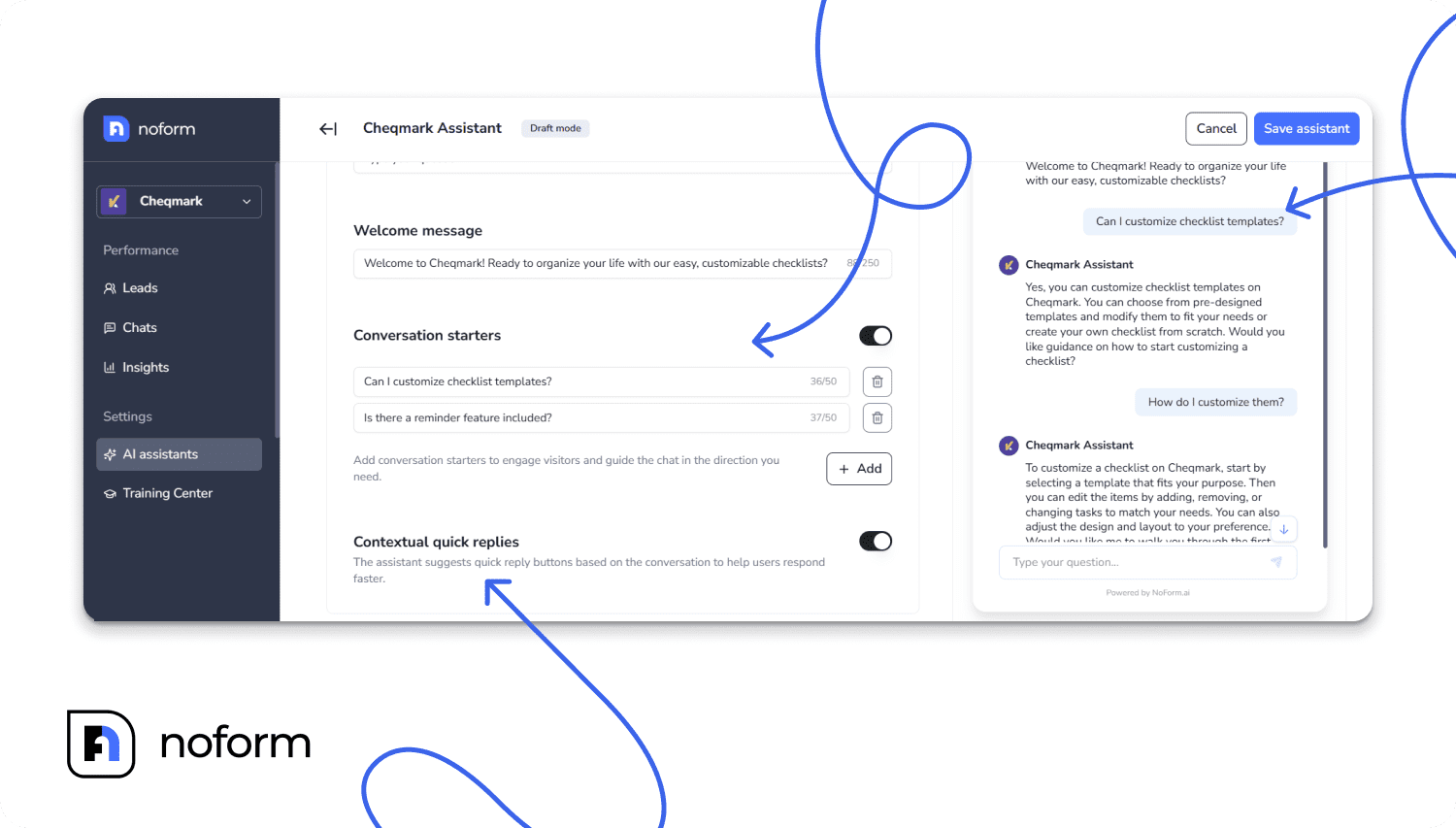
If you choose this path, you can still make it welcoming. In the Engagement tab, you can set up a Bilingual Welcome Message.
- Example: “Hi! How can I help? / Bonjour ! Comment puis-je vous aider ? / ¡Hola!”
- Use Conversation Starters as language pickers: Button 1: “English”, Button 2: “Español”, Button 3: “Français”.
Strategy B: The “dedicated specialist” (multiple assistants)
Best for: Enterprise businesses, sites with localized sub-directories (e.g., /fr/, /de/), and companies needing high-precision cultural localization.
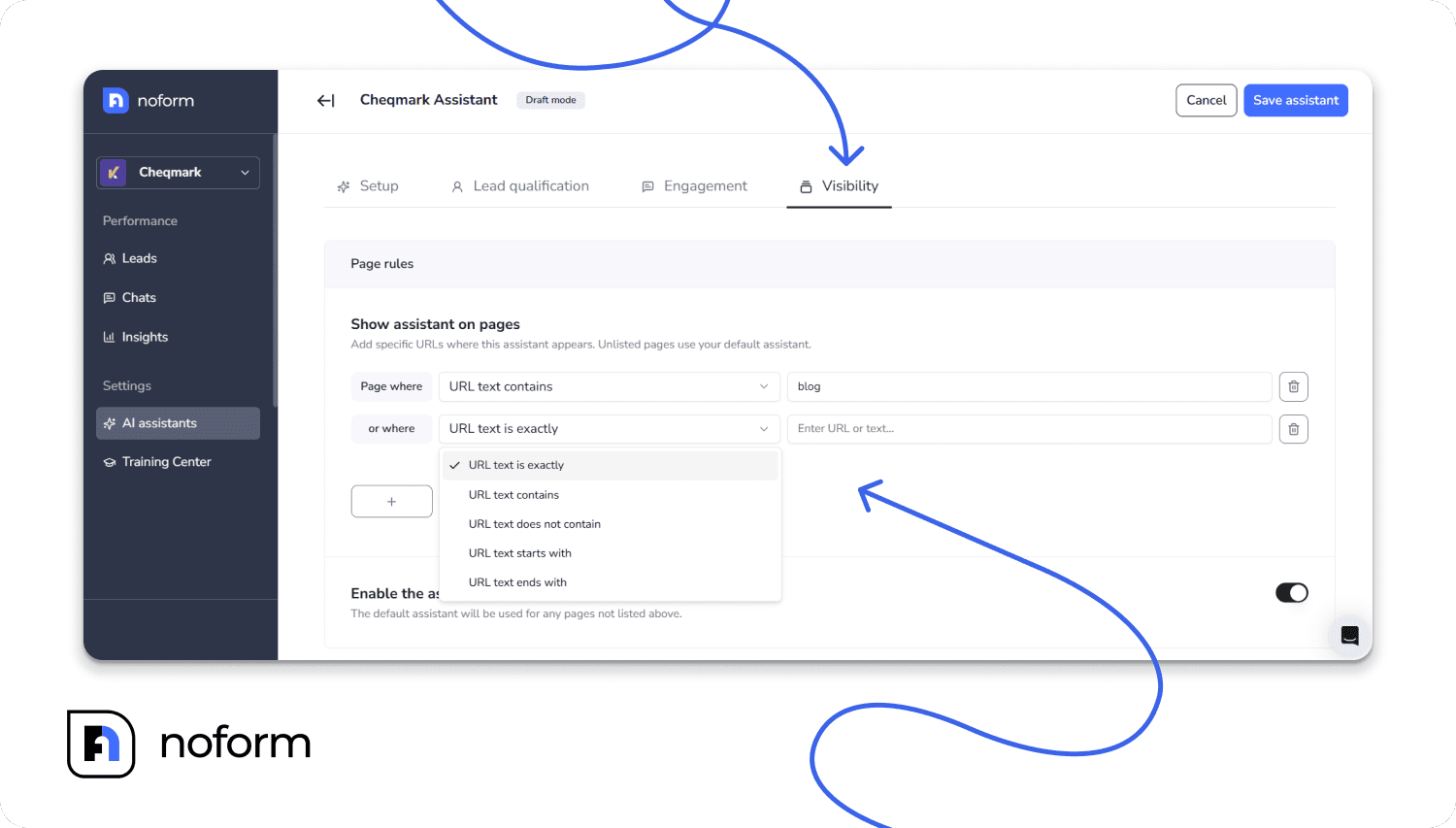
How it works: You create separate, specific AI assistants for each target market. You use Page Rules to ensure the French bot only loads on French pages, and the German bot only loads on German pages.
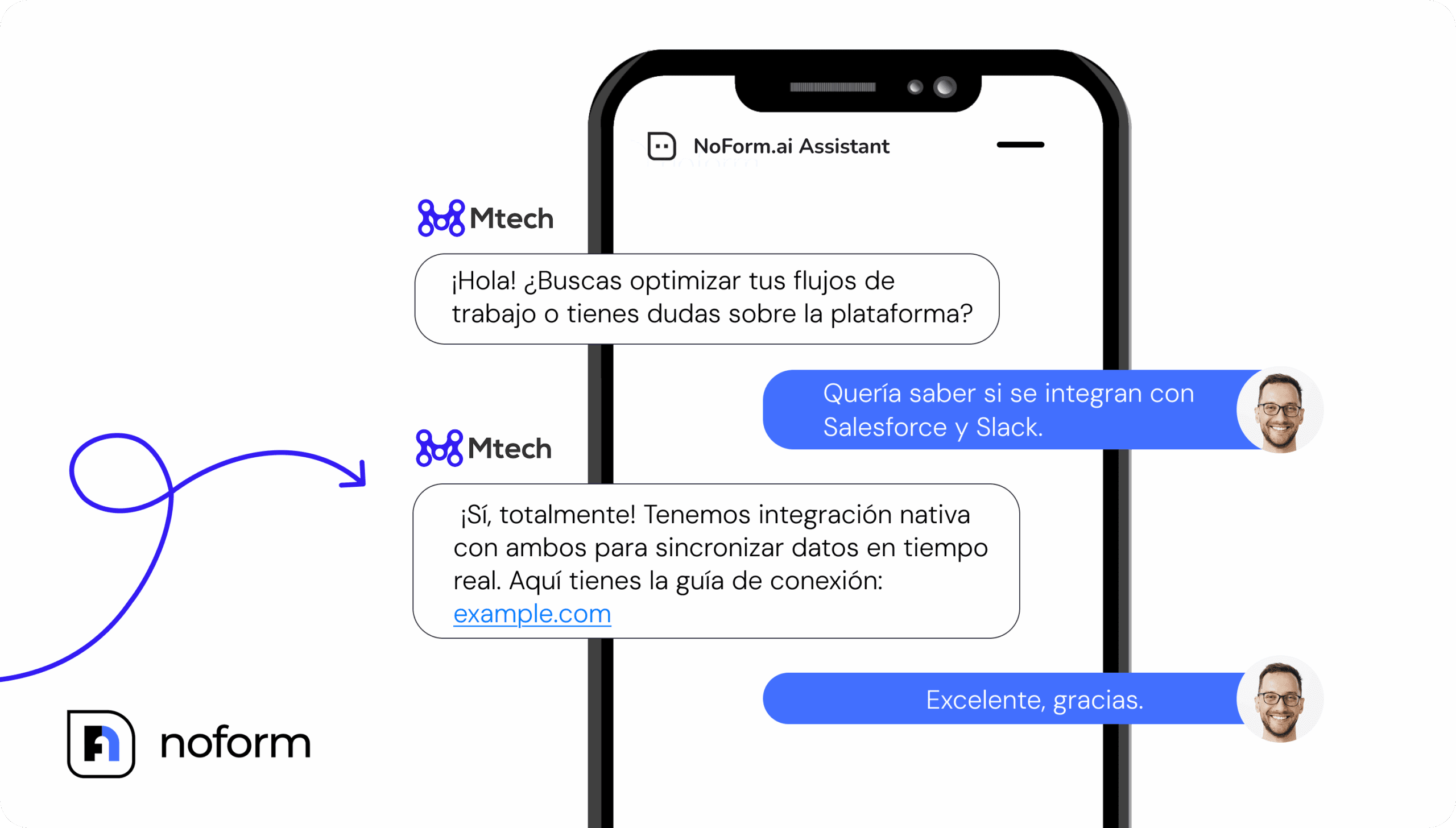
- The workflow: A user navigates to yoursite.com/de/pricing. NoForm AI detects the URL pattern and loads the “German Sales Bot.” The welcome message, buttons, and answers are all native German.
- Pros:
- Total immersion: The experience is 100% localized from the first second.
- Cons:
- Requires managing multiple assistants in the dashboard.
Step-by-step guide to building dedicated assistants
Are you ready to build this? We will walk through the steps to create a French Sales Assistant. You can use these same steps for German, Spanish, Japanese, or any other language you need.
Step 1: Look at your website links
Before you touch the AI, look at your website structure. How do you separate languages? NoForm AI uses Page Rules to know when to appear.
Common ways websites do this include:
- Subdirectories: yoursite.com/fr/ (This is very common).
- Subdomains: fr.yoursite.com
- URL Parameters: yoursite.com?lang=fr
Find the pattern for the language you want to target. You will need this for the “Visibility” step later.
Step 2: Create and name your assistant
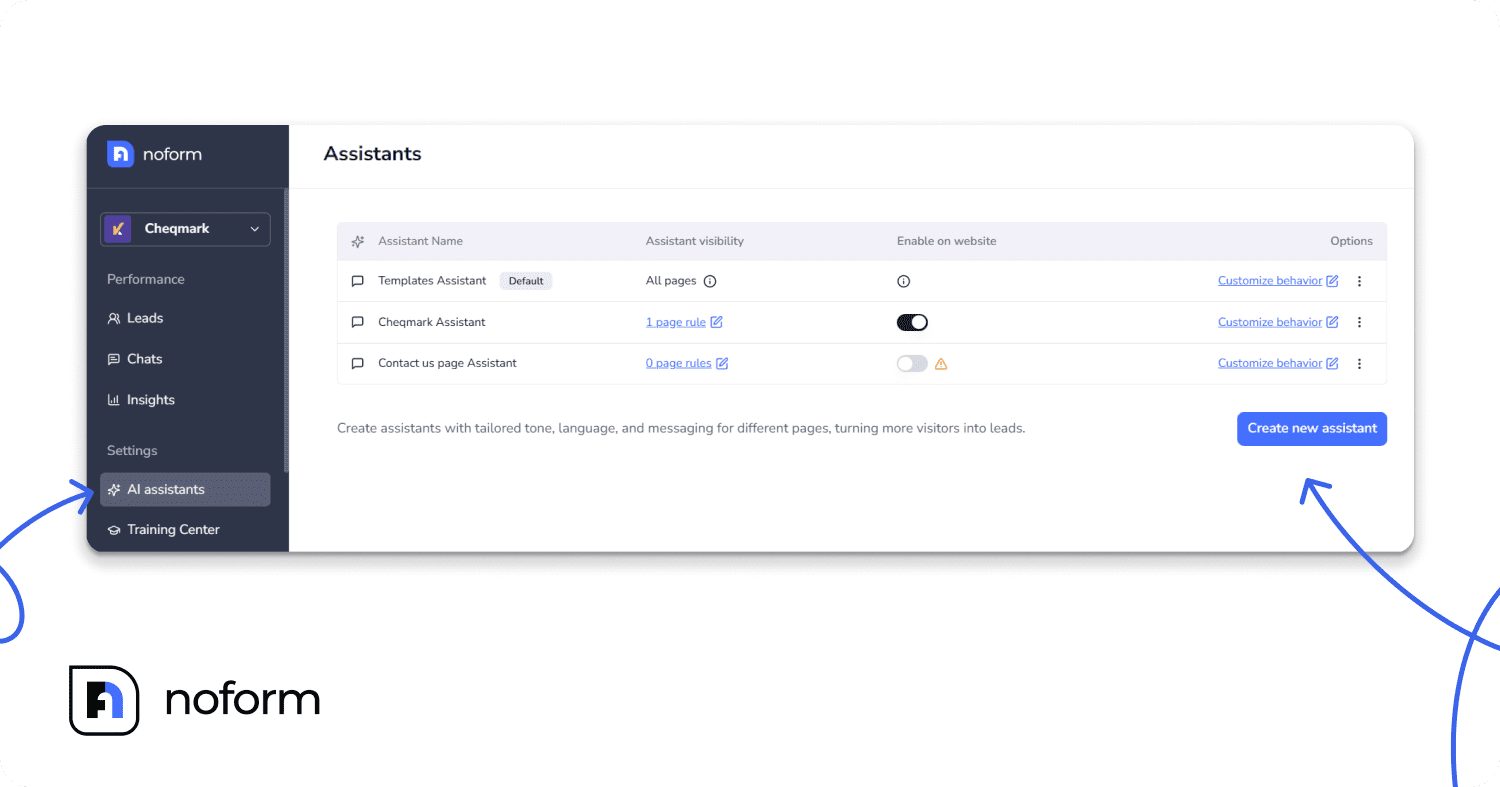
- Log in to your NoForm AI dashboard.
- Go to AI assistants and click the blue Create Assistant button.
- Naming convention: This is very important for keeping things organized. Do not just name it “French Bot.” Use a clear name like [Language] – [Function].
- Examples: “French – Sales Support”, “German – Technical Help”, “Spanish – Marketing”.
Step 3: The “brain” – setting up the rules
This is where the magic happens. You need to tell the AI how to behave. The biggest mistake people make is writing the instructions in English and hoping the AI translates them well.
Best Practice: Write your system instructions in the target language.
Go to the Setup tab. You will see sections for Role, Context, and Guidelines.
- Role (in French):
- Instead of writing: “You are a helpful assistant.”
- Write in French: “Vous êtes l’assistant virtuel expert de [Nom de l’entreprise], spécialisé dans le marché français.” (You are the expert virtual assistant of [Company Name], specializing in the French market).
- Why? This prepares the AI’s brain to think in French grammar and culture right away.
- Tone & personality (the cultural part): Different cultures expect different things from business chats.
-
- German: Usually needs to be formal, precise, and serious. Use “Sie” (formal you), not “du”.
- US English: Can be enthusiastic, casual, and use emojis.
- Japanese: Requires high levels of politeness and respect.
- Instructions example (French): Tell the bot to be professional and polite (“courtois et empathique”). “Utilisez un ton professionnel, courtois et empathique. Utilisez le vouvoiement (vous).”
By defining these rules in the native language, you stop the bot from sounding like a robot translator.
Step 4: Engagement – making the first move
The Engagement tab controls what the first message says. If a user is on a French page, seeing an English “Hi!” breaks the feeling of the site.
- Welcome message: Write a greeting that matches the page.
- Bad: “Bonjour.”
- Good: “Bonjour! Ravie de vous voir. Cherchez-vous des informations sur nos tarifs ou souhaitez-vous une démo?” (Hello! Great to see you. Are you looking for pricing info or do you want a demo?)
- Conversation starters: Translate your quick-reply buttons. These make it easy for users to click instead of typing.
- Change: “Get a Quote” -> “Obtenir un devis”
- Change: “Book a Demo” -> “Réserver une démo”
- Placeholder Text: Even the small text inside the typing bar matters.
- Change: “Type your message…” -> “Posez votre question…”.
Step 5: The magic switch – setting visibility rules
Now you need to make sure this French bot only appears for French visitors. This is done in the Visibility tab.
- Scroll down to Page Rules.
- Click Add Rule.
- Select “URL text starts with” (or “contains”).
- Enter your identifier: /fr/.
- Save.
The logic:
- If a user visits yoursite.com -> NoForm AI loads the Default (English) bot.
- If a user clicks “Français” and goes to yoursite.com/fr/ -> NoForm AI sees the /fr/ pattern and swaps in your French Assistant.
This switch is invisible to the user. They just see that you speak their language, everywhere on the site.
Conclusion: turning language into leverage
If you rely on your users to do the hard work of translating your site and adapting to your language, you are pushing them away. By setting up a multi-language AI strategy with NoForm AI, you are pulling them in.
You are telling them: “We see you. We value you. We speak your language.”
And the best part? You don’t need a massive support center in Lisbon or Tokyo to offer world-class global support. You just need NoForm AI.
Ready to expand your reach? Log in to your dashboard today, create your new multi-lingual assistant, and start optimizing it for your next big market. The world is waiting.
Frequently Asked Questions (FAQ)
What is a multi-language AI chatbot?
A multi-language AI chatbot is a software tool that talks to users in many different languages. It uses artificial intelligence to understand what a user is saying and replies in the same language automatically.
Does NoForm AI automatically detect the user’s language?
Yes. NoForm AI uses Natural Language Processing (NLP) to look at the first message a user sends. It instantly recognizes the language and switches the conversation to match it, without the user needing to change any settings.
Do I need to create a separate chatbot for every language?
You have two choices. You can use a single assistant that speaks all languages (Dynamic approach). Or, you can create separate assistants for specific languages (like a French bot for French pages). Creating separate assistants allows you to customize the tone, role, and specific manual instructions in the Setup tab for each language while relying on your central business training data.
How do I train my chatbot to answer in a specific language?
You train your assistant by uploading documents (like PDFs or Word docs) or website links to the Training Center. The AI processes this information to answer questions accurately. You can then use the Setup tab to give specific instructions to your assistant on how to use this information for different languages.
Can I show different chatbots on different pages of my website?
Yes. NoForm AI uses “Page Rules” to decide where an assistant appears. You can set a rule so that your “Spanish Assistant” only shows up on pages that start with /es/ or contain specific Spanish keywords in the URL.
Does the chatbot translate my website content?
No. The chatbot does not change the text on your website. Instead, it translates the conversation in real-time. It answers visitor questions in their preferred language using the knowledge you gave it.